12ft.io Alternatives in 2026: 8 Legitimate Ways to Read Articles Compared
By ToolNimba Editorial Team November 19, 2026 9 min read
We did not test these tools hands-on. Picks are based on vendor documentation and public information. Read our editorial policy and disclosure.

- Top pick
 Unpaywall
Finding legal open-access copies
Starting priceFreeCheck out UnpaywallRead our review - Runner-up
 Google Scholar
Searching for free article versions
Starting priceFreeCheck out Google ScholarRead our review - Also great
 CORE
Searching open-access research worldwide
Starting priceFreeCheck out CORERead our review
How we researched this
We compared official pricing and feature pages, app store listings, privacy policies and public user reviews. Prices change, so check the provider's site before you pay.
Key takeaways
- We do not endorse bypassing paywalls, and this list includes only legal routes such as open-access copies, library access, and publisher free content.
- Unpaywall, CORE, and Google Scholar are the fastest first checks for a legal free copy of a research article.
- Library access through Lean Library, LibKey, and Libby often opens content you already have rights to use.
- When no legal copy exists, asking the author or using interlibrary loan is a normal, accepted next step.
Quick comparison
| Name | Best for | Starting price | Free plan | |
|---|---|---|---|---|
| Unpaywall | Finding legal open-access copies | Free | Yes | Visit |
| Google Scholar | Searching for free article versions | Free | Yes | Visit |
| CORE | Searching open-access research worldwide | Free | Yes | Visit |
 Semantic Scholar | Finding papers with free full text | Free | Yes | Visit |
 DOAJ | Finding fully open-access journals | Free | Yes | Visit |
 Libby | Free ebooks and magazines via libraries | Free | Yes | Visit |
 Internet Archive | Free books, texts, and media collections | Free | Yes | Visit |
 Lean Library Open | Library access and open-access alerts | Free | Yes | Visit |
The best 12ft.io alternatives
12ft.io was known as a paywall bypass tool, and it is no longer a route we recommend. Bypassing a paywall to read content you have not paid for or do not have rights to access is not endorsed here, and it can breach a publisher's terms and, in some cases, the law.
The tools below take a different approach. They find copies that are already free to read legally, connect you to library access you already have, or point you to publisher content that is free by design. Start with the open-access checkers, then try library tools, and use author requests or interlibrary loan when nothing else works.
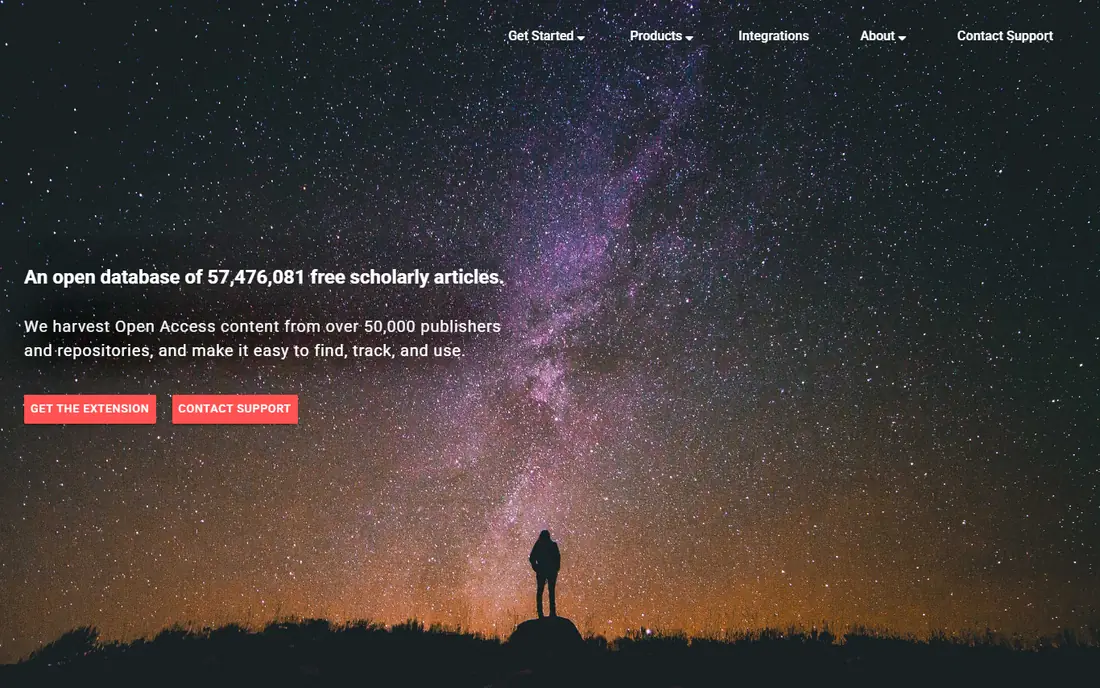
Unpaywall is the closest legitimate replacement for the habit of pasting a link and hoping for a free copy, since it checks for a legal open-access version.
When you land on a publisher page, the extension checks the article DOI against its database and links to a repository or publisher copy when one exists. It does not host content itself, which keeps the route legal and simple.
The catch is coverage, since many articles have no open-access copy, and in that case Unpaywall correctly shows no free version rather than forcing one. Before you sign up, check the plan limits, the cancellation terms, and what support is included, since those details change the real cost.
- Browser extension for Chrome and Firefox
- DOI-based lookup
- Links only to legal copies
- No copy exists for many paywalled articles
- No library login handling
Google Scholar is the best first search when you know a title or author, since it often surfaces a free version alongside the publisher link.
Search results can include repository copies, preprint servers, and author pages, and the related-articles feature helps when the exact paper is hard to find. Setting library links in Scholar settings adds your institution access to results.
The catch is that not every result is free, so check for a PDF or repository link on the right side of the result rather than clicking the publisher link first. Before you commit, read the pricing page for your own use case, and check what is included at the entry level rather than assuming the headline features apply.
- Huge scholarly index
- Often links to free PDFs and repository copies
- Citation tracking
- Interface is plain
- Some links lead to paywalled publisher pages
CORE suits readers who want a dedicated open-access search engine rather than a general web search for research papers.
Its index covers millions of open-access papers from repositories worldwide, and its browser extension flags a free version while you browse publisher pages. Related-article suggestions help when the exact paper is not available.
The catch is that some records point to metadata or a landing page rather than a full PDF, so you may need one extra click to reach the text. Check the current pricing and plan limits on the vendor site before you buy, because published prices and free tiers change over time.
- Large open-access index
- Browser extension
- Related-article suggestions
- Some records link to metadata only
- Coverage varies by field
Semantic Scholar is a good research starting point, since it combines paper discovery with filters for open-access full text.
You can search by topic, author, or venue, then filter to papers with a free PDF, which saves time compared with opening each publisher page. Author pages also help you find other work by the same researcher.
The catch is that full text depends on what publishers and repositories make available, so some important papers will still show only an abstract. A short trial or a free tier is the best way to test fit, so start there when one is available and check the renewal terms before it ends.
- Large paper index
- Open-access filters
- Author and venue pages
- Full text is not available for every paper
- Some links are paywalled
The Directory of Open Access Journals, known as DOAJ, fits readers who want to find journals that are free to read by design.
It lists vetted open-access journals and lets you search articles across them, which is useful when you are exploring a field rather than chasing one paper. Subject browsing helps students find credible journals in a new topic.
The catch is scope, since DOAJ does not turn a paywalled article free, and it cannot help with subscription journals that have no open-access version. Before you sign up, check the plan limits, the cancellation terms, and what support is included, since those details change the real cost.
- Directory of vetted open-access journals
- Article search
- Subject browsing
- Covers journals, not paywalled articles in hybrid journals
- No library access
Libby is the best option on this list for books and magazines, since it turns a public library card into a free digital shelf.
You borrow ebooks, audiobooks, and magazines through your library, with holds, loans, and offline reading built in. For general reading, it replaces the need to look for unofficial copies entirely.
The catch is availability, since you need a card from a participating library, and popular titles can have long hold queues. Before you commit, read the pricing page for your own use case, and check what is included at the entry level rather than assuming the headline features apply.
- Free with a library card
- Ebooks, audiobooks, and magazines
- Simple holds and loans
- Needs a participating library card
- Popular titles have wait lists
Internet Archive fits readers looking for older books, public-domain texts, and historical collections that are free to read legally.
Its collections include public-domain books, academic texts, and media archives, and its controlled lending program lets libraries lend digitized books under set terms. For older material, it is often the fastest legal route.
The catch is that newer books are often borrow-only with limits, and the broad search can take practice to narrow to the right edition. Check the current pricing and plan limits on the vendor site before you buy, because published prices and free tiers change over time.
- Huge public collections
- Controlled digital lending for some books
- Historical texts
- Some books are borrow-only with wait lists
- Search can feel broad
Lean Library Open suits students and staff who want one extension that checks both open-access copies and library access.
While you browse, it can flag a legal open-access version and, where your library supports it, point you to content your institution already provides. That dual check saves the manual step of searching a library catalog separately.
The catch is setup, since the full library features depend on your institution, and readers without a library affiliation get mainly the open-access alerts. A short trial or a free tier is the best way to test fit, so start there when one is available and check the renewal terms before it ends.
- Alerts for legal open-access versions
- Connects to library holdings
- Browser extension
- Full library features need an institution
- Setup varies by library
How we picked these
We compared official product pages, library guides, and published descriptions for tools that find legal free copies or library access, and we left out any tool whose purpose is to bypass paywalls. We favored tools that are free, actively maintained, and usable without a subscription, and we noted where a tool needs a library card or an institution.
We also checked that the former Open Access Button service is no longer presented as an active option, since library guides now point readers to Unpaywall and similar tools instead. Where a tool cannot find a copy, we say so, since a legal tool should never promise access it cannot provide.
How to read paywalled content legally
Follow a legal order when you hit a paywall
First, check Unpaywall, CORE, or Google Scholar for a legal open-access copy. Next, check your library catalog or a library extension for access you already have. If neither works, email the author for an accepted manuscript or request the article through interlibrary loan.
Use your library card more than you think
Public libraries offer ebooks and magazines through Libby, while university libraries offer journal access, interlibrary loan, and research help. Many people pay for content their library already provides, so a library card is often the cheapest upgrade on this list.
Avoid tools that promise to remove any paywall
A tool that claims to open every paywalled page is not finding legal copies, and using it can breach terms of service and publisher rules. If a site asks you to install a script that strips paywalls, treat that as a warning sign and use the legal routes above instead.
Sources
Frequently asked questions
What are the best 12ft.io alternatives?
Unpaywall, Google Scholar, and CORE are the best starting points for research articles, while Libby and Internet Archive suit books and magazines. Lean Library Open helps when you have library access to connect.
Is it legal to bypass a paywall?
Bypassing a paywall to access content without permission is not endorsed here and can breach publisher terms. Use open-access copies, library access, publisher free content, author requests, or interlibrary loan instead.
What happened to Open Access Button?
Open Access Button is no longer available as an active service, and library guides now point readers to Unpaywall and similar tools. Unpaywall is the closest one-step replacement for finding a legal open-access copy.
How do I get an article if no free copy exists?
Email the corresponding author and ask for an accepted manuscript, which many authors are glad to share, or request the article through your library interlibrary loan service. Both routes are normal practice in research.
Can my library really help with paywalled articles?
Yes, university and public libraries provide journal access, ebook loans, and interlibrary loan, often for free to members. Ask a librarian if you cannot find a title, since they can often locate a legal copy quickly.