Best AI Art Tools in 2026: 9 Tools Compared
By ToolNimba Editorial Team October 30, 2026 11 min read

- Top pick
 Midjourney
Artistic and cinematic images
Starting price$10 per monthCheck out MidjourneyRead our review - Runner-up
 Adobe Firefly
Commercially safe Adobe work
Starting price$9.99 per monthCheck out Adobe FireflyRead our review - Also great
 Leonardo AI
Game art and daily free creation
Starting price$12 per monthCheck out Leonardo AIRead our review
How we researched this
We compared official pricing and feature pages, app store listings, privacy policies and public user reviews. Prices change, so check the provider's site before you pay.
Key takeaways
- Midjourney remains our pick for pure visual style, starting at $10 per month, but it has no free tier.
- Adobe Firefly is the safest pick for commercial work, starting at $9.99 per month, thanks to its focus on licensed training data and Adobe integration.
- Leonardo AI offers one of the most usable free tiers for daily creation, with paid plans from $12 per month.
- Ideogram is the best pick when the image must contain readable words, such as posters, logos and thumbnails.
- No single tool wins every job, so many creators pair one generator for style with one editor for text, layout and finishing.
Quick comparison
| Name | Best for | Starting price | Free plan | |
|---|---|---|---|---|
| Midjourney | Artistic and cinematic images | $10 per month | No | Visit |
| Adobe Firefly | Commercially safe Adobe work | $9.99 per month | Yes | Visit |
| Leonardo AI | Game art and daily free creation | $12 per month | Yes | Visit |
 Ideogram | Readable text in posters and logos | $20 per month | Yes | Visit |
 ChatGPT Images | Conversational edits and easy iteration | Free | Yes | Visit |
 Google Gemini | Editing photos and keeping subjects consistent | Free | Yes | Visit |
 Stable Diffusion | Free local control and open models | Free | Yes | Visit |
 Recraft | Editable vectors, icons and brand art | $12 per month | Yes | Visit |
 Canva AI | Finished social and marketing graphics | Free | Yes | Visit |
The best AI art tools
AI art tools now range from chat-based image makers to professional design systems. The right pick depends on if you need beauty, readable text, commercial safety, vectors or a finished design.
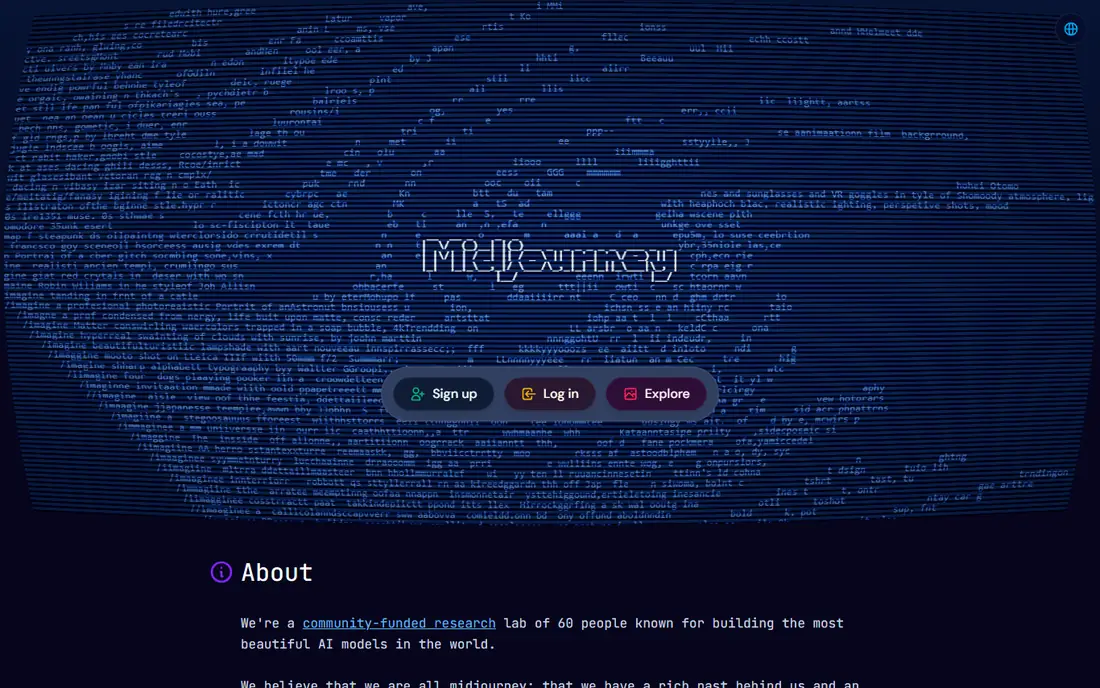
Midjourney still sets the standard for how good an AI image can look. Concept art, editorial illustration, mood boards and campaign hero images come out with strong lighting, composition and style control. The standalone web app has made it far easier to use than in its early Discord-only days.
The price starts at $10 per month for Basic, with Standard at $30, Pro at $60 and Mega at $120 per month in 2026 listings. There is no free plan, so you must pay to test it properly. If visual style matters more than exact layout or readable text, Midjourney is our pick.
- Distinctive artistic style and composition
- Web app plus Discord workflows
- Clear plan ladder with Relax Mode on higher tiers
- No free tier
- Fast GPU time is metered
- Large companies need Pro or Mega plans for commercial use
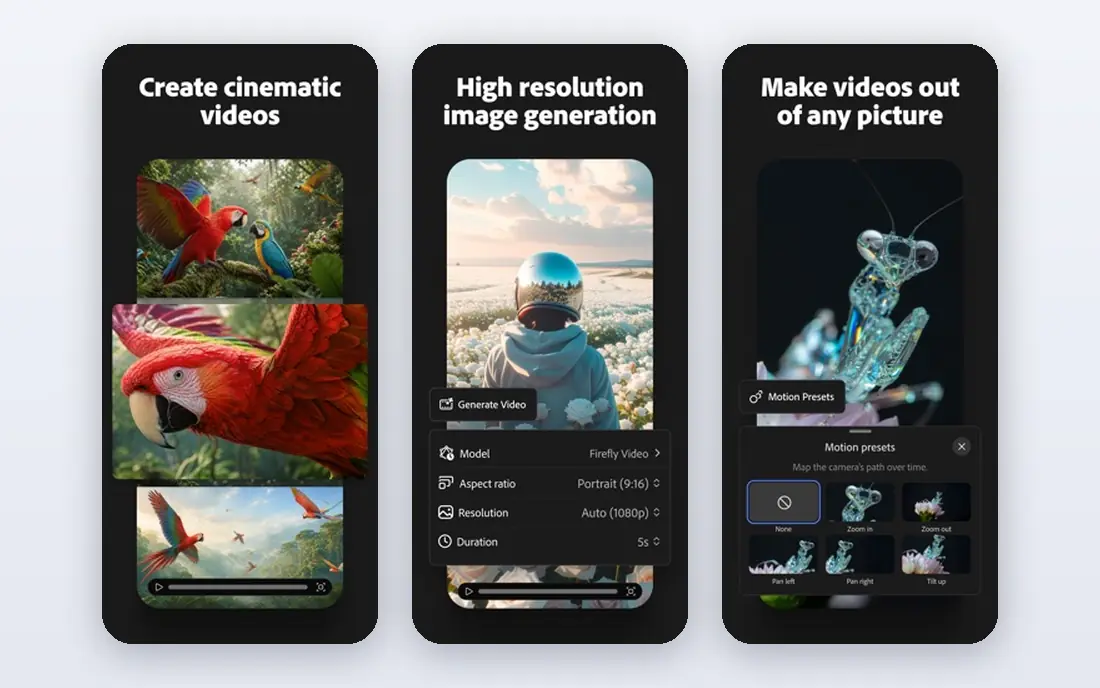
Adobe Firefly is the pragmatic choice for brands, agencies and publishers. Its models are trained with a focus on licensed and public domain content, which reduces legal worry for commercial publishing compared with general models. Integration with Photoshop and Express means you can generate, edit and finish work without leaving the Adobe workflow.
Pricing starts at $9.99 per month for a Standard plan in 2026 listings, with higher tiers for more credits. A limited free tier lets you test generation before paying. If you publish client work and need a defensible licensing story, Firefly is the safest first pick.
- Designed for commercial use with licensed training data
- Works inside Photoshop, Express and other Adobe apps
- Generative fill and boards for projects
- Paid plans needed for serious volume
- Credit system takes learning
- Style range is narrower than Midjourney for pure art
Leonardo AI is a favorite for creators who want to make images every day without paying at first. The free tier gives daily tokens, and paid plans start at $12 per month for Apprentice in several 2026 listings, with higher tiers adding more tokens and private generations. Game assets, characters, environments and product shots are particular strengths.
Custom model training lets you teach Leonardo a style or subject and reuse it across images, which helps small teams keep a consistent look. The token system can confuse beginners, since different image sizes and models cost different amounts. If you want volume and control on a budget, Leonardo is hard to beat.
- Usable free tier with daily tokens
- Custom model training for a consistent style
- Strong for game assets and product mockups
- Token math takes time to learn
- Free images may be public
- Some advanced features need paid plans
Ideogram earns its place because most AI tools still struggle with words. Posters, book covers, social thumbnails and logo concepts need text that spells correctly and sits well in the design, and Ideogram handles that job better than Midjourney or Stable Diffusion in most tests. That makes it a practical tool for marketers, not just artists.
Pricing in 2026 listings shows Plus from $20 per month, with a free tier offering slower weekly credits. Commercial use terms differ by plan, so check the current license before publishing client work. If your images must carry a headline, a name or a slogan, start with Ideogram.
- Best-in-class readable text inside images
- Strong for posters, thumbnails and logo concepts
- Free tier for testing
- Paid entry is higher than some rivals
- Priority credits expire monthly on some plans
- Less suited to pure photorealism
ChatGPT Images, the image generation built into ChatGPT, is the easiest AI art tool for most people. You describe an image, then ask for changes in plain language, such as a different background, a new color or a simpler composition. That conversational loop suits blog graphics, social posts and quick mockups.
A free tier offers limited image generation, while paid ChatGPT plans from $8 to $20 per month in 2026 listings add more capacity. The tool is less precise than Midjourney for artistic style and less vector-friendly than Recraft. If you already use ChatGPT daily, its image tool may cover most casual art needs without a second subscription.
- Edit images by describing changes in chat
- Good readable text for everyday graphics
- Useful if you already pay for ChatGPT
- Image caps vary with demand
- Less fine control than dedicated art tools
- Style consistency needs careful prompting
Google Gemini, including its Nano Banana image editing model, is best thought of as an editor as much as a generator. You can change a background, add a prop, adjust a scene or restyle a photo while keeping the main subject recognizable. That consistency is useful for product shots, social content and small business marketing.
Gemini is free with a Google account, with paid Google AI plans from $19.99 per month for Pro in 2026 listings adding more capacity. It will not match Midjourney for cinematic art, and some prompts produce uneven results. For quick edits and everyday visuals inside Google tools, it is a strong free option.
- Strong photo editing and background changes
- Keeps people and subjects consistent across edits
- Free tier inside Google accounts
- Artistic style range is narrower than Midjourney
- Output quality varies by prompt
- Commercial terms depend on your Google plan
Stable Diffusion is the open alternative to subscription art tools. You can download models, run them on your own computer, fine-tune styles and use community tools for inpainting, upscaling and control. That freedom appeals to developers, researchers and artists who want full control over data and cost.
The trade-off is effort. Local setup needs a capable graphics card, and hosted versions charge per image or per credit. Beginners may find the learning curve steep compared with Midjourney or Canva. If you value privacy, customization and no monthly fee for the model itself, Stable Diffusion is the most flexible pick here.
- Free and open models you can run locally
- Deep control over models, styles and settings
- Large community and plug-in ecosystem
- Setup needs technical skill and capable hardware
- Quality depends heavily on model and settings
- No simple hosted app by default
Recraft fills a gap most image generators ignore: vectors. Logos, icons, illustrations and UI graphics need clean, editable shapes, not just pixels. Recraft produces vector output you can resize and adjust, which makes it useful for brand kits, presentations and product interfaces.
Pricing in 2026 listings starts from $12 per month, with a free tier for testing. Note that free images are not licensed for commercial use in the same way as paid images, so check terms before publishing. If your work ends up as a logo, icon set or scalable illustration, Recraft beats a raster-only generator.
- Generates editable vector graphics, icons and illustrations
- Strong for logos and brand systems
- Free tier for testing
- Free images have licensing limits for commercial use
- Raster photorealism is not its strength
- Brand features need paid plans
Canva AI suits people who need a finished graphic, not just a raw image. You can generate an image, drop it into a template, add text, apply brand colors and export sizes for Instagram, YouTube, email and print. That end-to-end workflow saves time for small teams without a designer.
Canva is free with limited AI uses, while Pro costs around $15 per month billed annually in 2026 listings, with higher team pricing. The AI itself is less artistically distinctive than Midjourney, and heavy use may need extra credits. If your goal is a ready-to-post design, Canva AI is the most practical pick.
- AI images inside a full design editor
- Templates, brand kits and resizing for social channels
- Easy for non-designers
- Heavy AI use needs credits or a paid plan
- Artistic control is thinner than dedicated generators
- Pro pricing is annual in many listings
How we picked these
We compared official pricing pages, feature documentation, app store listings and recent 2026 comparisons for AI image tools. We favored tools that are actively maintained, offer a clear free tier or trial where stated, publish pricing or a clear plan structure, and cover distinct jobs such as style, text, vectors, editing and finished design. Where pricing differed across sources, we used the most consistent 2026 figure or See website.
We did not claim hands-on testing we did not do. We weighed image quality, text accuracy, licensing terms, ease of use and total cost, including credit limits. That is why a free open model and a paid brand-safe tool can both appear here: they serve different creators with different risks and budgets.
How to choose an AI art tool without wasting credits
Start with the end use, not the demo gallery. A social post needs fast, finished graphics. A book cover needs readable text. A client brand needs safe licensing and vectors. A game project needs consistent characters and assets. Write down that end use before you compare tools, since it rules out half the list at once.
Next, check licensing before you publish. Free tiers often limit commercial use, require attribution or make images public. Paid plans usually grant broader commercial rights, but terms still vary, especially for large companies. If you sell client work, favor Adobe Firefly, paid Leonardo, paid Ideogram or paid Recraft, and read the current license for your plan.
Then test with the same prompts across two tools. Use one portrait, one product shot and one poster with a specific line of text, and compare spelling, hands, faces and layout. That small test reveals more than a gallery of best-case examples. Keep notes on credit cost per image, since a cheap monthly plan can still be expensive if each image burns many credits.
Finally, plan a small stack instead of one perfect tool. Many creators generate a base image in Midjourney or Leonardo, fix text in Ideogram, and finish layout in Canva or Photoshop. That stack costs more than one subscription, but it produces better finished work. Start with one tool, add a second only when a clear gap appears in your weekly work.
Sources
- https://www.midjourney.com
- https://www.adobe.com/products/firefly.html
- https://leonardo.ai
- https://ideogram.ai
- https://openai.com
- https://gemini.google.com
- https://stability.ai
- https://www.recraft.ai
- https://www.canva.com
- https://aipricecompare.org/best/best-ai-image-generator.html
- https://dev.to/mckennachapman/best-ai-image-generators-in-2026-12-tools-real-prices-and-the-cost-of-one-image-cec