Best AI Design Tool in 2026: 9 Tools Compared
By ToolNimba Editorial Team October 30, 2026 11 min read

- Top pick
 Canva
Everyday marketing graphics
Starting priceFree / $18 per monthCheck out CanvaRead our review - Runner-up
 Adobe Firefly
Commercially usable image generation
Starting priceFree / $9.99 per monthCheck out Adobe FireflyRead our review - Also great
 Adobe Express
Quick template-based designs
Starting priceFree / $9.99 per monthCheck out Adobe ExpressRead our review
How we researched this
We compared official pricing and feature pages, app store listings, privacy policies and public user reviews. Prices change, so check the provider's site before you pay.
Key takeaways
- Canva is the easiest all-round choice for social posts, presentations, and marketing graphics, with a free plan that covers light use.
- Adobe Firefly and Adobe Express suit people who want commercially usable images and a template-first editor from the same company.
- Figma remains the strongest pick for app and website screens, while Midjourney leads for artistic image styles.
- Credit limits matter more than headline prices, so check how many AI generations you get each month before you pay.
- Most people only need one general tool plus one specialist, such as a logo maker or an image generator, rather than five subscriptions.
Quick comparison
| Name | Best for | Starting price | Free plan | |
|---|---|---|---|---|
| Canva | Everyday marketing graphics | Free / $18 per month | Yes | Visit |
| Adobe Firefly | Commercially usable image generation | Free / $9.99 per month | Yes | Visit |
| Adobe Express | Quick template-based designs | Free / $9.99 per month | Yes | Visit |
 Figma | App and website interface design | Free / $16 per month | Yes | Visit |
 Midjourney | Artistic image creation | $10 per month | No | Visit |
 Microsoft Designer | Simple graphics for Microsoft users | Free | Yes | Visit |
 Looka | Logos and starter brand kits | See website | No | Visit |
 Kittl | Print products and mockups | Free / $12 per month | Yes | Visit |
 Leonardo AI | High-volume image generation | Free / $12 per month | Yes | Visit |
The best ai design tool
We compared official feature pages, pricing pages, app store listings, and public reviews to find tools that fit different jobs, from a single social post to a full product interface. The list below mixes large platforms with smaller specialists, so you can match the tool to the work you actually do each week.
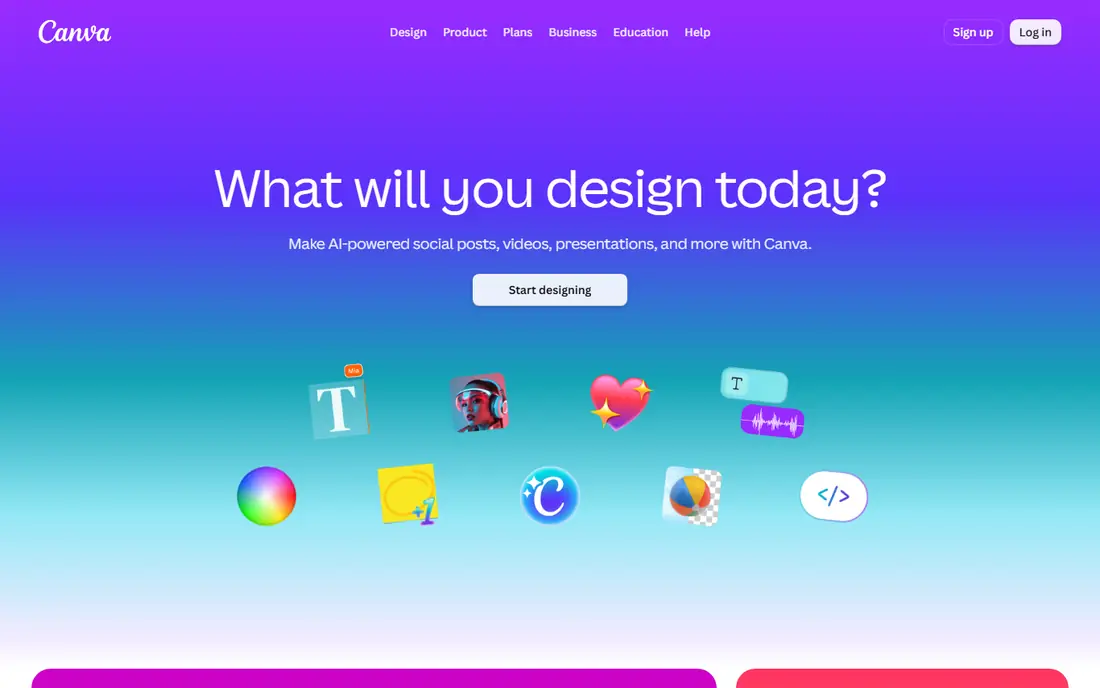
For most small businesses, Canva is the safest starting point. You can start from a template, type a short prompt, and then edit the result as normal text, images, and shapes. That last point matters, because a generated poster with a spelling mistake does not need to be generated again. You fix the text box and move on.
The free plan covers occasional posts and flyers, with a limited monthly AI allowance. Paid Pro adds more templates, brand kits, background removal, one-click resize, and a larger AI allowance. If you post weekly, sell products, or need consistent colors and fonts, Pro is the tier to compare first. Heavy AI users should still watch the monthly allowance, since a few large projects can use it up faster than expected.
- Very large template library
- Editable AI-generated designs
- Background remover and resize tools on paid plans
- AI use is metered each month
- Premium elements can be hard to separate from free ones
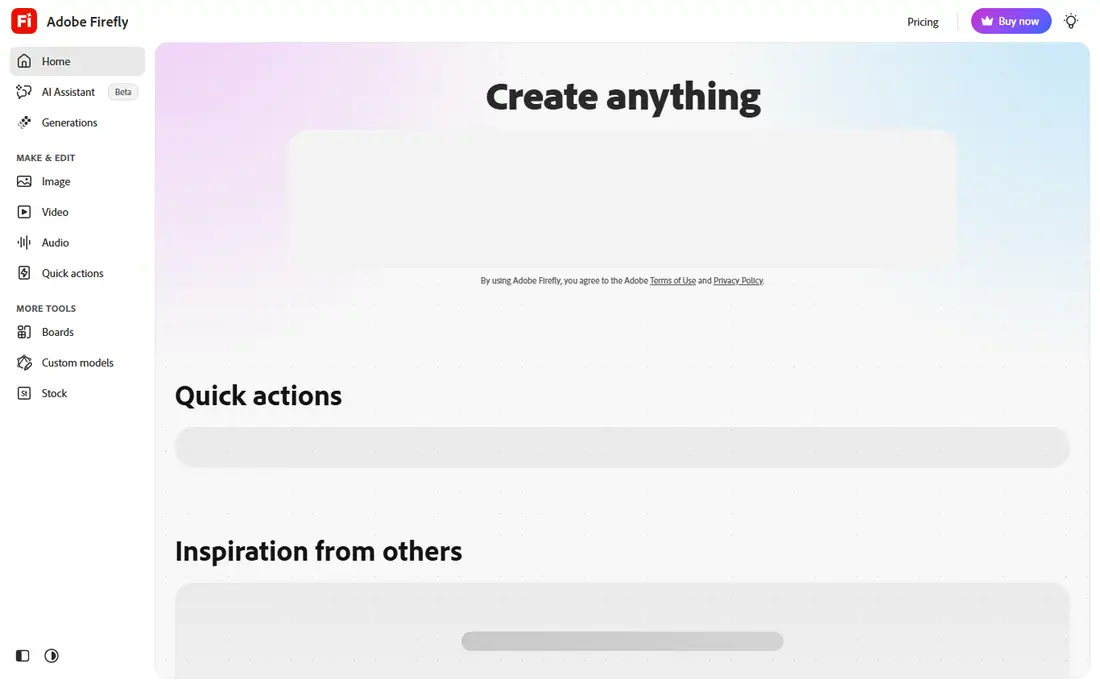
Adobe built Firefly for people who plan to publish what they generate. The free tier offers limited daily generations, which is enough to test styles and see how the models handle faces, text, and product shots. Paid plans add monthly generative credits, more video and audio options, and access to partner models on higher tiers.
What sets Firefly apart is the workflow after generation. You can take an image into Photoshop on the web or mobile on some plans, or into Express for a finished social post. The catch is credits. Standard image generations and premium video or audio work do not cost the same, so read the plan comparison before you commit to a monthly tier.
- Models trained with commercial use in mind
- Image, video, and audio generation in one place
- Links to Photoshop and Express
- Credit system can be confusing
- Best results still need careful prompts and checking
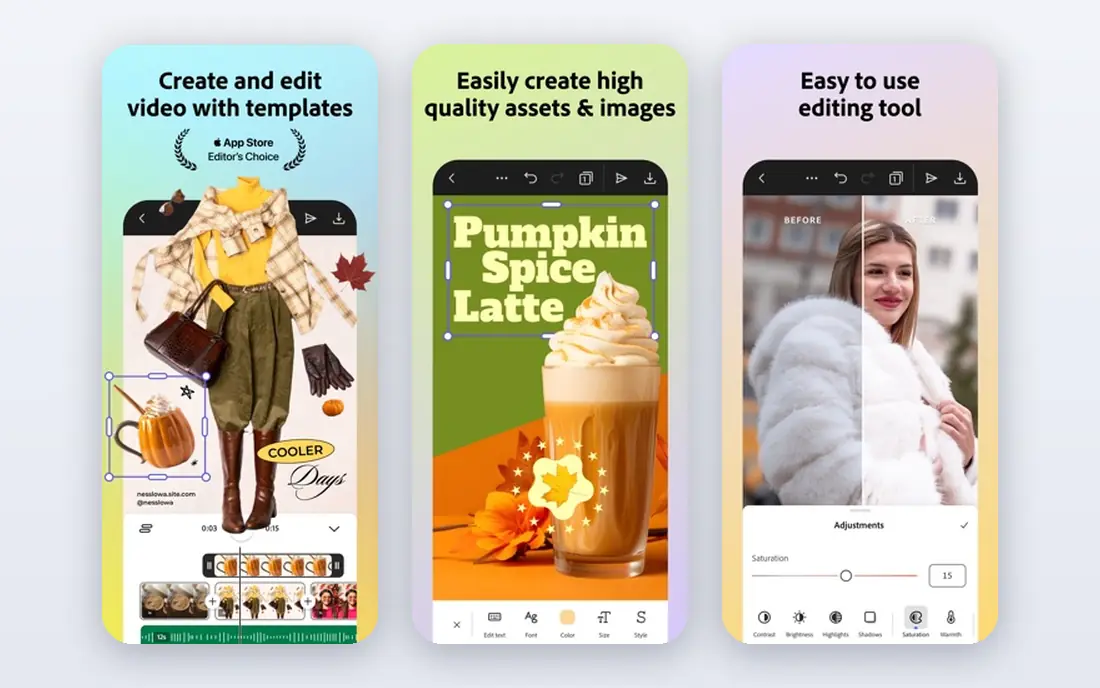
Think of Express as Adobe's answer to Canva. It is built for social posts, flyers, short videos, and simple documents, and it runs in a browser and on a phone. The free plan gives you templates and basic editing at no cost, while Premium adds more templates, brand kits, one-click resize, and more generative credits.
Express makes the most sense if you already use Adobe stock assets or want Firefly generation inside a simple editor. It is not a replacement for Photoshop for detailed photo work, and it is not a replacement for Illustrator for complex vector work. For fast, clean marketing graphics, though, it covers the job with less clutter than the full Creative Cloud apps.
- Simple template editor
- Large stock library
- Brand kits and resize tools on Premium
- Less depth than full Adobe apps
- Some advanced edits need Photoshop or Illustrator
Figma is the odd one out here, because it is not mainly an image generator. It is a design tool for screens, and its AI features help you turn a prompt into a first draft, rename layers, and tidy up layouts. That makes it valuable for founders, product teams, and freelancers who design apps, websites, and dashboards.
The free Starter plan is enough to try real projects, with limits on team files. Paid Professional seats cost more per person, but they add unlimited files, shared libraries, and developer handoff features. If your work is mostly Instagram posts, Figma will feel like extra work. If your work is screens that a developer must build, it is the clearest pick on this list.
- Strong collaboration and developer handoff
- AI help with drafts and renaming
- Large plugin and template community
- Steeper learning curve for print or social graphics
- Paid seats are priced per person
Midjourney has a reputation for a reason. Its images often look more polished and more artistic than generic generators, especially for concept art, book covers, mood boards, and brand inspiration. You work through prompts, and you can vary, upscale, and remix results to get closer to the look you want.
The trade-offs are plain. There is no free tier, so you pay to test it. The output is a flat image, which means you still need an editor like Canva or Express to add accurate headlines, prices, or calls to action. For pure image craft, it earns its place. For a finished ad with exact wording, pair it with an editor.
- Distinctive artistic styles
- High-quality concept images
- Active community for prompt ideas
- No free plan
- Output is a flat image, not an editable design
- Text in images can be unreliable
Microsoft Designer is best judged as a bonus, not a rival to a full design suite. If you already pay for Microsoft 365, you may already have access to useful design features without a new subscription. You can describe what you want, generate images, and build simple social graphics, invitations, and presentations.
The editor is lighter than Canva or Express, and brand controls are more limited. That is fine for occasional use, such as a flyer for a school event or a quick post for a small shop. If design is a daily job, you will likely outgrow it and want a tool with deeper templates, brand kits, and scheduling.
- Simple prompt-based creation
- Useful if you already use Microsoft 365
- Easy sharing and editing
- Fewer templates and brand controls than Canva
- Some features depend on your Microsoft plan
Starting a business often begins with a name and a logo, and Looka is built for that moment. You enter your business name, pick styles you like, and the tool generates logo options you can adjust. From there, you can build a simple brand kit with colors, fonts, and templates for social profiles and business cards.
Looka will not replace a brand designer for a complex identity, and it is not an everyday post maker. Its value is speed and clarity at the start. Buy only the package that gives you the file types you need, such as vector files for print and signage, and keep a copy of your brand colors and fonts for later tools.
- Fast logo ideas from a few inputs
- Brand kit options for colors, fonts, and social templates
- Good for new businesses
- Logo-only focus
- Final files and brand kits depend on the package you buy
- Check package details before paying
Sellers of shirts, mugs, posters, and stickers need something different from a social post maker. Kittl focuses on that work, with design tools and mockups that show how art will look on a real product. You can build typography-led designs, adjust layouts for print sizes, and preview products before you list them.
The free plan is useful for learning the editor and testing ideas, with limits for personal use. Paid plans add more features and commercial options, so check the license terms for the products you sell. If you run a print shop or an online store, Kittl deserves a trial next to Canva, because its mockups can save a lot of back-and-forth with suppliers.
- Strong for t-shirts, posters, and product designs
- Realistic mockups
- Text handling suited to print work
- Less suited to presentations and social scheduling
- Paid plans are needed for full commercial use and exports
Leonardo AI suits creators who generate images in volume, such as game assets, marketing visuals, and content illustrations. It offers several models, style controls, and tools for refining and upscaling images, which helps when one prompt is not enough. The free plan lets you test the workflow before paying.
Like other generators, Leonardo AI is not a finished design editor. Plan to bring strong images into Canva, Express, or Figma for headlines, logos, and layout. The main question before paying is how many tokens you use in a normal week, since that decides whether the entry paid plan is enough or whether you need a higher tier.
- Good range of image models and styles
- Useful for teams producing many images
- Canvas and upscaling tools
- Token and credit limits shape heavy use
- Interface takes time to learn
- Output still needs an editor for final text
How we picked these
We started with the tools that appear most often in current comparisons, then checked each vendor's own feature and pricing pages, app store listings, and public reviews. We kept only tools that are available now, fit a clear design job, and offer a free plan or a low entry price for small teams. We removed tools that were mainly chatbots, video-only editors, or closed products, even when they were popular in other categories. Prices change often, so confirm the current price on the vendor site before you buy.
What to check before you pay
Price is only part of the cost. The details below will save you more than a small monthly discount.
Match the tool to your main output
List the three things you design most each week. If the list is social posts and flyers, a template editor wins. If it is logos, a brand tool wins. If it is app screens, Figma wins. If it is images alone, a generator wins. Buying for a job you rarely do is the fastest way to waste a subscription.
Count credits, not just dollars
Many AI tools meter use by credits, tokens, or a monthly AI allowance. A cheaper plan with a small allowance can cost more in practice than a higher plan you actually use. Run a normal week of work on a free plan or trial, note how much allowance you used, and then pick the paid tier that covers that week with room to spare.
Check files, licenses, and text
Ask three questions before you publish. Can you export the file type you need, such as a vector file for print or a layered file for editing. Does your plan allow commercial use for client work or products you sell. And is any text in the image spelled correctly, since generators still make mistakes with wording, logos, and small print.