Best AI DJ Software 2026: 7 Tools Compared
By ToolNimba Editorial Team November 20, 2026 7 min read
We did not test these tools hands-on. Picks are based on vendor documentation and public information. Read our editorial policy and disclosure.

- Top pick
 Serato DJ Pro
Professional controller and club setups
Starting price$11.99 per monthCheck out Serato DJ ProRead our review - Runner-up
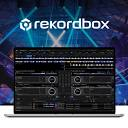 rekordbox
AI and cloud-based track preparation
Starting price$9 per monthCheck out rekordboxRead our review - Also great
 VirtualDJ
Beginners through advanced DJs
Starting price$4 per monthCheck out VirtualDJRead our review
How we researched this
We compared official pricing and feature pages, app store listings, privacy policies and public user reviews. Prices change, so check the provider's site before you pay.
Direct answer
Serato DJ Pro is the first pick for professional club and controller setups, while rekordbox suits DJs who want AI and cloud workflow tools and Cross DJ is a strong choice for mixing on iOS and Android. Seven options are compared here.
Key takeaways
- Serato DJ Pro pairs stems and streaming with broad hardware support for professional setups.
- rekordbox builds AI, cloud and automation features into a structured track preparation workflow.
- VirtualDJ offers deep mixing tools for both newcomers and advanced DJs.
- djay Pro integrates with iTunes and targets performing DJs on Mac.
Quick comparison
| Name | Best for | Starting price | Free plan | |
|---|---|---|---|---|
| Serato DJ Pro | Professional controller and club setups | $11.99 per month | Free trial | Visit |
| rekordbox | AI and cloud-based track preparation | $9 per month | Yes | Visit |
| VirtualDJ | Beginners through advanced DJs | $4 per month | Yes | Visit |
 djay Pro | Performing DJs on Mac | See website | See website | Visit |
 Mixxx | Free and open-source DJ mixing | See website | See website | Visit |
 Cross DJ | Mixing on iOS and Android | See website | See website | Visit |
 DEX 3 | DJs and karaoke hosts on Windows and Mac | See website | See website | Visit |
AI DJ Software Compared, one by one
AI features now touch stems, beatgrids, track suggestions and automated transitions, so choosing software is about workflow fit. ToolNimba compared documented features and vendor pages to narrow the field to seven options.
Serato DJ Pro is professional DJ software built around stems creation, streaming and connection to a broad range of industry hardware. It fits working DJs who already own a controller or club setup and want a familiar, performance-focused environment. The stems tools let you isolate and manipulate track elements during a set, which is where much of its AI-style assistance shows up.
Because it leans on hardware integration, it may not suit someone who only wants to mix on a laptop with no controller. Beginners may also find the interface dense at first. Consider a simpler or mobile-first option if you are just starting out or mainly mix on a phone or tablet.
- Stems creation and streaming integration
- Connects to a wide range of hardware
- Established pro DJ workflow
- Hardware-focused setup
- Learning curve for newcomers
rekordbox is DJ software that emphasizes a comfortable workflow through AI, cloud and automation technology, and it supports several music streaming services. It suits DJs who prepare tracks carefully in advance and want smart tools to organize libraries, set cues and keep everything synced. The automation features help reduce repetitive prep work.
The breadth of features can feel heavy for casual users, and some capabilities are tied to compatible hardware. If you want a lighter experience or mix mainly on mobile, a simpler option may fit better. Otherwise, it rewards time spent learning the workflow.
- AI, cloud and automation features
- Supports multiple streaming services
- Structured library workflow
- Feature depth can overwhelm beginners
- Best value with compatible hardware
VirtualDJ describes itself as popular DJ software that packs advanced DJ technology while remaining suitable for people just starting out. It fits a wide range of users, from hobbyists learning to blend tracks to advanced DJs who want deep mixing tools. The software covers the core mixing, effects and controller needs most DJs expect.
Its depth means the interface can feel crowded, and new users will need time to learn where everything lives. If you prefer a stripped-back layout or a mobile-first app, another option may be easier. For those who want room to grow, it remains a flexible choice.
- Advanced mixing technology
- Approachable for newcomers
- Deep feature set for pros
- Interface can feel busy
- Many features need time to learn
djay Pro by Algoriddim is DJ software for Mac aimed at performing DJs, with integration into iTunes libraries so existing music collections are easy to use. It fits Mac users who want a polished interface and a straightforward path from library to live set. The design leans toward smooth, performance-ready mixing.
Its positioning is clearly Mac-focused, so Windows users or those who mix mainly on mobile will need a different tool. Details on hardware compatibility are worth checking on the vendor site before committing. Consider it if you perform on a Mac and value library integration.
- ITunes library integration
- Built for performing DJs
- Clean Mac-focused design
- Mac-centric positioning
- Fewer details on hardware breadth
Mixxx is free DJ mixing software that includes iTunes integration, MIDI controller support, internet broadcasting and an integrated music library. It suits DJs who prefer open-source tools, want to broadcast online, or need a capable setup without licensing concerns. The project covers the essentials of digital mixing.
Because it is community-driven, some setup and troubleshooting may require technical comfort, and vendor-supported extras are limited compared with commercial suites. If you want polished automation and dedicated support, a commercial option may suit you better. Otherwise it is a practical starting point.
- Free and open source
- MIDI controller support
- Internet broadcasting built in
- Setup can require technical comfort
- Fewer vendor-supported extras
Cross DJ is a mixing app for iOS and Android from the makers of rekordbox, positioned as pro DJ software for mobile devices. It fits DJs who want to mix, scratch and perform from a phone or tablet rather than a laptop. The mobile focus makes it convenient for practice and casual sets.
Its mobile-first design means it does not match desktop suites for deep library management or complex multi-deck work. Small screens also constrain elaborate performances. If you need a full desktop workflow, choose a laptop-oriented tool instead.
- Built for mobile DJs
- Mix, scratch and perform
- From the makers of rekordbox
- Mobile-first limits desktop depth
- Smaller screens constrain complex sets
DEX 3 from PCDJ is DJ and karaoke software for professional DJs and karaoke hosts, available for Windows and Mac. It fits entertainers who run both music sets and karaoke events and want one application to cover both. The dual focus makes it practical for mobile entertainers and party hosts.
If you never host karaoke, the karaoke side may be unnecessary weight, and the vendor page gives less detail on AI-specific mixing tools. DJs who want a purely music-focused workflow may prefer a dedicated option. Check the feature list on the vendor site to confirm the fit.
- Combines DJ and karaoke software
- Available for Windows and Mac
- Aimed at professional hosts
- Karaoke focus may be extra for some
- Less detail on AI-specific tools
How the list was put together
ToolNimba compared documented features, vendor pages and stated limits for each option, focusing on AI-assisted mixing, stems, library tools and platform support. We did not run hands-on tests, and details can change, so confirm current capabilities on each vendor site before buying. The ordering is editorial and reflects workflow fit rather than any measured score.
What to confirm before you sign up
- Check which controllers and hardware your shortlisted software supports.
- Confirm whether AI and automation features match your prep and live workflow.
- Verify platform support for your computer, phone or tablet.
- Review streaming service compatibility for your music sources.
- Read the vendor's stated limits and system requirements before committing.
Sources
Official websites of the products reviewed above. Features and prices were checked against these sites when the guide was written, and they can change, so confirm on the vendor site before you buy.
Frequently asked questions
What makes DJ software AI-powered?
AI features typically appear as automatic stem separation, beatgrid and cue detection, track suggestions and assisted transitions. The extent varies widely between tools, so check which capabilities each vendor documents. Some packages emphasize automation, while others focus on stems and library tools.
Is free DJ software good enough for AI mixing?
Free and open-source options such as Mixxx cover core mixing and controller support, but advanced AI automation may be limited compared with commercial suites. Whether that matters depends on your workflow. Casual DJs often find free tools sufficient, while pros may want deeper automation.
Can I DJ with AI software on a phone or tablet?
Yes, some options are built for mobile, including Cross DJ for iOS and Android. Mobile apps suit practice and casual sets but usually offer less depth than desktop software. Consider how complex your performances need to be before choosing.
How do I choose between these DJ tools?
Start with your platform, your hardware and whether you need karaoke or broadcasting features. Then compare how much AI automation you actually want in track prep and live mixing. Confirming compatibility on each vendor site avoids surprises after purchase.