Best AI Home Design Apps in 2026: 9 Apps Compared
By ToolNimba Editorial Team October 30, 2026 11 min read

- Top pick
 Planner 5D
All-round floor plans and 3D design
Starting price$19.99 per monthCheck out Planner 5DRead our review - Runner-up
 Homestyler
Free 3D renders and large model library
Starting price$6.80 per monthCheck out HomestylerRead our review - Also great
 RoomGPT
One-photo room makeovers
Starting price$9 per credit packCheck out RoomGPTRead our review
How we researched this
We compared official pricing and feature pages, app store listings, privacy policies and public user reviews. Prices change, so check the provider's site before you pay.
Key takeaways
- Planner 5D is our pick for most people because it pairs a free plan with editable floor plans and 3D views.
- Photo-based tools such as RoomGPT and Interior AI are faster for style ideas, but they do not give you a measured plan you can build from.
- Homestyler gives the most free rendering value, with unlimited 1K renders on its free Basic plan.
- Credit-based tools can get costly fast, so check how many credits each render or redesign uses before you pay.
- AI results still need a tape measure and a check against real paint, fabric and furniture samples.
Quick comparison
| Name | Best for | Starting price | Free plan | |
|---|---|---|---|---|
| Planner 5D | All-round floor plans and 3D design | $19.99 per month | Yes | Visit |
| Homestyler | Free 3D renders and large model library | $6.80 per month | Yes | Visit |
| RoomGPT | One-photo room makeovers | $9 per credit pack | Free trial | Visit |
 Interior AI | Virtual staging at volume | $49 per month | Free trial | Visit |
 REimagineHome | Chat-style redesigns | $19 per month | Free trial | Visit |
 HomeDesigns AI | Many styles from one photo | $22 per month | Free trial | Visit |
 Foyr Neo | Professional 3D design work | $33 per month | Free trial (14 days) | Visit |
 Spacely AI | Budget photo and sketch renders | See website | Free trial | Visit |
 IKEA Kreativ | Previewing real IKEA furniture | Free | Yes | Visit |
The best AI home design apps
Some apps help you draw a room to scale. Others restyle a photo in seconds. We compared both kinds, so you can match the tool to the job in front of you.
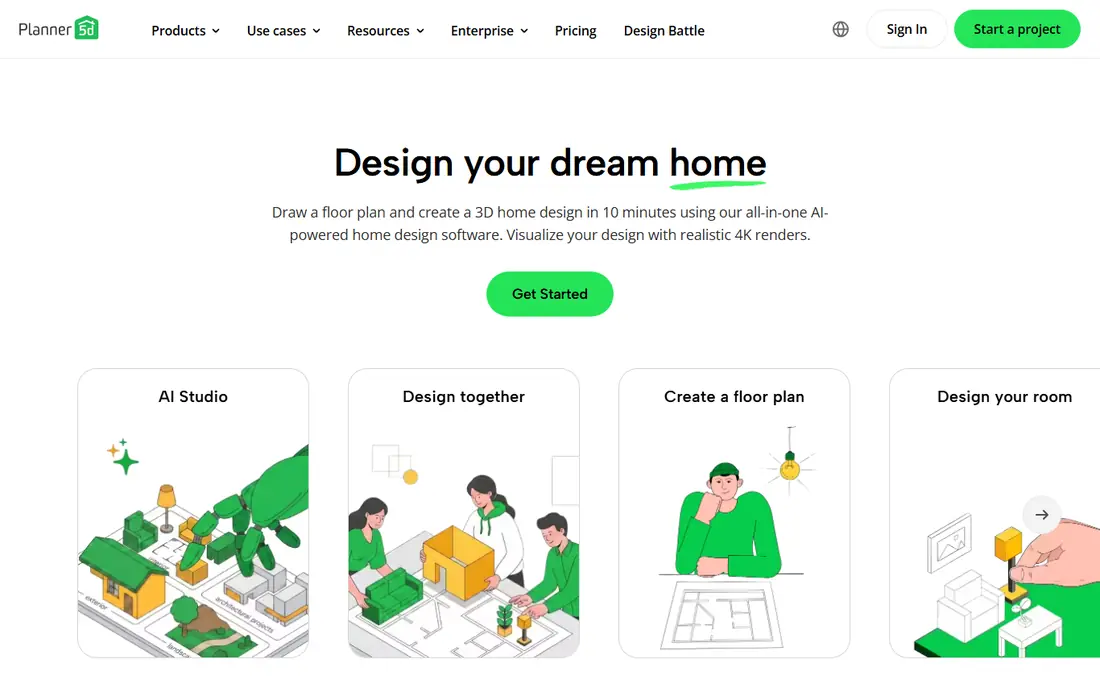
Planner 5D is the app we would start with if you are planning a real room, not just looking for inspiration. You can draw walls, add doors and windows, place furniture to scale and switch between a flat plan and a 3D view. That measured approach matters when you need to know if a sofa fits, or if a door will clear a rug.
The free plan is generous for learning the tool, with unlimited projects and about half the furniture catalog. Premium costs $19.99 per month or $59.99 per year and opens the full catalog, floor-plan recognition and AI design tools. The catch is that the best renders and CAD export sit on the Professional plan, so serious renovators should check that tier before they commit.
- Free plan with unlimited projects
- Editable 2D and 3D plans
- Large furniture catalog on paid plans
- Full catalog and some AI tools are paid
- Advanced renders need the Professional plan

Homestyler wins on value if your main question is how a room will look. The free Basic plan includes the 3D floor planner and unlimited 1K renders, which is enough to compare layouts and color schemes without paying. Its model library is very large, so you can fill a room with plausible furniture instead of plain boxes.
Paid plans start with Pro+ from $6.80 per month and add higher-resolution renders and monthly AI credits. That is a fair step up if you want sharper images to share with a partner or a contractor. Just note that you still build the room yourself, wall by wall, so it suits people who enjoy the planning step.
- Unlimited 1K renders on the free plan
- More than 100,000 free 3D models
- Web and mobile apps
- Higher-resolution renders cost extra or need a paid plan
- AI credits are limited on the free plan

RoomGPT is the fastest way to answer a simple question: what would this room look like in another style? You upload one photo, pick a style, and get a redesigned image back. For a renter deciding between warm wood tones and a lighter look, that speed is hard to beat.
The trade-off is clear. You cannot move the furniture in the result, check measurements or export a plan. Credit packs start at $9 for 30 credits, based on recent pricing reports, and the free allowance is small. Use it for ideas, then move to a planner such as Planner 5D or Homestyler when you need a layout you can act on.
- Very simple upload-and-redesign flow
- Quick style tests
- Low-cost credit packs
- Output is an image, not an editable plan
- Dimensions and furniture sizes are not checked
Interior AI aims at people who need many images, such as agents staging listings or owners testing several looks for one home. Its restyles tend to look polished, and its higher plans allow hundreds of designs a month. That volume is the point: you can test a living room in several styles and pick the strongest direction.
For a single bedroom refresh, the $49 per month starting price is steep, and there is no lasting free tier to fall back on. It also shares the limit of every photo tool here: the image may change proportions or add items that do not exist in your room. Treat it as a visual brief, not a shopping list.
- Photorealistic restyles
- Virtual staging for listings
- High monthly design allowances on paid plans
- No permanent free plan
- Monthly cost is high for one-off home use
REimagineHome feels different because you describe changes in words and refine the result step by step. That suits people who know what they dislike about a room but cannot name the style they want. You can ask for lighter walls, less clutter or a calmer palette and see the room shift in response.
Paid plans start at $19 per month, with higher tiers adding more credits and product links. The free allowance of 5 designs is enough to learn whether the chat flow suits you. Watch for drift, though: after several edits, the room in the image may no longer match the room you live in.
- Conversational editing flow
- 5 free designs to start
- Shoppable product ideas on paid plans
- Some features need the Pro plan
- Chat edits can drift from the original room
HomeDesigns AI is a good pick if you want breadth. One upload can produce many styles, and the tool also covers exteriors and garden ideas, which most rivals do not. That makes it useful at the start of a whole-home refresh, when you are still choosing a direction for several spaces at once.
Pricing starts at $22 per month for a set credit allowance, based on recent vendor and comparison pricing. Credits are not all equal, since some outputs cost more than others, so read the credit table before you buy a large pack. As with other photo tools, confirm sizes and finishes in person before you order anything the image suggests.
- Wide style range for interiors, exteriors and gardens
- Simple photo upload
- Credit plans for occasional use
- No permanent free plan in recent pricing
- Credit costs vary by output type
Foyr Neo is built for designers who present work to clients, not for a one-weekend bedroom update. Its catalog runs to tens of thousands of 3D models, and its renders are sharp enough to share in a client pack. Floor plans, 3D views and presentation tools sit in one workflow, which saves time if you design rooms often.
That depth comes with a steeper learning curve and a starting price of $33 per month when billed yearly. A 14-day trial lets you test the workflow, but casual users will likely find Planner 5D or Homestyler easier and cheaper. Choose Foyr Neo when presentation quality and a large catalog are part of your job.
- Large 3D furniture library
- 4K renders
- Tools aimed at working designers
- Price and learning curve are high for casual use
- Best features need annual billing for the lowest price
Spacely AI is worth a look if you want to experiment without a large subscription. It accepts photos and sketches, which is handy when you have a rough idea rather than a finished room. Recent comparisons report 40 trial credits and credit packs from $9, but the vendor site is the final word, since its pricing has shifted over time.
The honest catch is that credit systems reward careful use. A few high-resolution renders can eat a trial pack fast, and some top-ups require an active plan. Start with the trial, test one room at low resolution, and only pay once you know the output style matches your taste.
- Trial credits with no watermark in recent reports
- Sketch and photo inputs
- Lower-cost credit packs
- Pricing and credit rules have changed often
- Top-ups may need a subscription
IKEA Kreativ solves a narrower problem better than any app on this list. Instead of inventing a stylish room, it places real IKEA furniture into a scan of your actual space. That means the sofa, shelf or table you see is one you can buy, in a size you can check against the product page.
The limit is obvious: you only see IKEA products, so it will not help you compare brands or design a room around furniture you already own. It is also best viewed as a buying check, not a full design tool. Pair it with a planner for layout, then use Kreativ to confirm that a specific IKEA piece looks right in your room.
- Free to use
- Shows real IKEA products in your own room
- No design subscription
- Limited to the IKEA catalog
- Full 3D room scans need supported hardware
How we picked these
We compared official feature pages, pricing pages, app store listings and recent independent comparisons, and we opened vendor homepages to confirm they belong to the products listed. We favored tools that still work in October 2026, offer a clear free tier or trial, and fit a distinct job, such as measured planning, fast photo restyling or professional presentation. We did not claim hands-on testing, and we did not invent prices, ratings or feature counts. Where pricing varied by source or billing period, we used the most recent vendor or comparison figure and marked unclear cases as See website.
What to check before you pay
Start by naming the job. If you need to know whether furniture fits, pick a planner with measurements, such as Planner 5D or Homestyler. If you only need style ideas, a photo tool will get you there faster and cheaper. Mixing the two is normal: use a photo tool for direction, then a planner for the layout.
Next, read the credit rules. Some tools charge per image, some per resolution, and some per edit, so a cheap monthly price can still run out mid-project. Check whether unused credits roll over, whether high-resolution renders cost extra, and whether you can cancel month to month. Finally, treat every AI image as a draft. Measure your room, check paint samples in your own light, and confirm furniture dimensions on the retailer page before you buy.
A note on photos versus plans
Photo restyles are fun, but they can invent windows, shrink furniture or change ceiling height without warning. A measured plan is less pretty at first, yet it prevents the most common costly mistake: buying furniture that does not fit. If you are hiring a contractor or painter, share the plan and the photo together, and label the photo as an idea, not a specification.
Sources
- https://planner5d.com
- https://www.homestyler.com
- https://roomgpt.io
- https://interiorai.com
- https://reimaginehome.ai
- https://homedesigns.ai
- https://foyr.com
- https://spacely.ai
- https://www.ikea.com
- https://dupple.com/learn/best-ai-for-interior-design
- https://www.bellavirtual.com/blogs/news/top-10-interior-design-apps-to-redefine-your-home