Best AI Interior Design App Free in 2026: 9 Apps Compared
By ToolNimba Editorial Team October 30, 2026 10 min read

- Top pick
 Spacely AI
Free photo restyles
Starting priceFreeCheck out Spacely AIRead our review - Runner-up
 REimagineHome
Photorealistic restyles
Starting price$19 per monthCheck out REimagineHomeRead our review - Also great
 Interior AI
Photorealistic style options
Starting price$49 per monthCheck out Interior AIRead our review
How we researched this
We compared official pricing and feature pages, app store listings, privacy policies and public user reviews. Prices change, so check the provider's site before you pay.
Key takeaways
- No free AI interior design app is unlimited. Free tiers cap renders, credits, resolution, or catalog items, and paid plans start once a remodel gets serious.
- Spacely AI has the most useful free trial for photo restyles, while Homestyler and Planner 5D are better for measured floor plans.
- IKEA Kreativ is fully free, but it is built around IKEA furniture, so it suits shoppers more than style explorers.
- AI restyles are ideas, not plans. Walls, windows, and measurements can shift in a render, so verify fit before buying or building.
Quick comparison
| Name | Best for | Starting price | Free plan | |
|---|---|---|---|---|
| Spacely AI | Free photo restyles | Free | Yes | Visit |
| REimagineHome | Photorealistic restyles | $19 per month | Free trial | Visit |
| Interior AI | Photorealistic style options | $49 per month | No | Visit |
 Homestyler | Free floor plans and renders | Free | Yes | Visit |
 Planner 5D | Measured 2D and 3D plans | Free | Yes | Visit |
 DecorMatters | AR decorating and community | Free | Yes | Visit |
 IKEA Kreativ | Free IKEA room previews | Free | Yes | Visit |
 Roomstyler | Free 3D rooms with real furniture | Free | Yes | Visit |
 Collov AI | Budget photo redesigns | $19 per month | Free trial | Visit |
The best free AI interior design apps
Free AI interior design tools split into two kinds. Photo tools restyle a picture of your room in seconds, which is great for ideas. Planner tools build a room to scale, which is what you need before buying furniture or talking to a contractor. The list below mixes both, and the best pick depends on whether you need inspiration or measurements. In every case, read the free limit first, since it decides how many rooms you can actually try.
Spacely AI is the best free starting point for a photo restyle. Upload a room photo, pick a style, and get a photorealistic version back, often in about a minute. Empty rooms can be auto-furnished, and a SketchUp plugin helps designers who already model in 3D. The free plan needs no card, which makes it easy to test on your own room.
The limit is the credit system. Trial credits run out, and higher resolution downloads or extra edits use more credits, so a whole house will need a paid plan. Furniture in renders is also inspiration, not a shopping list, so you cannot assume a rendered sofa exists at a given price. For a few rooms and a clear style direction, Spacely is hard to beat for free.
- Free plan with trial credits and no card required
- Photorealistic restyles from a photo or sketch
- Auto-furnish for empty rooms
- Trial credits are one-time, not monthly
- Higher resolution and editing tools need paid plans

REimagineHome suits homeowners and agents who want a room to look finished, not sketched. Five free designs let you test a living room or bedroom in different styles, and paid plans add virtual staging, furnishing, renovation, and exterior views. That range helps when a listing photo or a renovation pitch needs to look polished.
Five designs will not cover a whole house, and credit use varies by tool, so check how many credits a high-resolution result needs before paying. The tool is also best for visualization, not for measured plans. For a focused restyle or a staging job, REimagineHome is a strong pick after Spacely.
- Five free designs for new users
- Virtual staging and renovation modes
- Exterior and landscaping options
- Free designs run out fast
- Higher plans needed for large credit volumes
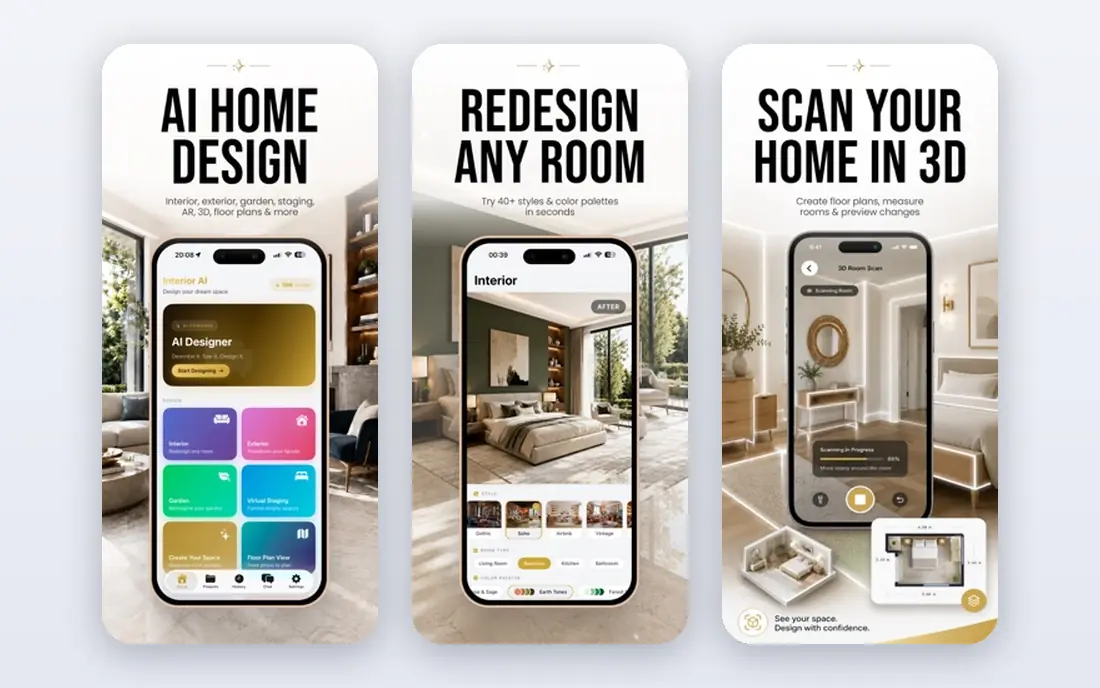
Interior AI is the premium photo restyle option, with a wide style catalog and output that often looks like a real photo. Designers and agents who present many rooms to clients value that consistency, and structure-keeping modes try to hold the room's shape while changing finishes and furniture.
There is no free plan, so the entry price is the test price, and at $49 per month it is a commitment, not a casual try. Even with structure modes, an AI render can move a window or bend a wall, so treat results as direction, not proof. For frequent professional use, the quality may justify it. For one room, a free tool will do.
- Wide style range and photorealistic output
- Structure-keeping modes for existing rooms
- Useful for agents and designers
- No free plan
- Higher price than most rivals
- AI can still shift walls or windows
Homestyler bridges the photo and planner worlds. The free plan covers 3D planning with unlimited 1K renders, which is enough to test layouts and share ideas with a partner or contractor. Mobile and web apps mean you can sketch on a phone and refine on a computer, and paid plans add AI tools and higher resolution.
The free renders are not print-quality, and some AI features sit behind paid tiers, so a professional presentation may need an upgrade. For a homeowner planning a room on a budget, Homestyler is one of the most useful free tools here, because it gives both a plan and a picture, not just a filtered photo.
- Free plan with 3D planning and 1K renders
- Mobile and web apps
- AI tools on paid plans
- Higher resolution and fuller AI features need paid plans
- Catalog depth varies by plan
Planner 5D is the pick when measurements matter. You can draw a room to scale, place furniture, switch between 2D and 3D, and check whether a sofa actually fits before you buy it. The free plan covers unlimited projects, which suits a long renovation where plans change often.
Premium items, AI design tools, and higher-quality renders need a paid plan, and the free catalog is only part of the full range. That limit is fair for a free planner, but it can frustrate users who want a specific piece. For fit and layout, Planner 5D beats a photo filter every time.
- 2D and 3D planning with measurements
- Large furniture catalog
- Works on web, mobile, and desktop
- Full catalog and AI designer tools need paid plans
- Renders on the free plan are limited
DecorMatters feels like a decorating game with real rooms underneath. You can preview furniture in your space with AR, try styles, and join design challenges that surface ideas you might not have considered. The free version covers basic design features, and shopping links connect some items to real brands.
Premium decor, advanced tools, and an ad-free experience need in-app purchases or a subscription, and the catalog can push you toward items that cost extra. For renters and enthusiasts who want to play with a room before committing, DecorMatters is fun and genuinely useful. For a measured renovation plan, pair it with Planner 5D or Homestyler.
- Free app with AR previews
- Real furniture and decor from brands
- Design challenges and community ideas
- IOS focus in past versions and in-app purchases for premium items
- Some features need a subscription
IKEA Kreativ is the only fully free tool here that is not a trial in disguise. Scan a room, remove or keep furniture, and place real IKEA pieces to scale, then order what fits. For an IKEA shopper, that link between preview and purchase removes the main guesswork in furnishing a room.
The limit is obvious: it is an IKEA tool, so non-IKEA styles and brands are out of scope. If your taste runs beyond that catalog, use Kreativ for the IKEA pieces and a general AI tool for the wider style direction. For a budget furnishing job, Kreativ is the best free option, full stop.
- Fully free
- Scan your room and place real IKEA furniture
- Useful before an IKEA order
- Limited to IKEA products
- Style range is narrower than general AI tools
Roomstyler suits people who enjoy building a room themselves. Draw the space, place real furniture from brands, and view it in 2D and 3D, with a community of other rooms to borrow ideas from. The free tool lasts for a long project, which matters when a renovation drags over months.
High-quality renders can need credits, and the tool lacks the depth of professional design software for complex work. For a homeowner who wants to test a layout with real pieces, Roomstyler is a patient, free companion. For a photo restyle in seconds, Spacely or REimagineHome will be faster.
- Free 3D planner with real, shoppable furniture
- Community of user rooms for ideas
- 2D and 3D views
- Best renders may need credits
- Fewer advanced features than professional software
Collov AI is a budget photo tool that gives a few watermarked trials before you pay. That trial is enough to judge whether its styles suit your room, and the paid plan is lower than Interior AI for regular use. Interior and exterior options cover both a living room refresh and a curb appeal idea.
Watermarked trials cannot be used for a client presentation, and credit or plan limits still apply once you subscribe. For a homeowner who wants a cheap photo restyle and does not need the polish of Interior AI, Collov is a fair middle ground. For a fully free test, start with Spacely first.
- Low-cost photo redesigns
- Watermarked trials to test
- Exterior and interior styles
- Trial designs are watermarked
- Paid plan needed for clean, full use
How we picked these
We compared official pricing pages, app store listings, and public reviews for tools that offer a real free plan, free trial, or fully free tier for AI interior design in October 2026. We favored tools that work on a real room photo or a measured plan, and we left out tools that only show stock images or require payment before any result. Prices are list prices before promotions and taxes, and free credits are often one-time, not monthly. We did not claim hands-on testing we did not do, and readers should confirm the current free limit on the vendor site before starting a project.
What to check before you start
First, decide whether you need ideas or measurements. A photo restyle answers what could this room look like, while a planner answers will this sofa fit and where does the door swing. Most real projects need both: a photo tool for style direction, then a planner to check sizes, walkways, and outlet positions before you order anything.
Next, test the same photo in two tools. AI models handle light, windows, and existing furniture differently, and the best result is the one that still looks like your room, not the prettiest fantasy. Check resolution, watermark rules, and commercial use if you plan to share results with a client or on a listing. Finally, keep a human in the loop for anything structural. AI does not check building codes, load-bearing walls, or electrical safety, so a contractor or designer should review any change beyond paint and furniture.
Free tiers, read plainly
Free can mean a few trial credits, a limited catalog, low-resolution renders, or a watermark. Those limits are not a trick, but they decide whether a tool covers one room or a whole house. Start with the free tier, use it on the room you care about most, and only pay when you hit a limit that actually blocks your project.
Sources
- https://spacely.ai/pricing
- https://reimaginehome.ai/pricing
- https://interiorai.com/pricing
- https://www.homestyler.com/pricing
- https://planner5d.com/pricing
- https://decormatters.com
- https://www.ikea.com/us/en/ikea-kreativ/
- https://roomstyler.com
- https://collov.ai/pricing
- https://www.homeframe.site/guides/ai-home-design-apps.html
- https://roomstaging.net/blog/7-ai-house-design-apps-compared-features-pricing-and-free-access