Best AI Room Design Apps in 2026: 9 Apps Compared
By ToolNimba Editorial Team October 30, 2026 9 min read

- Top pick
 HomeDesignsAI
All round room redesign
Starting price$22.00 per monthCheck out HomeDesignsAIRead our review - Runner-up
 Interior AI
Virtual staging at volume
Starting price$49.00 per monthCheck out Interior AIRead our review - Also great
 Planner 5D
Floor plans and 3D layouts
Starting priceFreeCheck out Planner 5DRead our review
How we researched this
We compared official pricing and feature pages, app store listings, privacy policies and public user reviews. Prices change, so check the provider's site before you pay.
Key takeaways
- HomeDesignsAI is our pick for most people because it covers interiors, exteriors and gardens in many styles.
- Planner 5D and Homestyler are better when you need an editable floor plan, not just a restyled photo.
- RoomGPT is the simplest way to test an idea, with a low cost credit pack for occasional use.
- Free plans vary a lot, so check how many renders or credits you get before you start a project.
Quick comparison
| Name | Best for | Starting price | Free plan | |
|---|---|---|---|---|
| HomeDesignsAI | All round room redesign | $22.00 per month | No | Visit |
| Interior AI | Virtual staging at volume | $49.00 per month | No | Visit |
| Planner 5D | Floor plans and 3D layouts | Free | Yes | Visit |
 REimagineHome | Budget staging and ideas | $19.00 per month | Yes | Visit |
 RoomGPT | Quick room photo experiments | $9.00 per credit pack | Yes | Visit |
 Homestyler | Free 3D planning and renders | $6.80 per month | Yes | Visit |
 Collov AI | Real estate virtual staging | $19.00 per month | Free trial | Visit |
 Spacely AI | Designers using CAD tools | $25.00 per month | Free trial | Visit |
 IKEA Kreativ | Previewing real IKEA furniture | Free | Yes | Visit |
The best ai room design apps
AI room design apps fall into two groups. Photo restyle apps take a picture of your room and repaint it in a new style. Planning apps let you build a floor plan and move furniture around in 3D. The best choice depends on which job you need done.

HomeDesignsAI covers more ground than most rivals. Upload a photo and you can try dozens of styles across living rooms, kitchens, bedrooms, exteriors and gardens, which helps when a project moves beyond one room. Renders arrive quickly, and the range of styles means you can compare a modern look against a warmer, traditional one without hiring a designer for each idea.
The main drawback is price and credits. There is no free tier on the plans we found, and lower tiers cap how many designs you can generate. That makes it better for a focused project, such as a renovation or a home sale, than for casual browsing. If you want one app for many rooms and styles, it is still our top pick.
- Many styles for interiors, exteriors and gardens
- Fast renders
- Good for renovation ideas
- No free tier on current plans
- Credit limits apply on lower tiers
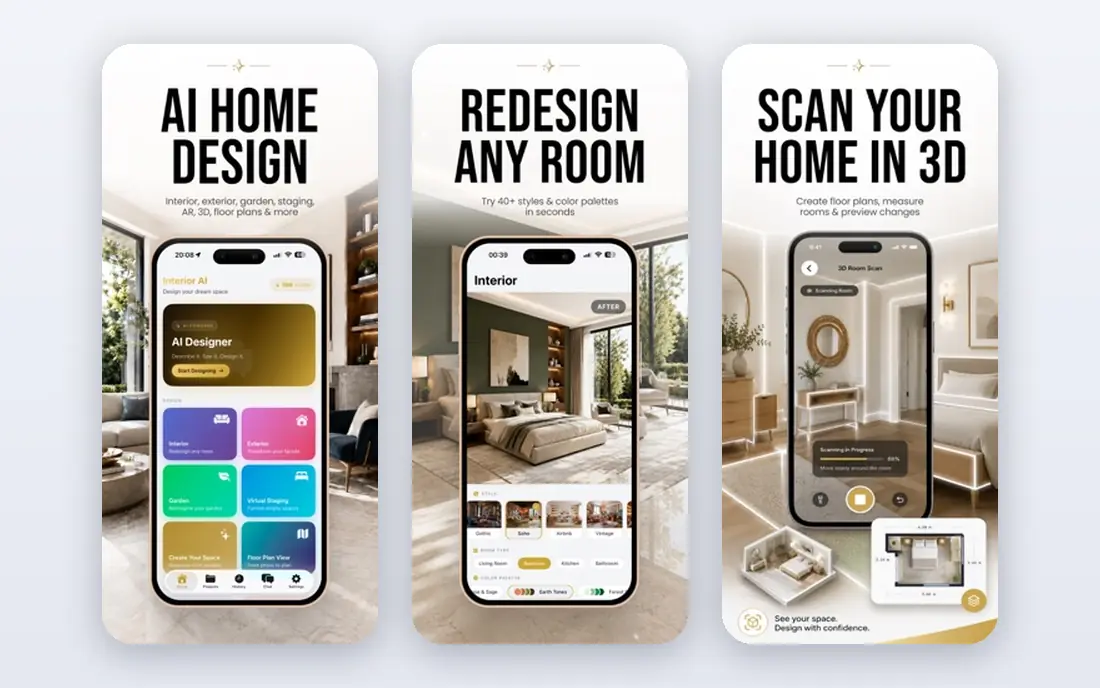
Interior AI is built for speed and volume. Upload a room photo, pick a style and get a restyled image in under a minute, which suits real estate agents staging many listings. The interface is minimal, so you do not need design experience to get a usable result. Pro plans allow a high number of designs per month, which matters when you stage a full property.
The price is higher than most photo restyle apps, and there is no free tier, so you should test it during any trial period first. It also does not replace a planning app if you need measurements or an editable layout. For agents and sellers who need many polished room images fast, it earns its price.
- Very fast renders
- Simple workflow
- Strong for real estate staging
- Higher monthly price
- No free tier
- Less useful for detailed floor plans
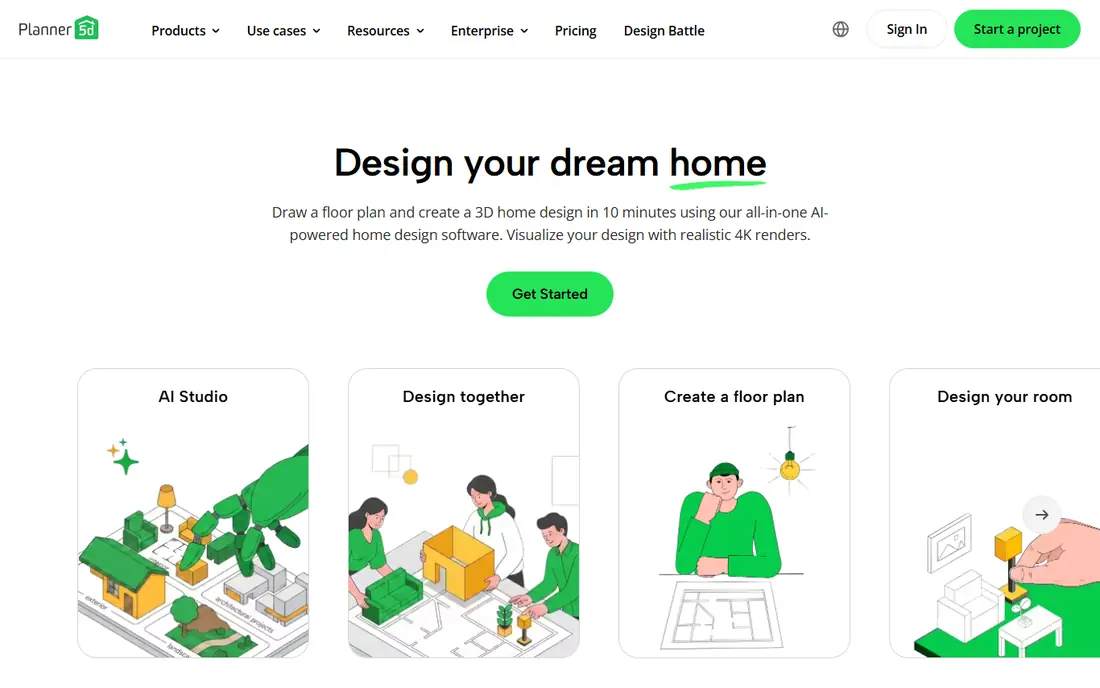
Planner 5D is the best pick when you want to plan a room properly, not just restyle a photo. You can draw a floor plan, add walls and windows, place furniture from a large catalog and view the result in 3D. That makes it useful for renovations, where you need to check whether a sofa fits or a layout flows before you buy anything.
The free plan covers basic projects, but much of the furniture catalog and higher quality rendering sit behind Premium, priced at about $59.99 per year. AI features are also more limited than in dedicated restyle apps. If your goal is a realistic plan you can keep editing, Planner 5D is the strongest free starting point here.
- Editable 2D and 3D plans
- Large furniture catalog
- Free plan for basic projects
- Full catalog and advanced renders are paid
- AI restyling is limited on free plan
REimagineHome gives you a few free designs without a card, which makes it easy to test before paying. You can restyle rooms, try new paint and finishes, and explore furnishing ideas from a photo. Paid plans add more credits and, on higher tiers, conversational edits and links to real products you can buy.
The catch is that the most useful features are tiered, so the cheapest plan may not include chat edits or shoppable recommendations. Render times can also run longer than the fastest rivals. For homeowners on a budget who want to test ideas before a renovation, the free designs are a genuine advantage.
- Free designs to start
- Conversational edits
- Product linked ideas on higher plans
- Chat and product features need higher tiers
- Render quality varies by plan
RoomGPT is the simplest app in this list. Upload a room photo, pick a style and get a redesign in under a minute. There is no planning system to learn and no monthly subscription if you buy credits only when you need them. A pack of 30 credits costs about $9, which suits someone testing one or two rooms.
That simplicity has limits. You cannot edit a floor plan, move furniture precisely or adjust measurements, and the free allowance is small. Results can also change details you wanted to keep, such as a window or a built in shelf. For a fast style check before you talk to a designer, RoomGPT is hard to beat for ease.
- Very simple to use
- Low cost credit packs
- No subscription needed for occasional use
- No editable floor plan
- One free design only
- Limited control over details
Homestyler blends planning and AI staging in one app. You can build a 2D or 3D layout, place furniture, and use its AI Stager on a room photo. The free plan includes basic renders, which is generous compared with rivals that charge from the first image. Paid plans start low and add higher quality renders and more credits.
The trade off is credit math. A high quality staged image can cost several credits, so the free allowance runs out fast if you stage many rooms. The mobile app is also less smooth than the desktop version for detailed plans. If you want a free planning app with some AI staging included, Homestyler is a strong choice.
- Free plan with basic renders
- Editable 2D and 3D layouts
- AI staging tool
- Higher quality staging uses paid credits
- Some tools are easier on desktop
Collov AI is aimed squarely at virtual staging for property listings. Upload an empty or furnished room photo, choose a style and get a staged image that looks ready for a listing site. The workflow is quick, and plans are built around the volume agents need, with annual billing lowering the monthly rate.
For a homeowner redesigning one room, Collov is narrower than HomeDesignsAI or Planner 5D, since it focuses on staging rather than planning or garden design. Prices have also changed over time, so confirm the current plan before you subscribe. For agents who stage listings regularly, its focus is a strength, not a weakness.
- Focused staging workflow
- Good for listing photos
- Credit based plans for agencies
- Less useful for personal renovation planning
- Pricing varies by billing period
Spacely AI bridges photo restyling and professional design work. It supports workflows linked to tools such as SketchUp and Revit, which makes it useful for interior designers who need renders that fit into a larger project, not just a single image. Trial credits let you test it without a card, which is helpful for professionals comparing tools.
Casual users may find it more complex than RoomGPT or REimagineHome, and the price reflects its professional focus. If you are a designer, architect or serious renovator working with CAD files, Spacely is worth the extra effort. If you just want to see a new sofa color, a simpler app will be faster.
- Works with SketchUp and Revit workflows
- Free trial credits
- Professional grade renders
- Higher learning curve
- Overkill for casual homeowners
IKEA Kreativ solves a specific problem well: will this IKEA sofa, shelf or table actually look right in my room. You can place real IKEA products into a scan or photo of your space and see how they fit, then check prices and availability. It is free, with no design subscription, which makes it easy to try before a store visit.
The limit is obvious. It only covers IKEA products, so it cannot restyle a room in a general style or plan a full renovation with other brands. Full 3D room scans also need a supported phone. If you are furnishing with IKEA, it is the most practical app here. Pair it with a planning app if you need a full layout.
- Free to use
- Shows real IKEA products in your room
- Links to prices and stock
- Limited to IKEA catalog
- Full 3D scan needs supported hardware
How we picked these
We compared vendor pricing pages and current comparison guides, focusing on apps that restyle a room photo, build a plan or stage a property. We favored apps with clear free tiers or trial credits, US availability and a distinct use case, so this list covers quick experiments, full planning and professional staging rather than nine versions of the same tool.
What to check before you pay
Decide first whether you need a photo restyle or an editable plan. A restyle app gives you inspiration fast but cannot tell you if furniture fits. A planning app takes longer to learn but gives you measurements and a layout you can keep changing. Check credit costs carefully, since a low monthly price can still run out fast if each render costs several credits.
Also check what happens to your images. Some apps allow commercial use on paid plans, which matters for real estate listings, while free tiers may limit use. Finally, test with a photo of your actual room in daylight. Results vary with photo quality, and a dark or cluttered photo will give weaker renders on any app.
Sources
- https://dupple.com/learn/best-ai-for-interior-design
- https://homedesigns.ai/go/10-best-ai-interior-design-tools-in-2026-honest-comparison/
- https://roomstaging.net/blog/10-best-free-ai-interior-design-apps
- https://www.bellavirtual.com/blogs/news/top-10-interior-design-apps-to-redefine-your-home
- https://n33.ai/blog/how-to-use-ai-for-interior-design
- https://homedesigns.ai
- https://interiorai.com
- https://planner5d.com
- https://reimaginehome.ai
- https://roomgpt.io
- https://www.homestyler.com
- https://collov.ai
- https://spacely.ai
- https://www.ikea.com