Best App to Read Books for Free in 2026: 9 Apps Compared
By ToolNimba Editorial Team October 30, 2026 9 min read

- Top pick
 Libby
Library ebooks and audiobooks
Starting priceFreeCheck out LibbyRead our review - Runner-up
 Hoopla
Instant borrows and comics
Starting priceFreeCheck out HooplaRead our review - Also great
 Kindle
Free classics and store deals
Starting priceFreeCheck out KindleRead our review
How we researched this
We compared official pricing and feature pages, app store listings, privacy policies and public user reviews. Prices change, so check the provider's site before you pay.
Key takeaways
- Libby is our pick for most readers because a library card opens up current ebooks and audiobooks at no cost.
- Hoopla is the best companion app, since it offers instant borrows with no waitlists, within a monthly limit set by your library.
- Project Gutenberg is the best source for free classics, with no account needed.
- The Kindle, Kobo, Apple Books and Google Play Books apps all offer free titles, samples and public domain books.
Quick comparison
| Name | Best for | Starting price | Free plan | |
|---|---|---|---|---|
| Libby | Library ebooks and audiobooks | Free | Yes | Visit |
| Hoopla | Instant borrows and comics | Free | Yes | Visit |
| Kindle | Free classics and store deals | Free | Yes | Visit |
 Google Play Books | Free books and your own files | Free | Yes | Visit |
 Apple Books | Free books on Apple devices | Free | Yes | Visit |
 Kobo Books | Ebooks and audiobooks on Kobo | Free | Yes | Visit |
 Project Gutenberg | Classic public domain books | Free | Yes | Visit |
 Wattpad | Free community stories | Free | Yes | Visit |
 Everand | Subscription catalog trial | $11.99 per month | Free trial | Visit |
The best apps to read books for free
Free reading apps work in different ways. Library apps lend you books, public domain archives give books away, and store apps mix free titles with paid ones. The best setup for most readers combines two or three of these apps.
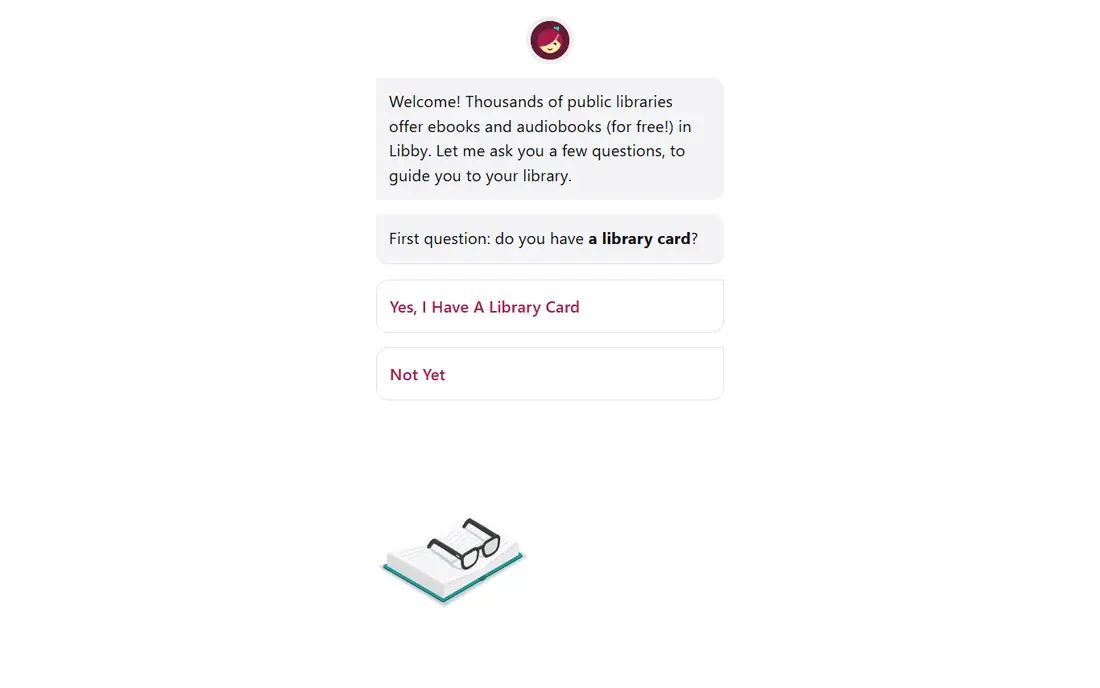
Libby, by OverDrive, is the best free reading app for most people. A public library card opens your library digital collection, including current bestsellers, new releases, audiobooks and magazines. Loans return automatically, so there are no late fees, and you can download books for offline reading. In supported regions, US libraries can also send ebooks to a Kindle.
The main cost is patience. Popular titles carry waitlists, and loan periods are set by your library. Catalog size also varies by library system, so two readers in different cities may see different books. If you can get cards from more than one library system you legitimately qualify for, your choice grows a lot. Start here before you pay for any book subscription.
- Current bestsellers and audiobooks free with a library card
- Offline downloads
- No late fees
- Popular titles have waitlists
- Catalog depends on your library

Hoopla fixes Libby biggest frustration. Because libraries pay per borrow rather than per licensed copy, there are no waitlists: if your library offers Hoopla and the title is in its catalog, you borrow it at once. The catalog also covers comics, music and video alongside ebooks and audiobooks, which makes it a good family app.
The limit is your monthly borrow allowance, which your library sets, and the catalog skews toward midlist titles, audiobooks and comics rather than the newest bestsellers. Used together, Libby and Hoopla cover far more than either alone. Check whether your library offers both before you assume one is enough.
- No waitlists on available titles
- Ebooks, audiobooks, comics and video
- Simple borrowing
- Monthly borrow limit set by your library
- Fewer new bestsellers than Libby

The Kindle app is free, and it offers far more free reading than many people realize. Public domain classics, promotional titles and daily deals cost nothing, and you can send your own EPUB and PDF files to the app through Send to Kindle. Reading position, notes and highlights sync between the app and Kindle e-readers.
The catch is lock in. Kindle purchases are licenses tied to Amazon, not files you can move freely to other readers. Buying books inside the iPhone app is also restricted, so Apple users need to buy in a browser. Still, as a free reader for classics, deals and your own files, it is hard to beat.
- Thousands of free classics and deals
- Send to Kindle for your own files
- Syncs across devices
- Purchases stay in Amazon system
- Buying on iPhone requires a browser
Google Play Books is a solid free reader, especially on Android. It offers free titles, samples and public domain books, and you can upload your own EPUB and PDF files to your library. That makes it a good home for books you already own in file form, including Project Gutenberg downloads.
The store does not match Kindle for range, and its audiobook offering is thinner than Audible or library apps. Reading features are clean and reliable, though, with adjustable fonts, night mode and offline downloads. If you read on Android and want one app for free books and your own files, this is a strong pick.
- Free titles and samples
- Upload your own EPUB and PDF files
- Works on Android and web
- Store catalog is smaller than Kindle
- Audiobook selection is more limited
Apple Books comes built into iPhones, iPads and Macs, and it offers a good range of free titles. Classics, samples and promotional books cost nothing, and the reading experience is polished, with clean typography and easy font and brightness controls. Audiobooks live in the same app, which keeps your library in one place.
The limit is platform. Apple Books only runs on Apple devices, so your library does not travel to Android or Windows easily. Paid books are often full price, with fewer deep discounts than Kindle. For Apple users who want a simple free reader, though, it is already installed and ready to use.
- Free classics and samples
- Polished reading experience
- Audiobooks in one app
- Apple devices only
- Store prices are often full price
Kobo Books is a good alternative store reader, especially if you own a Kobo e-reader. The app offers free classics, samples and deals, and Kobo e-readers support EPUB files more openly than Kindle devices. That flexibility appeals to readers who download books from libraries and public domain archives.
The Android app does not support every file type, and the US store is smaller than Amazon. Kobo also sells a subscription, Kobo Plus, in some regions, but the free app itself costs nothing and covers basic reading well. If you like open formats and own a Kobo device, this app fits naturally.
- Free classics and deals
- Works with Kobo e-readers
- Open EPUB support on devices
- Android app lacks some file support
- US store is smaller than Kindle
Project Gutenberg is the oldest free book archive on the internet, and it remains essential for classic literature. It offers more than 75,000 public domain titles, from Jane Austen and Charles Dickens to Mark Twain and Shakespeare, all free with no account. Books download in EPUB, Kindle and PDF formats, so they work in almost any reading app.
You will not find new releases here, since the catalog is limited to works whose copyright has expired. The site design is plain, and there is no reading sync across devices. For classics, though, nothing beats it for breadth and price. Download a few titles and open them in Kindle, Google Play Books or Apple Books.
- Over 75,000 free classic titles
- No account needed
- EPUB, Kindle and PDF formats
- No new releases
- Site design is basic
- No built in syncing
Wattpad is a different kind of free reading app. Instead of published books, it hosts millions of stories written by community authors, covering romance, fantasy, fan fiction, mystery and more. Most stories are free to read, and readers can comment, vote and follow authors they like. Some writers later publish their Wattpad stories as books.
Quality varies a lot, since anyone can publish, and some popular stories move behind a paid program or remain unfinished. Ads appear on the free tier. If you enjoy discovering new writers and serial stories, Wattpad offers endless free reading. If you want edited, finished books, library apps are a better bet.
- Millions of free community stories
- Many genres
- Social reading features
- Quality varies widely
- Some stories are paid or incomplete
- Ads on free tier
Everand, formerly Scribd, offers a subscription catalog of ebooks, audiobooks, magazines and podcasts. It is not free in the long term, but its trial gives you a month to read and listen without paying, which makes it useful for a reading sprint or a holiday. The catalog covers a wide range of nonfiction and fiction, though not every bestseller is available in full.
After the trial, the price is $11.99 per month, similar to Kindle Unlimited. Some titles are limited by availability rules, so check that the books you want are actually included before you subscribe. As a free trial option, Everand is worth trying. As a permanent free app, Libby and Hoopla are better.
- Large catalog of ebooks, audiobooks and magazines
- 30 day trial
- Offline listening
- Not free beyond the trial
- Some popular titles are limited
- Catalog varies by region
How we picked these
We compared library apps, public domain archives and store apps, focusing on what you can actually read for free, not just download for free. We favored apps available in the United States on both major phone platforms where possible, with clear free access and no hidden subscription requirement. Prices for paid plans came from vendor and app store listings.
What to check before you choose
Start with a library card. It is free in most US communities, and it opens Libby and often Hoopla, which together beat any paid subscription for value. Next, think about format. If you read mostly on a Kindle, Libby and the Kindle app pair well. If you read on a phone, any app here will work, but check that your highlights and notes export in a useful way.
Also check availability in your area. Library catalogs, Kobo Plus and Everand vary by region, and some features, such as sending Libby books to Kindle, are US focused. Finally, combine apps rather than hunting for one perfect reader. Libby for new books, Hoopla for instant picks and Project Gutenberg for classics is a strong free setup.
Sources
- https://agiletech.vn/blog/best-free-reading-apps/
- https://toolradar.com/blog/best-reading-apps
- https://scoredapps.com/blog/best/best-reading-audiobook-apps-ranked/
- https://www.shortform.com/blog/hub/product/apps-with-free-books/
- https://www.libbyapp.com
- https://www.hoopladigital.com
- https://www.amazon.com/kindle
- https://play.google.com/books
- https://www.apple.com/apple-books
- https://www.kobo.com
- https://www.gutenberg.org
- https://www.wattpad.com
- https://www.everand.com