Best App to Summarize PDFs Fast in 2026: 9 Apps Compared
By ToolNimba Editorial Team October 30, 2026 10 min read

- Top pick
 NotebookLM
Multi-document research
Starting priceFreeCheck out NotebookLMRead our review - Runner-up
 ChatPDF
Fast single-PDF chat
Starting priceFreeCheck out ChatPDFRead our review - Also great
 QuillBot
Short clean summaries
Starting priceFreeCheck out QuillBotRead our review
How we researched this
We compared official pricing and feature pages, app store listings, privacy policies and public user reviews. Prices change, so check the provider's site before you pay.
Key takeaways
- NotebookLM is our pick for most readers because it grounds answers in your own PDFs, supports many sources in one notebook, and offers a free tier.
- ChatPDF is the fastest simple option for a single PDF, with chat, cited answers, and no account needed to try it.
- QuillBot suits short to medium texts that need a clean paragraph or bullet summary without a research workflow.
- Scholarcy and SciSpace are better for academic papers, with structured findings, tables, and paper comparison.
- AI summaries can miss nuance and misread scanned pages, so check key claims against the original PDF before you cite them.
Quick comparison
| Name | Best for | Starting price | Free plan | |
|---|---|---|---|---|
| NotebookLM | Multi-document research | Free | Yes | Visit |
| ChatPDF | Fast single-PDF chat | Free | Yes | Visit |
| QuillBot | Short clean summaries | Free | Yes | Visit |
 Scholarcy | Academic paper flashcards | See website | Yes | Visit |
 SciSpace | Comparing many papers | $12 per month | Yes | Visit |
 PDFgear | Free PDF tools plus AI chat | Free | Yes | Visit |
 Humata | Q and A on long documents | See website | Yes | Visit |
 Smallpdf | Everyday PDF summaries | See website | Yes | Visit |
 TLDR This | Quick web and text summaries | Free | Yes | Visit |
The best app to summarize pdfs fast
We focused on speed from upload to a usable summary, not only on marketing claims. Each tool below can turn a PDF into a short summary or answer questions about it, and each fits a different kind of reading.
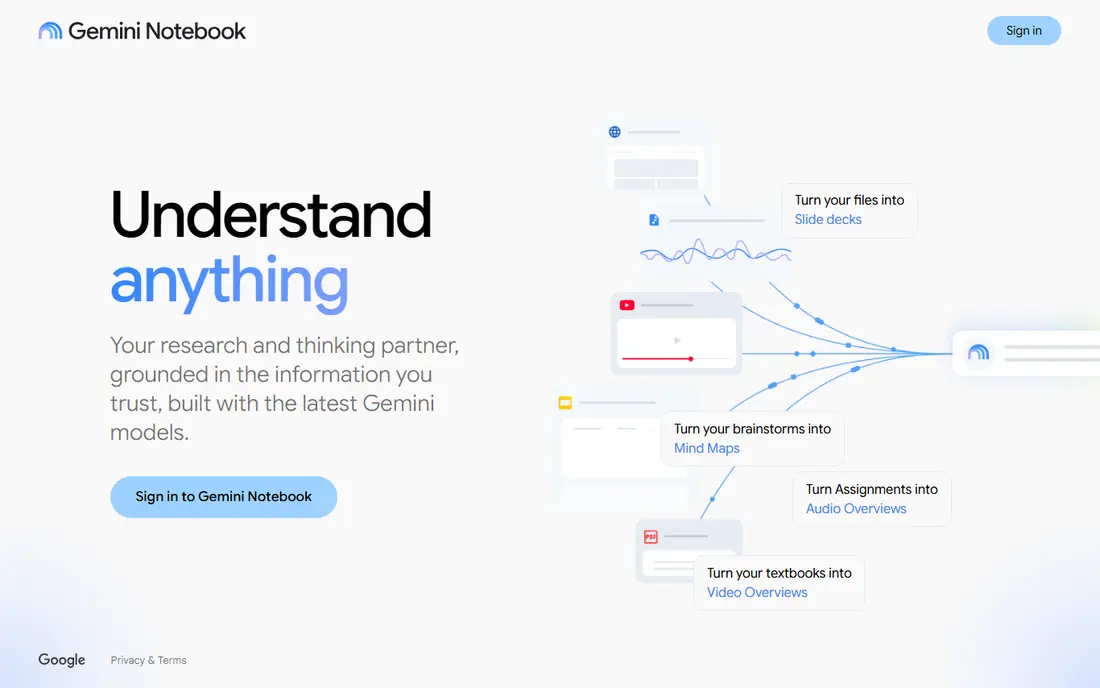
NotebookLM, now shown in some Google products as Gemini Notebook, is built around your own files rather than general web knowledge. Upload PDFs, notes, and links to a notebook, ask a question, and the answer points back to the source passage. That grounding makes it easier to verify a claim than with a chatbot that answers from memory.
For students and professionals, the multi-document view is the main advantage. You can compare several papers, build a study guide, or ask what all of them say about one topic. The free tier covers personal use with a source limit per notebook, while paid Google AI plans raise those limits.
- Answers stay tied to your uploaded sources with citations
- Handles many PDFs in one notebook
- Audio overviews and study guides
- Works best with a Google account
- Higher limits require a paid Google AI plan
- Not a general PDF editor
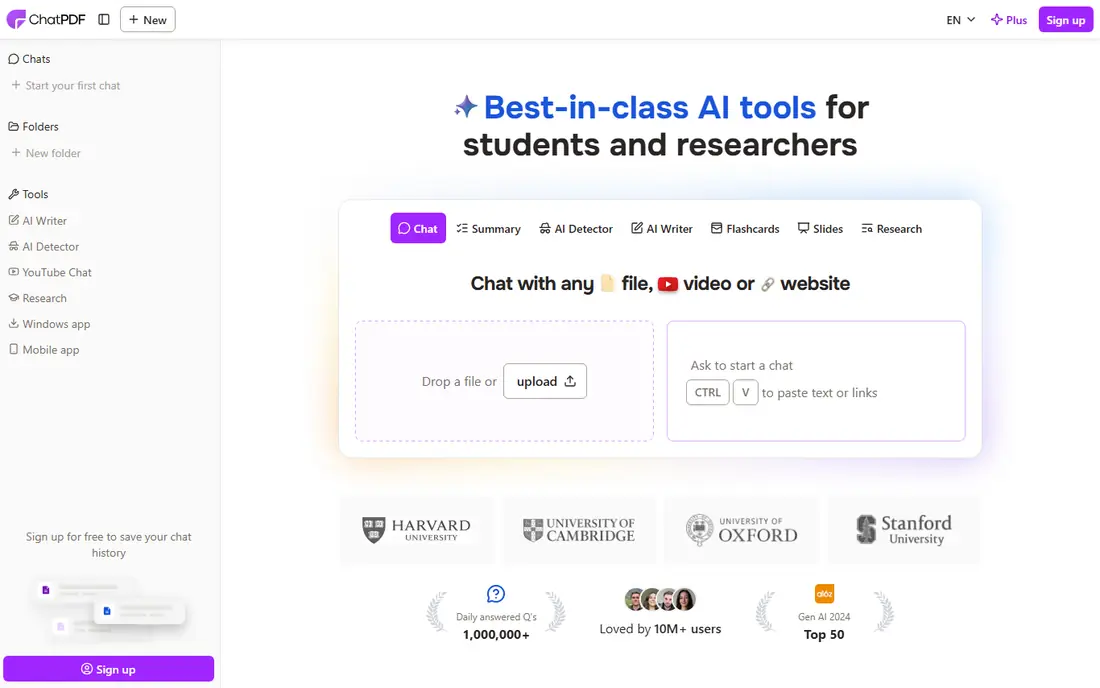
ChatPDF is the tool to open when you need one answer from one PDF right now. Upload a file, wait a short time, and ask for a summary or a specific fact. Answers often include page references, which helps you jump back to the original text to confirm the wording.
The free plan covers a small number of PDFs per day, with a page and file-size limit, so it suits occasional reading rather than a whole course pack. For heavy daily use, check the Plus plan on the vendor site, since limits and prices have changed over time. Keep sensitive files in mind, since uploads are processed in the cloud.
- Very fast setup with no account needed to try
- Cited answers linked to pages
- Supports many languages
- Free plan limits PDFs per day and pages per file
- One file at a time in the free workflow
- Quality drops on very long documents
QuillBot Summarizer is a good fit when the job is to shorten a chapter, article, or report into readable notes. Paste text or upload a document, choose paragraph or bullet form, and adjust the length. The result reads like notes, not like a chat transcript, which makes it easy to paste into your own study file.
Premium costs $8.33 per month when billed annually, and it raises limits across the writing suite. If you only summarize short pieces a few times a week, the free tier may be enough. For a thesis literature review, a research tool such as NotebookLM or SciSpace will serve you better.
- Simple paragraph and bullet summaries with a length control
- Useful writing tools in the same account
- Works with pasted text and documents
- Free summarizer has a word limit per use
- Less suited to long, multi-file research
- Academic structure is thinner than Scholarcy
Scholarcy is designed for the moment when you face a stack of papers and need to decide which ones deserve a full read. Each paper becomes a card with the question, approach, key findings, and references in the same layout. That consistency lets you scan faster than reading a different abstract style each time.
The trade-off is flexibility. Scholarcy shines on academic PDFs and is less useful for contracts, manuals, or slide decks. Use it to triage research, then read the full paper for any study you plan to cite.
- Turns papers into structured summary cards
- Extracts methods, findings, and references
- Useful for screening many papers quickly
- Fixed card format may feel rigid for non-academic PDFs
- Scanned or image-heavy PDFs need a manual check
- Paid details vary by plan
SciSpace combines a paper search engine with an AI reader, so you can find a paper, open it, and ask questions without switching tools. The comparison table is the feature that sets it apart: pick columns such as sample size, method, or result, and fill them across several papers. That structure helps with literature reviews and evidence tables.
Casual readers may find the full workspace more than they need. If you read papers weekly, the $12 per month annual plan is easier to justify than if you summarize one PDF a month. Check the current free credit limit before you start a large project.
- Paper search plus PDF chat in one place
- Comparison tables with columns you define
- Citations tied to source papers
- Paid plan needed for heavy use
- Interface can feel busy for a single quick summary
- Best value is for regular researchers
PDFgear is useful when summarizing is only part of the job. You may need to merge pages, sign a form, or annotate a report, then ask for a summary of the same file. Having the editor and the AI chat in one app saves switching between tools, and the core PDF tools are free.
Note the privacy split: the desktop editor can run locally for basic tasks, but AI chat and summaries are cloud features. For confidential files, check the privacy policy and consider whether your school or employer has an approved tool.
- Free PDF editor for reading, editing, and merging
- AI chat and summaries alongside the editor
- Desktop app works offline for basic PDF tasks
- AI features still send content to a server
- Interface is busier than a single-purpose summarizer
- Advanced AI use may require a plan
Humata targets readers who work with long reports, manuals, and research files. Instead of only producing a short summary, it lets you ask follow-up questions and trace answers back to passages in the document. That question-and-answer loop helps when a single summary hides the detail you actually need.
For a two-page article, Humata may feel heavier than ChatPDF or QuillBot. Its value shows on a 100-page report, where you need to find a clause, a figure, or a method section without reading every page.
- Asks questions across long technical documents
- Highlights source passages
- Handles large files better than some simple chat tools
- Pricing and free limits change often, so check the site first
- Less suited to casual short summaries
- Web-only workflow
Smallpdf is a practical pick for office and school work, where PDFs arrive in many forms. You can convert a file, compress it for email, and then summarize it without learning a research platform. That all-in-one flow suits people who already use Smallpdf for other PDF tasks.
Researchers should look elsewhere for structured paper cards or cross-paper tables. Smallpdf is best when the goal is a quick, readable summary of a report, invoice pack, or set of meeting notes.
- Familiar PDF tools for compressing, converting, and editing
- AI summarizer fits an existing PDF workflow
- Clean web interface
- Free use is limited
- AI features sit behind broader PDF plan limits
- Not built for academic paper comparison
TLDR This is the fastest option when you want the gist and you want it now. Paste a link or text, get a short version, and move on. It is well suited to news articles, blog posts, and short reports that you need to screen before deciding whether to read fully.
For a paper you must cite, use a tool with source citations and chat, such as NotebookLM or ChatPDF, and verify the key passage yourself. TLDR This is a screening step, not a research record.
- Very fast summaries with no signup for basic use
- Handles articles, text, and some PDFs
- Simple length and focus options
- Less depth for long academic PDFs
- Fewer citation and chat features than NotebookLM or ChatPDF
- PDF support is more limited
How we picked these
We reviewed official product pages, pricing pages, privacy notes, and public comparisons for tools that accept PDFs and return a summary or cited answers in 2026. We favored tools with a working free tier, a clear fit for fast reading, and a distinct use case, from single-file chat to multi-paper research. Where prices differed across sources or plans, we used See website rather than publishing a figure that could be out of date.
How to get a reliable fast summary
Speed is useful only if the summary stays faithful to the source. A good workflow takes a few minutes longer than a one-click summary, but it saves time later when you need to cite or act on the result.
Start with the right length
Ask for a short summary first to judge relevance, then ask for a longer version or specific sections for papers that matter. A five-line summary of a 40-page report will hide methods and limits, so treat it as a screen, not as a substitute for reading the key sections.
Check citations and key numbers
Open the cited passage for any number, date, or claim you plan to reuse. AI tools can blend nearby facts, misread a table, or miss a negation. A quick check of the original page is faster than fixing an error after you have shared it.
Protect sensitive documents
Avoid uploading contracts, medical records, or unpublished research to a public free tool unless you have checked its privacy policy and retention terms. For sensitive work, use a tool approved by your employer or school, or summarize locally and keep the file off a cloud service.