Best Auto DJ Software: 7 Tools Compared for 2026
By ToolNimba Editorial Team November 20, 2026 6 min read
We did not test these tools hands-on. Picks are based on vendor documentation and public information. Read our editorial policy and disclosure.

- Top pick
 VirtualDJ
All-around automated mixing
Starting price$4 per monthCheck out VirtualDJRead our review - Runner-up
 Serato DJ Pro
Professional stems and streaming
Starting price$11.99 per monthCheck out Serato DJ ProRead our review - Also great
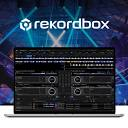 rekordbox
AI and cloud workflow
Starting price$9 per monthCheck out rekordboxRead our review
How we researched this
We compared official pricing and feature pages, app store listings, privacy policies and public user reviews. Prices change, so check the provider's site before you pay.
Direct answer
VirtualDJ is our first pick for auto DJ software thanks to its deep automation and broad hardware support, while Mixxx suits open-source users and djay Pro fits Apple-focused performers. We compared seven options across automation, hardware compatibility and workflow.
Key takeaways
- VirtualDJ offers extensive automation and works well for both beginners and advanced DJs.
- Serato DJ Pro emphasizes stems, streaming and wide hardware integration for professionals.
- rekordbox uses AI, cloud and automation tools to streamline the DJ workflow.
- Mixxx is an open-source option with MIDI controller support and internet broadcasting.
Quick comparison
| Name | Best for | Starting price | Free plan | |
|---|---|---|---|---|
| VirtualDJ | All-around automated mixing | $4 per month | Yes | Visit |
| Serato DJ Pro | Professional stems and streaming | $11.99 per month | Free trial | Visit |
| rekordbox | AI and cloud workflow | $9 per month | Yes | Visit |
 djay Pro | Apple-centered performing DJs | See website | See website | Visit |
 Mixxx | Open-source automated mixing | See website | See website | Visit |
 PCDJ DEX | DJs and karaoke hosts | See website | See website | Visit |
 Cross DJ | Mixing and beatmaking | See website | See website | Visit |
Auto DJ Software Options, one by one
Auto DJ features let software handle transitions and continuous playback so you can focus on crowd and setup. ToolNimba compared seven documented options to help you choose.
VirtualDJ is a long-standing DJ platform with a wide feature set and support for many controllers. Its automation tools make it a natural fit for auto DJ use, handling transitions and continuous playback. It suits both people starting out and experienced DJs who want flexible, scriptable mixing behavior in one environment.
The depth of features can feel heavy for casual users, and the interface rewards practice. If you want a simpler, more guided experience, a lighter tool may be easier. Choose VirtualDJ when automation flexibility and hardware range matter most.
- Broad hardware support
- Strong automation features
- Fits beginners and pros
- Feature depth can overwhelm newcomers
- Interface takes time to learn
Serato DJ Pro is professional DJ software focused on creative control, stems and streaming, with connection to a large range of industry hardware. It fits performing DJs who want manual and creative mixing alongside some automation. Its ecosystem makes it a common choice for club and event work.
Auto DJ is not the headline feature here, so heavy hands-off mixing may feel secondary. If fully automated playback is your priority, another tool may fit better. Pick Serato DJ Pro when creative control and hardware compatibility lead your needs.
- Stems creation tools
- Streaming integration
- Wide hardware ecosystem
- Automation is less central
- Learning curve for advanced features
rekordbox is DJ software built around a comfortable workflow using AI, cloud and automation technology, with support for multiple streaming services. It suits DJs who prepare sets in advance and want organization plus automation assistance. The platform is aimed at professional workflows and library management.
The breadth of tools means setup and learning take time, and automation is one part of a larger system. If you want a minimal, single-purpose auto mixer, a simpler tool may suit you. Choose rekordbox when preparation and cloud workflow matter.
- AI-assisted workflow
- Cloud features
- Streaming service support
- Automation setup takes learning
- Feature set is broad
djay Pro by Algoriddim is DJ software for Mac aimed at performing DJs, with integration into iTunes and a polished interface. It fits users in the Apple ecosystem who want accessible mixing with automation options. The design leans toward intuitive control for live performance.
Its focus on Apple platforms limits appeal for Windows users, and automation features depend on how you configure your setup. If cross-platform flexibility is essential, consider another option. Pick djay Pro when you work primarily on Mac and value a streamlined interface.
- ITunes integration
- Clean interface
- Designed for Mac users
- Apple ecosystem focus
- Automation depth varies by setup
Mixxx is free, open-source DJ software with iTunes integration, MIDI controller support, internet broadcasting and an integrated music library. It suits users who want automation without licensing costs and who are comfortable configuring tools. The project is community-driven and adaptable.
It may lack some polished commercial extras, and setup can require troubleshooting depending on hardware. If you need vendor-backed support or tightly integrated streaming, another platform may be easier. Choose Mixxx when openness and cost-free use are priorities.
- Free and open source
- MIDI controller support
- Internet broadcasting
- Fewer polished extras
- Setup can require tinkering
PCDJ DEX is DJ and karaoke software for professional DJs and karaoke hosts on Windows and Mac. It suits entertainers who need both music mixing and karaoke hosting in one application. Automation and library tools support continuous playback during events.
The interface may feel less modern than some competitors, and automation features vary by use case. If you only need straightforward auto mixing, a leaner tool could be simpler. Pick PCDJ DEX when karaoke hosting is part of your work.
- DJ and karaoke features
- Windows and Mac support
- Trial available
- Interface less modern
- Automation depth varies
Cross DJ from Mixvibes is part of a family of DJ, VJ and beatmaking tools from a long-standing name in DJ software. It suits creators who want mixing alongside visual and production features. Automation supports continuous playback within a broader creative toolkit.
Because the platform spans several disciplines, auto DJ is one feature among many and may require learning the wider system. If you want a focused auto mixer, a simpler option may fit better. Choose Cross DJ when mixing, visuals and beatmaking overlap in your work.
- DJ and VJ tools
- Beatmaking features
- Long-standing brand
- Auto DJ is one of many features
- Learning curve for extras
How the list was put together
ToolNimba compared documented features, vendor pages and stated limits for each option, focusing on automation, hardware support and workflow. We did not run hands-on tests, and details can change, so confirm specifics on vendor sites before buying. The ordering is editorial and reflects how well each tool matches auto DJ use cases.
What to confirm before you sign up
- Check that auto DJ features match your workflow
- Verify controller and hardware compatibility
- Confirm streaming service support if needed
- Review system requirements for your computer
- Check karaoke or VJ needs if relevant
Sources
Official websites of the products reviewed above. Features and prices were checked against these sites when the guide was written, and they can change, so confirm on the vendor site before you buy.
Frequently asked questions
What is auto DJ software?
Auto DJ software handles transitions and continuous playback so a set can run with less manual input. Features range from simple crossfades to more advanced automated mixing. The best choice depends on your hardware and workflow.
Which option suits beginners?
VirtualDJ and djay Pro are often approachable for newcomers, while Mixxx offers an open-source path. Beginners should prioritize a clear interface and hardware compatibility. Confirm system requirements before installing.
Can auto DJ software work with controllers?
Many options support MIDI controllers, and Serato DJ Pro and VirtualDJ emphasize broad hardware compatibility. Check that your specific controller is supported. Vendor pages list compatible devices.
Is open-source auto DJ software viable?
Mixxx shows that open-source DJ software can include automation, controller support and broadcasting. It suits users comfortable with configuration. Commercial tools may offer more polished extras and vendor support.