Best Clipping Software for PC in 2026: 10 Tools Compared
By ToolNimba Editorial Team October 30, 2026 11 min read

- Top pick
 NVIDIA ShadowPlay
NVIDIA GPU owners
Starting priceFreeCheck out NVIDIA ShadowPlayRead our review - Runner-up
 Medal.tv
Hotkey clips and sharing
Starting priceFreeCheck out Medal.tvRead our review - Also great
 OBS Studio
Full control recording
Starting priceFreeCheck out OBS StudioRead our review
How we researched this
We compared official pricing and feature pages, app store listings, privacy policies and public user reviews. Prices change, so check the provider's site before you pay.
Key takeaways
- NVIDIA ShadowPlay and Xbox Game Bar offer the lowest overhead for PC gamers, because they use hardware encoding or built-in Windows capture.
- Medal.tv is the best all-around free clipping app for hotkey clips and sharing, while Eklipse is better for streamers who want AI highlights from VODs.
- OBS Studio is free and the most flexible recorder, but its Replay Buffer needs manual setup, unlike instant replay tools that work out of the box.
- Free tiers vary a lot, so check clip length, resolution, watermark, and storage limits before you rely on a tool for a full season of clips.
Quick comparison
| Name | Best for | Starting price | Free plan | |
|---|---|---|---|---|
| NVIDIA ShadowPlay | NVIDIA GPU owners | Free | Yes | Visit |
| Medal.tv | Hotkey clips and sharing | Free | Yes | Visit |
| OBS Studio | Full control recording | Free | Yes | Visit |
 Xbox Game Bar | Zero-setup Windows clips | Free | Yes | Visit |
 SteelSeries Moments | FPS and MOBA highlights | Free | Yes | Visit |
 Outplayed | Automatic event clips | Free | Yes | Visit |
 Eklipse | AI stream highlights | $24.99 per month | Free trial | Visit |
 AMD Software Adrenalin | AMD GPU owners | Free | Yes | Visit |
 Bandicam | High frame rate recording | See website | Free trial | Visit |
 EaseUS RecExperts | Recording plus editing | See website | Free trial | Visit |
The best clipping software for PC
Clipping software should save the moment after it happens, not force you to record everything. The tools below cover instant replay, automatic detection, and full recording, so you can pick by hardware, game type, and editing needs.

ShadowPlay, part of the NVIDIA app and GeForce Experience, remains the default answer for many PC gamers with NVIDIA cards. Instant Replay keeps a rolling buffer of gameplay, so you press a hotkey after a great play and save the last minutes without recording the whole session. GPU encoding keeps the performance cost low, often under 5 percent in published comparisons.
The tool is free with a supported GPU, which makes it hard to beat on value. The limits are hardware and editing. You need NVIDIA hardware, and you will likely trim clips in another editor if you want captions, effects, or vertical formats. For pure capture with minimal FPS loss, ShadowPlay is still the benchmark.
- Very low FPS impact with GPU encoding
- Instant Replay saves the last minutes
- No extra cost with a supported NVIDIA GPU
- Requires NVIDIA hardware
- Built-in editing is basic
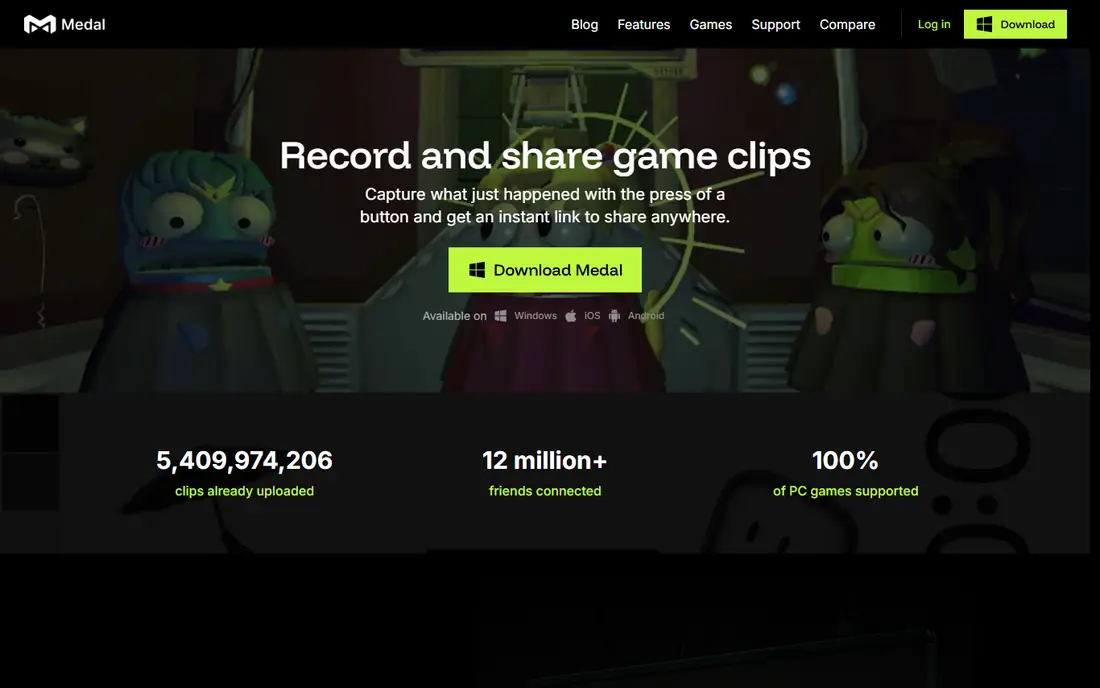
Medal.tv is built around one idea: press a key, get a clip, share it fast. The desktop app runs in the background, saves instant replays, and can auto-clip kills, aces, and clutch plays in supported titles. A built-in editor lets you trim, add text, and export, and one-click links make Discord, TikTok, and Reddit sharing simple.
Medal is free to start, with paid plans listed from $6.99 per month for ad-free use and $9.99 per month for full Premium in third-party comparisons. Free downloads have been listed with a watermark and a 720p cap in some comparisons, so check the current free terms if you post clips often. For casual and social gamers, Medal offers the best mix of speed and sharing.
- One-hotkey clipping
- Automatic clips in supported games
- Built-in editor and social sharing
- Windows-focused desktop app
- Free tier limits resolution and adds a watermark on downloads in some listings

OBS Studio is not a clipper out of the box, but its Replay Buffer turns it into one. You set a buffer length, OBS keeps the recent gameplay in memory, and a hotkey saves that buffer to disk. That gives you full control over bitrate, codec, resolution, and audio tracks, including separate game, mic, and Discord tracks with routing.
OBS is free and open source, with no watermark and no subscription, and it also handles full streaming to Twitch, YouTube, and Kick. The catch is setup. You must configure scenes, encoding, and the buffer yourself, and default settings can use more CPU than GPU tools. Power users who want control will love it. Casual gamers who want one-click clips should start with Medal or ShadowPlay.
- Free and open source
- Full encoder and scene control
- Works on Windows, macOS, and Linux
- Replay Buffer needs manual setup
- No built-in clip editor
- Can use more CPU without tuning
Xbox Game Bar is already on most Windows gaming PCs, which makes it the easiest clipper to try. Press Windows plus Alt plus G to record the last moments, or Windows plus G to open the full overlay with capture, audio, and performance widgets. There is no download, no subscription, and no new account to create.
The tool suits casual players who clip occasionally and do not want another app running. It does not auto-detect kills or wins, and its editor only covers basic trimming. If you clip a few times a week and share raw highlights, Game Bar is enough. If you clip every match, Medal or ShadowPlay will save more time.
- Built into Windows 10 and 11
- No install or account needed
- Low overhead for casual clips
- No automatic highlight detection
- Editing is limited to basic trim
SteelSeries Moments, part of SteelSeries GG, captures gameplay in the background and auto-clips key moments in supported titles, with a focus on FPS and MOBA games. You can also clip manually with a hotkey, trim the result, and share it without leaving the app. The tool is free, and it runs with low overhead on most gaming PCs.
The main limit is game coverage. If your main game is not on the supported list, you will rely on manual clipping, which works fine but loses the auto-highlight advantage. Moments is a good pick if you already use SteelSeries gear or GG software, and you play supported competitive titles most of the time.
- Automatic clips in supported games
- Low overhead
- Simple trim and share
- Game support list is limited
- Fewer editing features than Medal
Outplayed, by Overwolf, watches supported games for in-game events and saves those moments automatically. Instead of scrubbing a full match, you get a highlight reel of kills, wins, and key plays, ready to trim and share. That saves a lot of time for players who forget to press a hotkey in the middle of a fight.
The core app is free, with some premium features on Overwolf plans. The catch is the platform. Outplayed runs through Overwolf, which some players prefer to avoid, and event detection depends on title support. If your game is supported and you like automatic reels, Outplayed is one of the most hands-off options on PC.
- Event-based auto capture
- Per-match highlight reels
- Free core app
- Requires Overwolf
- Some features are premium
- Game support varies by title
Eklipse works differently from local clippers. It processes your stream VOD in the cloud after you broadcast, finds highlights with AI, and cuts vertical clips with captions for TikTok, Shorts, and Reels. Because processing happens in the cloud, it has no impact on your in-game FPS, which matters for streamers pushing high refresh rates.
Pricing has changed over time. Recent 2026 listings put Premium at $24.99 per month on the web, $112.99 every six months, or $179.99 per year, and note that the free plan shows highlight previews but does not export or download clips. That makes Eklipse a paid tool in practice for creators who need exports. For streamers who want highlights without local recording, it is still a strong pick.
- AI finds highlights from Twitch and YouTube VODs
- Cloud processing with no FPS impact
- Vertical clips with captions
- Free plan is preview-only for exports in 2026 listings
- Best for streamers, not offline players
AMD Software Adrenalin, formerly Radeon ReLive, is the AMD equivalent of ShadowPlay. It offers Instant Replay, recording, and streaming tools inside the driver software, with GPU encoding that keeps performance impact low. If you own an AMD card, you already have a capable clipper without installing another app.
The tool covers manual and instant replay capture well, but editing is basic, and some advanced features depend on your card and driver version. For AMD owners who want clean clips with minimal setup, Adrenalin is the logical first try. For auto highlights and social editing, pair it with Medal or Eklipse.
- Free with AMD hardware
- Instant Replay with low overhead
- Built into the driver suite
- Requires AMD hardware
- Editing is basic
- Game support and features vary by driver version
Bandicam is a long-running screen recorder that many PC gamers use for high frame rate capture. It records gameplay, webcam, and audio with low overhead, and it handles long sessions well. That makes it useful for tutorials, full matches, and creators who want clean source footage to edit later.
Bandicam is not a clipper in the instant replay sense. You record manually, then cut highlights in an editor, so it suits creators who plan their footage rather than players who want auto clips. The free version is limited, and the full version requires a license, so check the current price on the vendor site. For raw recording quality, Bandicam remains a reliable option.
- High FPS recording
- Lightweight recorder
- Good for tutorials and long sessions
- No automatic highlight detection
- Full version is paid
- Interface feels dated to some users
EaseUS RecExperts combines recording and editing in one app, which appeals to creators who want to capture and polish clips without switching tools. You can record gameplay or a screen region, add webcam and audio, then trim, cut, and export from the same interface. That workflow is simpler than OBS plus a separate editor.
The trade-off is automation. RecExperts does not auto-detect game events, so you record manually or with a hotkey, then find highlights yourself. The free tier is limited, and full use requires a paid plan, so check current pricing on the vendor site. For tutorial makers and casual creators who value editing over auto clips, it is a practical pick.
- Built-in editor with trim and effects
- Records games, screen, and webcam
- Simple interface for beginners
- No automatic highlight detection
- Paid plans needed for full exports
- Heavier than GPU tools in some tests
How we picked these
We compared official product pages, pricing pages, and 2026 clipping roundups, and we excluded tools listed as discontinued in those roundups, such as Powder in its former form. We favored tools that run on Windows PC, save clips with a hotkey or instant replay, and are actively maintained in October 2026. Where a vendor does not publish a clear starting price, we wrote See website instead of repeating an unverified figure. Performance notes come from published comparisons, not from our own benchmark tests.
How to choose the right clipper
Start with your hardware, then your workflow. NVIDIA owners should try ShadowPlay first, AMD owners should try Adrenalin, and everyone on Windows can try Game Bar in minutes. If you need auto highlights, add Medal, Moments, or Outplayed. If you stream, add Eklipse for VOD highlights. Only move to OBS when you need full encoder control or streaming scenes.
Instant replay, auto clips, and full recording
Instant replay saves the last seconds or minutes after a play, which is ideal for unexpected moments. Auto clips go further and detect events for you, which helps when you cannot press a key mid-fight. Full recording captures everything, which is best for tutorials and montages but uses far more disk space. Most gamers need instant replay plus auto clips, not full recording.
FPS impact, storage, and sharing
Set your buffer length and resolution before a ranked session, not during it. A 60-second buffer at 1080p uses far less disk than a 10-minute buffer at 1440p, and GPU encoding keeps FPS loss low. Check cloud storage limits, clip length caps, and watermark rules on free tiers, since those decide whether a tool works for daily posting or only occasional clips.
Editing and vertical clips
If you post to TikTok, Shorts, or Reels, you need vertical reframing and captions, which Eklipse and Medal handle better than GPU tools alone. If you post full matches to YouTube, raw quality and audio tracks matter more, so OBS or Bandicam plus a desktop editor is better. Pick the editor that matches where your clips actually go.
Sources
- https://www.nvidia.com/en-us/geforce/geforce-experience/
- https://medal.tv
- https://obsproject.com
- https://www.xbox.com/en-US/play-anywhere/pc-game-bar
- https://steelseries.com/gg/moments
- https://www.overwolf.com/app/overwolf-outplayed
- https://eklipse.gg
- https://www.amd.com/en/products/software/adrenalin.html
- https://www.bandicam.com
- https://recorder.easeus.com
- https://insights.gg/blog/10-best-clipping-software-for-editing-and-sharing-game-highlights