Best Cloud Computing Platforms in 2026: 10 Platforms Compared
By ToolNimba Editorial Team October 30, 2026 11 min read

- Top pick
 AWS
Largest service catalog
Starting priceSee websiteCheck out AWSRead our review - Runner-up
 Microsoft Azure
Microsoft and hybrid workloads
Starting priceSee websiteCheck out Microsoft AzureRead our review - Also great
 Google Cloud
Data, analytics, and AI workloads
Starting priceSee websiteCheck out Google CloudRead our review
How we researched this
We compared official pricing and feature pages, app store listings, privacy policies and public user reviews. Prices change, so check the provider's site before you pay.
Key takeaways
- AWS, Microsoft Azure, and Google Cloud offer the widest service catalogs, but their usage-based bills need careful cost controls.
- DigitalOcean, Linode, Vultr, and Heroku suit smaller teams that want predictable pricing and a simpler control panel.
- Oracle Cloud stands out for its Always Free tier, while IBM Cloud and Alibaba Cloud fit teams with specific enterprise or regional needs.
- Start with the workload, not the brand, and check data transfer, database, and support costs before you commit.
Quick comparison
| Name | Best for | Starting price | Free plan | |
|---|---|---|---|---|
| AWS | Largest service catalog | See website | Yes | Visit |
| Microsoft Azure | Microsoft and hybrid workloads | See website | Yes | Visit |
| Google Cloud | Data, analytics, and AI workloads | See website | Yes | Visit |
 DigitalOcean | Simple developer hosting | See website | Free trial | Visit |
 Linode | Low cost virtual servers | $5 per month | Free trial | Visit |
 Vultr | Simple global servers | $5 per month | Free trial | Visit |
 Oracle Cloud | Generous free tier | See website | Yes | Visit |
 IBM Cloud | Enterprise and regulated workloads | See website | Free trial | Visit |
 Heroku | Fast app deployment | $5 per month | No | Visit |
 Alibaba Cloud | Asia focused workloads | See website | Free trial | Visit |
The best cloud computing platforms
These ten platforms cover large enterprise clouds, developer friendly hosts, and regional options. Our pick for most teams starting from scratch is DigitalOcean for simplicity, with AWS as the pick when breadth of services matters most.
AWS covers compute, storage, databases, machine learning, and many managed services, so a team can usually stay on one platform as needs grow. Its free tier helps new accounts try core services, and its global region list makes it a practical choice for apps with users in several countries. The trade-off is complexity, since choosing instance types, storage classes, and networking options takes time to learn. Cost control deserves attention from day one. Set billing alerts, tag resources by project, and review data transfer charges, because those items often surprise new users. Teams that already use AWS services, or that need a service no smaller host offers, will find the extra learning curve easier to justify.
- Very wide service range
- Many global regions
- Large documentation and community
- Pricing can be hard to predict
- Console can feel crowded for beginners

Azure fits naturally when a business already runs Windows Server, Active Directory, or Microsoft 365, since identity and licensing often carry over with less friction. It also supports hybrid setups, where some workloads stay on local servers while others run in the cloud. That mix helps regulated teams move in stages rather than all at once. New users should still plan for a learning period. The portal holds a large catalog, and similar sounding services can overlap. A free account helps with early tests, but production planning should include budgets, cost alerts, and a clear choice of region for data residency.
- Strong fit for Windows and Microsoft 365 shops
- Hybrid cloud options
- Many enterprise controls
- Service naming can confuse newcomers
- Usage-based costs need monitoring
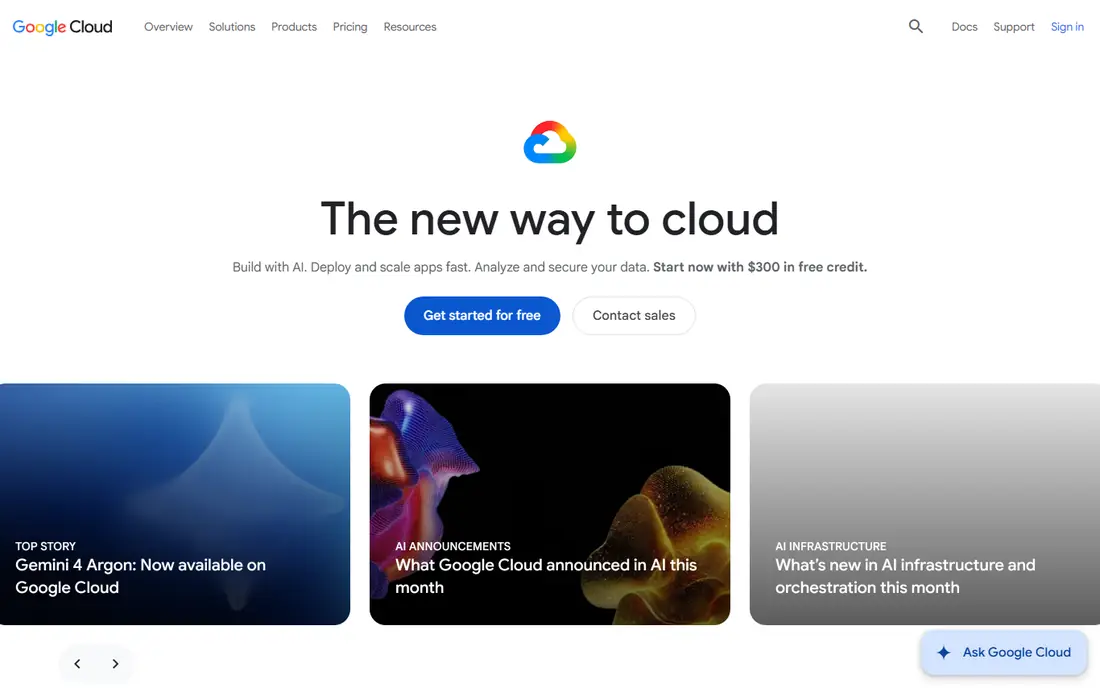
Google Cloud appeals to teams building data pipelines, analytics dashboards, or AI features, and its Kubernetes service is widely used for container workloads. New customers can try many products under a free tier, plus a welcome credit offer that Google lists on its homepage. That makes early experiments low risk if you set spending limits first. The platform works well for developers who like command line tools and infrastructure as code. It is less obvious for teams that want a single fixed monthly server price, since most services bill by use. Check storage, network egress, and database pricing for your exact workload before you compare it with a flat rate host.
- Strong data and analytics tools
- Clear free tier products
- Good Kubernetes support
- Smaller enterprise sales presence in some regions
- Pricing varies by service
DigitalOcean built its name on Droplets, which are simple virtual servers with fixed monthly prices, and it has since added managed databases, Kubernetes, and app hosting. The control panel stays readable, and its tutorial library helps developers who are setting up a server for the first time. That combination suits startups, agencies, and side projects. Larger teams may miss some specialized services found on AWS or Azure, and they should confirm that a needed managed service exists before migrating. For a standard web app, API, or small database, however, the simpler billing and setup often save more time than a larger catalog would add.
- Clear pricing pages
- Helpful tutorials
- Simple control panel
- Fewer managed enterprise services than the big three
- Smaller region list
Linode, now part of Akamai Cloud, offers virtual servers at a low starting price, with shared CPU plans for light work and dedicated CPU plans for steady loads. Its pricing pages list hourly and monthly rates, which helps small teams forecast costs without a calculator. Developers who manage their own Linux servers will feel at home here. The platform expects more hands-on administration than a fully managed app host. You handle updates, backups, and scaling choices, though managed databases and Kubernetes are available for teams that want help with those parts. Check the current plan list before purchase, since names and specs change over time.
- Low entry price
- Shared and dedicated CPU plans
- Global data centers
- Fewer managed services than the big three
- Support tiers vary by plan
Vultr focuses on fast server deployment in many locations, with cloud compute, bare metal, and storage options on one account. Hourly billing suits short tests, while monthly caps keep longer projects predictable. Its control panel keeps server creation to a few steps, which helps developers who spin up test machines often. Like Linode, Vultr is best when you are comfortable running a server yourself. It does not try to match every managed service from the largest clouds, so teams that need a specific managed database or AI service should confirm availability first. For websites, game servers, and development boxes, it is a solid low cost option.
- Many locations
- Hourly billing
- Simple server setup
- Limited managed platform services
- Users manage most server tasks
Oracle Cloud offers an Always Free tier that includes limited compute, storage, and database resources, which makes it useful for learning, personal projects, and small always-on apps. Its database heritage also appeals to teams already running Oracle databases, since migration paths and tooling are built around that history. The console and service names reflect an enterprise audience, so beginners may need extra time to find the right service. Still, the free tier alone makes it worth a test for cost sensitive users. Read the free tier limits closely, because exceeding them moves you to paid usage.
- Always Free tier for core resources
- Strong database options
- Competitive compute pricing
- Interface can feel enterprise focused
- Some services have a steeper learning curve
IBM Cloud targets large organizations, regulated industries, and hybrid setups that mix on-premises systems with cloud services. It offers compute, storage, databases, and AI services, with controls aimed at compliance heavy work. Teams already using IBM software may find integration and support easier here than elsewhere. Smaller teams may find the catalog harder to navigate and the community smaller than AWS or Google Cloud. A trial helps with early checks, but enterprise pricing usually requires a quote. It is a better fit when compliance, hybrid design, or existing IBM tools drive the decision.
- Enterprise security and compliance focus
- Hybrid options
- Watson AI services
- Smaller developer community than the big three
- Catalog can feel complex
Heroku lets developers push code from Git and get a running app without managing servers, load balancers, or operating system updates. Its add-on marketplace covers databases, caching, logging, and monitoring, so a small team can assemble a full stack quickly. Eco dynos at the entry price suit hobby apps and prototypes that can sleep when idle. The convenience comes with limits. You have less control over the underlying infrastructure, and costs can grow as you add production dynos and paid add-ons. Heroku fits best when speed of deployment matters more than fine grained server control, and when the team prefers a managed platform over server administration.
- Very fast deployment from Git
- Managed runtime and add-ons
- Simple scaling controls
- No free plan
- Costs rise with add-ons and larger dynos
- Less infrastructure control
Alibaba Cloud is a practical choice for apps serving users in China and across Asia, where its data centers can reduce latency compared with a distant region. It offers compute, storage, databases, and AI services similar in scope to other large clouds, plus a trial for new accounts. Teams expanding into Asian markets often pair it with a second provider elsewhere. Regional rules matter here more than on most platforms. Data residency, licensing, and account setup can differ by country, so check those requirements early. Outside Asia, its advantage narrows, and teams should compare support hours, language coverage, and service availability for their main markets.
- Strong presence in China and Asia
- Wide service catalog
- Competitive regional pricing
- Documentation quality varies by service
- Compliance rules differ by region
How we picked these
We compared official feature pages, pricing pages, free tier details, and public reviews for each platform, and we favored products with a clear current offering in October 2026. We weighed service breadth, pricing clarity, ease of setup, region coverage, and fit for different team sizes. We did not claim hands-on testing, and prices shown as See website reflect usage-based or quote-based pricing that changes with configuration.
How to choose a cloud platform
Start by describing the workload in plain terms. A static website, a small API, a database heavy app, and a machine learning pipeline each point to different services, and a platform that is cheap for one can be costly for another. List the must-have services first, then check region availability, data transfer costs, and backup options. Set a budget guardrail before you launch anything. Turn on billing alerts, use separate projects or accounts for tests and production, and review the first month bill line by line. Small teams often save money by starting on a fixed price server host, then moving specific workloads to a larger cloud only when a managed service justifies the extra cost and complexity.
Questions to ask before you sign up
Ask where your users live, how much data leaves the cloud each month, and how your team will handle backups and access control. Ask whether you need managed databases, Kubernetes, or AI services, or whether a simple server plus a managed database covers the job. The answers narrow the list faster than any feature table.
Common mistakes to avoid
Do not pick a platform only because it is popular, and do not leave test servers running after a trial ends. Do not skip the pricing calculator for usage-based services, and do not assume a free tier covers production traffic. A short trial on your real workload, with monitoring turned on, reveals more than a long list of marketing pages.