Best Crypto Tax Software in 2026: 9 Tools Compared
By ToolNimba Editorial Team October 30, 2026 10 min read

- Top pick
 Koinly
Most investors, multi-chain
Starting price$49 per tax yearCheck out KoinlyRead our review - Runner-up
 CoinLedger
US filers, TurboTax users
Starting price$49 per tax yearCheck out CoinLedgerRead our review - Also great
 CoinTracker
Portfolio tracking plus tax
Starting price$59 per tax yearCheck out CoinTrackerRead our review
How we researched this
We compared official pricing and feature pages, app store listings, privacy policies and public user reviews. Prices change, so check the provider's site before you pay.
Key takeaways
- Most leading tools start at 49 dollars per tax year for up to 100 transactions, with CoinTracker starting at 59 dollars, so price alone rarely decides the winner.
- Koinly and Summ stand out for broad international coverage, while CoinLedger and ZenLedger focus more on US filers and common US tax forms.
- DeFi, NFT and multi-chain activity is where tools differ most, so check your chains and protocols before you pay.
- Almost every tool lets you import and preview for free, and charges when you download a final tax report.
- This is not tax advice. Crypto tax rules vary by country, and you should check your filing position with a qualified tax professional.
Quick comparison
| Name | Best for | Starting price | Free plan | |
|---|---|---|---|---|
| Koinly | Most investors, multi-chain | $49 per tax year | Yes | Visit |
| CoinLedger | US filers, TurboTax users | $49 per tax year | Yes | Visit |
| CoinTracker | Portfolio tracking plus tax | $59 per tax year | Yes | Visit |
 ZenLedger | US filers wanting support | $49 per tax year | Yes | Visit |
 Summ | DeFi and NFT traders | $49 per tax year | Yes | Visit |
 TokenTax | High-net-worth, CPA help | $49 per tax year | No | Visit |
 CoinTracking | High-volume traders | $49 per year | Yes | Visit |
 Blockpit | European and US reports | See website | Yes | Visit |
 Coinpanda | Broad exchange coverage | $79 per year | Yes | Visit |
The best crypto tax software
Crypto tax software imports trades from exchanges and wallets, calculates gains, losses and income, and produces reports you can file or hand to an accountant. The tools below all do that core job, but they differ on country coverage, DeFi handling and how they treat messy histories.
Koinly is our pick for most people because it balances breadth with a clear workflow. You connect exchanges by API or CSV, connect wallets by public address, preview your gains for free, and pay only when you need a downloadable report. Its coverage spans major exchanges, many chains, DeFi activity, staking and NFTs.
The main drawback is scale. The entry tier covers up to 100 transactions, so active traders move quickly to the 99 dollar or 199 dollar tiers. If your history is clean and your count is low, Koinly is hard to beat. If your history has gaps, expect to spend time fixing missing cost basis before the report is accurate.
- Free preview of gains
- Broad exchange and wallet integrations
- Reports for 20 plus countries
- Support can be slow at peak tax season
- Higher tiers are needed for large transaction counts

CoinLedger, formerly known under a similar name in some older guides, is built for US filers who want a straight path from imports to a filed return. Its error tools flag missing data and mismatched transfers before you download a report, which saves painful corrections later. Exports for TurboTax and TaxAct are a clear plus for self-filers.
Where it lags is very complex DeFi. It supports many decentralized apps, but traders with deep multi-protocol histories may find Koinly or Summ handles more cases automatically. For a typical exchange and wallet portfolio, though, CoinLedger is one of the easiest tools to finish with.
- Beginner-friendly interface
- Strong error reconciliation tools
- TurboTax and TaxAct exports
- DeFi depth is narrower than some rivals
- Higher tiers still needed for large histories
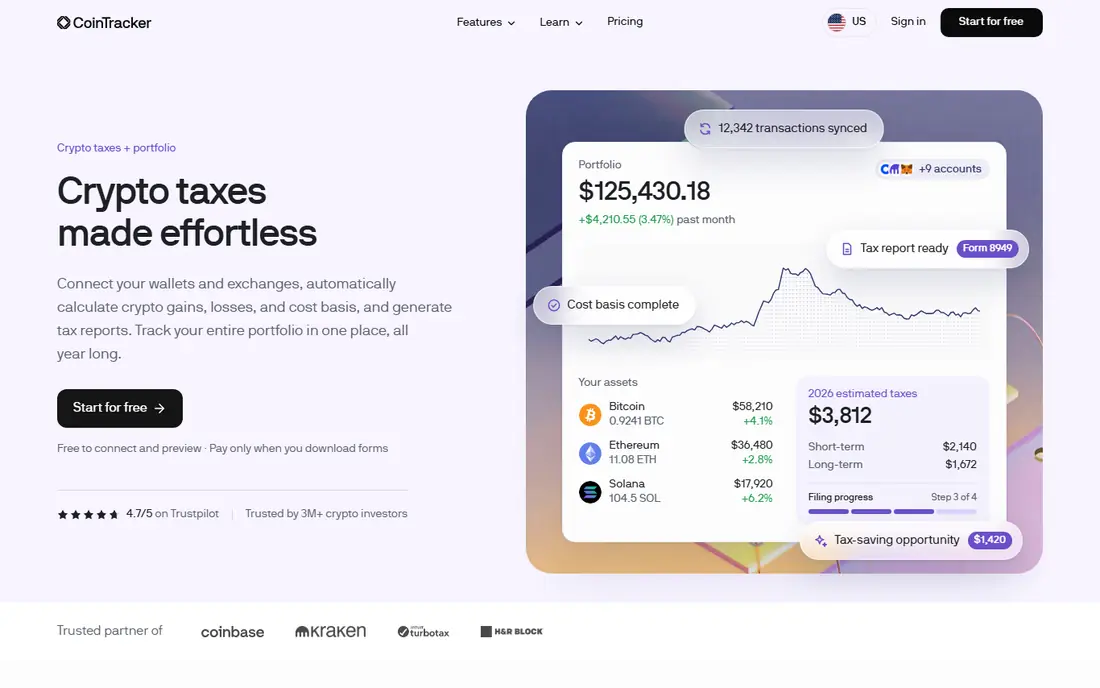
CoinTracker suits people who want year-round portfolio tracking, not just a once-a-year report. Its dashboard shows holdings, gains and tax estimates as you go, and its mobile app makes checking positions easy. That ongoing view is useful if you harvest losses during the year rather than only at filing time.
Price is the catch. At 1,000 transactions, CoinTracker costs materially more than Koinly or CoinLedger in published tier comparisons. If you only need a tax report once a year, that premium is hard to justify. If you will use the tracking all year, it may be worth it.
- Polished portfolio dashboard
- Broad integrations
- TurboTax, TaxAct and H and R Block links
- Higher cost at mid and high transaction counts
- Some advanced features sit on pricier tiers
ZenLedger is a solid US-focused choice, especially for filers who value human support. Its published tiers start at 49 dollars for up to 100 transactions, then 199 dollars for up to 5,000 and 399 dollars for up to 15,000, which makes it competitive for heavy US traders. It also promotes audit support and CPA review options on higher plans.
The interface is less modern than Koinly or CoinTracker, and DeFi users report more manual work in some cases. If your activity is mainly on centralized exchanges and you want US forms with support behind them, ZenLedger is a dependable pick.
- US-focused IRS forms including Form 8949 and Schedule D
- Phone support on some plans
- TurboTax export
- Interface feels dated to some users
- NFT and DeFi handling is more limited than leaders
Summ, formerly CryptoTaxCalculator, is the tool to check first if your activity is mostly on-chain. It claims thousands of wallet, exchange and on-chain integrations, and it handles DeFi and NFT transactions that simpler tools often misclassify. Its entry price matches the market at 49 dollars per tax year.
The trade-off is cleanup. When data is messy, Summ gives you fewer guided fixes than CoinLedger, so you may need to reconcile transfers and missing history yourself. For clean on-chain histories, it is excellent. For messy multi-year histories, budget extra review time.
- Very broad wallet and chain coverage
- Strong DeFi and NFT support
- International tax reports
- Error reconciliation is weaker than CoinLedger
- Support response times can vary
TokenTax is best viewed as a service, not just software. Its lower tiers cover basic tax reports, while its premium and VIP tiers add CPA review and white-glove help for complex portfolios. That matters if your crypto activity spans entities, trusts or very large transaction counts and you want a professional to sign off.
For most retail filers, TokenTax is overkill and overpriced. The entry tier is competitive, but the value case only becomes clear at the higher service tiers. Check exactly what CPA help is included on your tier before you pay, since service scope differs by plan.
- CPA-assisted filing options
- Full-service tiers
- DeFi, NFT and centralized exchange coverage
- Expensive at the top end, with VIP pricing reported up to 3,499 dollars
- Interface feels less modern
CoinTracking is the veteran pick for traders who want detailed reports and analysis, not just a filing form. It supports many exchanges and wallets, offers capital gains reports and country-specific tax handling, and bills as an annual subscription. High-volume traders who live in their data often prefer its depth.
Beginners may find it overwhelming. The dashboard packs in charts, trade lists and tax methods in a way that takes learning, and the free tier is limited to a smaller transaction count. If you trade often and want control, it rewards the effort. If you want the simplest filing path, start with Koinly or CoinLedger.
- Deep reporting and analysis tools
- Long track record
- Annual subscription rather than per-tax-year pricing
- Interface is dense for beginners
- Unlimited tier is expensive
Blockpit is worth a look if you file outside the US, or in more than one country. It publishes country-specific reports for the US and several European countries, including Germany, Austria, France and Spain, and it supports DeFi and NFTs. Its free tier covers portfolio tracking, with paid plans starting from around 49 euros in published comparisons.
US-only filers with simple histories may get a smoother filing path from a US-first tool. But for European filers, or for US filers with European tax obligations, Blockpit fills a gap that many rivals handle only partially.
- Country-specific tax reports for several countries
- DeFi and NFT support
- Free portfolio tracking
- US coverage is narrower than US-first tools
- Pricing varies by country and currency
Coinpanda covers a wide set of exchanges, wallets and DeFi protocols, and it produces IRS Form 8949 and Schedule D reports alongside international reports. Its paid plans start at 79 dollars per year in published comparisons, which is higher than the 49 dollar entry point of most rivals, but its breadth can justify that for traders on less common platforms.
Check your specific exchanges before you buy, and use the free preview to confirm that your transactions import cleanly. Public reviews are more mixed for Coinpanda than for Koinly or CoinLedger, so the preview step matters more here.
- Hundreds of exchange and wallet integrations
- DeFi support
- International reports including IRS forms
- Free tier covers only a small transaction count
- Public user ratings are more mixed than leaders
How we picked these
We compared official pricing pages, integration lists, supported tax forms, DeFi and NFT handling, app store listings and public reviews. We favored tools that are actively maintained in 2026, that let you preview before paying, and that publish clear transaction limits. We did not claim hands-on filing for every tool, and we treated vendor claims about integration counts as marketing figures to check against your own exchanges.
How to choose crypto tax software without overpaying
Count your transactions first, because that single number sets your tier on almost every tool. A year with under 100 transactions fits the entry tier on most tools, while DeFi activity can multiply that count fast, since each deposit, reward claim and exit can count separately. Export a transaction count from your exchanges before you buy, and do not guess.
Next, match country and form support. US filers need Form 8949 and Schedule D support and a clean TurboTax or accountant export. Filers abroad need a report built for their local rules, not a US report relabeled. Then test the free preview with your real data. If imports fail, if transfers are misclassified, or if cost basis gaps appear, that preview tells you more than any feature list. This is not tax advice, and crypto tax rules vary by country, so confirm complex cases with a tax professional.