Best Interactive Presentation Tool in 2026: 9 Tools Compared
By ToolNimba Editorial Team October 30, 2026 9 min read

- Top pick
 Mentimeter
Live polls and Q and A
Starting price$14.00 per monthCheck out MentimeterRead our review - Runner-up
 Prezi
Interactive decks with live activities
Starting price$7.00 per monthCheck out PreziRead our review - Also great
 Genially
Gamified and visual content
Starting price$15.00 per monthCheck out GeniallyRead our review
How we researched this
We compared official pricing and feature pages, app store listings, privacy policies and public user reviews. Prices change, so check the provider's site before you pay.
Key takeaways
- Mentimeter is our pick for live polls and Q and A in meetings, thanks to its simple audience join flow.
- Prezi suits teachers and presenters who want polls, quizzes and word clouds built into the deck itself.
- AhaSlides and Poll Everywhere are strong lower cost options for classrooms and smaller teams.
- Most tools offer a free tier, but participant limits and question limits decide whether the free plan is usable.
Quick comparison
| Name | Best for | Starting price | Free plan | |
|---|---|---|---|---|
| Mentimeter | Live polls and Q and A | $14.00 per month | Yes | Visit |
| Prezi | Interactive decks with live activities | $7.00 per month | Yes | Visit |
| Genially | Gamified and visual content | $15.00 per month | Yes | Visit |
 Visme | Data rich interactive decks | $12.25 per month | Yes | Visit |
 AhaSlides | Affordable live sessions | $4.95 per month | Yes | Visit |
 Poll Everywhere | Polls inside existing slides | $10.00 per month | Yes | Visit |
 Slido | Conference Q and A | $13.99 per month | Yes | Visit |
 Kahoot. | Game based quizzes | $19.00 per month | Yes | Visit |
 Nearpod | Interactive classroom lessons | $159.00 per year | Yes | Visit |
The best interactive presentation tools
An interactive presentation tool does more than show slides. It lets the audience answer polls, ask questions, take quizzes and explore content during the session. The tools below cover meetings, classrooms, conferences and sales decks.
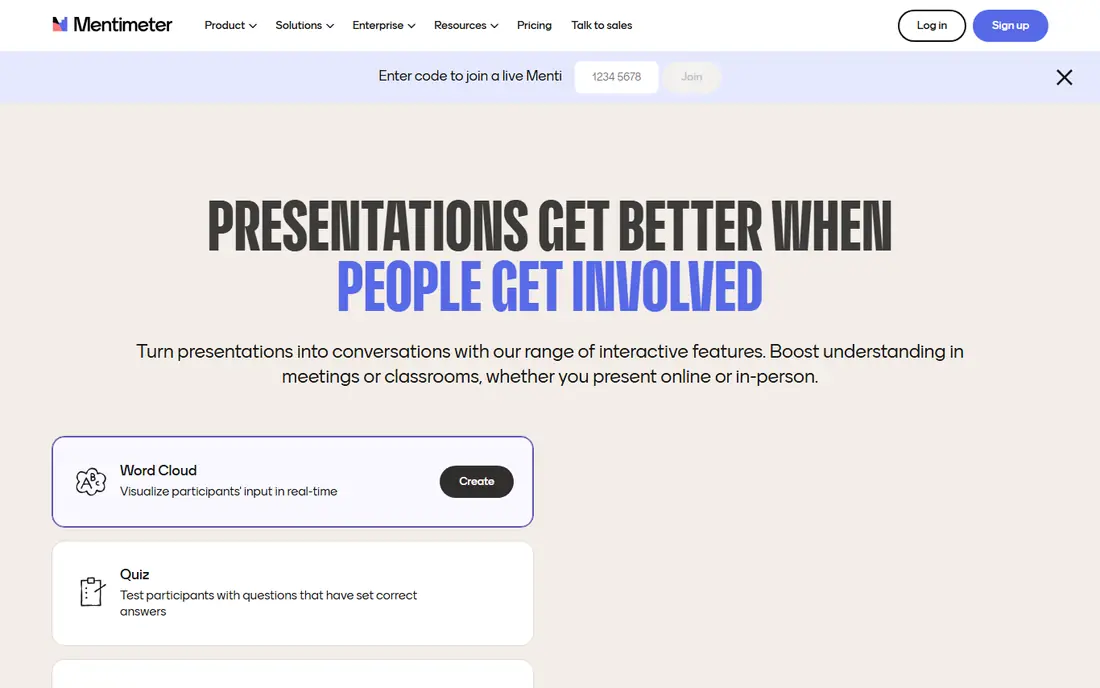
Mentimeter is built around one idea: the audience joins with a code and answers in real time, while results appear live on screen. Polls, word clouds, quizzes, scales and open questions are all easy to set up, and the presenter dashboard keeps control simple during a session. That simplicity is why it works well in company meetings, lectures and webinars.
The free plan is limited, with caps on participants per month and question types, so regular users will need a paid plan. Paid plans are mostly billed annually, which raises the upfront cost. For a presenter who runs live sessions often and wants the least friction for the audience, Mentimeter remains our top pick.
- Very easy audience join flow
- Live polls, quizzes and word clouds
- Good reporting
- Free plan limits questions and participants per month
- Annual billing on most plans
Prezi takes a different approach from slide by slide decks. Its zoom canvas lets you move between big picture overviews and details, which suits storytelling and teaching. Recent versions add live rooms with polls, word clouds, Q and A and quiz generation inside the presentation, so you do not need a second app for audience interaction.
The zoom style can distract if overused, and it takes practice to build a deck that feels smooth rather than dizzying. Education pricing is lower than business pricing, which helps teachers. If you want creation and live interaction in one tool, Prezi is a strong and distinctive choice.
- Zoom based visual storytelling
- Polls and quizzes built into decks
- AI deck creation
- Zoom style is not for every audience
- Some features need higher tiers
Genially is best for presenters who want a deck that feels like an interactive page rather than a slide show. You can add hotspots, tooltips, branching paths, drag and drop elements and embedded quizzes, all without code. Templates cover education, marketing and training, which speeds up creation for non designers.
The free plan allows unlimited creation in some forms but limits privacy controls and downloads, so professional use usually needs a paid plan. Building complex branching content also takes time. For gamified lessons, interactive infographics and training materials, Genially offers more visual freedom than most rivals.
- Rich templates and animations
- Hotspots, branching and quizzes
- No code needed
- Free plan has limits on privacy and downloads
- Learning curve for advanced interactions
Visme suits sales and marketing teams that present data, not just ideas. Charts, maps, data widgets, forms and interactive elements sit inside the deck, and analytics show how viewers engage after you share a link. Brand kits on paid plans keep colors, fonts and logos consistent across a team.
The free plan allows unlimited presentations but caps slides per project, so longer decks need a paid plan. The editor is powerful but can feel busy at first. If your presentations rely on numbers, diagrams and lead capture forms, Visme is a better fit than a pure polling tool.
- Charts, maps and data widgets
- Forms and quizzes
- Brand kit on paid plans
- Free plan limits slides per project
- Interface has many options to learn
AhaSlides is the budget pick in this list. Its free plan supports up to 50 participants per session, which is generous, and its entry paid plan is cheaper than Mentimeter. It covers the core live features well: polls, quizzes, word clouds, Q and A and spinner wheels for classroom fun.
Design and template options are simpler than richer rivals, and integrations are fewer. For teachers, trainers and small teams who need live interaction without a large budget, that trade off is easy to accept. AhaSlides proves you do not need the priciest tool to run an engaging session.
- Low entry price
- Up to 50 participants on free plan
- Quizzes, polls and Q and A
- Design options are simpler than Visme or Genially
- Smaller template library
Poll Everywhere is the right choice if you already have slides and just want to add live interaction. It embeds polls into PowerPoint, Google Slides and Keynote, so you keep your existing deck and workflow. Question types include multiple choice, word clouds, clickable images and open ended Q and A, and results update live.
It is not a full presentation designer, so you will still need another tool to build a beautiful deck from scratch. The free plan caps participants, which limits it for large events. For lecturers and trainers with existing slide libraries, Poll Everywhere adds interaction with the least disruption.
- Embeds in PowerPoint, Google Slides and Keynote
- Many question types
- Good for large classes
- Focused on polling, not full deck design
- Free plan caps participants
Slido, now part of Webex, is built for conferences, town halls and hybrid events. Its Q and A tools let audiences upvote questions, while moderation keeps the session on track. Polls and quizzes add interaction, and integrations with video platforms make it easy to run in a virtual or hybrid meeting.
The free plan allows only a few polls per event, so regular conference use needs a paid plan. Deck design is basic compared with Prezi or Genially, since Slido focuses on the live session rather than the slides. For large events where Q and A matters most, it is a reliable and well tested choice.
- Strong Q and A moderation
- Works with Webex and other platforms
- Polls and quizzes
- Free plan limits polls per event
- Design features are basic
Kahoot. turns quizzes into a game, with music, timers, points and leaderboards. That format works brilliantly in classrooms and training sessions, where competition keeps attention high. Teachers can use a question bank or generate questions with AI, and students join easily on phones or laptops.
The game style is less suited to formal business talks, where a poll or Q and A may be more appropriate. Paid plans start higher than some rivals, though education pricing helps. If your goal is to make a lesson or training session fun and memorable, Kahoot. is the most engaging tool here.
- Highly engaging game format
- Large question bank
- Works well in classrooms
- Higher entry price
- Game format suits quizzes more than formal talks
Nearpod is designed for teachers who want a full interactive lesson, not just a poll. You can build lessons with slides, videos, polls, quizzes, collaborative boards and virtual reality field trips, then run them live or let students work at their own pace. Integration with Google Slides helps teachers reuse existing material.
Its classroom focus means business presenters will find less value here, and district pricing can be complex. The free basic version supports classes of up to 40 students, which is enough to test it. For schools that want one platform for interactive lessons, Nearpod is a strong, education first pick.
- Lessons with polls, quizzes and VR
- Works with Google Slides
- Student paced options
- Classroom focus limits business use
- Advanced plans are priced per school or district
How we picked these
We compared vendor pricing, free tier limits and feature lists, focusing on tools with real live interaction, not just animated slides. We included meeting, classroom and conference tools so readers can match the tool to their audience. Prices are US list prices where available, and they change, so check the vendor page before buying.
What to check before you pay
Start with your audience size. Free plans often cap participants per session or per month, and that cap decides whether the free tier is usable for your class or meeting. Next, check how the audience joins. A simple code or link keeps a session moving, while a download or account requirement can lose people before you start.
Also check what happens after the session. Reports, exports and integrations with your slide tool or learning platform matter if you need grades, feedback or follow up. Finally, test with a real audience, even a small one. Poll timing, moderation and result display only reveal their flaws in a live room.
Sources
- https://www.ispringsolutions.com/blog/10-interactive-presentation-software-grab-and-hold-an-audiences-attention
- http://visme.co/blog/interactive-presentation-tools/
- https://prezi.com/blog/best-presentation-software-2026/
- https://ahaslides.com/blog/mentimeter-word-cloud/?p=61970
- https://www.mentimeter.com
- https://prezi.com
- https://genially.com
- https://www.visme.co
- https://ahaslides.com
- https://www.polleverywhere.com
- https://www.slido.com
- https://kahoot.com
- https://nearpod.com