Best Invoicing Software for Small Business in 2026: 9 Tools Compared
By ToolNimba Editorial Team October 30, 2026 10 min read

- Top pick
 FreshBooks
Service businesses billing for time
Starting price$23 per monthCheck out FreshBooksRead our review - Runner-up
 QuickBooks Online
Firms wanting full accounting
Starting price$38 per monthCheck out QuickBooks OnlineRead our review - Also great
 Xero
Teams wanting unlimited users
Starting price$27 per monthCheck out XeroRead our review
How we researched this
We compared official pricing and feature pages, app store listings, privacy policies and public user reviews. Prices change, so check the provider's site before you pay.
Key takeaways
- Free invoicing is real, but payment processing fees still apply when a client pays by card, so check both costs before you choose.
- FreshBooks is our pick for service businesses that bill for time, while QuickBooks Online suits firms that want a full accounting system.
- Wave and Zoho Invoice give small firms a no-cost way to send invoices, with paid upgrades for payroll, payments, and deeper reports.
- The cheapest monthly plan is not always the cheapest total cost, since client caps, user limits, and processing fees change the math fast.
Quick comparison
| Name | Best for | Starting price | Free plan | |
|---|---|---|---|---|
| FreshBooks | Service businesses billing for time | $23 per month | Free trial (30 days) | Visit |
| QuickBooks Online | Firms wanting full accounting | $38 per month | Free trial (30 days) | Visit |
| Xero | Teams wanting unlimited users | $27 per month | Free trial (30 days) | Visit |
 Wave | Free invoicing and bookkeeping | Free | Yes | Visit |
 Zoho Invoice | Free invoicing with time tracking | Free | Yes | Visit |
 Square Invoices | Businesses already using Square | Free | Yes | Visit |
 Invoice Ninja | Control and customization | Free | Yes | Visit |
 Bonsai | Freelancers needing contracts too | $25 per month | Free trial (7 days) | Visit |
 HoneyBook | Creative firms selling packages | $29 per month | Free trial | Visit |
The best invoicing software for small business
Good invoicing software does more than make a tidy PDF. It tracks what is owed, reminds clients politely, accepts payment with little friction, and keeps records clean for tax time. The nine tools below cover that range, from free invoice senders to accounting platforms that handle the whole back office.
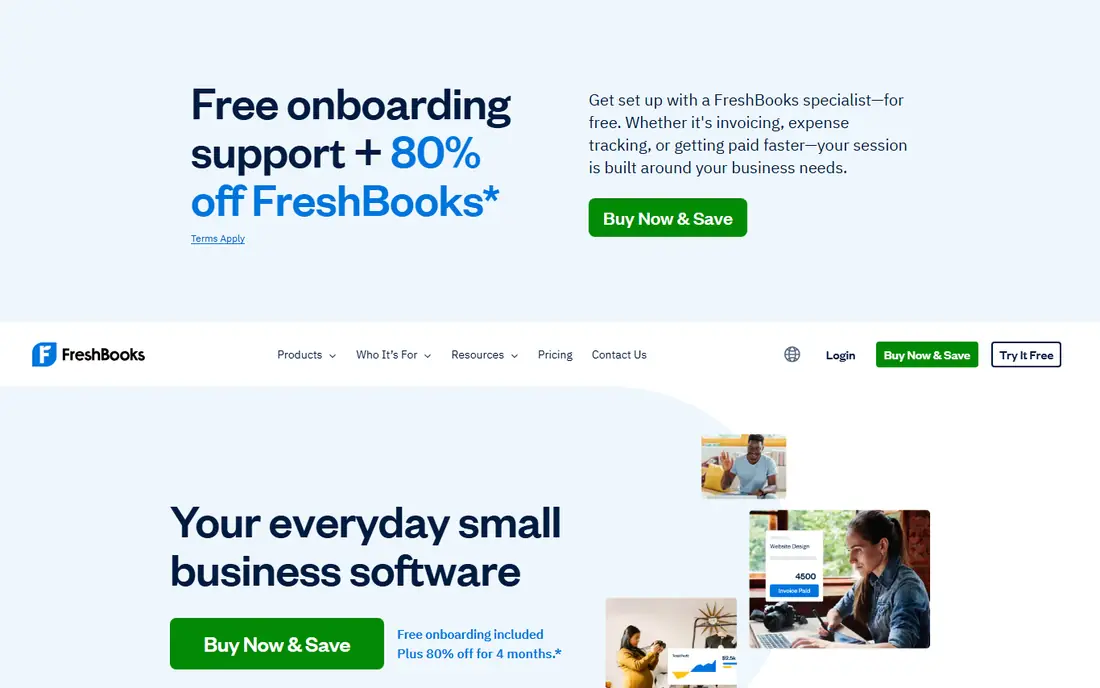
FreshBooks feels built for people who sell hours, not boxes. You can track time, turn it into an invoice, and let a client pay from the same page, which cuts down on the back and forth that eats into a small week. The layout stays calm even when you have several projects open, and that matters when invoicing happens late in the day.
The catch is the client cap on the entry plan. Five billable clients suit a solo consultant, but a growing studio will need the next tier sooner than expected. Payment processing fees also sit on top of the monthly price, so budget for both. Still, for service work, the link between time, expenses, and invoices is hard to beat at this price.
- Time tracking built into invoicing
- Simple client portal
- Clear late fee and reminder options
- Lite plan caps billable clients at five
- Extra team members cost more
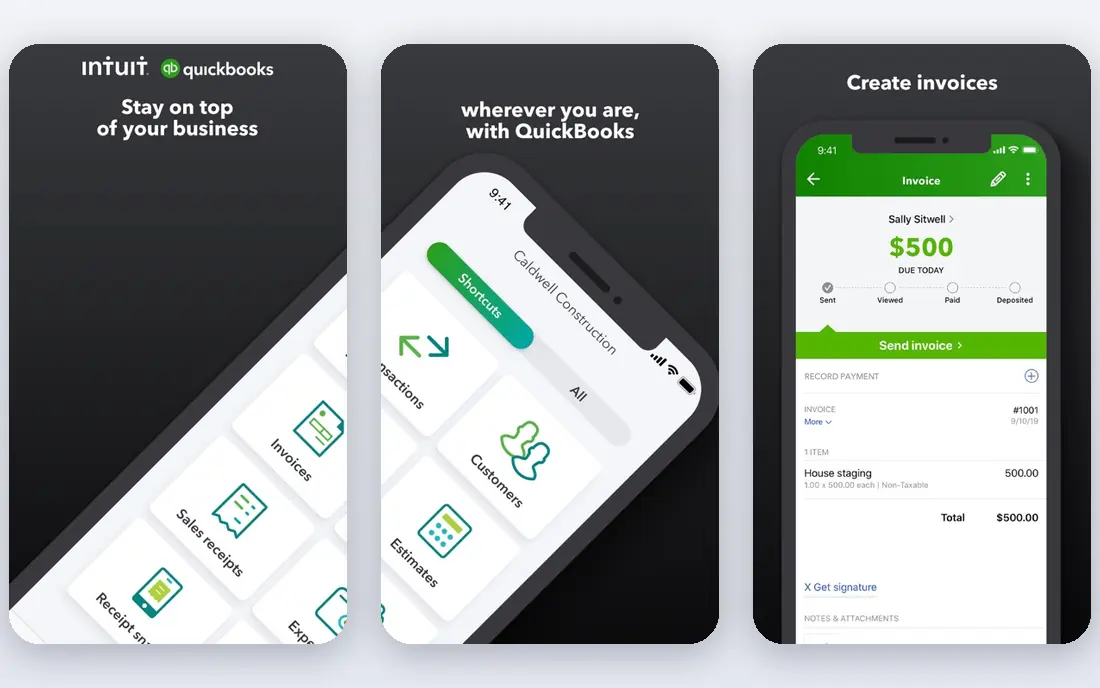
QuickBooks Online is the safe default for a small business that wants invoicing inside real accounting, not beside it. Invoices feed into income reports, tax categories, and bank reconciliation, so year end is less painful. Most accountants can open your file without a tutorial, and that alone saves time and fees.
The trade-off is price and complexity. The entry plan covers one user plus accountant access, and larger teams pay more as they add seats. Some owners will never need the deeper reports, and for them a simpler tool costs less. If your books are growing, though, starting here avoids a migration later.
- The accounting standard most US accountants know
- Scales from solo to staffed firms
- Broad bank and app connections
- Higher entry price
- User limits on lower plans
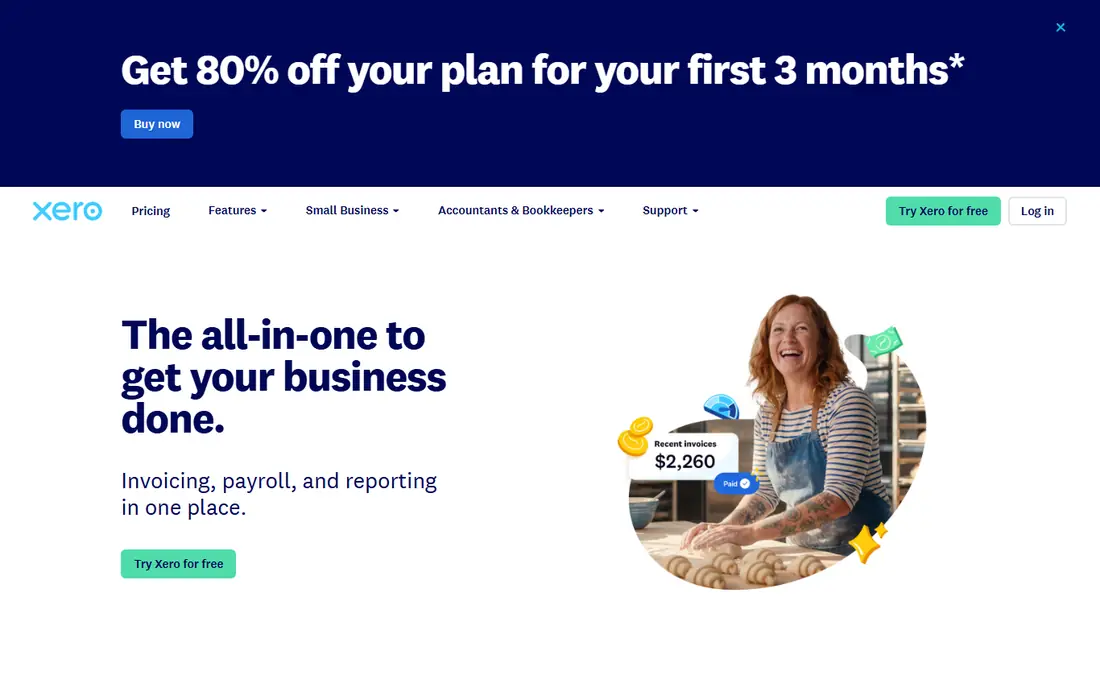
Xero appeals to owners who hate per-seat pricing. Everyone on the team, plus your accountant, can work in the same file without the bill rising with each login. Bank reconciliation is quick, and the dashboard gives a plain view of money in, money out, and invoices still open.
Watch the entry plan limits. Twenty invoices and five bills per month fit a small firm, but a busy month can push you to the next tier. Multi-currency also sits on a higher plan, so firms billing abroad should price that tier, not the entry one. For a team that shares the books, the user model still makes Xero a strong value.
- Unlimited users on every plan
- Clean bank reconciliation
- Strong multi-currency support on higher plans
- Entry plan caps invoices at 20 per month
- Payroll and some features need add-ons
Wave is the rare free tool that does not feel like a trial in disguise. You can send unlimited invoices, record expenses, and keep basic books without a monthly fee, which is ideal for a new business watching every dollar. The invoice templates look professional, and clients can pay online if you turn payments on.
The limits show up as you grow. Automated bank import and receipt capture require the paid Pro plan, and support is thinner than on paid rivals. Payment processing fees still apply, as they do everywhere. If you want free invoicing and can live without full automation, Wave is a sensible place to start.
- Unlimited invoices at no monthly cost
- Bookkeeping included
- Simple setup for solo owners
- Only for US and Canadian businesses
- Bank import and receipt capture sit on the paid plan
Zoho Invoice packs a surprising amount into a free plan. Time tracking, recurring invoices, estimates, and a client portal come standard, and it handles multiple currencies, which many free tools do not. If you already use other Zoho products, the shared contacts and single login make it even smoother.
The yearly invoice cap is the main limit, so a high-volume firm should check it against real send counts before committing. Your payment gateway still charges its own processing fee. For a small roster with steady, modest volume, Zoho Invoice is one of the best free options available.
- Free plan with time tracking, estimates, and a client portal
- Multi-currency support
- No extra Zoho fee for payments
- Free plan caps invoices per year
- No built-in expense depth of a full accounting suite
Square Invoices makes most sense if Square already handles your card sales. Invoices, point-of-sale payments, and payouts live in one place, so reconciling a week of sales takes less digging. Setup is fast, and the free plan covers unlimited invoices, which suits shops that invoice only now and then.
The price of that simplicity is the processing rate. Card payments on the free plan cost more than on some rivals, and you cannot swap in a cheaper processor. A paid Plus plan lowers the rate and adds features, but then the free advantage narrows. For Square shops, the convenience still wins. For invoice-only firms, compare the processing math first.
- Free invoicing with no monthly fee
- In-person and online payments in one dashboard
- Fast payouts for Square users
- Card processing rate is higher on the free plan
- Tied to Square as your processor
Invoice Ninja suits owners who like to shape their tools. Templates are flexible, you can choose your payment gateway, and a self-hosted version gives full control over data and hosting. The free hosted plan is a fair way to test whether that flexibility helps or just adds work.
The free cap of five clients will push growing firms to the paid plan, and the interface is less polished than FreshBooks or Square. You also take more responsibility for gateway setup and updates on the self-hosted route. If control matters more than hand-holding, Invoice Ninja earns its place.
- Free hosted plan for up to five clients
- Self-hosted option for full control
- Highly customizable templates
- Free plan client cap
- Setup and gateway choice need more care than plug-and-play rivals
Bonsai is less an invoice app and more a freelance business system. A proposal can become a contract, then a project with time tracking, then an invoice, without retyping client details at each step. That chain saves real time for designers, writers, and consultants who repeat the same workflow.
Read the plan tiers carefully. The lowest tier covers time tracking and client management but not invoicing, so the invoicing tier is the realistic starting price. The trial is short, so test a full project cycle before paying. For freelancers who want the whole client workflow together, the bundle is worth it.
- Proposals, contracts, time tracking, and invoicing in one workflow
- Good for project-based freelancers
- Cheapest plan lacks invoicing
- No free plan, only a short trial
HoneyBook shines when a client journey starts with an inquiry and ends with a paid invoice. Photographers, planners, and designers can send a brochure, a proposal, a contract, and a payment schedule from one workspace, and clients see a clean, branded path through it all. That polish can help close work, not just bill it.
The price reflects that breadth, so a firm that only needs invoices will pay for features it never opens. Product sellers and firms with complex inventory will also find it less suited. For creative service firms that sell packages, HoneyBook ties the sale and the invoice together better than most.
- Inquiry, booking, contracts, invoices, and payments in one flow
- Polished client experience
- Good for package pricing
- Priced above invoice-only tools
- Best fit is service and creative firms, not product sellers
How we picked these
We compared official pricing pages, feature pages, and app store listings, plus public reviews, for tools that truly fit small business invoicing in October 2026. We favored tools with a working free tier or trial, clear payment options, and a track record of serving small firms, and we left out tools that only generate a one-off invoice PDF. Prices here are list prices before promotions and taxes, and payment processing fees sit on top where a client pays by card. We did not claim hands-on testing we did not do, and readers should confirm the current price on the vendor site before buying.
What to check before you pick
Start with volume, not features. Count how many invoices you send in a typical month, how many clients you bill, and how many people need access to the books. A free plan with a yearly cap or a five-client limit can turn costly if you outgrow it in three months, while a paid plan with unlimited users can be cheaper than a per-seat rival for a small team.
Next, compare the cost of getting paid. A free invoice tool with a higher card rate can cost more than a paid tool with a lower rate once volume rises, especially on larger invoices. Check whether clients can pay by bank transfer, card, or a wallet they already use, and whether reminders and late fees are automatic or manual. Finally, think about tax time. A tool that feeds invoices into reports and bank reconciliation will save more in April than a prettier invoice template ever will.
If you bill by the hour
Pick a tool where time tracking flows straight into the invoice. FreshBooks, Zoho Invoice, and Bonsai do this well, and they reduce the chance of unbilled hours slipping through. Check whether tracked time can be shown as line items a client can understand, and whether expenses can ride along on the same invoice.
If you sell in person and online
Square Invoices and QuickBooks Online handle mixed sales with less reconciliation work. Square keeps in-person and invoice payments together, while QuickBooks ties both into full books. Either way, confirm that refunds, partial payments, and deposits are handled cleanly before you switch a live business over.
Sources
- https://www.freshbooks.com/pricing
- https://quickbooks.intuit.com/pricing
- https://www.xero.com/pricing
- https://www.waveapps.com/pricing
- https://www.zoho.com/invoice/pricing
- https://squareup.com/invoices
- https://invoiceninja.com/pricing
- https://www.hellobonsai.com/pricing
- https://www.honeybook.com/pricing
- https://fitsmallbusiness.com/best-invoicing-software/
- https://personalprofitability.com/best-invoice-app-for-freelancers/