Best Journaling App in 2026: 9 Apps Compared
By ToolNimba Editorial Team October 30, 2026 10 min read

- Top pick
 Day One
A full-featured journal with photos, audio and sync
Starting price$49.99 per yearCheck out Day OneRead our review - Runner-up
 Apple Journal
Free daily journaling on iPhone, iPad and Mac
Starting priceFreeCheck out Apple JournalRead our review - Also great
 Journey
The same journal on every device you own
Starting price$49.99 per yearCheck out JourneyRead our review
How we researched this
We compared official pricing and feature pages, app store listings, privacy policies and public user reviews. Prices change, so check the provider's site before you pay.
Key takeaways
- Day One is the strongest all-round journal, while Apple Journal is the best free option for people inside the Apple ecosystem.
- Journey suits readers who need the same journal on Android, Windows, web and Apple devices.
- Mood-first apps such as Daylio suit people who quit long-form journaling, because a tap takes seconds.
- Privacy matters for a diary, so check encryption, sync options and lock features before you write anything sensitive.
Quick comparison
| Name | Best for | Starting price | Free plan | |
|---|---|---|---|---|
| Day One | A full-featured journal with photos, audio and sync | $49.99 per year | Yes | Visit |
| Apple Journal | Free daily journaling on iPhone, iPad and Mac | Free | Yes | Visit |
| Journey | The same journal on every device you own | $49.99 per year | Yes | Visit |
 Penzu | A private, locked online diary | $19.99 per year | Yes | Visit |
 Diarly | Tidy Markdown writing on Apple devices | See website | Yes | Visit |
 Grid Diary | Structured prompts for reflective daily entries | $22.99 per year | Yes | Visit |
 Daylio | Journaling without writing long entries | See website | Yes | Visit |
 Rosebud | Guided reflection with an AI journal coach | $8.99 per month | Yes | Visit |
 Diarium | A daily life log across Windows, Mac and mobile | See website | Yes | Visit |
The best journaling apps
We compared official feature pages, pricing pages and app store listings for apps that are actively maintained in October 2026. We include long-form journals, guided journals and mood journals, because the best app for journaling depends on how you actually like to reflect.
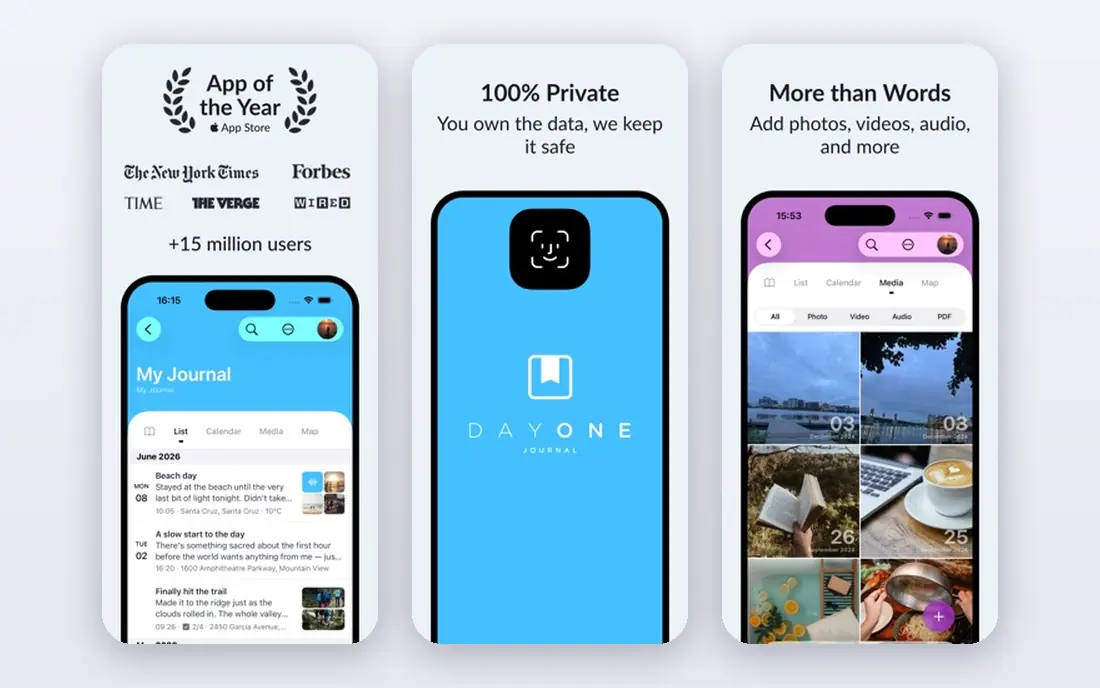
Day One is the journal other journals are measured against, and for good reason. It handles text, photos, video, audio and location in one entry, syncs across iPhone, iPad, Mac, Android and web, and offers end-to-end encryption for private entries. The Basic tier is free, while Silver at 49.99 dollars per year adds sync, media and integrations, and Gold at 74.99 dollars per year adds AI features.
The honest catch is the Apple tilt. Day One shines brightest on iPhone and Mac, while Android is supported but secondary, and there is no monthly billing option. For committed journalers who want the deepest app and are happy to pay annually, Silver remains fairly priced for what it includes.
- End-to-end encrypted sync
- Rich media entries
- On This Day memories
- Best experience is Apple-first
- Paid features need annual billing only

Apple Journal is the best free starting point if you already own Apple devices. It is built into iOS and macOS, suggests moments from photos, workouts and locations on your device, and keeps entries private on the device with encryption when iCloud backup is protected. There is no subscription and no setup beyond opening the app.
It is also deliberately simple. You will not find the templates, multiple journals or printing options of Day One, and there is no Android or Windows version. If you want a free, private daily habit without another subscription, Apple Journal is the obvious first try.
- Free with Apple devices
- On-device suggestions
- End-to-end encryption with two-factor authentication
- Apple only
- Fewer templates and export options than dedicated journals
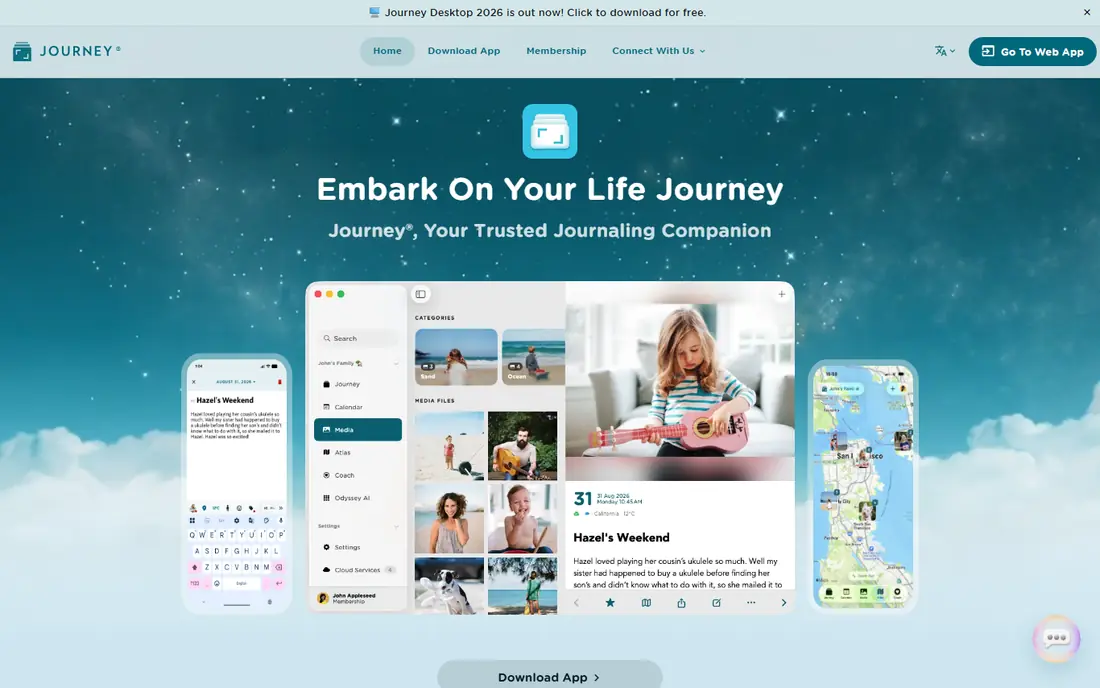
Journey is our pick for cross-platform journalers. It runs on Android, iOS, Mac, Windows and the web, so you can write on a work PC and continue on your phone without workarounds. Entries support photos, mood tracking and location, and sync can use Google Drive, which suits people who already organise files there.
The trade-off is polish. Journey feels less refined than Day One on Apple devices, and the most useful sync and media features sit behind membership, listed at 49.99 dollars per year or a monthly rate on the vendor site. If you switch devices often, that cross-platform reach outweighs the polish gap.
- Works on Android, Windows, web and Apple devices
- Google Drive sync option
- Photo and mood entries
- Interface feels less polished than Day One
- Some features need membership
Penzu is built for writers who want a private diary they can open from any browser. The focus is simple: dated entries, a clean editor and lock features that keep casual readers out. The free tier covers basic journaling, while Pro at 19.99 dollars per year adds stronger encryption options, more journals and extra features listed on the vendor site.
It is less rich as a mobile multimedia journal than Day One or Journey, and photo handling is more basic. Penzu suits people who mainly write on a computer, value privacy over media features, and want a diary that does not depend on a single phone brand.
- Web-first access from any browser
- Password and lock features
- Simple focused writing
- Mobile apps are less rich than rivals
- Advanced encryption needs Pro
Diarly is a calm alternative to Day One for Apple users who prefer writing over media. Its Markdown editor keeps entries tidy, the calendar view makes it easy to spot gaps in a habit, and the design stays out of the way. That simplicity helps people who open a journal and feel overwhelmed by photo, audio and template options.
The limits are scope and platform. Diarly is Apple only, so Android and Windows users should look at Journey or Penzu instead, and it lacks some of the media and printing depth of Day One. For Mac and iPhone writers who want a focused diary, it is a strong, lower-cost option.
- Clean Markdown editor
- Apple-first design
- Calendar and timeline views
- Apple only
- Smaller feature set than Day One
Grid Diary solves the most common journaling problem: staring at a blank page. Each day is a grid of prompts, such as gratitude, mood, highlights and plans, so you can complete a meaningful entry in a few minutes. That structure suits beginners and busy people who want reflection without writing a long essay.
The same structure can feel rigid if you prefer free writing, and the app is at its best on phones rather than desktop. Paid access is listed at 22.99 dollars per year in app store listings, with a free tier for basic use. If prompts help you start, Grid Diary is worth trying before a blank-page journal.
- Grid prompts break the blank page problem
- Mood and habit tracking
- Clean daily layout
- Template structure may feel rigid
- Best experience is on mobile
Daylio is for people who have quit journaling because writing felt like homework. You tap a mood, tap the activities that shaped your day, and optionally add a short note. Over weeks, charts reveal patterns, such as which activities tend to follow good days. That low friction is why many people stick with Daylio longer than a traditional diary.
It is not a replacement for long-form writing. If you want to record detailed memories or process complex thoughts, pair Daylio with a writing journal. Premium tiers are listed in app stores with monthly, annual and lifetime options, so check the current price in your store before subscribing.
- Mood and activity taps take seconds
- Charts show patterns over time
- No writing required
- Not suited to long-form writing
- Deeper stats need Premium
Rosebud is a guided journal that talks back. It asks follow-up questions based on what you wrote, helps you notice patterns, and offers prompts when you are stuck. Voice journaling suits people who think better out loud, and the app states that entries are encrypted. The free tier covers basic journaling, while paid access is listed at 8.99 dollars per month billed annually.
The catch is cost and taste. AI reflection is not for everyone, and the full experience requires a subscription that adds up over a year. Rosebud suits readers who want guidance and are comfortable with an AI coach reading entries under the app privacy policy, which you should read before writing anything sensitive.
- Guided prompts and follow-up questions
- Voice journaling
- Encrypted entries
- AI features need a paid plan for full use
- Monthly cost adds up over a year
Diarium is a practical life log for people who want a diary on Windows as well as phones. It supports text, photos, mood, weather and location, shows entries on a calendar timeline, and lets you sync through your own cloud storage on some platforms. That flexibility appeals to users who prefer to keep data in storage they control.
The design is more utilitarian than Day One or Diarly, and some features differ between platforms, so check the version for your device. Diarium suits Windows-first users and life-loggers who value a calendar record of each day over a polished writing studio.
- Broad platform support
- Calendar timeline
- Sync with your own cloud storage
- Design feels utilitarian
- Feature depth varies by platform
How we picked these
We compared official feature and pricing pages, app store listings and public reviews for journals that work in October 2026 and truly fit daily journaling, not general note apps. We mixed long-form, guided, mood and photo approaches, and we favoured apps with clear privacy controls, export or sync options and a free tier or trial. Where a price could not be confirmed from the vendor at the time of writing we wrote See website.
How to pick a journal you will still use in a month
Start with friction, not features. If writing feels hard, choose Daylio or Grid Diary. If you love writing, choose Day One, Diarly or Penzu. If you switch devices, choose Journey or Diarium. The best journal is the one you open tomorrow, so a simpler app you use beats a powerful app you avoid.
Check privacy before you write anything personal
Read how entries are stored, whether sync is end-to-end encrypted, and whether you can lock the app with a passcode or biometrics. If you write about health, work or family, prefer apps with encryption and a clear privacy policy, and avoid storing highly sensitive details in any app you have not checked.
Set a tiny daily habit
Attach journaling to an existing routine, such as morning coffee or bedtime, and aim for two minutes rather than two pages. A short daily entry builds the habit, and you can write longer entries on days when you have more to say. Review past entries monthly, since seeing progress is often what keeps the habit alive.