Best Live Streaming Apps in 2026: 9 Apps Compared
By ToolNimba Editorial Team October 30, 2026 11 min read

- Top pick
 Twitch
Live gaming and chat-driven communities
Starting priceFreeCheck out TwitchRead our review - Runner-up
 YouTube Live
Searchable streams with lasting replays
Starting priceFreeCheck out YouTube LiveRead our review - Also great
 TikTok Live
Short, mobile-first live sessions
Starting priceFreeCheck out TikTok LiveRead our review
How we researched this
We compared official pricing and feature pages, app store listings, privacy policies and public user reviews. Prices change, so check the provider's site before you pay.
Key takeaways
- Twitch and YouTube Live remain the largest free places to build a live audience, but they serve different habits, with Twitch built around live chat and YouTube built around search and replays.
- If you want to appear on several platforms at once, Restream and StreamYard do that job better than going live from one app alone.
- OBS Studio is still our pick for control at no cost, while Streamlabs trades some of that control for a simpler setup aimed at gamers.
- Kick offers a higher reported share of subscription revenue than Twitch, but its audience is smaller and its long-term terms are less settled.
- Start free, test one platform for a few weeks, and only pay for software once you know which format your viewers actually watch.
Quick comparison
| Name | Best for | Starting price | Free plan | |
|---|---|---|---|---|
| Twitch | Live gaming and chat-driven communities | Free | Yes | Visit |
| YouTube Live | Searchable streams with lasting replays | Free | Yes | Visit |
| TikTok Live | Short, mobile-first live sessions | Free | Yes | Visit |
 Kick | Creators chasing a higher sub revenue share | Free | Yes | Visit |
 Facebook Live | Reaching friends, groups and local followers | Free | Yes | Visit |
 OBS Studio | Full production control at no cost | Free | Yes | Visit |
 Streamlabs | Gamers who want alerts and themes fast | Free | Yes | Visit |
 StreamYard | Browser-based shows with remote guests | $44.99 per month | Yes | Visit |
 Restream | Sending one stream to many platforms | $19 per month | Yes | Visit |
The best live streaming apps
Live streaming now splits into two kinds of tools: places where viewers gather, and software that produces the show. This list covers both, so you can pair a destination with the right production tool.

Twitch is the place most people picture when they think of live streaming. Viewers arrive expecting to chat, subscribe, cheer with Bits and follow a regular schedule. That habit is hard to copy, and it gives a consistent streamer a real sense of community over time.
The catch is discovery. Twitch lists channels largely by viewer count, so a new stream can sit near the bottom for a long while. Monetization also takes time, since Affiliate status requires followers, streamed hours and average viewers. If you enjoy live interaction more than polished video, Twitch is still a strong home base.
- Large live audience
- Deep chat, emotes and subscription culture
- Strong tools for clips and raids
- Hard for new channels to be found
- Standard subscription share is lower than Kick
- Strict content rules
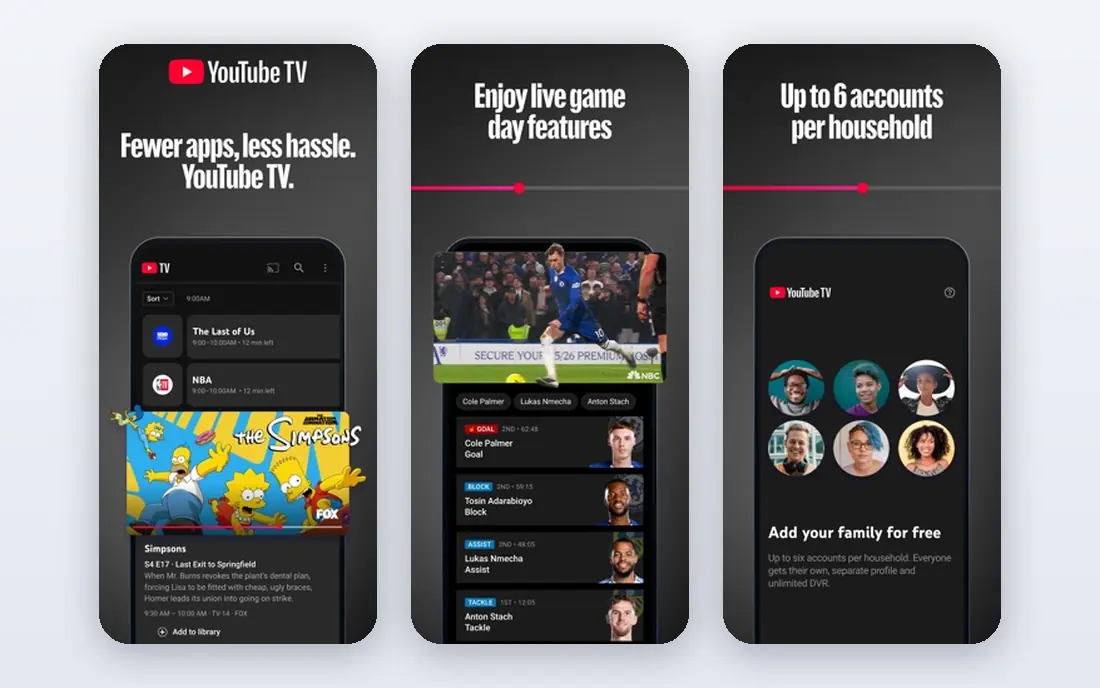
YouTube Live wins on what happens after the stream ends. A broadcast stays on your channel as a video, so people can find it through search weeks later. That long tail matters for tutorials, product demos, talks and any show that teaches something.
Going live from a computer is free and works with OBS and similar software. Mobile live streaming has extra requirements, including a verified channel and, in many cases, a subscriber minimum. If you already publish videos, YouTube Live is the easiest way to add live shows without asking viewers to follow you somewhere new.
- Huge built-in audience
- Streams become searchable videos
- No cost to go live from desktop
- Live discovery favors established channels
- Monetization thresholds take time to reach
- Policy enforcement can feel automated
TikTok Live feels different from Twitch or YouTube because it starts on a phone and leans on quick discovery. A viewer who has never seen you can land in your stream from the feed, which gives new creators a better chance of a first audience than a ranked directory does.
The format also sets limits. Long, slow shows tend to lose mobile viewers, and income from gifts varies a lot from night to night. Treat TikTok Live as a way to meet new viewers and test ideas, then point loyal fans to a longer show or a channel where you publish regularly.
- Large mobile audience
- Strong discovery through the For You feed
- Gifts give an early way to earn
- Usually needs 1,000 followers and age 18 or older to go live
- Sessions suit short formats
- Gift income is uneven
Kick is the most talked-about challenger in live streaming, mainly because of money. Its widely reported subscription split gives creators 95 percent, compared with 50 percent for a standard Twitch Affiliate. For a small channel with loyal supporters, that gap is real.
The trade-off is reach. Fewer viewers browse Kick, so growth can be slower even if each subscriber pays better. Some creators also worry about moderation and about how stable the terms will stay as the platform grows. Kick fits best as a second home or a deliberate bet, rather than the only place you stream.
- Reported 95 percent creator share of subscriptions
- Low barrier to start streaming
- Growing gaming community
- Smaller audience than Twitch or YouTube
- Moderation reputation is mixed
- Terms can change with less public detail
Facebook Live is practical rather than glamorous. If your audience already follows your page, group or profile, you can go live and reach them without teaching them a new app. That makes it a good fit for local businesses, churches, schools, clubs and creators with an older audience.
It is less suited to growing from zero. People do not browse Facebook mainly to find new live creators, and earning through Stars or subscriptions depends on eligibility rules that change. Use Facebook Live where your community already lives, and use a video platform for growth.
- Free to use
- Reaches people who already follow a page or group
- Simple for events and announcements
- Live discovery is weaker than on video-first platforms
- Monetization options vary by region and eligibility
- Comments can be hard to manage at scale
OBS Studio is the workhorse behind a large share of serious streams, and it costs nothing. You build scenes from cameras, screens, images, text and browser sources, then switch between them live. Filters, audio mixing and plug-ins add more control as you learn the tool.
That freedom comes with setup time. OBS does not invite remote guests into a studio on its own, and it does not send one stream to several platforms without extra plug-ins or a service like Restream. If you like to tinker and want full control over how your show looks, OBS is our pick. If you want guests with one link, pair it with a browser studio.
- Free and open source
- Scenes, sources and filters give deep control
- Works with Twitch, YouTube and other platforms
- Steeper learning curve
- No built-in guest studio or multistreaming
- You handle setup and troubleshooting
Streamlabs takes the OBS engine and adds the parts many gamers want on day one: follower alerts, donation widgets, chat boxes and ready-made themes. Setup feels faster than starting from a blank OBS install, and Twitch streamers get a smooth path from account to first broadcast.
The free version covers the core job well. Paid Ultra adds more themes, apps and multistreaming options, so check the current Ultra price before you commit, since it changes. Streamlabs is a good choice if you want a good-looking stream quickly and you mainly stream games on Twitch or YouTube.
- Free desktop app based on OBS
- Built-in alerts, themes and widgets
- Tight Twitch integration
- Best extras sit behind a paid Ultra plan
- Can use more system resources
- Some features overlap with free tools
StreamYard is built for interview shows, panels and podcasts that go live. The host runs everything from a browser, guests join with a link, and each person can be recorded separately for later editing. That workflow saves a lot of hassle compared with coaching every guest through desktop software.
The price is the main hurdle. Core costs $44.99 per month when billed monthly, with a lower rate on annual billing, and the free plan limits you to one destination with branding. For a regular show with guests, the time saved is often worth it. For a solo gamer, OBS or Streamlabs will do the same job for less.
- Runs in a browser with no install
- Guests join with a link
- Separate recordings help editing
- Entry paid plan is pricey for casual streamers
- Free plan limits destinations and adds branding
- Storage limits apply
Restream answers a simple problem: your audience is split across platforms, but you only want to perform once. You stream to Restream, and it forwards the feed to Twitch, YouTube, Facebook, LinkedIn and other destinations. A unified chat view keeps comments from different platforms in one place.
The free plan is a useful test, with a watermark on Studio streams and a 720p Studio limit. Standard costs $19 per month and removes the logo on paid tiers, while Professional at $49 per month adds 1080p Studio output. If you already know where your viewers are, Restream can grow your reach without doubling your workload.
- Sends one feed to several platforms at once
- Unified chat pulls comments together
- Free plan lets you test multistreaming
- Free and Standard plans cap resolution in Studio
- Branding appears on free Studio streams
- Best value needs a paid plan
How we picked these
We compared official feature pages, pricing pages, app store listings and public help documents for destinations and production tools that work in October 2026. We favored products with a clear free way to start, a real audience or a clear production job, and published pricing where a paid plan exists. Where a price could not be confirmed from the vendor, we used See website rather than guessing.
We did not claim hands-on testing we did not do. Instead, we weighed what each product is built for, what it costs to start, and where it falls short for ordinary creators. That is why this list mixes free destinations with paid studios: most streamers need one of each.
How to choose the right live streaming setup
Start with your audience, not with software. If your viewers already watch on YouTube, start there. If they live on TikTok or in a Facebook group, meet them there first. A great production setup cannot fix a show on a platform your viewers never open.
Next, pick a format you can repeat. A weekly 45-minute talk show suits StreamYard and guests. A daily gaming session suits OBS or Streamlabs and Twitch. A short question-and-answer session suits TikTok or Instagram-style mobile live. Consistency matters more than a fancy overlay in the first month.
Then decide about multistreaming. Sending one show to two or three platforms can help, but it splits your chat and can dilute the community feel. Test one main platform first, then add a second destination with Restream once you know your schedule holds. Check each platform's rules on simulcasting, since some partnership terms limit it.
Finally, watch your costs and your computer. Free tools cover most beginners well. Pay for a studio only when guests, branding or multistreaming save you real time each week. Before a paid plan, run one full show on the free tier and check audio, lighting and internet stability, since those affect viewers more than any theme pack.
Sources
- https://www.twitch.tv
- https://www.youtube.com
- https://www.tiktok.com
- https://kick.com
- https://www.facebook.com
- https://obsproject.com
- https://streamlabs.com
- https://streamyard.com
- https://restream.io
- https://www.host-stage.net/case-study/best-streaming-platform/
- https://rankite.com/blog/best-live-stream-platform
- https://upstream.so/blog/restream-pricing/