Best Mobile Banking App in 2026: 10 Apps Compared
By ToolNimba Editorial Team October 30, 2026 11 min read

- Top pick
 Chime
No-fee daily banking
Starting priceFreeCheck out ChimeRead our review - Runner-up
 SoFi
All-in-one money app
Starting priceFreeCheck out SoFiRead our review - Also great
 Ally Bank
Online savings and simple banking
Starting priceFreeCheck out Ally BankRead our review
How we researched this
We compared official pricing and feature pages, app store listings, privacy policies and public user reviews. Prices change, so check the provider's site before you pay.
Key takeaways
- Chime and SoFi suit people who want no monthly fee, early direct deposit, and a simple app, while Ally Bank suits savers who want strong savings tools.
- Capital One and Chase suit people who want branches or ATMs alongside a good app, while Cash App and Revolut suit people who also send money or spend abroad.
- USAA and Navy Federal suit eligible military members and families, with membership rules that limit who can join.
- All apps on this list are free to download and open with no monthly fee for a basic account, but features require an account and approval, so check fees and insurance before you switch.
Quick comparison
| Name | Best for | Starting price | Free plan | |
|---|---|---|---|---|
| Chime | No-fee daily banking | Free | Yes | Visit |
| SoFi | All-in-one money app | Free | Yes | Visit |
| Ally Bank | Online savings and simple banking | Free | Yes | Visit |
 Capital One | Branches plus a strong app | Free | Yes | Visit |
 Chase | Full-service national banking | Free | Yes | Visit |
 Cash App | Sending money and everyday spending | Free | Yes | Visit |
 Revolut | Travel and multi-currency spending | Free | Yes | Visit |
 Discover | Cashback debit and customer service | Free | Yes | Visit |
 USAA | Military members and families | Free | Yes | Visit |
 Navy Federal | Military community banking | Free | Yes | Visit |
The best mobile banking apps
A good mobile banking app should make everyday money tasks fast: check a balance, move money, deposit a check, lock a card, and see spending clearly. The ten apps below do that in different ways, from online-only banks to full-service banks with branches.
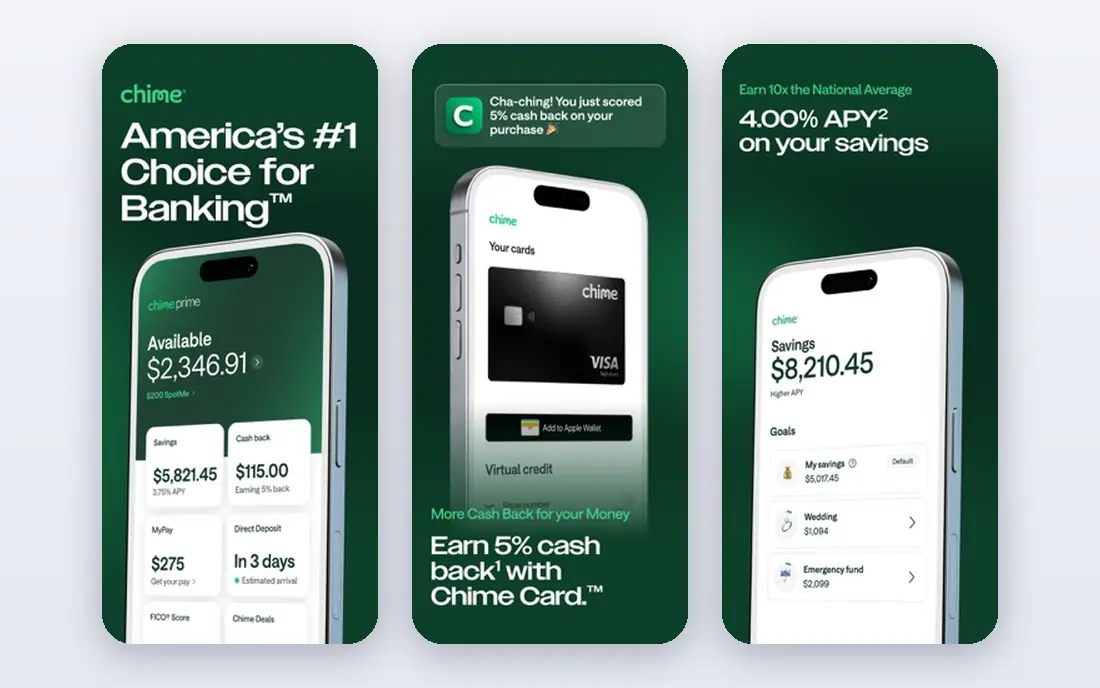
Chime is the simplest switch for people tired of monthly fees. The app covers checking, savings, early direct deposit, and instant transaction alerts, and SpotMe lets eligible members overdraw up to a set limit with no fee. You can also get paid early when your employer sends direct deposit, which helps with timing bills. The main point to understand is the structure. Chime itself is not a bank, and deposits are held at partner banks, so read the current terms to see which partner bank holds your funds and how FDIC insurance applies. If you need a branch, Chime will not fit, but for app-only banking it is a strong, low-cost pick.
- No monthly fee and no minimum balance for basic accounts
- Early direct deposit up to two days
- SpotMe fee-free overdraft for eligible members
- Chime is a financial technology company, not a bank, so banking services come through partner banks
- No physical branches
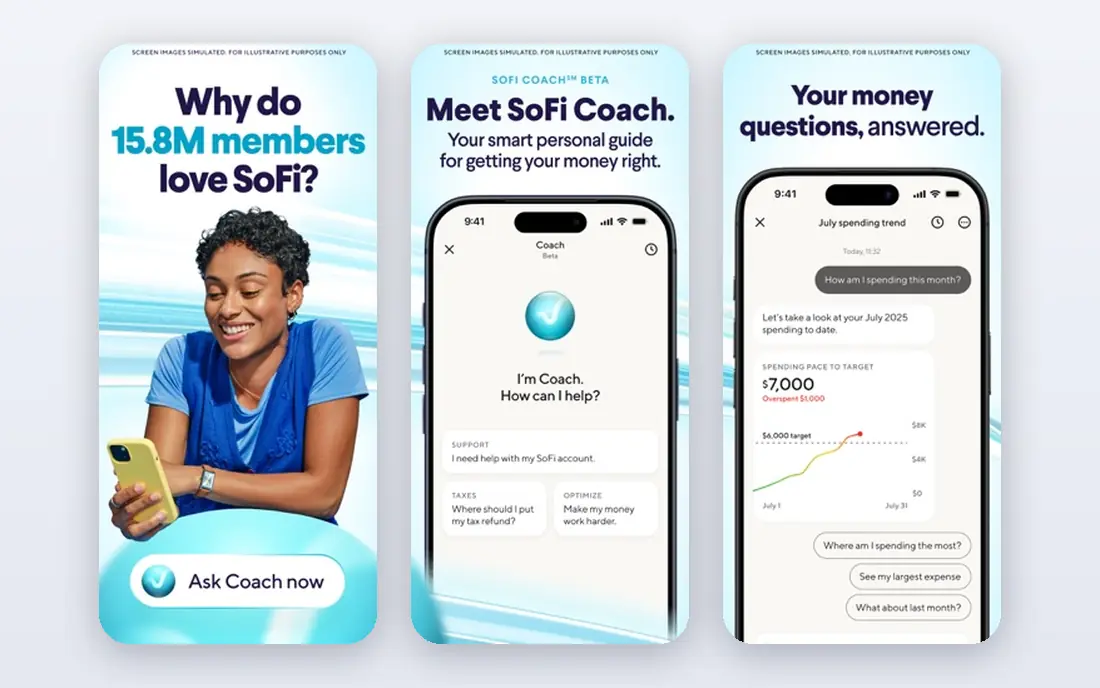
SoFi suits people who want banking, investing, and borrowing in one place. The app pairs a checking and savings account with investing, credit cards, and loans, so you can see more of your money picture without switching apps. Early direct deposit and automatic savings tools help build a habit without extra effort. SoFi is a bank holding company with SoFi Bank as its banking arm, and terms for rates and overdraft coverage change with direct deposit status. Investing is not a bank deposit and is not FDIC insured, so keep everyday cash and long-term investments in separate mental buckets when you use the app.
- Checking, savings, investing, and loans in one app
- Early direct deposit
- No monthly fee for basic accounts
- Savings rate and overdraft coverage depend on direct deposit and account terms
- Investing carries market risk
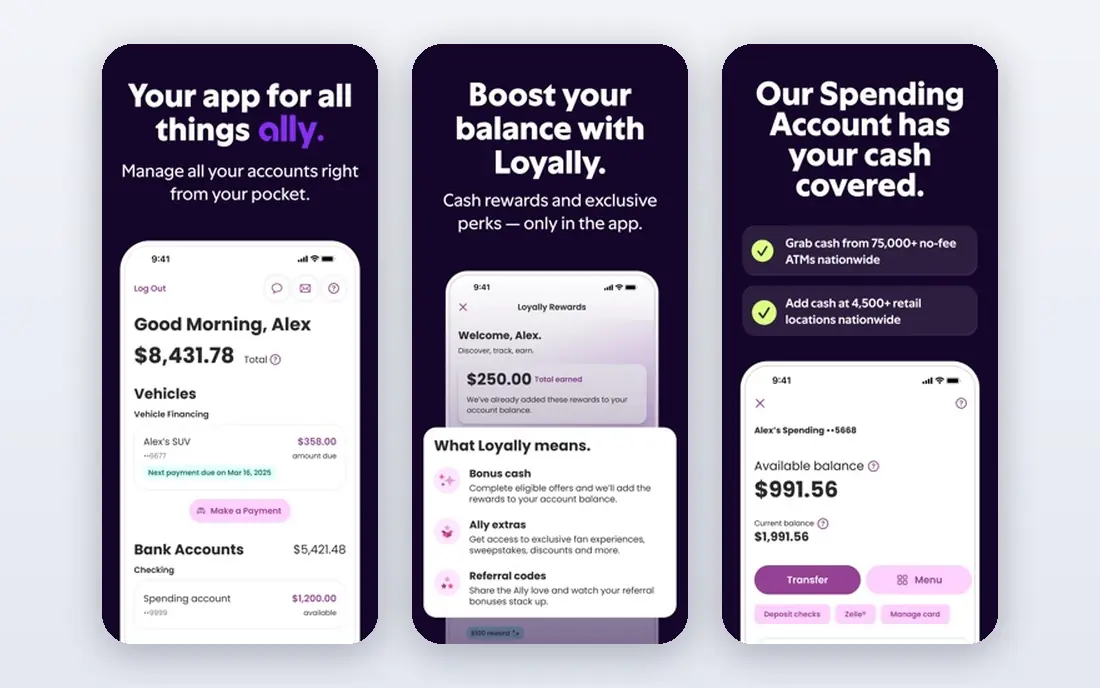
Ally Bank is a long-running online bank with a clean app and strong savings features. Savings buckets let you split money for goals such as travel, bills, or an emergency fund, and automatic transfers move money on payday without thought. Customer support by phone and chat is available around the clock, which matters for an online-only bank. Cash handling is the weak point. You cannot walk into a branch to deposit cash, so Ally suits people paid by direct deposit or check deposit through the app. If you handle a lot of cash, pair Ally with a local bank account or pick Capital One or Chase instead.
- No monthly fee for basic accounts
- Savings buckets and automatic saving tools
- Early pay with qualifying direct deposit
- No physical branches
- Cash deposits need workarounds such as money orders or transfers
Capital One bridges online and in-person banking better than most rivals here. The 360 checking account has no monthly fee, the app offers virtual cards, card lock controls, and spending insights, and Capital One cafes and branches give you a place to talk with staff in many cities. It also pairs well with Capital One credit cards in the same app. Rates and features differ across checking, savings, and card products, so compare the exact product you plan to open, not the brand in general. For most people, the mix of a good app plus occasional branch access makes Capital One a safe all-round pick.
- No monthly fee for 360 checking
- Virtual card numbers for safer online shopping
- Large ATM network and some branches and cafes
- Savings rates and credit card terms vary by product
- Branch coverage differs by city
Chase is the best pick if you want everything in one place: branches, ATMs, checking, savings, credit cards, and investing through J.P. Morgan. The app covers mobile check deposit, Zelle transfers, card lock, credit score tracking, and budgeting views, and branch staff can help with complex tasks such as joint accounts or business needs. Fee waivers need attention. Basic checking can carry a monthly fee that is waived with qualifying direct deposit or a minimum balance, so read the fee schedule for the exact account. If you meet the waiver easily, Chase gives you the widest service net of any app on this list.
- Large branch and ATM network
- Full range of checking, savings, cards, and investing in one app
- Strong card controls and alerts
- Some checking accounts charge a monthly fee unless you meet waiver conditions
- App depth can feel busy
Cash App started as a way to send money to friends, and it still does that faster than most bank apps. The Cash Card lets you spend a Cash App balance in stores and online, and direct deposit, savings, and card offers add everyday banking features for eligible users. It suits people who split bills and send money often. Treat Cash App as a spending and payments tool first, not a complete bank replacement, unless you confirm the exact account terms. Banking services are provided through partner banks, and stocks and bitcoin inside the app are investments, not bank deposits, so they are not FDIC insured and can lose value.
- Fast peer-to-peer payments
- Cash Card for spending a balance
- Direct deposit and savings features for eligible users
- Not a full-service bank on its own
- Banking services come through partner banks, and investing and crypto carry risk
Revolut suits travelers and people who pay in more than one currency. The app lets you hold and exchange currencies, freeze a card instantly, set spending limits, and track budgets by category. For trips abroad, that control can save time and avoid surprise fees compared with a basic debit card. Check the US version carefully, since features, limits, and banking partners differ by country. The free Standard plan covers everyday use, while paid plans add higher exchange limits and travel perks. Confirm whether your deposits are FDIC insured through a partner bank before you keep a large balance there.
- Multi-currency accounts and card spending abroad
- Instant spending alerts and card controls
- Budgeting and vaults in the app
- US features differ from UK and EU versions
- Free plan has limits on currency exchange and some services
Discover pairs a simple online bank with a cashback debit card, which is rare among bank apps. The app covers mobile deposit, alerts, card controls, and savings goals, and Discover is known for phone support from US-based staff. That combination suits people who want rewards on debit spending without a monthly fee. Discover has no large branch network, so in-person help is limited. Card rewards also depend on the exact debit product and purchase type, so read the rewards terms before you count on cashback. For app-first banking with a rewards twist, Discover is a solid pick.
- Cashback debit rewards on eligible purchases
- No monthly fee for basic accounts
- US-based customer service by phone
- Smaller branch footprint than Chase or Capital One
- Credit card and bank products have separate terms
USAA serves military members, veterans, and eligible family members with banking, insurance, and investing in one app. The mobile app covers deposits, transfers, card controls, and insurance claims, and support staff understand military life, such as deployments and frequent moves. Basic checking has no monthly fee. Eligibility is the gate. If you do not qualify through military service or family membership, you cannot open an account, so check eligibility first. For those who do qualify, USAA is often the most tailored banking and insurance combination available.
- Banking, insurance, and investing for military families in one app
- Strong app tools and support
- No monthly fee for basic checking
- Membership is limited to eligible military members and their families
- Branch access is limited
Navy Federal is the largest credit union in the US, serving military members, veterans, Department of Defense staff, and their families. The app covers everyday banking, card controls, mobile deposit, and loan applications, and credit union pricing can be kinder than bank pricing on loans and cards. Deposits are NCUA insured, which is the credit union equivalent of FDIC insurance. Like USAA, membership is limited, so confirm you qualify before you apply. Navy Federal also has branches near many bases, which helps members who want in-person help. For eligible members, it is one of the strongest all-round banking picks available.
- Credit union rates and service for the military community
- Checking, savings, cards, and loans in one app
- Large ATM network
- Membership is limited to eligible military and related groups
- Joining requires eligibility proof
How we picked these
We compared official feature pages, pricing and fee schedules, app store listings, privacy policies, and public reviews for each app. We weighted monthly fees, ATM access, early pay, savings tools, card controls, and support quality. We did not claim hands-on testing, and rates and fees change, so check the provider fee schedule before you open an account. Accounts are subject to eligibility and approval, so check fees and FDIC or NCUA insurance before you open one.
What to check before you switch banks
Switching banks takes an hour of care, but it saves repeated fees and app frustration. Use this guide to compare the shortlist fairly.
Compare fees, not only the app design
A pretty app can hide monthly fees, overdraft fees, ATM fees, and foreign transaction fees. List the fees you actually pay today, such as ATM use, overdrafts, or wire transfers, and match them against each provider fee schedule. A free app that charges for your normal habits is not free for you.
Check insurance and account structure
Confirm whether your money sits at an FDIC-insured bank or an NCUA-insured credit union, and whether a fintech app holds funds through a partner bank. That detail matters if a company fails, and it is worth two minutes on the provider terms page. Also confirm whether savings rates require direct deposit or a minimum balance.
Move direct deposit and bills in order
Open the new account first, move one direct deposit, then move bills one by one and watch for a full cycle before closing the old account. Keep a small buffer in the old account until every automatic payment has cleared. Closing too early is the most common switching mistake.