Best Money Management Apps in 2026: 9 Apps Compared
By ToolNimba Editorial Team October 30, 2026 12 min read

- Top pick
 YNAB
Strict zero-based budgeting
Starting price$14.99 per monthCheck out YNABRead our review - Runner-up
 Monarch Money
Couples and full net worth tracking
Starting price$14.99 per monthCheck out Monarch MoneyRead our review - Also great
 Rocket Money
Subscription and bill tracking
Starting priceFreeCheck out Rocket MoneyRead our review
How we researched this
We compared official pricing and feature pages, app store listings, privacy policies and public user reviews. Prices change, so check the provider's site before you pay.
Key takeaways
- YNAB is our pick for hands-on budgeters who want every dollar assigned a job, at $14.99 per month or $109 per year, with a 34-day trial.
- Monarch Money suits couples and households who want budgeting, net worth, and investments in one place, from $14.99 per month or $99.99 per year.
- Rocket Money is the best free starting point for subscription tracking, while Goodbudget and EveryDollar offer free manual budgeting.
- No app fixes spending on its own, so pick the budgeting style you will actually maintain, and check bank-connection and security practices before linking accounts.
Quick comparison
| Name | Best for | Starting price | Free plan | |
|---|---|---|---|---|
| YNAB | Strict zero-based budgeting | $14.99 per month | Free trial | Visit |
| Monarch Money | Couples and full net worth tracking | $14.99 per month | Free trial | Visit |
| Rocket Money | Subscription and bill tracking | Free | Yes | Visit |
 Quicken Simplifi | Low-cost automatic tracking | See website | Free trial | Visit |
 EveryDollar | Simple zero-based budgets | Free | Yes | Visit |
 Goodbudget | Envelope budgeting without bank links | Free | Yes | Visit |
 PocketGuard | A simple spendable number | $12.99 per month | Free trial | Visit |
 Copilot Money | Apple users who value design | $13 per month | Free trial | Visit |
 Empower | Free net worth and investment tracking | Free | Yes | Visit |
The best money management apps
This is not financial advice. These apps help you track spending, plan budgets, and see your accounts in one place, but they do not replace professional advice for debt, investing, or tax decisions. Before linking a bank account, check each app security page, its bank-connection method, and whether it uses read-only access, and turn on two-factor authentication on your accounts. We compared official feature pages, pricing pages, app store listings, and public reviews to build this list, and we did not claim hands-on account testing we did not run.
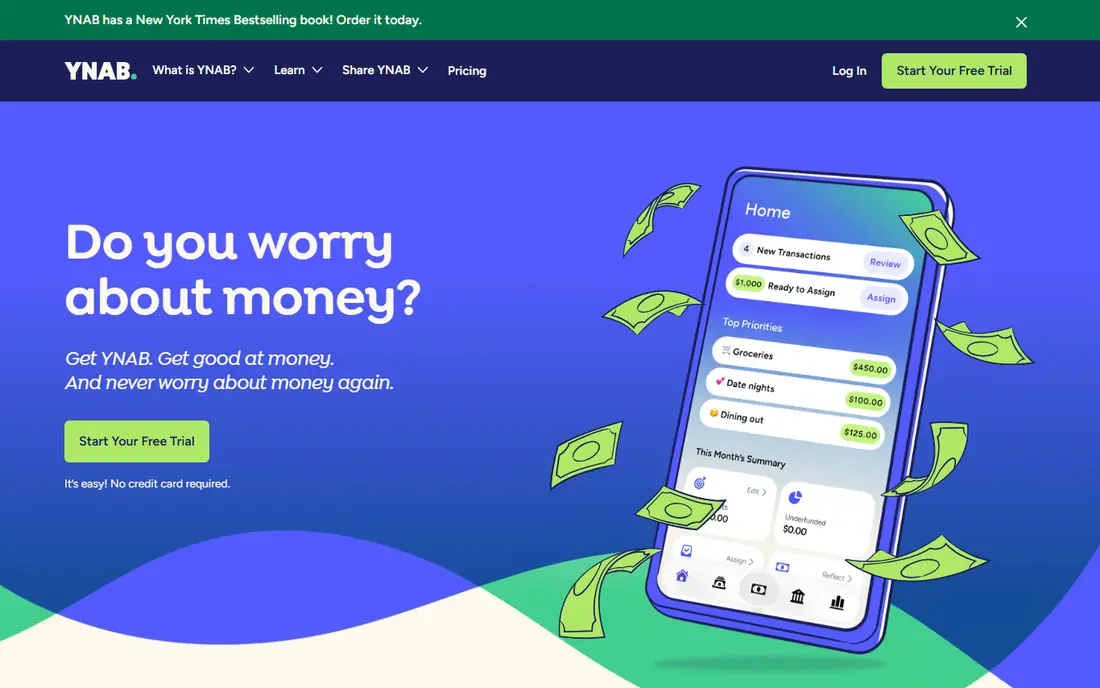
YNAB, short for You Need a Budget, asks you to give every dollar a job before you spend it. That rule sounds simple, but it changes how you handle irregular bills, savings, and debt, because money is assigned to future costs rather than left as a vague balance. The app also tracks age of money, goal progress, and loan payoff plans, which helps households trying to break a paycheck-to-paycheck cycle.
The price is $14.99 per month or $109 per year, with a 34-day free trial and a free year for eligible college students in recent listings. There is no free tier after the trial, and YNAB works best if you check it a few times a week, so passive users may find it demanding. If you want a method, not just a tracker, and you are willing to do that upkeep, YNAB is our pick for most people who need to change spending habits.
- Clear zero-based method with four rules
- Strong debt payoff and savings goal tools
- Up to six people can share a plan
- No permanent free tier
- Needs regular weekly upkeep to work well

Monarch Money is the best all-round dashboard for households that want the full picture. Budgets are flexible rather than strictly zero-based, so you can set category targets, track actual spending, and see cash flow ahead, while investments, loans, and property values feed into a single net worth view. Partners can share access, which helps couples who split bills or manage joint goals without passing screenshots back and forth.
Core pricing is listed at $14.99 per month or $99.99 per year, with a 7-day trial, while a Plus tier is listed at $199 per year for advanced forecasting and planning tools. That makes Monarch one of the pricier options, but the Core plan covers what most households need. If you want one polished place for budgets, accounts, and net worth, and you do not want the strict rules of YNAB, Monarch is the strongest alternative.
- Flexible budgets plus net worth and investments
- Partner and advisor sharing
- Cash flow forecasts
- No permanent free tier
- Plus tier costs considerably more
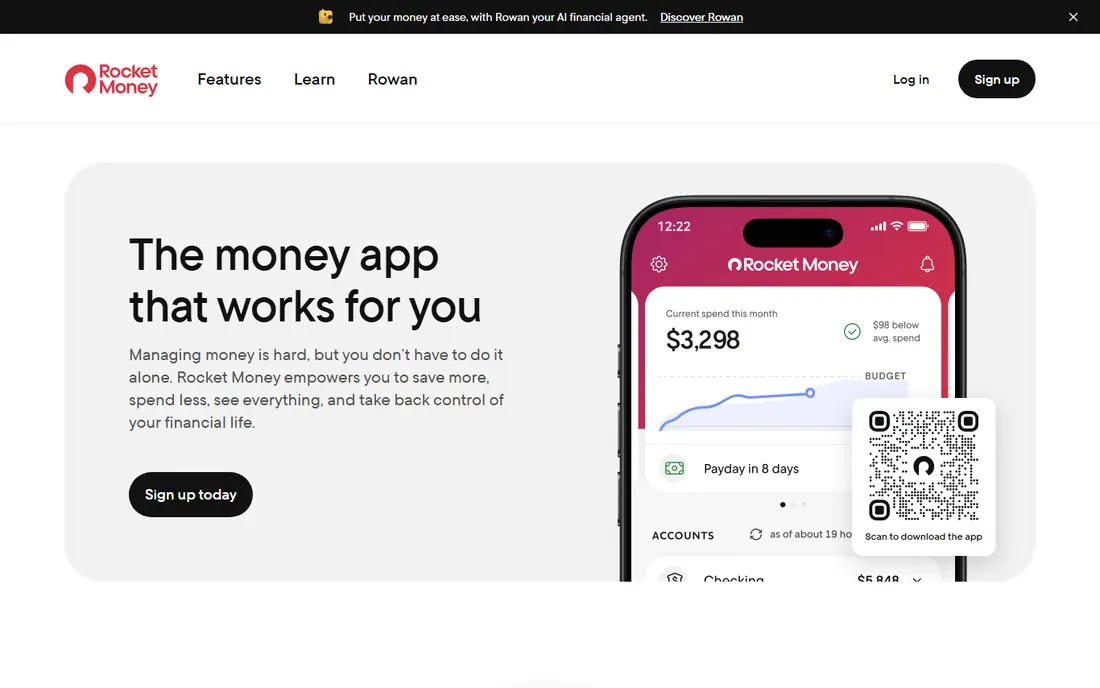
Rocket Money starts with the problem many people feel first: subscriptions quietly adding up. The free tier connects accounts, lists recurring charges, and tracks spending, which alone can surface a forgotten streaming service or app subscription. Premium adds budgeting tools, custom categories, and bill negotiation, where Rocket Money contacts providers on your behalf to seek a lower rate.
Premium pricing is set by the user within a listed range, typically $7 to $14 per month, with a Premium Plus tier listed at $15 per month in recent summaries. Bill negotiation is not free: the service keeps a share of the saving it achieves, so read those terms before you authorise it. If subscriptions are your main leak, start with the free tier, cancel what you do not use, and only pay for Premium if you use its budgeting tools regularly.
- Free tier syncs accounts and tracks subscriptions
- Bill negotiation service
- Clear view of recurring charges
- Best budgeting and negotiation tools sit in paid tiers
- Bill negotiation takes a share of savings
Quicken Simplifi is the value pick for people who want automatic tracking without a premium price. It syncs bank, card, and investment accounts, categorises transactions, and builds a spending plan that shows what is left after bills and savings. Cash flow projections and custom reports help you see next month, not just last month, which is useful for irregular income or large upcoming bills.
Pricing has varied, with recent listings showing promotional rates around $3.99 per month billed annually for new members and regular rates around $5.99 to $6.99 per month billed annually, so we list See website and advise checking the current offer before subscribing. Simplifi is less built for multi-person household planning than Monarch, and it has no permanent free tier. For a single user or a small household that wants capable tracking at a lower cost, it is hard to beat.
- Automatic syncing and categorisation
- Spending plan and cash flow projections
- Reports and watchlists
- Pricing has varied with promotions
- Household sharing is more limited than Monarch
EveryDollar keeps zero-based budgeting as simple as possible. You list income, assign every dollar to a category, and track what remains as the month goes on. The free version uses manual entry, which suits people who prefer to type in transactions and stay close to their spending, while Premium adds automatic bank syncing and extra features.
Premium is listed at $17.99 per month or $79.99 per year, with a 14-day trial in recent listings, so monthly billing is far more costly than annual billing. The method is also more rigid than Monarch, because it follows a strict assign-every-dollar approach. If you like the Ramsey approach to debt and budgeting and you want a clean, simple tool, EveryDollar is a good fit, especially if you start free and only upgrade for syncing.
- Simple zero-based layout
- Free manual version
- Clear monthly budget view
- Bank sync needs the paid Premium tier
- Method is more rigid than Monarch
Goodbudget brings the old cash-envelope method to a phone. You divide money into digital envelopes for groceries, rent, transport, and fun, then record spending from the right envelope. When an envelope is empty, you see it at once, which stops the quiet overspend that a single bank balance hides. The free tier works without linking a bank account, which appeals to users who do not want to share bank credentials with an app.
The free tier is limited, with recent listings showing 20 envelopes, one account, and two devices, while Plus is listed at $10 per month or $80 per year and adds unlimited envelopes and US bank syncing. Manual entry takes more effort than syncing, but for couples who want a shared, simple system, that effort is often the point.
- Digital envelope method
- Free tier needs no bank link
- Easy sharing for couples
- Free tier limits envelopes and accounts
- Bank sync needs Premium and is US-focused
PocketGuard answers one question better than most apps: after bills, goals, and savings, how much can I safely spend today? That In My Pocket number is shown up front, so you do not need to dig through categories to decide whether a purchase fits. The app also tracks bills and subscriptions, categorises spending, and offers debt payoff planning in its paid tier.
Pricing is listed at $12.99 per month, $74.99 per year, or $149.99 for a lifetime licence in recent summaries, with a 7-day trial. A limited free version exists in some listings, but the full experience is paid. PocketGuard is less deep for long-term planning than YNAB or Monarch, and its strength is daily control rather than detailed forecasting. If you overspend because you never know what is safe to spend, this simple number may help more than a complex budget.
- Clear In My Pocket figure for safe spending
- Bill and subscription tracking
- Debt payoff plans
- Less planning depth than YNAB or Monarch
- Full features need the Plus tier
Copilot Money is built for iPhone, iPad, Mac, and web users who want money tracking to feel pleasant rather than like admin work. Transactions are categorised with machine learning, budgets are easy to adjust, and the daily review flow encourages a quick check each morning. Net worth and investment tracking sit alongside budgets, so it covers more than spending alone.
Pricing is listed at $13 per month or $95 per year, with a free trial of about a month in recent listings. The main limit is platform: there is no Android app, so Android households should choose Monarch or Simplifi instead.
- Clean design and smart categorisation
- Budgets, net worth, and investment tracking
- Strong daily review flow
- Apple and web only, with no Android app
- No permanent free tier
Empower, formerly Personal Capital, offers a free dashboard that links bank, card, loan, and investment accounts into one net worth view. It tracks spending, shows investment allocation and fees, and offers retirement planning tools, all without a subscription for the core dashboard. That makes it a good companion app even if you budget elsewhere.
Empower is not a full budgeting replacement for YNAB or Monarch, because its budgeting tools are lighter and its focus is wealth tracking. It also offers paid advisory services, which are separate from the free dashboard, so do not confuse the two when you sign up. If your main need is to see everything you own and owe in one free place, Empower is the best free starting point, and you can pair it with Goodbudget or EveryDollar for daily budget control.
- Free dashboard for accounts, net worth, and investments
- Retirement and cash flow tools
- No subscription for core tracking
- Not a full budgeting app
- Advisory services are separate and paid
How we picked these
We compared official feature and pricing pages, app store listings, and public reviews for money apps that serve US users and are live in October 2026. We included zero-based, envelope, flexible, subscription-tracking, and net worth styles, because no single method fits every household. Prices are starting prices we could verify from vendor pages or recent pricing summaries; where promotional pricing varied, we wrote See website rather than guessing a single rate. We did not link real bank accounts or run hands-on trials, so this list reflects documented features and pricing, not personal account testing. This is not financial advice; check each app security and bank-connection practices before you link accounts.
How to choose the right money app
Pick the method you will maintain
A perfect method you abandon in week two helps no one. If you like control, try YNAB or EveryDollar. If you like envelopes, try Goodbudget. If you want a dashboard you check quickly, try Monarch, Simplifi, or Copilot. If subscriptions are the problem, start with Rocket Money free and see what you cancel before paying for anything.
Check security before you link accounts
Read how each app connects to your bank, whether it uses a third-party aggregator, and whether access is read-only. Use a strong unique password, turn on two-factor authentication, and review connected apps and permissions every few months. If you do not want to link accounts at all, Goodbudget free and EveryDollar free work with manual entry.
Compare annual cost, not just monthly cost
Monthly billing is far more costly than annual billing for most apps here. YNAB costs $179.88 a year on monthly billing versus $109 a year annually, and EveryDollar shows a similar gap. If you are sure you will keep an app, annual billing saves real money, but only subscribe annually after a trial period proves you will use it.