Best Podcast Recording Software in 2026: 10 Apps Compared
By ToolNimba Editorial Team October 30, 2026 11 min read

- Top pick
 Riverside
Remote video interviews
Starting priceFreeCheck out RiversideRead our review - Runner-up
 Zencastr
Free remote recording
Starting priceFreeCheck out ZencastrRead our review - Also great
 Descript
Transcript-based editing
Starting priceFreeCheck out DescriptRead our review
How we researched this
We compared official pricing and feature pages, app store listings, privacy policies and public user reviews. Prices change, so check the provider's site before you pay.
Key takeaways
- Remote shows need local recording, so Riverside, Zencastr, and Descript beat a standard video call for audio quality.
- Solo creators can start free with Audacity, GarageBand, or Adobe Podcast and upgrade only when editing time becomes a problem.
- Descript is the fastest editor for beginners, since you edit by deleting words in a transcript.
- A good microphone and a quiet room matter more than an expensive app, so spend on audio basics first.
Quick comparison
| Name | Best for | Starting price | Free plan | |
|---|---|---|---|---|
| Riverside | Remote video interviews | Free | Yes | Visit |
| Zencastr | Free remote recording | Free | Yes | Visit |
| Descript | Transcript-based editing | Free | Yes | Visit |
 Audacity | Free solo recording and editing | Free | Yes | Visit |
 GarageBand | Mac beginners | Free | Yes | Visit |
 Adobe Podcast | AI audio cleanup | Free | Yes | Visit |
 Adobe Audition | Professional audio editing | $22.99 per month | Free trial | Visit |
 Reaper | Low-cost professional DAW | See website | Free trial | Visit |
 Hindenburg | Spoken-word editing | $12 per month | Free trial | Visit |
 Podcastle | Beginner all-in-one creation | $11.99 per month | Yes | Visit |
The best podcast recording software
Podcast recording software falls into three groups: remote recorders for guests, solo recorders and editors for one microphone, and all-in-one tools that record, edit, and publish. The list below covers all three, so you can match a tool to your format. We compared official feature pages, pricing pages, app store listings, and public reviews to build this list.
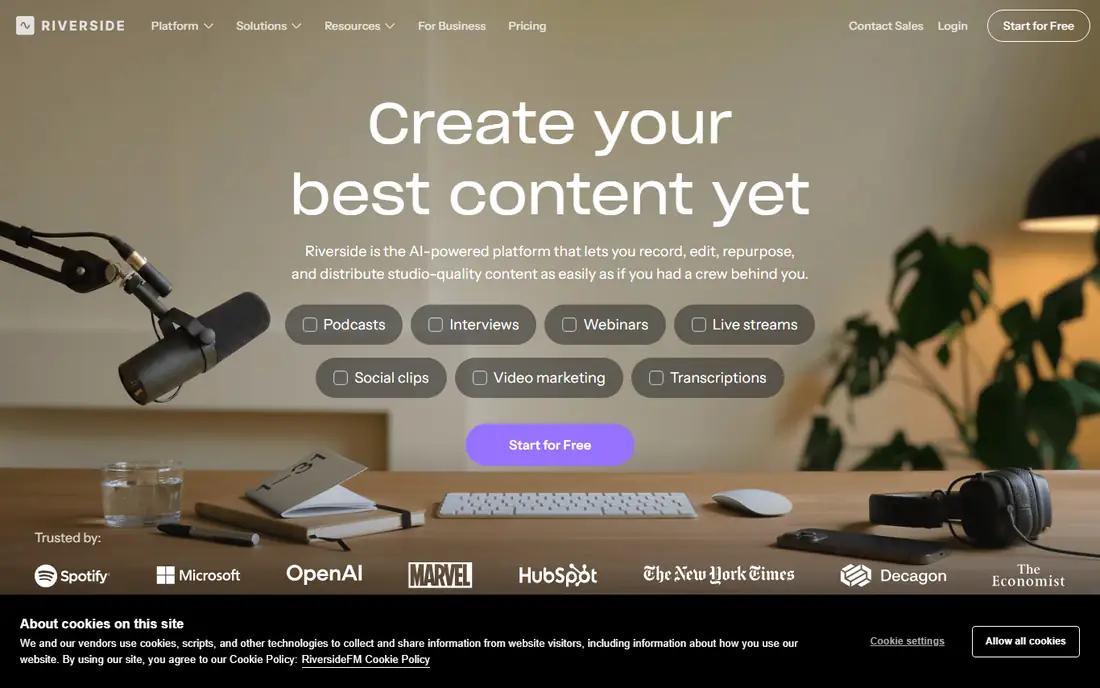
Riverside is the standard pick for a remote interview show that also needs video for YouTube or social clips. Each guest is recorded locally on their own device, then the separate audio and video tracks upload to the cloud. That method protects your episode from a bad internet connection, since a glitch in the live call does not ruin the final recording.
The free plan is useful for testing, with limited recording hours, while the Pro plan has been listed at $24 per month on annual billing. Riverside also includes transcription, text-based editing, and short clip creation, so a small team can record and publish without a separate editor. If video quality matters as much as audio, Riverside is our first pick.
- Local recording for each guest in high quality
- Up to 4K video capture
- Built-in editing and clip tools
- Free plan limits recording hours
- Paid plan needed for longer shows and full features
Zencastr is the easiest way to record a remote audio show without paying upfront. Guests join from a browser, each voice is saved as a separate track, and the free plan includes hosting. That separate-track setup makes editing far easier, since you can cut a cough, a crosstalk moment, or a long pause from one voice without touching the others.
Zencastr also offers paid plans from about $20 per month for more recording time, video, and editing tools. For an audio-first show on a budget, the free tier is often enough to publish a first season. If you need polished 4K video and advanced clip tools, Riverside may justify its higher price.
- Free plan with separate tracks for guests
- Browser-based recording with no install for guests
- Hosting and distribution included
- Video features are simpler than Riverside
- Higher tiers needed for advanced editing
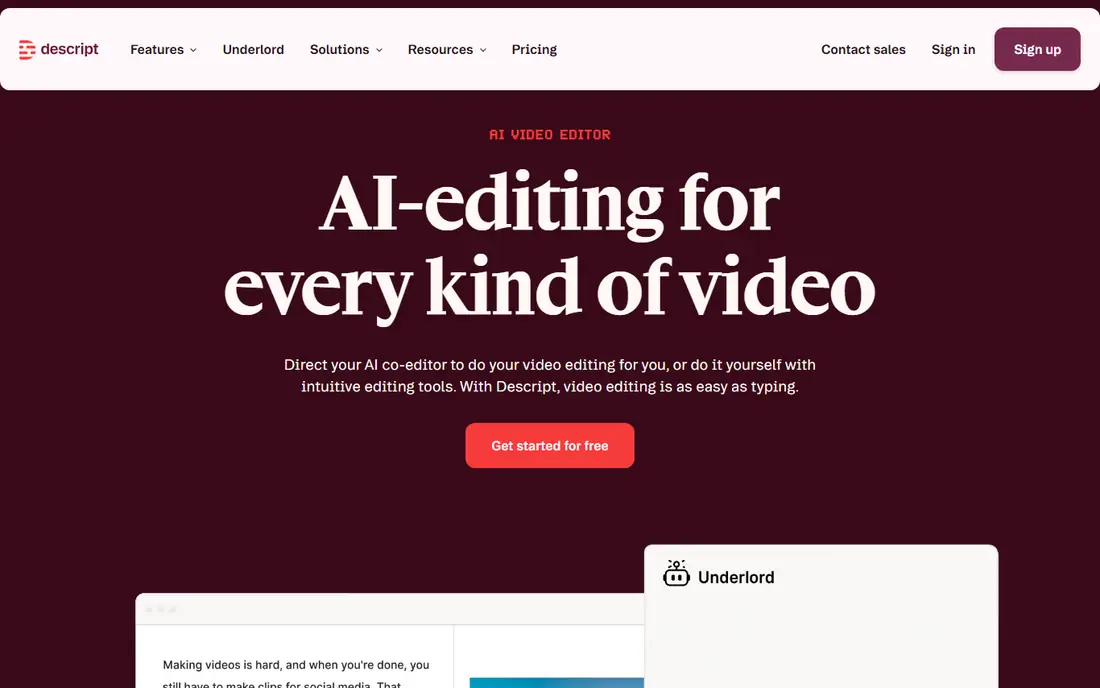
Descript changes editing for people who find waveform editors intimidating. After you record or import audio, Descript transcribes it. Delete a sentence in the transcript, and Descript deletes it from the audio. That workflow lets a beginner cut an hour-long episode in far less time than manual waveform editing, and it makes it easy to find a quote later.
Descript also records remote guests, offers Studio Sound to clean noisy audio, and can remove filler words. The free plan includes limited transcription time, while paid plans have been listed from $16 per month on annual billing. Descript is our pick for solo creators and interviewers who edit their own shows and want the fastest path from recording to publish.
- Edit audio by editing text
- Studio Sound cleanup and filler-word removal
- Remote recording for guests
- Free plan limits transcription hours
- Less suited to music-heavy production
Audacity has been the free audio editor for podcasters for years, and it remains the best $0 option for a solo show. You can record one or more microphones, cut and arrange tracks, apply noise reduction and compression, and export to MP3 or WAV. It runs on Windows, Mac, and Linux, so a creator can switch computers without buying a new license.
Audacity does not record remote guests on its own, so interview shows need a tool like Riverside or Zencastr for capture, then Audacity for editing. The interface also takes a short learning curve, since it shows waveforms rather than a transcript. For a solo podcaster on a tight budget who wants full control, Audacity is hard to beat.
- Completely free and open source
- Works on Windows, Mac, and Linux
- Full multi-track editing and effects
- No built-in remote guest recording
- Interface looks dated to new users
GarageBand is the gentle on-ramp for Mac owners starting a first podcast. It is free, it opens with a clear recording screen, and it includes effects, EQ, and music loops that help a solo episode sound polished without a separate plugin purchase. A beginner can record, trim, add an intro, and export in one afternoon.
GarageBand is limited to Apple devices, and it does not record remote guests by itself. Windows users should start with Audacity instead, and interview shows should pair GarageBand with a remote recorder. For a Mac owner making a solo or in-person show, GarageBand is the simplest free start.
- Free on Mac and iOS
- Very easy first recording experience
- Good built-in effects and music loops
- Mac and iOS only
- No remote guest recording
Adobe Podcast is best known for one feature: Enhance Speech. Upload a recording made in a noisy room, a car, or on a phone, and the AI tool removes background noise and echo to make the voice sound close to studio quality. That feature alone can rescue an interview that would otherwise be unusable.
Adobe Podcast also offers browser recording and transcript-based editing in its Studio, with a free tier and paid options from about $10 per month in recent comparisons. It is not a replacement for a full editor like Audition or Reaper, since multi-track mixing is limited. Use Adobe Podcast to clean audio, then finish editing in Descript, Audacity, or Audition.
- Enhance Speech cleans noisy recordings
- Browser-based recording and transcript editing
- Free tier for basic use
- Not a full multi-track editor
- Paid features sit inside Adobe plans
Adobe Audition is the professional editor for podcasters who already work in Adobe's suite or who need detailed restoration. It offers multi-track mixing, spectral editing to remove clicks and hums, loudness matching, and Essential Sound presets that set levels for dialogue with a few clicks. For a narrative show, a documentary, or a show with music and sound design, Audition gives you precise control.
That power comes with a learning curve and a subscription price of $22.99 per month on an annual plan in recent listings. Beginners who only need to cut pauses and add an intro will finish faster in Descript or Audacity. Audition fits experienced editors, production teams, and creators who need broadcast-level cleanup and mixing.
- Professional mixing, restoration, and mastering tools
- Essential Sound presets for voice
- Works well with other Adobe apps
- Steep learning curve for beginners
- Subscription cost adds up over time
Reaper is a full digital audio workstation sold at a low one-time price, listed at $60 for a discounted license in recent comparisons. It offers multi-track recording, routing, automation, and a huge range of effects, with a small download that runs well on older computers. Podcasters who like to build a custom template, with intro music, noise gates, and loudness tools, often settle on Reaper for years.
Reaper is not a beginner app out of the box. You need to set up tracks, monitoring, and shortcuts before it feels like a podcast tool, and it does not record remote guests. For a creator who wants professional power without a monthly subscription, and who is willing to spend an afternoon setting it up, Reaper is the best value DAW on this list.
- Full professional DAW at a low one-time price
- Highly customizable workflow
- Lightweight and fast on most computers
- Interface needs setup before it feels podcast-friendly
- No built-in remote recording
Hindenburg is made for spoken-word audio, not music. Its workflow centers on a voice track, with automatic leveling, a clipboard for organizing clips, and loudness tools that help an episode meet publishing standards. Journalists and narrative podcasters use it to arrange interviews, narration, and tape in a clear, story-first layout.
Pricing has been listed from $12 per month, with a trial available. Hindenburg does not record video or remote guests, so it pairs best with Riverside, Zencastr, or an in-person recorder. If your show is a story, an interview series, or a documentary, Hindenburg's voice-first design can save time compared with a music DAW.
- Built for voice and narrative audio
- Automatic leveling and loudness tools
- Manuscript and transcript workflow
- No video recording
- Less suited to music production
Podcastle is an all-in-one browser platform for beginners who want recording, editing, cleanup, and publishing without juggling three apps. It offers remote recording, transcript editing, AI audio enhancement, and tools for titles and descriptions. Paid plans have been listed from $11.99 per month on annual billing, with a free tier for basic use.
Podcastle trades depth for simplicity. An experienced editor who needs detailed mixing will prefer Audition or Reaper, and a video-first creator may need Riverside for 4K capture. For a new podcaster who wants to record an episode, clean it, and publish it from one dashboard, Podcastle is a friendly and affordable start.
- Records, edits, and enhances audio in one browser tool
- AI voice and transcription tools
- Simple publishing workflow
- Less control than Audition or Reaper
- Long video projects may need a dedicated video editor
How we picked these
We compared official feature pages, pricing pages, app store listings, and public reviews for podcast recording software that works in October 2026. We kept only tools that record or edit spoken audio today, that support a real podcast workflow, and that publish clear free or starting prices. We included remote recorders, solo editors, and all-in-one tools, so solo creators, interview shows, and narrative producers can all find a fit.
How to choose the right software
Match the tool to your format first, then to your editing skill and budget.
Solo show versus remote guests
Solo and in-person shows can start free with Audacity or GarageBand. Remote interview shows need local recording, so start with Riverside or Zencastr. Recording a remote guest over a standard video call compresses audio in real time, and that quality loss cannot be fully fixed later.
Editing style matters more than features
If you dislike waveform editing, Descript or Podcastle will help you finish episodes faster. If you enjoy detailed mixing, Reaper, Hindenburg, or Audition give you more control. Try a free tier with a real episode, not a test clip, and time how long editing takes.
Check limits before you record a season
Free plans often cap recording hours, transcription time, or video resolution. A free plan that covers one short episode may not cover a weekly hour-long show. Check storage, export formats, and whether your recordings stay accessible if you cancel.
Sources
- https://riverside.fm
- https://zencastr.com
- https://www.descript.com
- https://www.audacityteam.org
- https://www.apple.com/mac/garageband/
- https://podcast.adobe.com
- https://www.adobe.com/products/audition.html
- https://www.reaper.fm
- https://hindenburg.com
- https://podcastle.ai
- https://techilu.com/best-podcast-recording-software/
- https://www.thepodosphere.com/best/podcast-recording-software