Best Voice to Text App in 2026: 9 Apps Compared
By ToolNimba Editorial Team October 30, 2026 11 min read

- Top pick
 Otter.ai
Meetings and summaries
Starting priceFreeCheck out Otter.aiRead our review - Runner-up
 Notta
Multilingual transcription
Starting priceFreeCheck out NottaRead our review - Also great
 Fireflies.ai
Team meeting records
Starting priceFreeCheck out Fireflies.aiRead our review
How we researched this
We compared official pricing and feature pages, app store listings, privacy policies and public user reviews. Prices change, so check the provider's site before you pay.
Key takeaways
- Otter.ai is the strongest all-round pick for meetings, because it combines live capture, speaker labels, summaries, and a usable free plan.
- Notta offers more paid transcription minutes than Otter at a similar price, but its free plan caps each conversation at three minutes.
- Dictation tools such as Wispr Flow and Dragon suit people who want to speak and see text appear, while meeting tools suit people who need a record of a call.
- Free plans are useful for testing, but minute caps, import limits, and export limits decide whether a free plan works for daily use.
- Privacy matters for sensitive audio, so check where recordings are stored, whether data trains models, and whether local processing is offered.
Quick comparison
| Name | Best for | Starting price | Free plan | |
|---|---|---|---|---|
| Otter.ai | Meetings and summaries | Free | Yes | Visit |
| Notta | Multilingual transcription | Free | Yes | Visit |
| Fireflies.ai | Team meeting records | Free | Yes | Visit |
 Rev | High-accuracy transcripts | See website | No | Visit |
 Wispr Flow | Fast dictation | See website | Free trial | Visit |
 Dragon Professional | Professional dictation | See website | No | Visit |
 TurboScribe | Simple file transcription | See website | Yes | Visit |
 Sonix | Searchable media libraries | See website | Free trial | Visit |
 Descript | Editing audio by editing text | Free | Yes | Visit |
The best voice to text app
Voice to text covers two different jobs. One is dictation, where you speak and text appears at once. The other is transcription, where a meeting or recording becomes a searchable written record. We compared official feature pages, pricing pages, app store listings, privacy policies, and public reviews, and we kept tools that clearly do one of those jobs well.
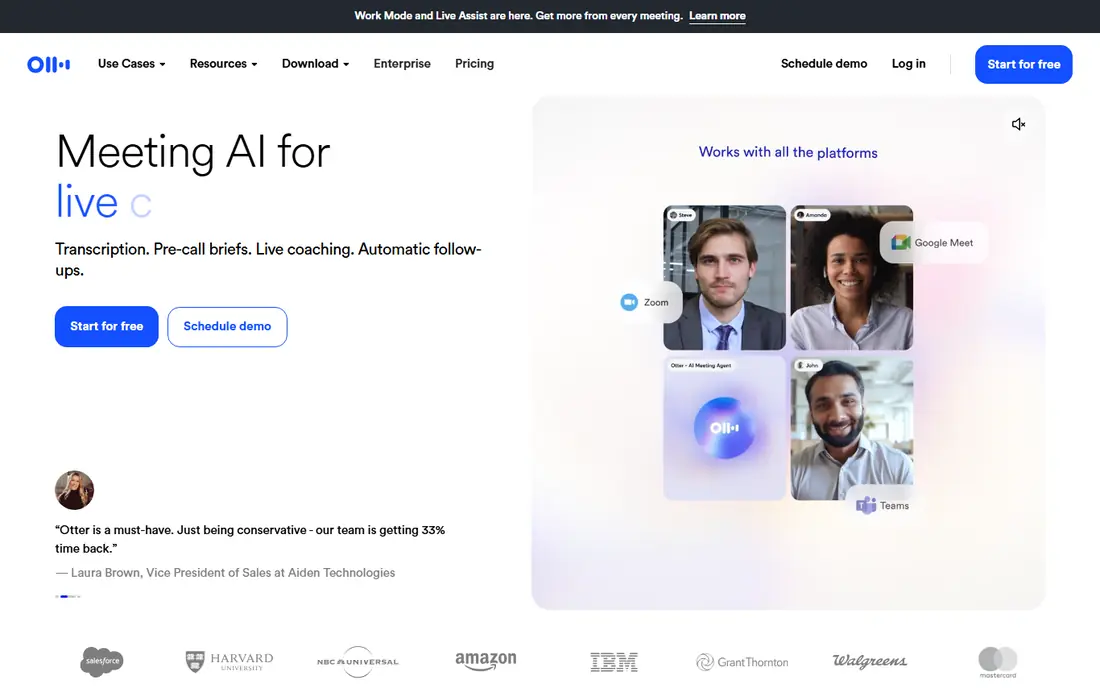
Otter.ai is our pick for most people who attend meetings all week. It can join a scheduled call, transcribe as people speak, label speakers, and produce a summary with action items. After the call, you can search past meetings, ask questions about what was said, and share notes with colleagues without re-listening to the whole recording.
The free plan is real but limited. It gives 300 transcription minutes a month, with a 30 minute cap per conversation and only three file imports for the life of the account. Pro costs 16.99 dollars per user per month on monthly billing, or 8.33 dollars per user per month billed yearly, and raises the limit to 1,200 minutes. If your meetings run long, check the per-conversation cap before you rely on the free tier.
- Live meeting capture for Zoom, Teams, and Meet
- Speaker labels and AI summaries
- Searchable transcript history
- Free plan caps conversations at 30 minutes
- Only three lifetime file imports on the free plan
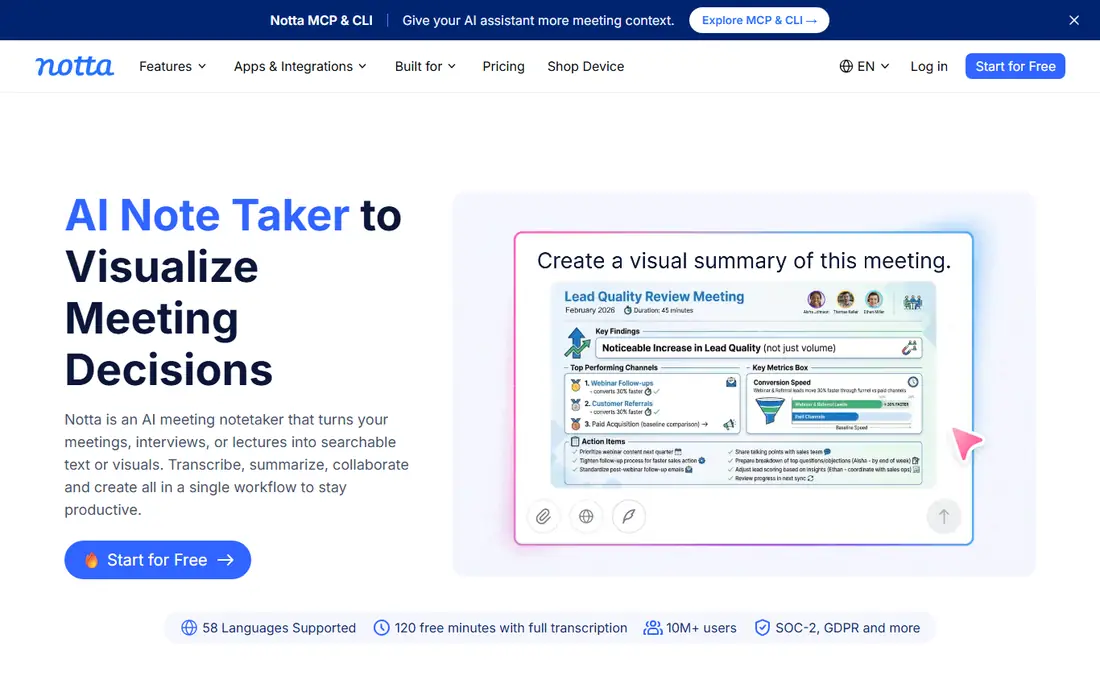
Notta earns its place for teams that work across languages. It transcribes in many languages, offers bilingual transcription for mixed-language meetings, and provides translation and AI summaries on paid plans. The editor is simple to use, search works across past transcripts, and uploads from audio and video files are straightforward.
The free plan is the catch. It gives 120 minutes a month, but each free conversation is capped at three minutes, so it works as a trial rather than a daily meeting tool. Pro costs 13.49 dollars a month on monthly billing, or 8.17 dollars a month billed yearly, for 1,800 minutes. If you need long meetings in more than one language, that paid tier is the fair comparison point.
- Strong multilingual transcription and translation
- 1,800 minutes on Pro
- Clean transcript editor
- Free conversations capped at three minutes
- Some advanced features are paid add-ons
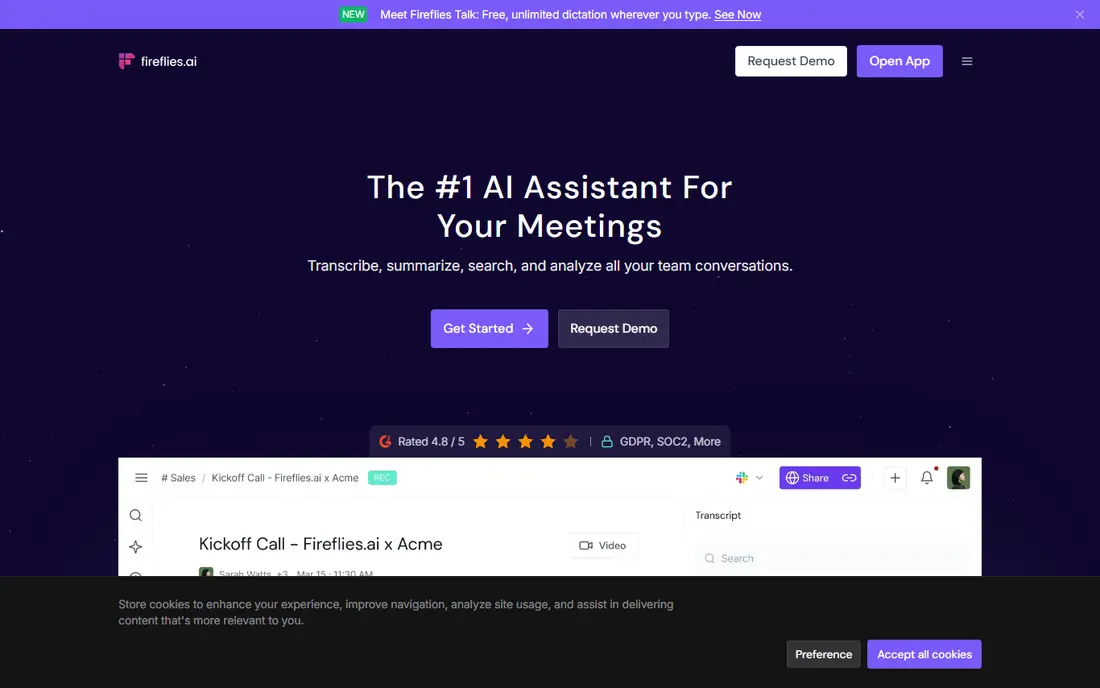
Fireflies.ai suits teams that want a shared record of every call without counting minutes. Its free plan offers unlimited transcription with limited storage, and paid plans add video recording, downloads, and deeper analytics. Integrations push summaries into CRMs and task tools, which helps sales and support teams turn calls into follow-up work.
Storage and credits need attention. The free plan limits how much audio is kept, and paid plans meter AI credits for some features, so heavy users should check the current limits on the pricing page. Pro costs 18 dollars per seat per month on monthly billing, or 10 dollars per seat per month billed yearly. For a team that values search and integrations over raw minutes, Fireflies is a strong Otter alternative.
- Unlimited transcription on the free plan
- Strong CRM and task integrations
- AskFred search across meetings
- Free storage is limited
- AI credits meter some features on paid plans
Rev fits work where accuracy matters more than speed or low cost. Its AI service gives a fast draft for everyday meetings and interviews, while its human service is built for legal, media, and research work where errors carry real cost. Captions and subtitles are also part of the same platform, which helps creators who publish video.
The pricing model is different from the subscription tools above, so compare total cost per hour of audio, not just the headline rate. Rev charges per minute, and human transcription sits well above AI pricing. If you only need a few accurate transcripts a month, pay-per-use may beat a subscription. If you transcribe daily, a flat plan may be cheaper.
- Human transcription option for near-perfect accuracy
- AI transcription for faster, cheaper drafts
- Captions and subtitles
- Human transcription costs far more than AI
- Pricing is per minute rather than a flat monthly fee
Wispr Flow is built for people who would rather speak than type. You press a key, talk, and text appears in almost any app, from email to documents to chat. It handles natural speech, punctuation by voice, and common corrections without forcing you to learn a rigid command set. Writers, managers, and people with wrist strain often gain the most from this style of tool.
It is not a meeting recorder in the Otter sense. It does not join calls, label speakers across a panel, or build a searchable meeting library. Check the trial limits and the current paid price on the vendor site before you commit, and test it with your own accent, pace, and technical vocabulary, because dictation accuracy varies by speaker.
- Fast, natural dictation across apps
- Learns your voice and vocabulary
- Works on Mac and Windows
- Dictation focus means weaker meeting capture
- Paid plan needed for sustained daily use
Dragon Professional remains a serious choice for professionals who dictate all day. It offers specialized vocabularies for medical and legal work, custom commands, and deep control over formatting and correction. For clinicians, lawyers, and others who produce long dictated documents, that depth still matters, even as newer AI tools gain ground.
The drawbacks are cost and setup. Dragon is a paid product with no free plan, and getting the best accuracy takes training, microphone choice, and profile tuning. It also feels less modern than Wispr Flow for casual dictation. Choose Dragon when you need domain vocabulary and document control, not when you only need short notes now and then.
- Long track record in medical and legal dictation
- Specialized vocabularies
- Offline-friendly workflows
- Higher cost and older interface than newer rivals
- Setup takes more time
TurboScribe suits people with a folder of recordings rather than a calendar full of live calls. You upload audio or video, get a transcript with speaker labels and timestamps, and export it for editing or publishing. That simple flow helps journalists, students, researchers, and podcasters who work from files, not live meetings.
The trade-off is integration depth. TurboScribe does not match Otter or Fireflies for live call capture, CRM sync, or team meeting libraries. Check the free tier limits and paid pricing on the vendor site, and test it with noisy audio or strong accents, because file transcription quality varies by source recording.
- Simple upload-and-transcribe workflow
- Speaker detection and timestamps
- Broad language support
- Fewer meeting integrations than Otter or Fireflies
- Free tier limits need checking
Sonix is built for teams with large audio and video libraries. It transcribes quickly, lets you search words across many files, and supports translation, subtitles, and shared workspaces. Newsrooms, research teams, and content teams that need to find a quote inside hours of material will value that search strength more than a simple transcript.
Cost is the watch point. Sonix uses seat and per-hour pricing, so a team with a growing library should model monthly cost by hours transcribed, not by seats alone. It is also weaker than Otter for live meeting capture, so pair it with a meeting tool if you need both jobs done well.
- Fast AI transcription with search across large libraries
- Translation and subtitle tools
- Collaboration features
- Seat and per-hour pricing can grow costly
- Less suited to live meeting capture
Descript is different from the rest of this list, and that is why it belongs here. It transcribes your recording, then lets you cut audio or video by deleting words in the transcript. That text-first editing saves podcasters and video creators hours, and built-in tools can remove filler words, clean up audio, and publish the result.
Transcription is not unlimited, so check the included hours on the free and paid plans before you import a large back catalog. The free plan is useful for testing the editing flow, but regular creators will likely need a paid plan. If your main job is a clean transcript alone, Otter or Notta may be simpler. If you edit what you record, Descript is hard to beat.
- Edit audio and video by editing the transcript
- Transcription plus publishing workflow
- Filler word removal
- Transcription limits apply on lower plans
- Learning curve for full editing features
How we picked these
We reviewed official feature and pricing pages, app store listings, privacy policies, and public reviews for meeting capture, dictation, and file transcription tools. We kept only products that are available now, that clearly fit speech to text, and that publish enough pricing or free tier detail to judge fairly. We did not claim hands-on testing, and we did not invent accuracy scores, user counts, or prices. Where a vendor price could not be verified from its own page at the time of writing, we wrote See website and pointed readers to the vendor pricing page.
What to check before you choose
Decide between dictation and transcription
Dictation tools turn your voice into text as you speak, which suits writing and messaging. Transcription tools turn a meeting or file into a written record, which suits notes, research, and compliance. Some tools do both, but most are stronger at one job. Pick the job you do daily, then judge the tool on that job alone.
Check limits, not just the headline price
Free minutes, per-conversation caps, file import limits, storage limits, and export formats decide real cost. A free plan with a three minute cap will not cover a normal meeting, and a paid plan with a low import limit will frustrate researchers. Read the pricing page notes, not just the large price figure.
Check privacy for sensitive audio
Meetings can contain health, legal, or business details that should not be used to train models or kept longer than needed. Check the vendor privacy policy for storage location, retention, deletion controls, and whether enterprise plans offer stronger controls. For highly sensitive work, local processing or a human transcription service with clear confidentiality terms may be safer.