DjAY Alternatives: 6 DJ Software Options for 2026
By ToolNimba Editorial Team November 20, 2026 6 min read
We did not test these tools hands-on. Picks are based on vendor documentation and public information. Read our editorial policy and disclosure.

- Top pick
 Serato DJ Pro
Professional club and controller setups
Starting price$11.99 per monthCheck out Serato DJ ProRead our review - Runner-up
 VirtualDJ
Beginners through advanced all-round DJs
Starting price$4 per monthCheck out VirtualDJRead our review - Also great
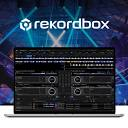 Rekordbox
Track prep and ecosystem workflows
Starting price$9 per monthCheck out RekordboxRead our review
How we researched this
We compared official pricing and feature pages, app store listings, privacy policies and public user reviews. Prices change, so check the provider's site before you pay.
Direct answer
Serato DJ Pro is our first pick for most DJs weighing djay alternatives, while VirtualDJ suits anyone who wants broad hardware and streaming flexibility. Rekordbox is the natural choice for Pioneer-style workflows. Six options are compared below.
Key takeaways
- Serato DJ Pro pairs Stems tools with a large hardware ecosystem for club and controller setups.
- VirtualDJ covers beginners and advanced DJs with deep streaming and hardware support.
- Rekordbox organizes prep, performance and cloud workflow in one ecosystem.
- Mixxx is an open-source option with controller support, broadcasting and library tools.
Quick comparison
| Name | Best for | Starting price | Free plan | |
|---|---|---|---|---|
| Serato DJ Pro | Professional club and controller setups | $11.99 per month | Free trial | Visit |
| VirtualDJ | Beginners through advanced all-round DJs | $4 per month | Yes | Visit |
| Rekordbox | Track prep and ecosystem workflows | $9 per month | Yes | Visit |
 Mixxx | Open-source and budget-conscious DJs | See website | See website | Visit |
 Cross DJ | DJs wanting mixing plus visual tools | See website | See website | Visit |
 Engine DJ | DJs using Engine hardware platforms | See website | See website | Visit |
DjAY Alternatives Compared, one by one
Choosing DJ software is mostly about hardware fit, library workflow and how you prepare sets. ToolNimba compared six djay alternatives using documented features, vendor pages and stated limits to help narrow the field.
Serato DJ Pro is professional DJ software built around controller and club hardware. Its pages highlight Stems tools for separating track elements, streaming access to large catalogs and connection to a wide range of industry hardware. It fits working DJs and controller owners who want a stable, hardware-first workflow for preparing and performing sets.
Because Serato leans on supported hardware, it may not suit someone who wants to mix mostly with a laptop keyboard and mouse or who prefers an all-in-one software ecosystem for library prep. Consider VirtualDJ or Rekordbox instead if broad device independence or integrated track preparation matters more than Serato's hardware partnerships.
- Stems creation tools
- Large hardware compatibility list
- Streaming service support
- Hardware-focused licensing
- Less appealing for casual hobby use
VirtualDJ positions itself as software that works for people starting out and for advanced professional DJs. Its homepage emphasizes advanced DJ technology, streaming access and broad hardware compatibility. That makes it a flexible alternative for DJs who want one application that can grow with them, whether they mix at home, at events or in a club setting.
The depth of features can make the interface feel crowded, and newcomers may need time to learn the layout. If you prefer a simpler, more focused workflow or you are committed to a specific hardware ecosystem, a dedicated option such as Serato DJ Pro or Rekordbox may feel more natural.
- Wide hardware support
- Streaming and catalog features
- Approachable for newcomers
- Interface can feel busy
- Feature depth may overwhelm beginners
Rekordbox is DJ software aimed at professional DJs, with a homepage that stresses a comfortable workflow using AI, cloud and automation technology alongside support for multiple music streaming services. It suits DJs who want to prepare tracks, manage libraries and perform within one connected ecosystem rather than stitching together separate tools.
Its strengths are tied to that ecosystem, so DJs using unrelated hardware may not get the full benefit. The range of features can also feel complex at first. If you want a lighter, more open alternative, Mixxx or VirtualDJ may be a better fit for your setup.
- AI-assisted workflow features
- Cloud and automation tools
- Multiple streaming services
- Tied closely to its ecosystem
- Feature set can feel complex
Mixxx is free DJ mixing software that emphasizes openness and control. Its homepage lists iTunes integration, MIDI controller support, internet broadcasting and an integrated music library. It appeals to DJs who want a capable mixing application without licensing costs, and to tinkerers who value open-source software they can adapt to their own setup.
Mixxx may lack the polished ecosystem extras and vendor-backed hardware integrations of commercial suites, and help often comes from community channels. If you rely on a specific controller's advanced features or want formal vendor support, check compatibility carefully or consider Serato DJ Pro or Rekordbox instead.
- Free and open-source
- MIDI controller support
- Internet broadcasting
- Fewer polished ecosystem extras
- Support depends on community
Mixvibes, the company behind Cross DJ, describes itself as a pioneer of DJ software and the creator of DJ, VJ and beatmaking tools. Cross DJ therefore appeals to DJs who want mixing software from a long-established developer and who may also value visual or production-adjacent features in the same family of products.
Because the company's messaging covers several product lines, it can take extra research to confirm which edition fits your needs. DJs who want a single, tightly focused performance application may prefer Serato DJ Pro or VirtualDJ, while those curious about VJ or beatmaking should explore the Mixvibes lineup directly.
- Long-standing DJ software heritage
- Mixing, VJ and beatmaking tools
- Suits creators beyond audio
- Brand messaging spans several products
- Less focused on one workflow
Engine DJ describes itself as an embedded creative platform for DJs, spanning desktop and OS platforms. It is designed for DJs who work with Engine-based hardware and want software that supports preparation and performance across those devices. It fits users who value a standalone-oriented workflow over a purely laptop-centric one.
Outside its hardware family, Engine DJ offers less draw than general-purpose software such as VirtualDJ or Mixxx. DJs who mix mainly on a laptop with third-party controllers should confirm device support before committing, and may find Serato DJ Pro or Rekordbox a more natural fit.
- Desktop and OS platforms
- Built for embedded creative work
- Fits standalone hardware workflows
- Most useful within its hardware family
- Narrower appeal outside that ecosystem
How the list was put together
ToolNimba compared documented features, vendor homepage descriptions and stated limits for each of the six tools. We did not run hands-on performance tests, and details such as hardware compatibility and streaming support should be confirmed on each vendor site before buying. The ordering is editorial and reflects how well each option matches common djay switching needs.
What to confirm before you sign up
- Check that your controller or mixer is officially supported by the software
- Confirm which music streaming services work in your region
- Verify system requirements for your computer and operating system
- Review how track preparation and library import work across tools
- Check whether updates and support terms suit your workflow
Sources
Official websites of the products reviewed above. Features and prices were checked against these sites when the guide was written, and they can change, so confirm on the vendor site before you buy.
Frequently asked questions
Which djay alternative is best for beginners?
VirtualDJ is often a comfortable starting point because it is designed for both newcomers and advanced DJs. Mixxx is another approachable option for those who prefer open-source software. Try a couple of interfaces before deciding which layout feels natural.
Can I switch DJ software without losing my library?
Most DJ applications can import tracks and some can read metadata or playlists from other tools, but results vary. Check each vendor's documentation for import options and back up your library before migrating. Preparation tools in Rekordbox and Serato DJ Pro are worth reviewing first.
Do these alternatives support streaming services?
Several do, including Serato DJ Pro, VirtualDJ and Rekordbox, though supported services differ by tool and region. Confirm current streaming support on the vendor site before relying on it for a set. Offline files remain the safest backup.
Is free DJ software good enough for real gigs?
Mixxx is open-source and used by many DJs for live mixing and broadcasting. Whether it suits paid gigs depends on your hardware and required features. Check controller support and stability with your own setup before relying on any tool at an event.