Best Tools to Generate AI Images in 2026: 10 Tools Compared
By ToolNimba Editorial Team October 30, 2026 11 min read

- Top pick
 Midjourney
Artistic and cinematic images
Starting price$10 per monthCheck out MidjourneyRead our review - Runner-up
 ChatGPT Images
Easy chat-based creation and edits
Starting priceSee websiteCheck out ChatGPT ImagesRead our review - Also great
 Google Gemini
Free photo edits and realism
Starting priceFreeCheck out Google GeminiRead our review
How we researched this
We compared official pricing and feature pages, app store listings, privacy policies and public user reviews. Prices change, so check the provider's site before you pay.
Key takeaways
- Midjourney is our pick for artistic quality, with a distinctive look for illustration, concept art, and mood boards.
- ChatGPT Images and Google Gemini are the easiest starts for beginners, since image generation sits inside chat apps many people already use.
- Ideogram is the best pick when readable text inside a poster, logo, or label matters most.
- Adobe Firefly is the safest choice for commercial client work, with Adobe models trained on licensed content and clear commercial terms.
- Stable Diffusion and Flux suit users who want local control, custom models, or pay-per-image pricing instead of a monthly subscription.
Quick comparison
| Name | Best for | Starting price | Free plan | |
|---|---|---|---|---|
| Midjourney | Artistic and cinematic images | $10 per month | No | Visit |
| ChatGPT Images | Easy chat-based creation and edits | See website | Yes | Visit |
| Google Gemini | Free photo edits and realism | Free | Yes | Visit |
 Adobe Firefly | Commercial-safe client work | $9.99 per month | Yes | Visit |
 Ideogram | Readable text in images | See website | Yes | Visit |
 Leonardo AI | Game art and production volume | $12 per month | Yes | Visit |
 Flux | Photorealism and developer use | See website | Yes | Visit |
 Stable Diffusion | Free local generation | Free | Yes | Visit |
 Recraft | Vectors, logos, and brand sets | $12 per month | Yes | Visit |
 Canva | Finished social and marketing designs | Free | Yes | Visit |
The best tools to generate ai image
We compared official model pages, pricing pages, and public reviews for generators that still work in 2026, from chat-based tools to open models you can run yourself.

Midjourney remains the benchmark when the look matters more than literal prompt accuracy. A short prompt often returns a coherent, well-lit image with a clear mood, which is why it suits concept art, book covers, editorial illustration, and brand mood boards. The web app has made it far easier to use than the early Discord-only workflow.
The lack of a free tier is the main barrier. Plans start at $10 per month, with higher plans adding more fast generation time and, on Pro and above, private generation. If you need readable posters or product labels, pair Midjourney with Ideogram rather than forcing it to do text work.
- Distinctive, polished style for art and illustration
- Strong style and composition control
- Large community and style references
- No free tier
- Text inside images can still be less reliable than Ideogram
- Commercial terms for large companies require higher plans

ChatGPT Images, the image feature inside ChatGPT based on the GPT image models, is the simplest way for most people to start. Describe an image, ask for a change, and refine it in the same chat. That conversational loop suits social posts, blog art, product mockups, and quick edits to an existing photo.
It is not the best tool for a long art session with fine style control, and free use is limited. If you already pay for ChatGPT, check your plan limits first, since image generation may be all you need without another subscription.
- Create and edit images by describing changes in plain language
- Strong prompt following and text rendering
- No separate design app to learn
- Heavy use hits caps that vary with demand
- Style control is less deep than Midjourney for pure art
- Paid limits depend on the ChatGPT plan
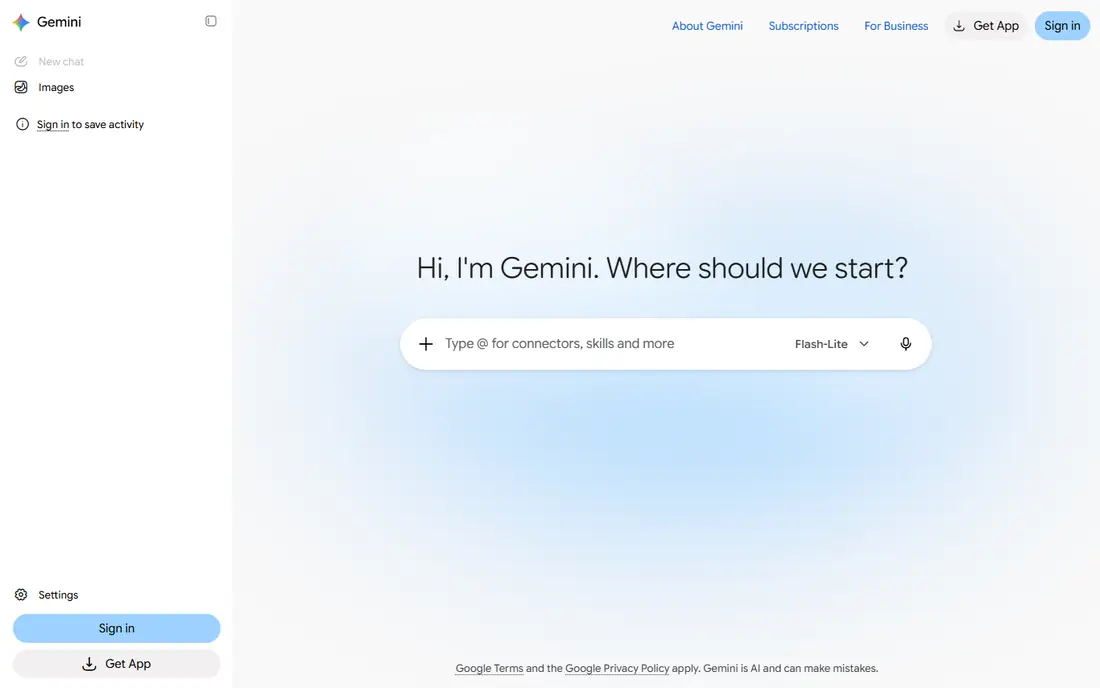
Google Gemini, including its Imagen models and the Nano Banana editing features, is a strong free starting point. You can generate a new image or describe a change to a photo, such as a different background or outfit, and get a usable result without a subscription. That makes it useful for small business owners who need product shots and social art quickly.
Paid Google AI plans raise generation limits and add access to higher-tier models, but most casual users can start free. If you need a very specific artistic style across a long series, Midjourney or Leonardo may give you more consistent control.
- Free access with a Google account
- Strong photo editing from a description
- Good realism and text handling in recent models
- Fewer pro art controls than Midjourney
- Paid Google AI plans are needed for higher limits
- Output style can feel less distinctive
Adobe Firefly is the pick when licensing risk matters. Adobe states that its Firefly models are trained on licensed content, which gives agencies and small businesses more confidence for client work, ads, and product pages. Generative Fill and Expand in Photoshop use the same approach for editing real photos.
The free tier covers a limited number of generations per day, and paid plans start at $9.99 per month for more credits. If you already use Creative Cloud, Firefly fits your workflow with little extra learning. If you do not, the free tier is still worth testing for brand-safe images.
- Adobe models trained on licensed content
- Built into Photoshop, Express, and other Adobe apps
- Clear commercial use terms for Adobe models
- Raw artistic range can trail Midjourney
- Free generations are limited
- Full value depends on the Adobe ecosystem
Ideogram earned its place by solving a common frustration: text that looks almost right but spells a word wrong. For posters, book covers, labels, memes, and logo drafts, it returns readable text far more often than general models. That single strength makes it a practical second tool even for Midjourney users.
Check the current pricing page before you buy, since Ideogram prices have varied between monthly and annual billing in recent comparisons. Start free to test text accuracy on your own wording, since fonts, length, and layout all affect the result.
- Best-in-class spelling and typography for posters and logos
- Useful canvas and editing tools
- Commercial use on paid and free tiers under its terms
- Narrower general art range than Midjourney
- Free credits are limited and refresh weekly on some plans
- Pricing varies by billing period
Leonardo AI suits creators who generate a lot of images for games, characters, products, and social content. The free tier gives daily tokens, and paid plans from $12 per month add more tokens, private generation, and faster modes. Multiple models in one place help you switch between realistic, stylized, and illustrative looks without opening another app.
The token system is the main learning curve. Track how many tokens a generation uses, and test a small batch before committing to a paid plan. For one-off images, a chat tool may be simpler.
- Daily free tokens for regular use
- Many models and styles for game and product art
- Canvas editor and training options
- Token math takes time to learn
- Free images may be public by default
- Style consistency needs careful prompting
Flux, from Black Forest Labs, is the open-weight leader for realism and detail. Developers can use it through an API, and advanced users can run some Flux models locally or through hosted services that charge per image. That flexibility suits product photography, API pipelines, and teams that need many images without a fixed subscription.
Ordinary users may prefer a hosted app that includes Flux, rather than setting it up themselves. If you want a simple monthly plan and a polished editor, Midjourney, Leonardo, or Firefly will feel easier.
- Strong photorealism and prompt following
- Open weights for some models
- Pay-per-image options through hosted providers
- No simple flat monthly app for every user
- Self-hosting needs a powerful computer
- Hosted prices vary by provider
Stable Diffusion, from Stability AI, remains the best route to free, private image generation. Run a model locally, and you can generate unlimited images without sending prompts to a cloud service. The community adds models for anime, realism, architecture, and many other styles, plus tools for inpainting and upscaling.
The cost is effort. You need a computer with enough graphics memory, time to install the software, and patience to tune settings. For privacy, experimentation, or high volume, that effort pays off. For a quick social post, a chat tool is faster.
- Free and open models for local use
- Huge community of models and extensions
- Full privacy since images can stay on your computer
- Setup needs technical skill and a capable graphics card
- Quality depends on the model and settings you choose
- No official simple consumer app
Recraft stands out because it can return true vector graphics, not only a flat image that looks like a logo. That matters for logos, icons, and illustrations that must scale from a business card to a billboard without losing sharpness. Brand sets and style controls help small teams keep a consistent look across assets.
Read the license terms before using free images for client work, since Recraft states that paid subscribers receive ownership and commercial rights while the free plan is not commercially licensed. For personal practice, the free tier is a good way to test vector output.
- Native vector output for logos and icons
- Brand colors and style controls
- Raster images as well as scalable graphics
- Less suited to photorealistic art
- Free plan is not commercially licensed under its terms
- Smaller community than larger rivals
Canva is the best choice when the image is only part of a finished design. Generate an image, add a headline, place it in a template, and export a post or flyer without leaving the editor. For small business owners who need a complete asset, not only a raw image file, that workflow saves time.
Specialist tools win on pure image quality and style control. Use Canva when speed and a finished layout matter more than a gallery-quality illustration, and use Midjourney or Ideogram when the image itself is the product.
- Templates, text, and layout tools in one editor
- AI images fit directly into posts, ads, and presentations
- Easy for non-designers
- AI image quality trails specialist generators
- Heavy AI use needs a paid plan or AI allowance
- Less control over fine art style
How we picked these
We reviewed official model and pricing pages, vendor terms for commercial use, and recent public comparisons for generators that work in 2026. We favored tools with a distinct strength, such as art quality, text accuracy, licensing safety, vectors, or local control, rather than listing every model with the same pitch. Where prices varied across billing periods or providers, we used See website instead of a single figure that could mislead.
How to choose an AI image generator
Start with the job, not the model name. A poster needs readable text, a product page needs realism, and a brand logo needs vectors. Picking the wrong strength leads to many retries, even with a strong model.
Check text, style, and licensing together
Test your exact use case before paying. Generate a poster with your real headline, a product shot with your real item, and a logo at the size you need. Then read the license terms for your plan, especially if the image will appear in ads, packaging, or client work.
Control cost with the right billing model
Subscriptions suit daily creators, while pay-per-image suits occasional use. Free tiers suit testing, but they often limit daily generations, make images public, or restrict commercial use. Match the billing model to how often you generate, not only to the headline price.
Refine prompts in small steps
Change one thing at a time, such as the subject, the style, or the background, and keep the prompt that worked. Long prompts with many competing details often produce mixed results. Save successful prompts and settings so a later batch keeps the same look.