2short.ai Alternatives: 6 Video Tools Compared for 2026
By ToolNimba Editorial Team November 19, 2026 6 min read
We did not test these tools hands-on. Picks are based on vendor documentation and public information. Read our editorial policy and disclosure.

- Top pick
 Descript
Text-based editing of video and audio
Starting price$16 per person per monthCheck out DescriptRead our review - Runner-up
 Kapwing
Prompt-to-project video creation
Starting price$16 per monthCheck out KapwingRead our review - Also great
 Veed
Generate and edit in one workflow
Starting priceSee websiteCheck out VeedRead our review
How we researched this
We compared official pricing and feature pages, app store listings, privacy policies and public user reviews. Prices change, so check the provider's site before you pay.
Direct answer
Descript is the first pick for text-based editing of long and short video, while Submagic suits caption-driven viral shorts and Klap fits turning long videos into vertical clips. Six alternatives are compared here so you can match a tool to your workflow.
Key takeaways
- Descript makes editing feel like editing a document, with transcription and publishing in one place.
- Kapwing can generate a full video project from a single prompt, which helps fast content turnaround.
- Submagic focuses on captions, cuts, B-roll and zooms styled for viral shorts.
- Klap converts long videos into vertical shorts with reframing, captions and scheduling.
Quick comparison
| Name | Best for | Starting price | Free plan | |
|---|---|---|---|---|
| Descript | Text-based editing of video and audio | $16 per person per month | Yes | Visit |
| Kapwing | Prompt-to-project video creation | $16 per month | Yes | Visit |
| Veed | Generate and edit in one workflow | See website | See website | Visit |
 Submagic | Caption-driven viral short edits | $12 per month | Free trial | Visit |
 Klap | Turning long videos into vertical clips | $14.50 per month | See website | Visit |
 Riverside | Recording and editing podcast video | $24 per month | Yes | Visit |
2short.ai Alternatives Compared, one by one
Short-form video tools differ widely in whether they clip long footage, style captions, or edit from a transcript. ToolNimba compared six documented options so you can pick the workflow that fits your channel.
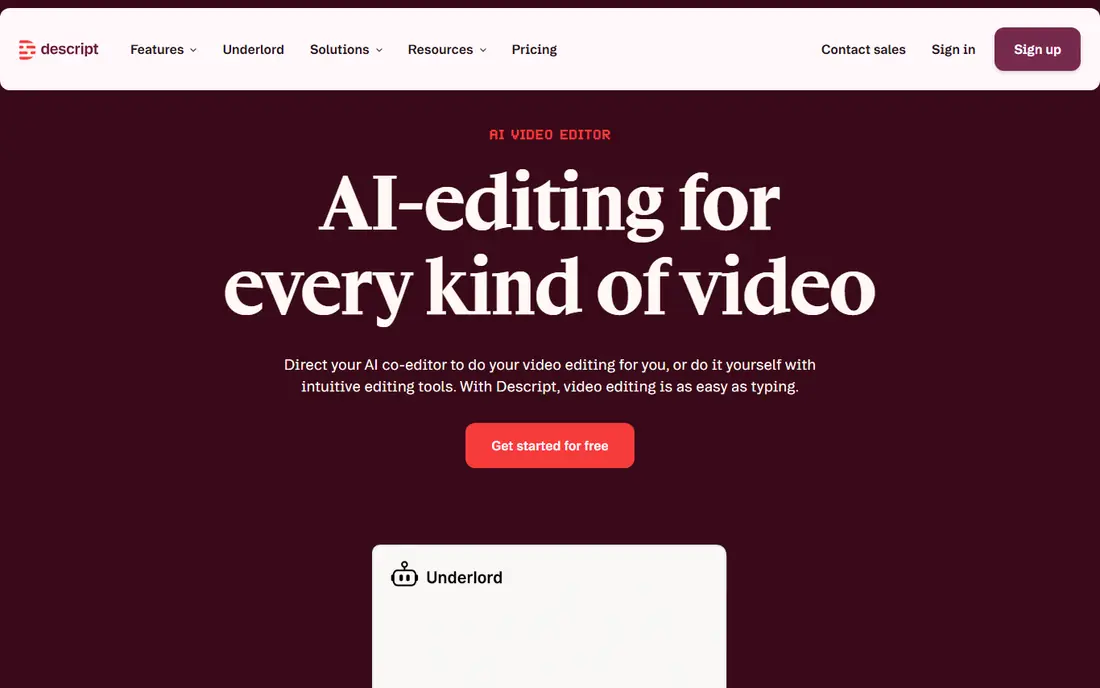
Descript is an AI video and audio editor that makes editing as easy as editing text. You record, transcribe, edit and publish inside one tool, which suits podcasters, course creators and marketers who work from spoken content and want cuts tied to words rather than timelines.
Because it centers on transcript-driven editing, it is less focused on auto-generating viral clips from long uploads. If your main need is fast vertical clipping with styled captions, a dedicated clipping tool may fit better, while Descript rewards people editing full episodes.
- Edit by editing transcribed text
- Record, transcribe and publish in one tool
- Handles both video and audio projects
- Not built primarily as a clipping tool
- Learning curve for advanced edits
Kapwing is a video creation platform that can generate full video projects from a single prompt and then edit them in the browser. It fits modern creators and social teams producing content across several channels who want generation and editing in one place rather than separate apps.
Generated projects typically need manual refinement, so expect to review pacing, text and framing before publishing. If you only need automatic captions on existing shorts, a narrower caption tool may be quicker, while Kapwing suits broader creation work.
- Generate full video projects from a prompt
- Browser-based editing workflow
- Suited to multi-channel content
- Prompt output still needs review
- Broad feature set can overwhelm beginners
Veed is an AI video creation platform built around a generate-and-edit workflow. It supports talking heads, AI-assisted editing, dubbing and subtitles, which fits marketers and solopreneurs who need to produce and localize short videos without a large production team.
The breadth of features means setup and learning take time, and output quality depends on your source footage. If your only goal is auto-captioning raw clips, a simpler tool may be enough, but Veed suits teams handling multiple video tasks in one place.
- Talking heads and AI editing
- Dubbing and subtitle support
- Aimed at marketers and solopreneurs
- Many features to learn
- Best results need source footage planning
Submagic takes raw videos and uses AI to add captions, cuts, B-roll, zooms and music in styles aimed at viral shorts, ready to post in minutes. It fits creators who publish frequent short clips and want a fast, style-driven pass rather than a full editing suite.
Its strength in short-form styling means it is not the tool for long-form editing or complex projects. If you need transcript-based editing of full episodes or prompt-generated videos, look at broader editors, while Submagic suits rapid short-clip production.
- Automatic captions and cuts
- B-roll, zooms and music added
- Styled for short-form posting
- Focused on shorts rather than long edits
- Style presets may need adjusting
Klap is an AI clipping tool that turns long videos into vertical shorts for TikTok, Reels and Shorts, adding virality scores, active-speaker reframing, captions and scheduling. It fits podcasters and creators with hours of long footage who want many short clips without manual cutting.
Clip quality depends on the source material, and suggested moments still benefit from a review pass. If you mostly edit original short recordings rather than repurposing long videos, a caption or editor tool may fit better than a clipping-first workflow.
- Clips long videos into vertical shorts
- Active-speaker reframing
- Captions and scheduling included
- Depends on quality of source video
- Clip selection may need manual review
Riverside is an online studio for high-quality podcast and video recording and editing, powered by AI and built for human conversations. It fits hosts and interviewers who want to capture remote sessions and then edit them, rather than starting from footage recorded elsewhere.
It is centered on recording and editing conversations, so dedicated clipping and caption styling are not its main focus. If you already have finished long videos and only need shorts extracted, a clipping tool may be more direct, while Riverside suits end-to-end podcast production.
- Online studio for recording
- AI-assisted editing
- Built for conversations and podcasts
- Not a dedicated clipping tool
- Recording quality depends on connections
How the list was put together
ToolNimba compared documented features, vendor homepage descriptions and stated limits for each tool, keeping the given order. We did not benchmark outputs or test accounts. Details such as supported formats and workflow steps should be confirmed on vendor sites before buying. The ranking is editorial and reflects how each tool's stated focus maps to common short-form video needs.
What to confirm before you sign up
- Check whether the tool clips long videos or edits original footage
- Confirm caption language support and styling controls
- Verify export formats and aspect ratios for your channels
- Review how much manual editing generated output requires
- Check whether recording, editing and scheduling live in one workflow
Sources
Official websites of the products reviewed above. Features and prices were checked against these sites when the guide was written, and they can change, so confirm on the vendor site before you buy.
Frequently asked questions
What is the main difference between these alternatives?
Some tools, such as Klap and Submagic, focus on turning footage into captioned short clips, while Descript, Kapwing, Veed and Riverside cover broader recording and editing. The right choice depends on whether you start from long videos or create shorts directly.
Which tool is best for captions on short videos?
Submagic is built around automatic captions, cuts, B-roll and zooms for viral shorts, and Veed also supports subtitles within a broader workflow. Compare caption styling and language support on each vendor site.
Can I edit long podcasts and still make shorts?
Descript and Riverside suit long-form podcast recording and editing, while Klap is designed to extract vertical shorts from long videos. Some creators combine a long-form editor with a dedicated clipping tool rather than relying on one app.
Do these tools replace manual editing entirely?
No. AI-generated cuts, captions and clips generally benefit from a review pass for pacing, framing and accuracy. Treat automation as a first draft and confirm output before publishing.