7 8x8 Alternatives Worth a Look in 2026
By ToolNimba Editorial Team November 18, 2026 8 min read
We did not test these tools hands-on. Picks are based on vendor documentation and public information. Read our editorial policy and disclosure.

- Top pick
 Ooma
Small teams that want straightforward pricing
Starting price$19.95 per user/month (billed annually)Check out OomaRead our review - Runner-up
 Vonage
Adaptable plans with API choices
Starting price$13.99 per user/month (billed yearly)Check out VonageRead our review - Also great
 Zoom Phone
Teams already using Zoom
Starting price$10 per user/month (billed yearly)Check out Zoom PhoneRead our review
How we researched this
We compared official pricing and feature pages, app store listings, privacy policies and public user reviews. Prices change, so check the provider's site before you pay.
Direct answer
This list puts Ooma first for small teams that want straightforward pricing. For a different need, Vonage covers adaptable plans with API choices and Zoom Phone covers teams already using Zoom. Details, prices and limits for the rest of the 7 tools are below.
Key takeaways
- The list opens with Ooma, aimed at small teams that want straightforward pricing.
- Starting prices begin at $10 per user/month with Zoom Phone.
- Nextiva is the one to check for straightforward setup with capable support.
- One limit worth knowing about Ooma: higher entry price than Nextiva or Dialpad.
- Neither Ooma nor Nextiva, nor any of the other 5 tools, has a permanent free plan; trials and quotes are the norm.
Quick comparison
| Name | Best for | Starting price | Free plan | |
|---|---|---|---|---|
| Ooma | Small teams that want straightforward pricing | $19.95 per user/month (billed annually) | Free trial | Visit |
| Vonage | Adaptable plans with API choices | $13.99 per user/month (billed yearly) | Free trial | Visit |
| Zoom Phone | Teams already using Zoom | $10 per user/month (billed yearly) | No | Visit |
 CloudTalk | Outbound and support teams at scale | $25 per user/month (billed yearly) | Free trial | Visit |
 Dialpad | AI features on every plan | $15 per user/month (billed yearly) | Free trial | Visit |
 RingCentral | All-round unified communications | $20 per user/month (billed yearly) | Free trial | Visit |
 Nextiva | Straightforward setup with capable support | $15 per user/month (billed yearly) | No | Visit |
Our 7 picks for 8x8
ToolNimba put together this guide to 8x8 for readers who want a clear shortlist without reading every vendor page. It compares 7 tools on starting price, free plans, who each one suits and where each one falls short.
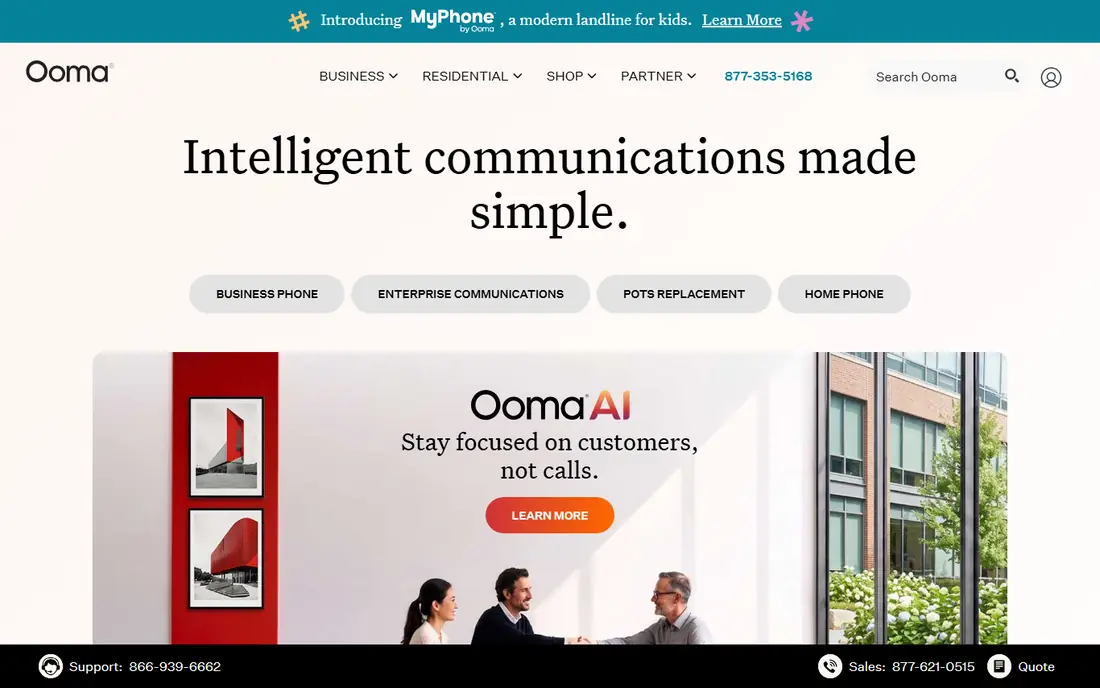
In short, Ooma is for small teams that want straightforward pricing. Ooma Office targets small offices, retail shops, and professional businesses that want phones working rapidly.
The main drawbacks: Advanced analytics need higher levels.
Bigger teams or businesses with complicated routing needs will likely outgrow it. Essentials at $19.95 per user a month comes with a virtual receptionist, call blocking, and mobile apps, and Ooma sells preconfigured desk phones that work with little setup. Starting cost for Ooma: $19.95 per user/month. Free options: Free trial.
- Virtual receptionist included
- Straightforward setup with preconfigured desk phones
- Higher entry price than Nextiva or Dialpad
Vonage is built with adaptable plans with API choices in mind. Adaptability can become complexity. Call recording, ring groups on some levels, and other features that rivals bundle may cost additional.
Where it falls short: Multiple standard features.
So the final bill needs a line-by-line check. Mobile at $13.99 per line a month billed yearly includes core calling, whereas higher levels add video, messaging, and app integrations. Its communications APIs let developers build SMS, voice, and verification workflows into their own products. Vonage pricing: $13.99 per user/month. On free options: Free trial.
- Solid developer APIs for custom workflows
- Adaptable plan building with extras
- Pricing varies by plan and term
Zoom Phone targets teams already using Zoom. Setup is straightforward, and staff who already know Zoom need little training to start taking calls. Teams with high call volumes may find unlimited plans less expensive all in all, and global calling, SMS, and contact centre analytics frequently sit on higher levels.
What to check first: Advanced contact centre features need higher levels or extras.
For everyday use, the entry US and Canada metered plan opens at $10 per user a month billed yearly. Users can move from a call into a video meeting without switching apps. Price to start with Zoom Phone: $10 per user/month. There is no free plan with Zoom Phone.
- Lowest entry price in this guide
- Call escalation into Zoom meetings in one click
- Some plans are metered, so heavy callers pay more
CloudTalk is designed for outbound and support teams at scale. Starter at $25 per user a month billed yearly includes an auto dialer, call flow designer, international numbers, and CRM sync, with higher levels adding AI insights and advanced analytics.
Beyond that, teams that only need entry-level calling and meetings should compare those less expensive choices first. In practice, support for numbers in more than 160 countries helps businesses with global customers or remote agents. CloudTalk cost at the entry level: $25 per user/month. Free access: Free trial.
Limits to weigh: Minimums apply on some plans.
- AI dialer and call flows for high-volume teams
- Numbers in numerous countries
- Higher entry price than general VoIP rivals
Dialpad is built with AI features on every plan in mind. Dialpad stands out since AI is not reserved for a premium tier. For everyday use, setup is fast, and the interface fits teams that work primarily from a browser or mobile app.
What works well: live coaching on all plans.
For everyday use, standard at $15 per user a month billed yearly comes with transcription, call summaries, and live coaching prompts, which help sales managers and support leads without additional software. Depth has limits. Full CRM integrations move to Pro at $25 per user a month, and some enterprise admin features need higher seat counts. Starting cost for Dialpad: $15 per user/month. Trial and free access: Free trial. Limits to weigh: CRM integrations need the Pro tier.
- Decent Google Workspace links
- Quick setup
- Some admin controls need bigger seat counts
For all-round unified communications, RingCentral is a natural candidate. That breadth matters when a phone system must link to the rest of the business, not just place calls.
Drawbacks to consider: additional SMS raise the real bill.
In practice, the price on the pricing page is only part of the story. RingCentral pricing: $20 per user/month. Free access: Free trial.
- Broad integration library
- Voice, video
- Extras for AI receptionist, call queues
Nextiva serves simple setup with capable support. Nextiva appeals to teams that want phones to work without a long implementation project. From a buyer's view, core also limits SMS to 100 messages per user a month and leaves call recording as an add-on.
Downsides: Integration list is thinner than RingCentral.
In practice, the $15 rate applies to a 12-month term for small companies, and monthly billing costs more. From a buyer's view, terms deserve a careful read. Core at $15 per user a month billed yearly bundles voice, video, team chat, and business SMS, which handles the daily needs of most small and mid-size businesses. Starting cost for Nextiva: $15 per user/month. Nextiva does not include a free plan.
- SMS from the base plan
- Voice, video, messaging
- Best small-business pricing needs a 12-month term
How we chose
The comparison looks at four things: starting price, free access, how well the feature set matches 8x8, and the main limit of each tool. Treat prices as a snapshot: vendors change plans often, so check the vendor site for the figure that applies today. Order on the page follows fit for the typical buyer first, then price transparency and free access. Your own requirements should decide the final pick.
What to check before you buy
- Confirm the entry price on the vendor page: Zoom Phone starts at $10 per user/month, but seat counts and billing terms change the total.
- Take the trial from Ooma, Vonage, CloudTalk and others and push a live task through it before you pay.
- Before choosing Ooma, weigh its main limit: higher entry price than Nextiva or Dialpad.
- Look at the renewal terms for RingCentral: auto-renewal, notice periods and price changes can matter more than the first-year price.
- Price Ooma for your actual team size; headline prices rarely include add-ons or overage.
Sources
Frequently asked questions
Does any tool for 8x8 here have a free plan?
A permanent free plan is not offered by Ooma, Nextiva or the other tools here. Ooma, Vonage, CloudTalk, Dialpad, RingCentral offer a trial. Plan a short evaluation period instead.
Do these tools publish their prices?
Yes. Every tool from Ooma to Nextiva shows a starting price, though seats, add-ons and billing terms still change the final cost.
What is the best 8x8 alternative for a small business?
For most readers this guide would start with Ooma, built for small teams that want straightforward pricing. Vonage is the alternative for adaptable plans with API options, and Zoom Phone for teams already using Zoom. The right answer depends on budget and workflow.
How are the tools for 8x8 ordered?
The order follows typical fit for 8x8, with Ooma first and Nextiva last, then price clarity and free access. It is editorial judgement, not a score, so another team could rank the tools differently.
What is the cheapest option for 8x8 in this list?
On published monthly entry prices, Zoom Phone is the lowest here at $10 per user/month. Entry price is only part of the cost, because seats, add-ons and billing terms can change the total.
Is RingCentral better than 8x8?
RingCentral provides a wider integration library and a broader unified communications product than 8x8, which helps teams that link phones to CRMs and helpdesks. The better choice relies on whether integrations or global calling matter more to your team.