Best Asana Alternatives in 2026: 9 Tools Compared
By ToolNimba Editorial Team October 31, 2026 11 min read

- Top pick
 monday.com
Visual boards and dashboards
Starting price$9 per monthCheck out monday.comRead our review - Runner-up
 ClickUp
All-in-one value
Starting price$7 per monthCheck out ClickUpRead our review - Also great
 Trello
Simple kanban boards
Starting price$5 per monthCheck out TrelloRead our review
How we researched this
We compared official pricing and feature pages, app store listings, privacy policies and public user reviews. Prices change, so check the provider's site before you pay.
Key takeaways
- ClickUp gives the most features per dollar for teams that want tasks, docs, goals, and dashboards in one place, starting at $7 per user per month billed annually.
- monday.com suits visual teams that want flexible boards and dashboards, starting at $9 per user per month billed annually, with a free plan for up to two seats.
- Trello remains the simplest Asana alternative for kanban work, starting at $5 per user per month billed annually, with a free plan for up to 10 collaborators.
- Notion is the best choice when docs, wikis, and light project work need to live together, starting at $10 per user per month billed annually.
- Basecamp wins on flat pricing for larger teams, while Todoist wins for small teams that only need shared task lists.
Quick comparison
| Name | Best for | Starting price | Free plan | |
|---|---|---|---|---|
| monday.com | Visual boards and dashboards | $9 per month | Yes | Visit |
| ClickUp | All-in-one value | $7 per month | Yes | Visit |
| Trello | Simple kanban boards | $5 per month | Yes | Visit |
 Notion | Docs plus tasks | $10 per month | Yes | Visit |
 Wrike | Structured enterprise work | $10 per month | Yes | Visit |
 Basecamp | Flat-price simplicity | $15 per month | Free trial | Visit |
 Todoist | Simple shared lists | $4 per month | Yes | Visit |
 Smartsheet | Spreadsheet-style projects | $9 per month | Free trial | Visit |
 Airtable | Database-style projects | $20 per month | Yes | Visit |
The best Asana alternatives
Asana is strong on structured projects, timelines, and goals, but its free plan now covers very small teams, and some teams want simpler boards, cheaper seats, or docs in the same workspace. The tools below all offer current paid plans, import options, and a clear reason to switch.
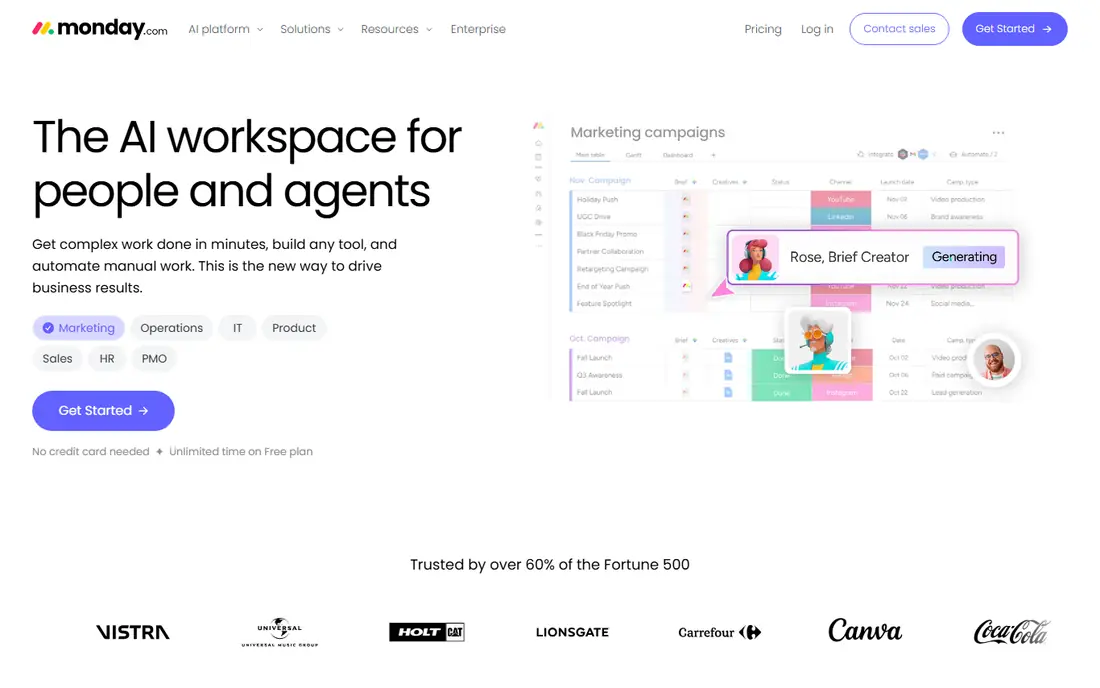
monday.com works best when your team thinks in boards, colours, and status columns rather than long task lists. You can build a board for a campaign, a product launch, or a client pipeline, then add dashboards that show progress, workload, and deadlines without exporting data to another tool. Templates for marketing, sales, operations, and product work shorten setup, and automations can move items, notify owners, and change statuses when work changes.
The honest catch is price creep. The Basic plan at $9 per user per month billed annually covers core boards, but timelines, advanced automations, and richer dashboards sit on higher tiers. Small teams should test the free plan first, then check the Standard plan at $12 per user per month billed annually before committing. Migration from Asana is straightforward with the built-in importer, but you will need to rebuild some custom fields and rules by hand.
- Flexible boards
- Strong dashboards
- Many templates and automations
- Costs rise with higher tiers
- Free plan is limited to two seats
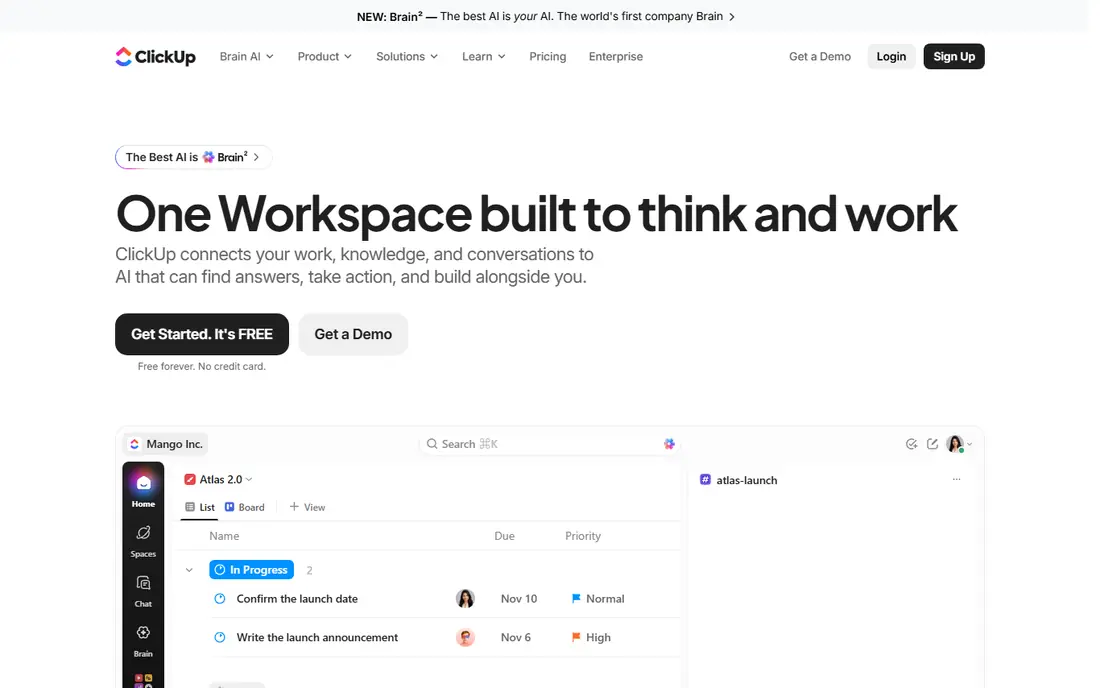
ClickUp is the value pick in this list because its Unlimited plan at $7 per user per month billed annually includes Gantt charts, custom fields, native time tracking, integrations, and a large automation allowance. The free plan covers unlimited tasks and members, which no other tool here matches, so small teams can run real projects before paying. Docs, whiteboards, goals, and dashboards sit in the same workspace, which reduces the need for separate tools.
The trade-off is complexity. ClickUp ships so many features that a workspace without an owner can turn into clutter, with duplicate lists, unused fields, and views nobody checks. Appoint one admin, turn off features you do not use, and start with one list view and one board view. Teams that do that get a strong Asana replacement for less money, while teams that want a calm, opinionated tool may prefer Basecamp or Trello.
- Unlimited tasks and members on free plan
- Many views
- Native time tracking and goals
- Setup can feel overwhelming
- Teams need an owner to keep workspaces tidy
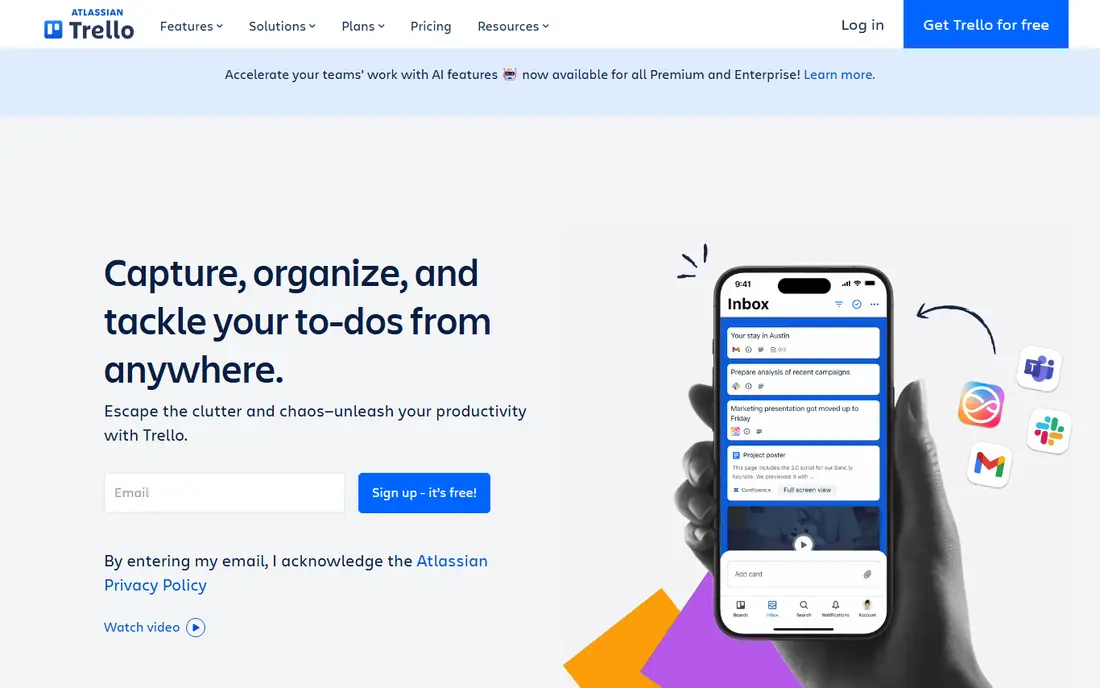
Trello suits teams whose whole plan fits on a board. Cards move from list to list, checklists break work into steps, and labels, due dates, and members give just enough structure without a learning curve. The free plan covers up to 10 collaborators per workspace, and Standard at $5 per user per month billed annually adds unlimited boards, advanced checklists, and custom fields. For editorial calendars, hiring pipelines, and simple delivery boards, that is often enough.
Trello is not a direct replacement for Asana portfolios, goals, or workload views. Premium at $10 per user per month billed annually adds timeline, calendar, and dashboard views, but it still feels lighter than monday.com or Wrike for large programmes. Choose Trello when simplicity is the goal, and choose a heavier tool when you need cross-project reporting or resource planning.
- Easiest board to learn
- Low starting price
- Generous free plan for small teams
- Weak for complex timelines and portfolios
- Reporting is basic without add-ons
Notion appeals to teams that live in documents as much as in tasks. A project page can hold the brief, the meeting notes, the task database, and the decision log together, so context does not get lost in separate tools. The Plus plan at $10 per user per month billed annually adds unlimited file uploads, longer version history, and more automation, while the free plan works well for individuals and small trials.
The honest catch is that Notion is a toolkit, not a ready-made project system. You need to design databases, views, and status fields yourself, and reporting across many projects takes more work than in Asana. Teams that enjoy that flexibility get a workspace that fits their process exactly, while teams that want timelines, portfolios, and workload out of the box should look at monday.com or Wrike first.
- Docs, wikis, and databases in one place
- Flexible templates
- Good for knowledge work
- Project reporting is weaker than Asana
- Setup needs design choices up front
Wrike is built for larger teams that need structure, approvals, and reporting across many projects. The Team plan at $10 per user per month billed annually includes board and table views, timelines, and shared dashboards, while Business adds resource management, custom workflows, and deeper reporting. That structure helps marketing, operations, and professional services teams that handle high volumes of work with clear handoffs.
New users should expect a learning curve, because Wrike offers many views and settings that take time to configure well. Migration from Asana often needs planning, especially for custom fields and approval chains. If your team is small and wants a quick start, Trello or ClickUp will feel faster, but if you need control and audit trails, Wrike earns its place.
- Strong timelines and reporting
- Resource management
- Approval workflows
- Learning curve for new users
- Higher tiers are needed for advanced reporting
Basecamp takes a different approach from Asana by giving each project a simple home with to-dos, message boards, schedules, files, and group chat. That calm structure suits teams that are tired of complex project tools and want one place where work and discussion live together. Pricing is flat for the Pro Unlimited plan, which beats per-seat pricing once a team passes about twenty people, while the Plus plan at $15 per user per month suits smaller teams.
The limit is views. Basecamp has no Gantt chart, and its reporting is simpler than Asana, monday.com, or Wrike. Teams that need timelines, portfolios, or workload planning will miss those features, but teams that need clear ownership, fewer notifications, and a predictable bill often prefer Basecamp. The 30-day free trial is long enough to test it on a real project before paying.
- Flat pricing for larger teams
- Built-in chat and message boards
- Calm, simple structure
- No Gantt view
- Per-user plan still costs $15 per month
- Fewer advanced project views
Todoist is the best Asana alternative when your team mainly needs shared task lists, not full project management. Capture is fast, natural language dates work well, and projects, labels, and filters keep personal and team work separate without a complex setup. Pro at $4 per user per month billed annually adds reminders, filters, and more activity history, while Business adds team workspaces and admin controls.
Todoist will not replace Asana for a multi-phase programme with dependencies, timelines, and portfolios. It is best for small teams, freelancers working with clients, and households or study groups that need reliable lists. If your work fits in lists and due dates, Todoist saves money and time, but if it needs boards, timelines, and reporting, start with Trello or ClickUp instead.
- Fast task capture
- Low price
- Works well on mobile and desktop
- Weak for large projects
- No native timelines or portfolios
Smartsheet suits teams that already think in spreadsheets and want project features on top of a grid. You can plan in rows and columns, add formulas, attach files, and build reports and dashboards from the same sheets. The Pro plan at $9 per user per month billed annually covers core sheets, Gantt views, and reporting, which makes it a natural fit for operations, construction, and event teams.
The catch is the trial-only free access and a learning curve for users who expect a board-first tool. Smartsheet rewards teams that standardise their sheets and reports, but it can feel heavy for a small creative team. Test it on one real workflow during the 30-day trial, and check whether your team actually uses the grid view or just wants a simpler board.
- Familiar grid view
- Strong formulas and reports
- Good for operations teams
- No free plan, only a trial
- Interface feels less modern than rivals
Airtable is the strongest choice when your projects are really databases, such as content calendars, product launches with linked assets, or client pipelines with related records. Linked records, filtered views, and interfaces let you build a system that fits your data, rather than forcing work into generic tasks. The free plan works for trials, while Team at $20 per user per month billed annually adds more records, automations, and sync options.
Airtable is not the cheapest Asana alternative, and it needs database thinking to set up well. Teams that want a ready-made timeline and portfolio view may prefer monday.com, while teams that want to model real data will find Airtable more powerful in the long run. Migration from Asana is possible by CSV import, but you should plan to redesign fields and links rather than copy them directly.
- Powerful linked records
- Many views
- Strong for content and product catalogues
- Higher starting price
- Project features need database design
How we picked these
We compared official pricing pages, feature pages, and app store listings for each tool, plus public reviews that describe migration, limits, and day-to-day use. We kept only tools that are currently available, offer a paid plan or a usable free plan, and provide a clear alternative to Asana for a distinct team type. Prices quoted are annual billing where the vendor lists it, and we noted where a free plan is limited to a small number of users.
How to choose the right Asana alternative
Start with how your team actually plans work. If work fits on a board, Trello or monday.com will feel natural. If work lives in documents, Notion fits better. If work needs timelines, portfolios, and workload views, compare ClickUp, monday.com, and Wrike on those specific views, not on feature counts alone.
Test migration before you commit
Import one real Asana project into your top two choices and check tasks, assignees, due dates, custom fields, and comments. A tool that imports tasks cleanly but loses context will cost you time later. Run the trial with the people who will use it daily, not only with managers, and ask them to complete a normal week of work in the new tool.
Watch the total cost, not just the seat price
Check minimum seat counts, guest limits, and which features sit on higher tiers. A $5 plan that lacks timelines may cost more than a $10 plan once you add the tier you actually need. Also check automation limits, storage limits, and AI pricing, because those extras can change the monthly bill.