Best Accounting Automation Software in 2026: 9 Tools Compared
By ToolNimba Editorial Team November 6, 2026 10 min read

- Top pick
 QuickBooks Online
US small businesses
Starting price$38 per monthCheck out QuickBooks OnlineRead our review - Runner-up
 Xero
Teams with many users
Starting price$25 per monthCheck out XeroRead our review - Also great
 FreshBooks
Freelancers and service billing
Starting price$21 per monthCheck out FreshBooksRead our review
How we researched this
We compared official pricing and feature pages, app store listings, privacy policies and public user reviews. Prices change, so check the provider's site before you pay.
Key takeaways
- QuickBooks Online is the safest pick for US small businesses, because most accountants already know it and its app ecosystem is the widest.
- Xero is the best value for teams, because every plan includes unlimited users and strong bank reconciliation.
- BILL and AvidXchange suit companies whose main pain is accounts payable, not general bookkeeping.
- FreshBooks and Zoho Books suit service businesses and freelancers that bill by time or project.
- Automation only helps if bank feeds, rules, and approvals are set up well, so judge tools on a real month of transactions.
Quick comparison
| Name | Best for | Starting price | Free plan | |
|---|---|---|---|---|
| QuickBooks Online | US small businesses | $38 per month | No | Visit |
| Xero | Teams with many users | $25 per month | No | Visit |
| FreshBooks | Freelancers and service billing | $21 per month | No | Visit |
 Zoho Books | Affordable automation | Free | Yes | Visit |
 Wave | Free core accounting | Free | Yes | Visit |
 BILL | Accounts payable automation | See website | No | Visit |
 Sage Intacct | Growing mid-size companies | See website | No | Visit |
 NetSuite | Larger companies at scale | See website | No | Visit |
 AvidXchange | High-volume bill payment | See website | No | Visit |
The best accounting automation software
Accounting automation means bank feeds that pull transactions in, rules that categorize them, invoices that send themselves, and bills that route for approval without chasing paper. The tools below differ in where they automate best. Some cover the whole ledger, while others focus on one painful workflow such as paying bills.
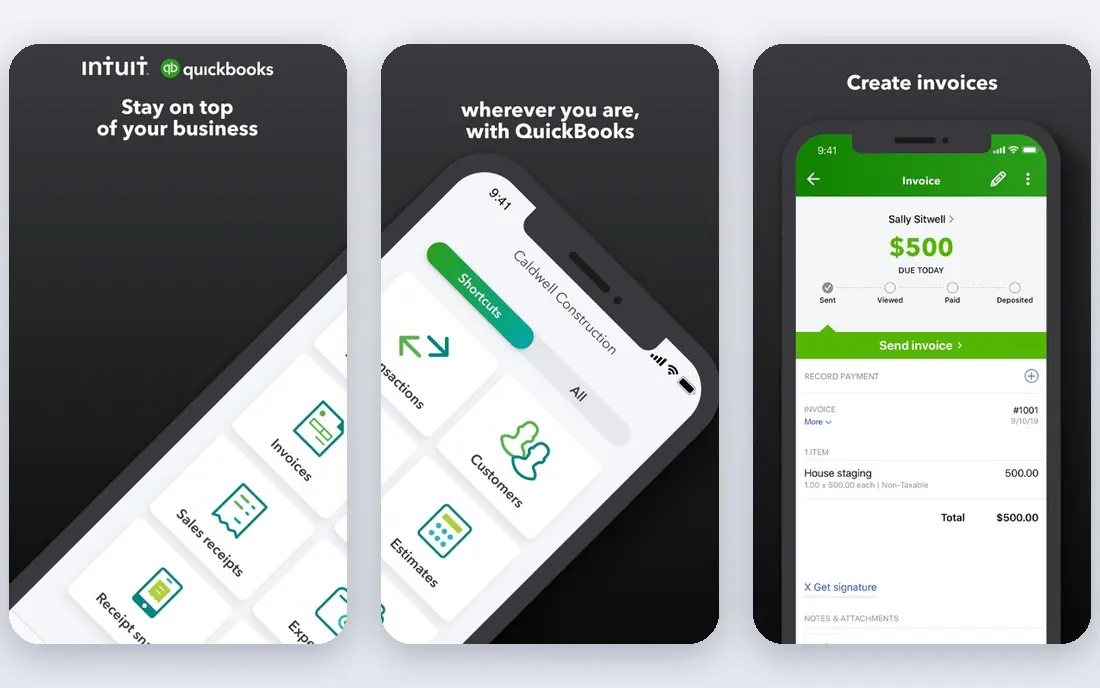
QuickBooks Online is our pick for most US small businesses. Bank feeds import transactions, rules categorize repeat items, and scheduled invoices and reminders cut chasing time. Because most US accountants and bookkeepers know it, year-end work and questions get answered faster than with a niche tool. Payroll and payments plug in directly, which keeps more of the money workflow in one place.
The cost curve is the catch. The entry plan covers one user, and higher plans add users and features at steep jumps. A five-person business can land on a plan near 100 dollars a month before payroll. If your accountant uses QuickBooks and your business is US-based, that cost is usually worth it. If not, Xero may save money.
- Widest US accountant support
- Strong bank feeds and rules
- Large app ecosystem
- Built-in payroll and payments
- User counts are capped per plan
- Price rises fast with tiers and add-ons
- Interface can feel crowded
Xero is the best pick for teams that need several people in the books without per-seat fees. Every plan includes unlimited users, which alone can save a growing team hundreds of dollars a year against QuickBooks. Bank reconciliation is clean and fast, and Hubdoc captures bills and receipts into the ledger with little manual typing.
The entry plan caps invoices at 20 and bills at 5 per month, so most active businesses need the mid-tier plan. US payroll runs through a partner rather than natively, which adds a second bill. For teams that value clean reconciliation and flat user pricing, Xero is an easy recommendation.
- Unlimited users on every plan
- Strong bank reconciliation
- Receipt capture with Hubdoc
- Many integrations
- Entry plan caps invoices and bills
- US payroll needs a partner such as Gusto
- Advanced reporting sits on higher plans
FreshBooks is built around getting paid. Invoices look polished, reminders go out on their own, and time tracking feeds straight into billable hours. Service businesses that bill by project or hour will spend less time turning work into invoices here than in a general ledger tool. The client portal also cuts back-and-forth over payment status.
The limits matter. Lower plans cap billable clients, so a long tail of small customers can force an upgrade sooner than expected. Inventory tracking and deep reporting are lighter than QuickBooks or Xero. Pick FreshBooks when billing is the core job, and pick a full ledger tool when inventory or complex reporting leads.
- Excellent invoicing
- Time tracking and billable hours
- Automated reminders and late fees
- Easy client portal
- Billable client caps push users to higher plans
- Inventory and reporting are lighter
- Not built for complex ledgers
Zoho Books is the best low-cost automation pick. The free plan covers small businesses with modest volume, and paid plans start at 15 dollars a month. Recurring invoices, payment reminders, bank feeds, and workflow rules automate the routine work that eats up a solo owner's week. Multi-currency support on higher plans helps businesses with overseas clients.
The trade-off is ecosystem fit. Zoho Books shines inside Zoho's suite, with CRM, inventory, and projects close at hand. Outside that suite, some integrations feel thinner than QuickBooks or Xero. For a business already using Zoho, or one that wants strong automation at a low price, it is a strong pick.
- Free plan for small use
- Recurring invoices and automation rules
- Multi-currency support
- Tight Zoho app integration
- Weaker outside the Zoho ecosystem
- US payroll needs a partner
- Support depth varies by plan
Wave is the best free starting point for very small businesses. Core accounting, invoicing, and receipt features cost nothing, which is rare in this category. Setup is simple, and a solo owner can send a first invoice within an hour. For a side business or a new freelancer, that zero starting cost removes the main barrier to keeping proper books.
Wave is not built to scale. Payroll is a paid add-on, integrations are fewer, and inventory and project depth are limited. Businesses that grow past simple invoicing and expenses will likely move to QuickBooks, Xero, or Zoho Books. Start with Wave when free matters most, and move when its limits start costing time.
- Free core accounting and invoicing
- Receipt scanning
- Simple setup for very small businesses
- Payroll costs extra and varies by state
- Fewer integrations
- No deep inventory or project tools
BILL focuses on one workflow and does it well: getting bills approved and paid without paper. It captures bills, routes them to the right approvers, and pays by ACH, check, virtual card, or international wire. Sync with QuickBooks, Xero, Sage Intacct, and NetSuite keeps the ledger current without double entry. Finance teams that process dozens of bills a month save the most time here.
BILL is an add-on, not a replacement ledger, so it adds a second subscription on top of your accounting tool. Pricing is quote-based for many plans, so budget only after a demo and a volume estimate. If bill payment is your bottleneck, BILL is worth that extra cost. If it is not, a general ledger tool covers basic bill entry fine.
- Bill capture and approval workflows
- Automated payments by ACH, check, or card
- Syncs with QuickBooks, Xero, and others
- Quote-based pricing for many plans
- Adds cost on top of an accounting tool
- Setup takes care with approval rules
Sage Intacct suits companies that have outgrown small business tools. It automates approvals, allocations, and consolidations across entities and currencies, and its reporting handles dimensions such as department, location, and project without spreadsheet workarounds. Finance teams in growing service, nonprofit, and software companies use it to close faster with fewer manual journals.
The cost and setup reflect that power. Pricing is quote-based, and implementation usually needs partner help and careful mapping of the chart of accounts. Small businesses will find it too much tool and too much cost. Mid-size companies with multiple entities or complex reporting needs will find it a clear step up.
- Strong multi-entity and multi-currency support
- Automated workflows and approvals
- Deep financial reporting
- Quote-based pricing
- Implementation takes time and help
- Overkill for small businesses
NetSuite is the enterprise-grade pick in this list. It combines accounting with inventory, order management, CRM, and e-commerce, so automation spans departments rather than stopping at the ledger. Workflows, approvals, and scheduled billing run across the suite, and global companies get multi-currency and multi-subsidiary support in one system.
That breadth comes with enterprise cost and a long implementation. Small and mid-size businesses will find NetSuite too heavy and too expensive. Larger companies that need one system for finance and operations, and that can staff an admin, get real value from its automation depth.
- Accounting, inventory, CRM, and e-commerce in one suite
- Strong automation across departments
- Global currency and tax support
- Quote-based enterprise pricing
- Long implementation
- Needs admin skill to run well
AvidXchange is built for companies drowning in supplier invoices. It captures invoices, routes approvals, and pays through a large supplier network, with audit trails that finance and auditors both like. Real estate, construction, and other invoice-heavy industries use it to replace paper chasing with a tracked, automated pipeline.
It is not a small business tool. Pricing is quote-based, and it suits mid-market and larger firms with steady invoice volume. Integration with the accounting system needs planning, and the payoff depends on volume. If your team processes hundreds of bills a month, AvidXchange can pay for itself in saved hours. If volume is low, BILL or a ledger tool is the better fit.
- Built for high invoice volume
- Supplier payment network
- Approval workflows and audit trails
- Quote-based pricing
- Aimed at mid-market and larger firms
- Needs integration work with the ledger
How we picked these
We compared official feature pages, pricing pages, and integration lists, and we checked that each homepage loads and belongs to the product named. We looked for real automation: bank feeds, categorization rules, recurring invoices, approval routing, and payment automation, not just digital bookkeeping. We included free, small business, and enterprise options so readers at different sizes find a fit.
How to choose the right accounting automation tool
Start with the workflow that costs the most time. If invoicing and getting paid lead, prioritize FreshBooks or QuickBooks. If paying bills leads, prioritize BILL or AvidXchange alongside your ledger. If closing the books and reporting lead, prioritize Xero, Sage Intacct, or NetSuite based on company size.
Next, check your accountant and your stack. A tool your accountant already uses saves money at year end, and a tool that syncs with payroll, banking, and payments saves daily effort. Run a trial with a real month of transactions, not a demo dataset, and count how many entries still need manual fixing. The tool with the fewest manual touches at your volume is the right one, even if its headline price is higher.
Finally, watch user and volume caps. Entry plans often cap invoices, bills, or users, and those caps decide the real monthly cost. Price the plan you will need in six months, not the plan that fits today, and confirm payroll and payment fees separately, since those add-ons change the total fast.
Sources
Frequently asked questions
Which accounting automation software is best?
QuickBooks Online is the best all-around pick for US small businesses, thanks to accountant support and a wide ecosystem. Xero is the best value for teams with many users. The best pick for your business depends on size, billing style, and whether bill payment or reporting is the bigger pain.
What is the best accounting software for automation on a budget?
Zoho Books and Wave are the strongest budget picks. Wave offers free core accounting and invoicing, while Zoho Books adds automation rules and recurring invoices at a low price. Both suit very small businesses, though growing firms often move to QuickBooks or Xero later.
What is the best accounting automation tool for paying bills?
BILL is the best pick for most small and mid-size companies, with bill capture, approvals, and automated payments that sync to major ledgers. AvidXchange suits higher invoice volumes at larger firms. Both sit alongside an accounting tool rather than replacing it.
Does QuickBooks or Xero automate more?
Both automate bank feeds, rules, invoicing, and reconciliation well. QuickBooks leads on US ecosystem depth, payroll, and accountant familiarity. Xero leads on unlimited users and clean reconciliation. The difference that matters most is usually team size and whether your accountant prefers one tool.
Can accounting software replace a bookkeeper?
It can cut routine data entry, categorization, and chasing, but it does not replace judgment on tax, compliance, or unusual transactions. Most small businesses still benefit from a bookkeeper or accountant reviewing the books, even with strong automation. Treat the software as a time saver, not a full replacement.