Best Accounting Software for Accountants in 2026: 8 Tools Compared
By ToolNimba Editorial Team November 7, 2026 11 min read

- Top pick
 QuickBooks Online
US firms with many small business clients
Starting priceSee websiteCheck out QuickBooks OnlineRead our review - Runner-up
 Xero
Firms that want unlimited users
Starting price$27 per monthCheck out XeroRead our review - Also great
 FreshBooks
Service firms that bill by time or project
Starting priceSee websiteCheck out FreshBooksRead our review
How we researched this
We compared official pricing and feature pages, app store listings, privacy policies and public user reviews. Prices change, so check the provider's site before you pay.
Key takeaways
- QuickBooks Online remains the safest default for US firms because most clients and staff already know it, and its accountant dashboard is built for managing many books at once.
- Xero suits firms that want unlimited users and clean bank reconciliation, while Sage Intacct fits larger firms with multi-entity work.
- Free and low-cost options such as Wave and Zoho Books work well for small client lists, but they lack the deeper firm controls of the leaders.
- Always check renewal pricing and payroll add-on costs, since first-year discounts can hide the long-term bill.
Quick comparison
| Name | Best for | Starting price | Free plan | |
|---|---|---|---|---|
| QuickBooks Online | US firms with many small business clients | See website | Free trial | Visit |
| Xero | Firms that want unlimited users | $27 per month | Free trial | Visit |
| FreshBooks | Service firms that bill by time or project | See website | Free trial | Visit |
 Sage Intacct | Mid-size firms with complex reporting | See website | No | Visit |
 Zoho Books | Budget-conscious firms | Free | Yes | Visit |
 Wave | Solo accountants and tiny clients | Free | Yes | Visit |
 Sage 50 Accounting | Desktop-first firms | See website | Free trial | Visit |
 Kashoo | Simple books for small clients | See website | Free trial | Visit |
The best accounting software for accountants
Accountants need more than a ledger. They need client access controls, bulk work tools, and reports they can trust at tax time. The tools below cover that range, from free options for tiny practices to systems built for multi-entity firms.
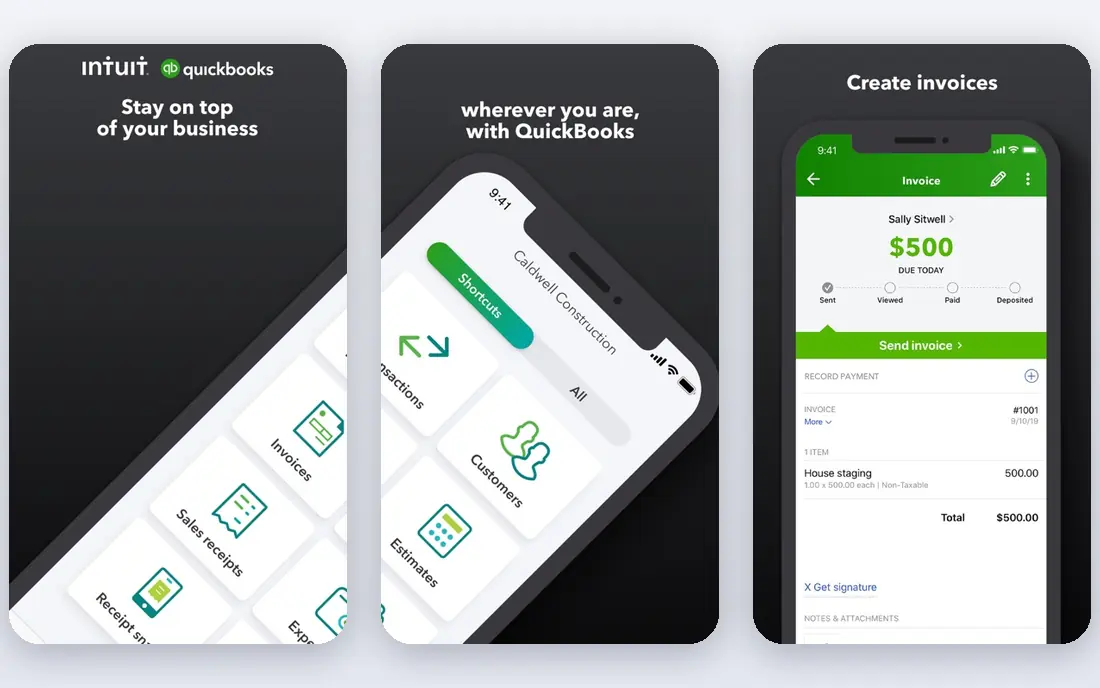
QuickBooks Online is our pick for most US accounting firms, mainly because familiarity saves time. Clients often arrive already using it, staff usually know the layout, and the accountant version lets a firm view many clients from one dashboard. That shared language matters when deadlines are tight and handoffs happen often.
The core accounting is broad, with invoicing, expense tracking, bank feeds, and reporting that covers most small business needs. Payroll, payments, and inventory sit as add-ons or higher tiers, so a firm should price the full stack, not just the base plan. Integrations with banks, point-of-sale tools, and tax software also help firms keep client data flowing without manual re-entry.
The honest catch is cost and complexity. Promotional pricing can look friendly for a few months and then jump, and the feature differences between tiers are not always obvious. Firms should test the accountant dashboard with a real client file before moving a whole book of business onto it.
- Large accountant network
- Strong client dashboard
- Wide integration range
- Prices rise after promotions
- Higher tiers get costly
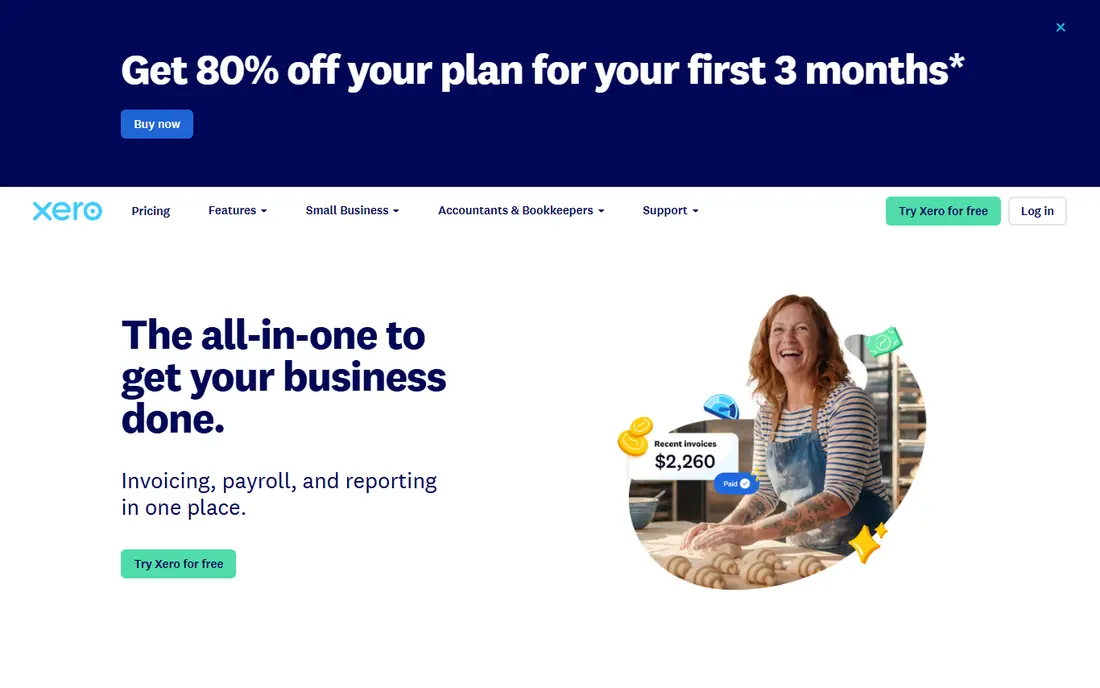
Xero earns its place through a calm interface and a partner program built for accountants. Its dashboard, Xero HQ, gives firms a view across clients, tasks, and deadlines, which helps small teams stay organized. Unlimited users also make it easy to invite clients and staff without counting seats on every plan.
Bank reconciliation is one of its clear strengths. Transactions match quickly, rules cut repeat work, and the reports are easy to read for clients who are not accountants. Multi-currency support and a large app marketplace add value for firms with ecommerce or international clients.
The limits are worth noting. The entry plan caps invoices and bills, so growing clients will need a higher tier. US payroll runs through a partner such as Gusto rather than a built-in Xero payroll product, which adds a second vendor to manage. Firms that want one vendor for everything may prefer a different pick.
- Unlimited users on plans
- Clean bank reconciliation
- Strong partner program
- US payroll needs a partner integration
- Invoice limits on the entry plan
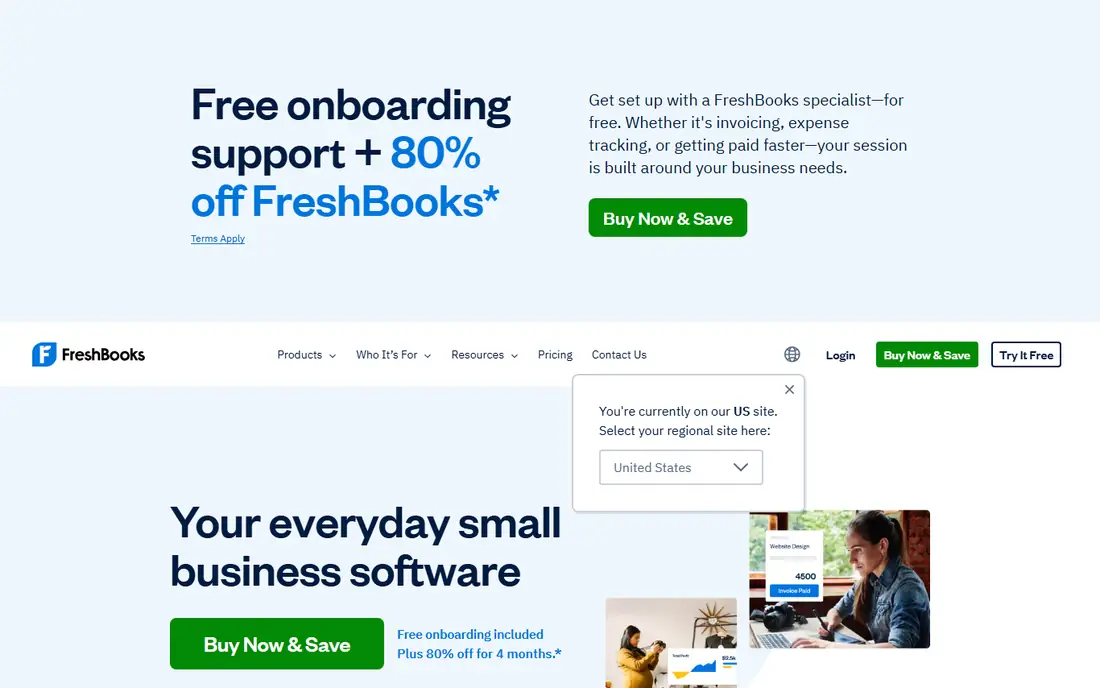
FreshBooks fits accountants whose clients sell time and services rather than stock. Invoicing is polished, time tracking ties cleanly to bills, and clients can pay online without chasing paper checks. For consultants, agencies, and creative firms, that workflow feels lighter than a full enterprise system.
The accounting side covers expenses, estimates, and basic reports, and the accountant role lets a firm review client books. It is a good fit when the main job is keeping billing tidy and cash flow visible. The mobile app also helps clients capture receipts and send invoices away from a desk.
The catch is scope. FreshBooks is not the best choice for manufacturers, retailers with deep inventory needs, or firms that need advanced consolidation. Client limits on lower plans can also force an upgrade sooner than expected. Check those limits against the actual client list before committing.
- Excellent invoicing
- Simple time tracking
- Easy client portal
- Not built for complex inventory
- Limited client counts on lower plans
Sage Intacct is the step up for firms that have outgrown single-entity bookkeeping. It handles multiple entities, departments, and locations with reporting that can slice results in useful ways. For firms serving nonprofits, professional services, or growing companies, that structure is the point.
Automation helps too. Approval workflows, recurring journals, and dimensional reporting reduce manual work once the system is set up well. Audit trails and permissions give firms the control they need when several people touch the same books.
The trade-off is effort and price. Sage Intacct is sold on a quote basis, so firms must talk to sales to get a firm number, and setup takes longer than a simple small business app. It is overkill for a practice with only a handful of simple clients, but it is a serious option when complexity is the daily problem.
- Strong multi-entity and consolidation tools
- Deep reporting
- Good audit trails
- Quote-based pricing
- Longer setup than small business tools
Zoho Books gives small firms a capable system at a low entry cost. The free tier suits very small practices, and paid tiers add automation, client portals, and project billing without a large jump in price. Firms already using Zoho CRM, Zoho Inventory, or Zoho Projects get extra value from the shared data.
Workflow automation is a quiet strength. Recurring invoices, payment reminders, and approval rules cut admin time, and the reports cover profit and loss, balance sheets, and tax summaries. The interface is clean, and setup is faster than many enterprise tools.
The main weakness is community size in the US. Fewer accountants know Zoho Books by default, and the integration list is smaller than QuickBooks Online. That matters less for a firm that standardizes on Zoho, but it can slow hiring and client onboarding. Test bank feeds for the banks your clients actually use.
- Free tier for small firms
- Good automation
- Wide Zoho suite integration
- Smaller US accountant community
- Fewer third-party integrations than QuickBooks Online
Wave is best viewed as a starter system, not a firm platform. Core accounting and invoicing are free, which makes it easy to recommend to micro businesses and freelancers who resist paying for software. The interface is simple enough that clients can keep records tidy between reviews.
For a solo accountant, Wave works when the client list is small and the books are simple. Income, expenses, invoices, and basic reports are covered, and clients can connect bank accounts to reduce manual entry. It lowers the barrier for clients who would otherwise keep records in a spreadsheet.
The limits show up quickly at scale. There is no full firm dashboard comparable to the leaders, payroll is a separate paid add-on where available, and advanced reporting is thin. Firms with growing or complex clients should treat Wave as a stepping stone, not a long-term home.
- Free core accounting
- Simple invoicing
- Easy for non-accountants
- Limited firm tools
- Payroll is a paid add-on in supported states
Sage 50 Accounting suits firms and clients who still prefer desktop software. It offers solid inventory, job costing, and payroll features, and data stays local rather than living only in a browser. For businesses with weak internet or strict data habits, that control is a real selling point.
The accounting depth is stronger than many cloud starter tools. Job tracking, department reporting, and inventory controls help firms that serve trades, manufacturing, or distribution clients. Sage has also sold this line for many years, so help resources and experienced users are easy to find.
The downside is the desktop model itself. Remote collaboration is harder than in a cloud-native tool, updates and backups fall more on the firm, and multi-user access needs planning. Firms moving toward fully remote work may find the workflow dated, even if the accounting is sound.
- Strong inventory and job costing
- Local data control
- Long track record
- Desktop focus
- Cloud access needs extra setup
Kashoo is built for people who want bookkeeping without a learning curve. The interface is uncluttered, invoicing and expense entry take few clicks, and bank connections help keep records current. For accountants with clients who dislike software, that simplicity can reduce support calls.
It covers the basics well: income and expenses, invoicing, reports, and multi-currency in supported plans. A firm can review a client file without wading through menus designed for larger companies. The price point also keeps it attractive for very small practices.
The honest limit is depth. Kashoo lacks the advanced inventory, consolidation, and firm management tools of the leaders, and its integration range is smaller. It fits simple service businesses best. Firms should confirm it meets reporting needs before using it for clients with complex tax or inventory work.
- Very easy to learn
- Clean interface
- Good for non-accountants
- Limited advanced features
- Smaller integration range
How we picked these
We compared official feature pages, pricing pages, accountant and partner programs, and app store listings, and we weighed firm-specific needs such as client dashboards, permissions, payroll options, and reporting depth. We favored tools with a clear accountant workflow, current US availability, and a track record with small and mid-size firms. We did not claim hands-on testing, and we left out tools that are only practice management or only invoicing without full accounting.
What to check before you move clients
Start with the client mix, not the feature list. A firm serving retailers needs inventory and sales tax depth, while a firm serving consultants needs time billing and clean invoicing. List the top five client types, then check each tool against those cases before judging the rest.
Pricing and payroll
Compare the full monthly cost, including payroll, payments, and any per-client fees. Entry prices often exclude payroll, and renewal rates can be much higher than first-year offers. Ask for a written renewal price and check payroll coverage in every state where clients operate.
Firm controls and migration
Check how the accountant dashboard handles permissions, bulk tasks, and client onboarding. A good tool lets staff work without seeing every client, and lets a firm import prior-year data cleanly. Run a trial migration with one messy client file, since clean demo data hides most problems.
Reporting and tax readiness
Confirm the reports your tax workflow needs, including trial balances, profit and loss by class or department, and sales tax summaries. Also check export options and whether the tool works with the tax software the firm already uses. A pretty dashboard is not a substitute for a clean year-end close.
Sources
Frequently asked questions
What is the best software for accounting firms?
QuickBooks Online is the safest default for US firms because of its client base and accountant dashboard, while Xero is a strong choice for firms that value unlimited users. Larger firms with multi-entity clients should look at Sage Intacct. The right pick depends on client size, industry, and payroll needs.
What is the best accounting software for CPA firms?
CPA firms usually need firm controls, audit trails, and tax-ready reporting, which points to QuickBooks Online, Xero, or Sage Intacct depending on firm size. Smaller CPA practices can start with Zoho Books or Kashoo for simple clients. Always confirm the tool supports the tax and payroll workflow the firm already uses.
Does Xero work well for US accountants?
Yes, Xero works well for many US firms, especially those that value clean reconciliation and unlimited users. US payroll is handled through a partner integration rather than built-in payroll, so firms should factor that into pricing and support. Bank feed coverage should also be checked for each client bank.
Is free accounting software enough for an accountant?
Free tools such as Wave and the Zoho Books free tier can be enough for very small, simple clients. They fall short for firms that need firm dashboards, advanced reporting, or multi-entity consolidation. Most growing practices move to a paid leader once client count or complexity rises.
How much should a firm budget per client?
That depends on the plan, payroll add-ons, and whether the firm passes software costs to clients. Entry plans can be low, but payroll and higher tiers add up fast. Firms should model the cost for a typical client, including renewal pricing, before setting client fees.
Should a firm standardize on one platform?
Standardizing usually saves training time and support costs, but it can force a poor fit for unusual clients. Many firms standardize on one main platform and keep a second option for simple or industry-specific clients. That balance keeps operations simple without ignoring real client differences.