Best AI Job Search Tools in 2026: 9 Tools Compared
By ToolNimba Editorial Team November 6, 2026 12 min read

- Top pick
 Sonara
AI matching and applying
Starting priceSee websiteCheck out SonaraRead our review - Runner-up
 Simplify
Free autofill and tracking
Starting price$39.99 per monthCheck out SimplifyRead our review - Also great
 LazyApply
High-volume applying
Starting price$99 per yearCheck out LazyApplyRead our review
How we researched this
We compared official pricing and feature pages, app store listings, privacy policies and public user reviews. Prices change, so check the provider's site before you pay.
Key takeaways
- The best AI job search tools split into matchers, autofill helpers, and auto-apply tools, and buying the wrong type wastes money.
- Simplify and Teal are strong free starting points, with autofill and tracking that help even if you never pay.
- Auto-apply tools such as LazyApply, LoopCV, and AIApply can raise volume, but you must still review what goes out under your name.
- Jobscan is the most focused pick for tailoring a resume to a single posting, while Huntr is a solid tracker for a long search.
Quick comparison
| Name | Best for | Starting price | Free plan | |
|---|---|---|---|---|
| Sonara | AI matching and applying | See website | Yes | Visit |
| Simplify | Free autofill and tracking | $39.99 per month | Yes | Visit |
| LazyApply | High-volume applying | $99 per year | No | Visit |
 Teal | Resume builder and tracker | $13 per week | Yes | Visit |
 Jobscan | Resume matching to postings | $49.95 per month | Yes | Visit |
 Huntr | Application tracking | $40 per month | Yes | Visit |
 LoopCV | Automated search loops | See website | Yes | Visit |
 Jobright | AI matching and referrals | See website | Yes | Visit |
 AIApply | Tailored applications at scale | $49 per month | Yes | Visit |
The best AI job search tools
An AI job search tool can help in three different ways: finding roles that fit, tailoring your resume, and submitting applications faster. No single tool does all three equally well, so we grouped the list by what each product actually does best. We compared official product pages, pricing reports from 2026, and public feature descriptions, and we flagged where pricing is only shown inside the app.
A warning that applies to every tool here: AI tailoring can add skills or claims you never made, and autofill can fill a form incorrectly. Read each application before it goes out, and keep a copy of what was submitted.
Sonara positions itself as an AI job search agent that matches you to roles and helps you apply, rather than as a simple job board. The product is designed to reduce time spent scrolling, which is the part of a search that most people dislike.
The main drawback is transparency. Pricing is not published in a clear public plan table, so you need to check inside the product before committing. That also makes it harder to compare Sonara with tools that publish full pricing. If a tool hides its price, treat the free tier as a trial and set a reminder before any paid period starts.
Sonara fits job seekers who want matching and applying handled in one place and who are willing to review matches closely. It is less suited to someone who wants a detailed tracker or a resume editor as the main feature.
- AI matching narrows a long job list
- Apply flow is built for volume
- Clear focus on fit over raw search
- Pricing is not published on a public pricing page
- Less control than a manual tracker
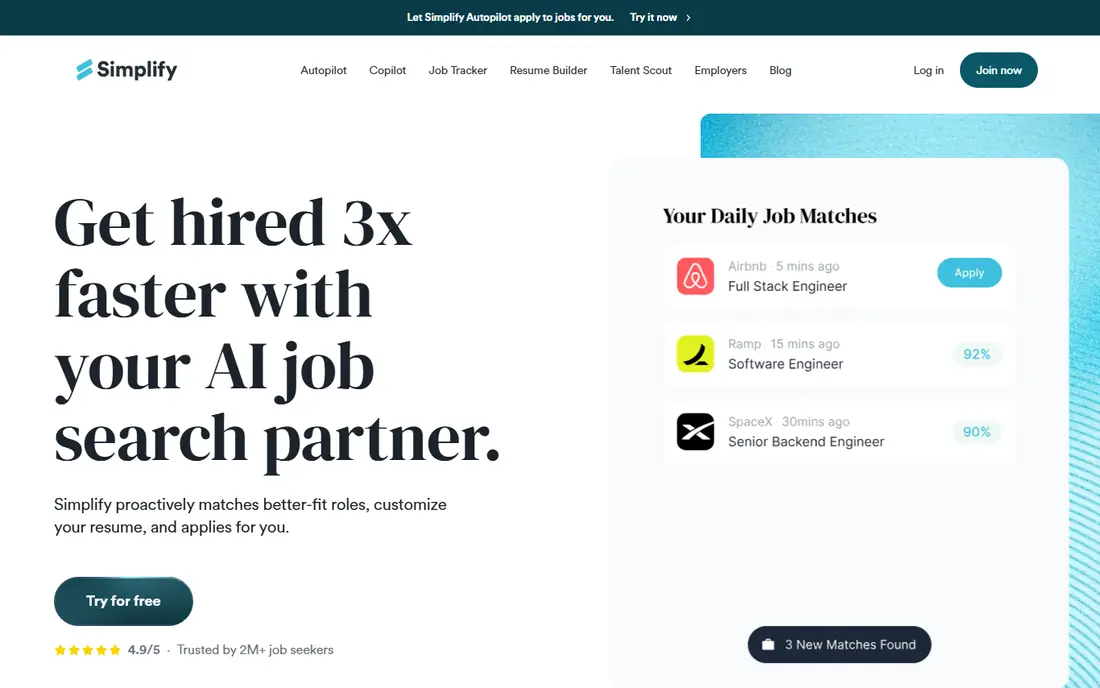
Simplify started as a tool to make applying faster, and its free Copilot autofill remains its strongest feature. The extension fills common application fields and tracks roles you have applied to, which saves real time across dozens of applications. The paid Simplify+ plan adds more features, and an Autopilot beta can submit applications on supported portals, with a weekly allowance reported in 2026 reviews.
The catch is that Autopilot is not a fully hands-off service for everyone. It is a beta, it works only on supported sites, and you should still review applications that it prepares. Paid pricing is also reported rather than shown on a simple public page in some cases, so confirm the current plan inside the app.
Simplify is our free starting point for most job seekers. Use the free autofill and tracker first, and pay only if a specific paid feature, such as Autopilot, clearly saves you time on the portals you actually use.
- Free autofill and job tracking
- Large job list
- Autopilot beta can submit on some portals
- Paid plan is reported at $39.99 per month
- Autopilot is limited and still in beta for some users
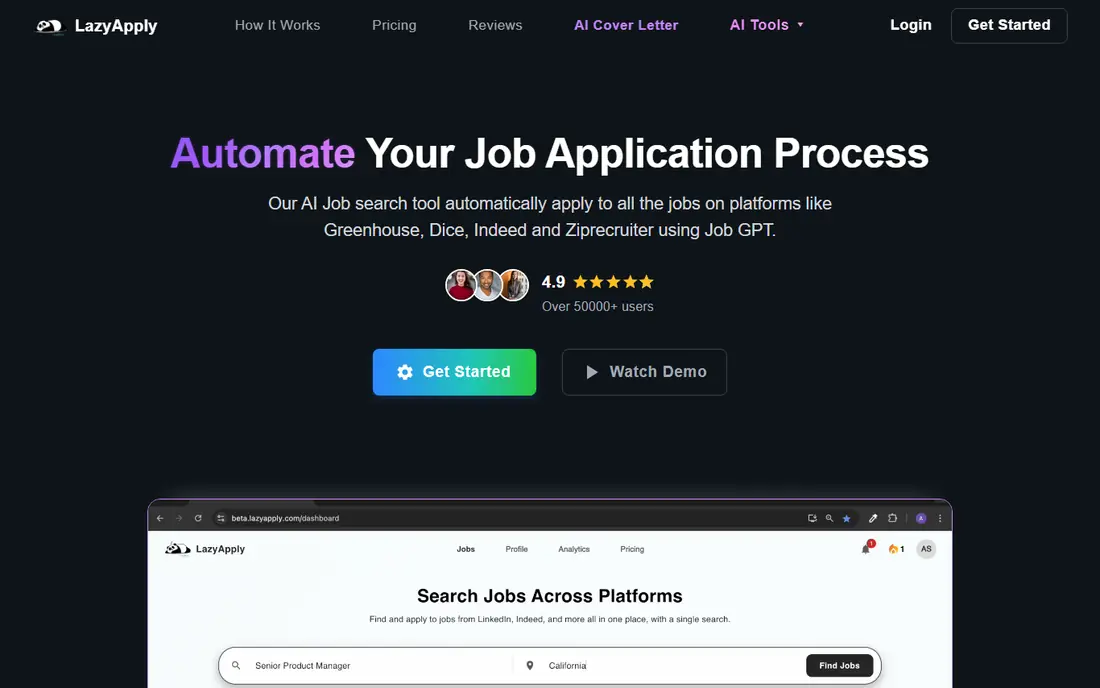
LazyApply is a Chrome extension built for volume. It works on LinkedIn, Indeed, Greenhouse, and other major sites, and its plans offer daily caps ranging from modest to very high. At $99 per year for the entry plan reported in 2026, it is cheaper over a year than many monthly tools, which matters for a search that lasts several months.
Applying to many roles quickly helps only if those roles fit, and a generic resume sent everywhere can hurt your chances with employers who read applications closely. LazyApply also does not replace tailoring: use it to submit, not to decide what you claim about your experience.
Pick LazyApply when you already have a strong resume, you know your target roles, and your bottleneck is time spent filling forms. It is not the best pick for a first resume or for a careful, targeted search.
- Chrome extension works on major job sites
- High daily application caps on higher plans
- One yearly price
- No free plan
- Volume can hurt quality if you do not filter roles carefully
Teal is the organizer in this list. The free plan offers unlimited resumes and unlimited job tracking, which is generous compared with most rivals, and the AI resume builder helps you create versions tailored to different roles. Its autofill tool fills forms on many sites, but you still review and submit each application yourself.
It forces a review of each application, which reduces the risk of AI errors reaching an employer. The downside is speed: Teal will not match the volume of LazyApply or LoopCV, and the paid Teal+ plan, reported at $13 per week in 2026, can become expensive if a search lasts months.
Teal fits job seekers who want control, a clean tracker, and a better resume, rather than maximum volume. Start free, and pay for a short period only when you need the extra AI features for a specific push.
- Free unlimited resumes and job tracking
- AI resume builder
- Autofill on many sites
- No auto-apply in the usual sense
- Paid plan is billed weekly, which adds up over a long search
Jobscan compares your resume with a job posting and shows how well the two match, including keywords, skills, and formatting issues that can affect applicant tracking systems. That feedback is concrete: you can see which terms are missing and decide whether they honestly describe your experience. For a role you really want, that check can be worth more than ten generic applications.
At $49.95 per month reported in 2026, Jobscan is expensive if you use it for a whole search, and it does not search for jobs or submit applications for you. Use it for a short, focused period, such as the week you apply to your top ten roles, rather than as an always-on subscription.
Choose Jobscan when you have a shortlist of target roles and want each application to be as strong as possible. It pairs well with a free tracker such as Teal.
- Clear match scoring against a posting
- Keyword and formatting feedback
- Useful for applicant tracking systems
- Monthly price is high for a single-purpose tool
- No auto-apply or broad job search
Huntr helps you keep a long search organized, with boards for saved roles, applications, interviews, and offers, plus autofill to speed up forms. The free plan, reported to cover 100 tracked jobs, is enough for many searches, and the tracker itself is easy to use without a tutorial. For job seekers juggling many applications, that organization prevents missed follow-ups.
Huntr Pro, reported at $40 per month, is hard to justify for tracking alone when Teal offers a strong free tracker. The value depends on whether you use its autofill and other paid features every week. If you only need a board to track applications, stay on the free plan.
Huntr fits organized job seekers who want a simple, visual tracker and who value autofill. It is less compelling as a paid AI tool than the matching and auto-apply options in this list.
- Clean application tracker
- Autofill support
- Free plan covers 100 tracked jobs in reports
- Paid plan is pricey for tracking alone
- AI features are less central than in rivals
LoopCV runs automated search loops on job boards such as LinkedIn, Indeed, and Glassdoor, and it can also send recruiter outreach emails. You set your target roles and locations, and the tool keeps searching and applying on a schedule, within monthly caps that rise with the plan. The free tier, reported at 10 applications a month, lets you test the workflow before paying.
Automation without good filters is the risk. A broad loop can apply to roles that do not fit, and recruiter emails need a professional template and a real resume behind them. Paid plans start from around 9.99 euros per month in 2026 reports, so confirm the current price and cap in the product, since currency and plan details change.
LoopCV suits job seekers who want steady, automated coverage across many boards, especially outside the United States, where its coverage is broad. Keep the filters tight, and review the roles it targets each week.
- Automated loops search job boards and contact recruiters
- Free tier for testing
- Works in many countries
- Paid pricing is shown in euros and varies by plan
- Automation needs careful filters to avoid poor matches
Jobright combines AI matching with a referral finder that surfaces insider connections at target companies, which is a useful feature that most auto-apply tools lack. A referral or a warm introduction can matter more than another generic application, so that angle deserves attention. The platform also offers autofill and an agent that can submit applications on some sites, with manual fallback where sites block automation.
Jobright has no public pricing page, with Turbo reported at $39.99 per month in 2026, and its coverage is strongest in the United States. Reviewers also note that its agent is more assisted than fully autonomous for many roles, so expect to review and sometimes submit by hand.
Jobright fits United States job seekers who want matching plus a referral angle, and who will use the free tier first to check match quality. Do not pay until you have seen matches for your actual target roles.
- AI match scoring
- Insider referral finder
- Autofill and agent-assisted applying
- No public pricing page
- Coverage is strongest in the United States
- Some automation is assisted, not fully automatic
AIApply builds a tailored resume and cover letter for each role, then submits applications in packs, with plans reported from $49 per month for 100 applications in 2026. That per-role tailoring is the main selling point: instead of sending one generic resume everywhere, each application is adjusted to the posting. A limited free tier lets you test the output before paying.
The risk is the same as with all tailoring tools: AI can invent or inflate details. Read every tailored resume and cover letter before it goes out, and remove anything you cannot defend in an interview. Credits also roll over only while a subscription stays active in 2026 reports, so do not buy a large pack ahead of a break in your search.
AIApply suits job seekers who want tailored applications at higher volume and who will review each one. It is less suited to a search where a single strong resume and a manual tracker would do.
- Tailors resumes and cover letters per role
- Auto-apply in monthly packs
- Clear credit model
- Monthly price is high
- Unused credits may not roll over after a plan lapses
How we picked these
We compared official product pages, 2026 pricing reports, and public feature descriptions, and we favored tools that are clearly available now and that serve a distinct part of the search: matching, autofill, tracking, resume tailoring, or auto-apply. We left out tools whose pricing or availability could not be checked, and we left out general job boards that do not offer AI matching or application help.
We also weighed honesty and control. A tool that submits applications without review, or that tailors a resume without showing you the changes, scored lower than one that keeps you in the loop, even if it is slower.
How to use AI job tools without hurting your search
Treat AI as a draft writer and a time saver, not as a decision maker. The employer will judge you on what was submitted, not on what the tool promised.
Keep a human review step
Read every resume, cover letter, and application form before submission, even when a tool claims to handle it. Check skills, dates, job titles, and any numbers the AI added. If a claim is not true, remove it. A single invented achievement can end a candidacy if it comes up in an interview.
Match the tool to the bottleneck
If finding roles is the problem, start with a matcher such as Sonara or Jobright. If tailoring is the problem, use Jobscan or Teal for your top roles. If form-filling is the problem, use Simplify or Huntr autofill. If volume is the problem, test LazyApply, LoopCV, or AIApply with tight filters. Buying all of them at once rarely helps.
Track results and cancel quickly
Keep a simple log of applications, responses, and interviews by tool, and cancel any paid plan that does not improve your response rate within a month. Set a renewal reminder for every weekly or monthly plan, since several tools in this list bill weekly or monthly and can add up over a long search.
Sources
Frequently asked questions
What is the best AI job search tool?
There is no single winner, because matching, autofill, tracking, and auto-apply are different jobs. Simplify and Teal are strong free starting points, Jobscan is best for tailoring to a single posting, and LazyApply or LoopCV suit high-volume applying with careful filters.
What is the best AI tool for job search for free?
Simplify offers free autofill and tracking, and Teal offers free unlimited resumes and job tracking. Both help a real search without payment, and both let you review applications before submission, which is a safety advantage.
Can AI tools apply to jobs for me automatically?
Some can, on supported sites, including LazyApply, LoopCV, and AIApply, while others such as Teal use autofill and leave submission to you. Auto-apply works best on standard portals, and many employers still require manual steps, captchas, or assessments that automation cannot complete.
Do AI job search tools really work?
They can save time and surface relevant roles, but they do not guarantee interviews. Response rates depend more on fit, resume quality, and targeting than on volume alone. Tools help most when you use them to apply well to fitting roles, not to apply everywhere.
Is it safe to let AI tailor my resume?
It is safe only with review. AI tailoring can add skills, metrics, or job duties you never had, and employers may ask about them in interviews. Keep every claim truthful, keep a copy of each tailored version, and remove anything you cannot explain.