Best AI Tools for Web App Development in 2026: 9 Tools Compared
By ToolNimba Editorial Team October 29, 2026 11 min read

- Top pick
 Cursor
AI editor for professional developers
Starting price$30 per monthCheck out CursorRead our review - Runner-up
 GitHub Copilot
AI help inside VS Code and GitHub
Starting price$10 per monthCheck out GitHub CopilotRead our review - Also great
 v0 by Vercel
AI-generated React interfaces
Starting price$30 per monthCheck out v0 by VercelRead our review
How we researched this
We compared official pricing and feature pages, app store listings, privacy policies and public user reviews. Prices change, so check the provider's site before you pay.
Key takeaways
- Cursor and GitHub Copilot suit developers with an existing codebase, while Lovable, Bolt and v0 suit founders who want a working web app from a prompt.
- Replit and Firebase Studio cover building, running and hosting in one place, which removes setup work for beginners.
- Most tools meter usage by credits or tokens, so the headline monthly price is not the full cost for heavy use.
- Always review AI-generated code before shipping it, especially for login, payments and data handling.
Quick comparison
| Name | Best for | Starting price | Free plan | |
|---|---|---|---|---|
| Cursor | AI editor for professional developers | $30 per month | Yes | Visit |
| GitHub Copilot | AI help inside VS Code and GitHub | $10 per month | Yes | Visit |
| v0 by Vercel | AI-generated React interfaces | $30 per month | Yes | Visit |
 Lovable | Prompt-to-app for non-developers | $25 per month | Yes | Visit |
 Bolt.new | Fast browser prototypes | $25 per month | Yes | Visit |
 Replit | Build, run and host in the browser | $20 per month | Yes | Visit |
 Windsurf | AI editor with agent workflows | See website | Yes | Visit |
 Firebase Studio | Full-stack apps on Google Cloud | Free | Yes | Visit |
 Bubble | No-code web apps with workflows | See website | Yes | Visit |
The best AI tools for web app development
AI web app tools fall into two groups. Editors and coding agents help developers write and change code faster. Prompt-to-app builders turn a description into a working web app, with hosting included, for people who do not code. This list covers both, so you can pick by skill level and by how much control you want over the code.

Cursor is an AI-first code editor built on a VS Code-style workflow, which makes it easy for developers to adopt without learning a new editor from scratch. Its agent mode can read your codebase, plan a change across several files, and apply it, while inline editing and chat help with smaller fixes and explanations. For a developer building a web app day after day, that combination of speed and context is the main appeal.
Pricing has changed over time, with recent guides listing a free plan, a Plus plan at $8 per month for limited models, and Premium at $30 per month for full access. Some third-party models are billed at API prices on top of that, and weekly usage limits apply, so heavy users should check the current plan details. Cursor is our pick for developers who want AI help inside a real editor, with full control over the code they ship.
- Full codebase awareness
- Agent mode for multi-file changes
- Familiar VS Code workflow
- Premium plan is $30 per month
- Some models cost extra at API prices
- Usage limits apply on heavy use
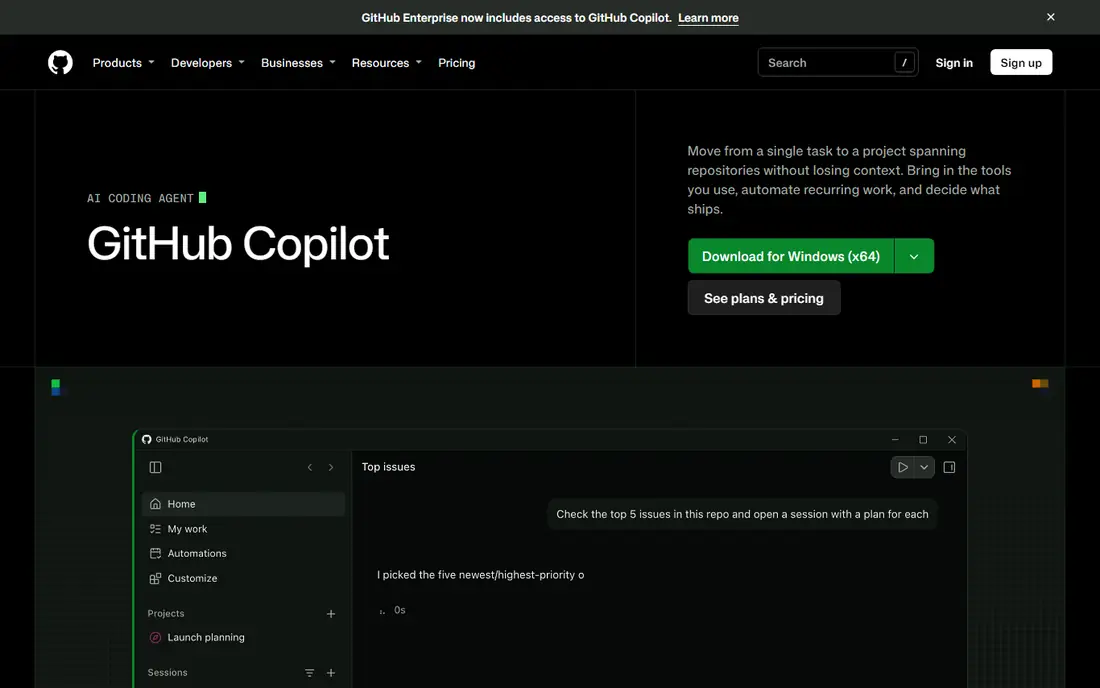
GitHub Copilot started as code completion and has grown into an agent that can suggest code, explain code, review pull requests and help with multi-file changes. Because it lives inside VS Code and other popular editors, and inside GitHub itself, teams that already use GitHub for version control get the least friction. Pro at $10 per month, with credits for agent use, is also one of the cheapest entry points on this list.
The free plan is limited, with a set number of completions and agent uses per month, and Pro+ at $39 per month and higher tiers add more credits for heavy users. Copilot is less of a standalone app builder than Lovable or Bolt, and it assumes you can set up a project and review code. For developers and teams already on GitHub, it is a natural and low-cost choice.
- Works in VS Code, JetBrains and other editors
- Deep GitHub integration
- Low entry price
- Agent and premium features use credits
- Less autonomous than a full agent editor for some tasks
- Enterprise pricing is higher
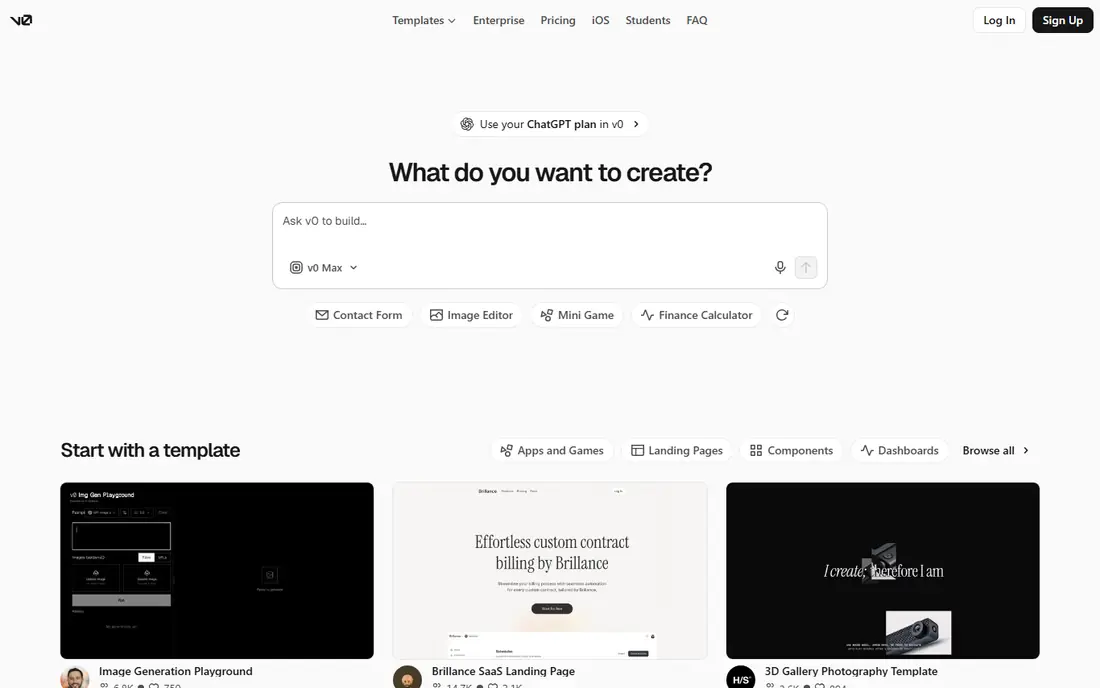
v0 by Vercel turns a prompt into a React interface, with clean Tailwind styling that looks modern without much tweaking. You can describe a landing page, dashboard or form, get working code, edit it by prompt or by hand, and deploy it to Vercel with one click. For a frontend developer or designer who needs UI fast, that loop is hard to beat.
v0 is not a full-stack app builder on its own. Backend logic, databases and authentication need to be added separately, often in Cursor or in your own Next.js project. The free plan offers a limited number of messages per day, while Plus at $30 per month includes credits for more generations. Use v0 for UI, then pair it with a backend tool or a developer for the rest of the app.
- Clean React and Tailwind output
- One-click deploy to Vercel
- Easy to bring into an existing Next.js project
- Frontend focus, not full backend logic
- Credits limit heavy use
- Best for UI, not whole apps alone
Lovable is the most approachable tool on this list for a founder who does not code. Describe your app in plain language, and Lovable builds a working web app with pages, styling and, through Supabase, a database and login. You can preview it instantly, ask for changes by prompt, and sync the code to GitHub when you want a developer to take over or review it.
Pro at $25 per month includes 100 credits in recent listings, with top-ups available, and the free plan gives a small daily credit allowance. That credit model means a complex app with many revisions can cost more than the headline price, so plan your prompts carefully and test each change before asking for the next. For a first version or a minimum viable product, Lovable is our pick for non-developers.
- Full app from a prompt, with hosting
- GitHub sync
- Supabase integration for data and login
- Credits limit how many changes you can make
- Complex apps need code review
- Costs rise with usage
Bolt.new, from StackBlitz, is built for speed. You write a prompt in the browser, and it generates a working web app you can preview and edit immediately, without installing anything. That makes it ideal for testing an idea, building a demo for a pitch, or learning how a web app is structured, because you can see a result in minutes rather than after a day of setup.
Pro is listed at $25 per month, or $18 per month on annual billing in recent guides, with 10 million tokens per month. Tokens are consumed by prompts and edits, so a large app with many changes can use them up faster than expected. Bolt is best for prototypes and small apps, and any prototype headed for real users should be reviewed for security, login handling and data storage before launch.
- Very fast first prototype
- Runs in the browser with no setup
- Token-based pricing is clear to track
- Token limits can be reached quickly on large apps
- Backend work needs extra setup
- Prototypes need review before production
Replit combines an online editor, a runtime and hosting in one browser tab, so you can build a web app, run it and share a live link without setting up a local environment. Replit Agent takes a prompt and builds an app, including backend and database work for many project types, and you can then edit the code directly in the browser. That all-in-one approach suits students, beginners and small teams who want to ship without DevOps work.
Core is $20 per month, or $18 per month on annual billing, with $20 of credits for more powerful models in recent listings, and Pro is higher. Agent usage beyond included credits is billed on a pay-as-you-go basis, so budget for larger projects. For a learner or a small team that wants to build and host in one place, Replit is a strong and flexible choice.
- Browser-based coding, running and hosting
- Agent builds apps from prompts
- Supports many languages
- Agent usage is metered beyond included credits
- Costs can rise on large projects
- Less control than a local editor
Windsurf is an AI editor similar in spirit to Cursor, with an agent, called Cascade, that can plan and carry out multi-step changes across your codebase. It suits developers who want an AI editor with strong agent workflows, but who prefer Windsurf interface or pricing to Cursor. It works as a standalone editor, so you keep full control over your code, hosting and deployment choices.
Pricing has shifted as Windsurf changed hands, with recent guides listing a free tier and a Pro plan, but figures vary by date, so we list the starting price as See website. Check the current plan and credit limits before committing, especially if you plan heavy agent use. For developers who want a Cursor-style editor with a different agent approach, Windsurf is worth testing alongside Cursor.
- Agent workflows for multi-step tasks
- Cascade feature for codebase awareness
- Familiar editor workflow
- Pricing and ownership have changed over time
- Credit limits apply
- Less app-builder hosting than Lovable or Replit
Firebase Studio, from Google, is a browser-based workspace for building full-stack web apps with AI assistance. It combines a code editor, AI prototyping, and Firebase services for hosting, databases, login and functions, so a web app can go from prompt to a live URL without assembling a separate backend. That integration is the main appeal for developers who already use Google Cloud or Firebase.
The free tier is generous for starting and testing, with paid usage tied to Google Cloud billing as you scale, so costs depend on traffic and services used rather than a single monthly editor price. Firebase Studio is still evolving, and some features are in preview, so expect changes. For a developer who wants a full-stack Google Cloud path with AI help in the browser, it is a powerful free starting point.
- Browser workspace with AI help
- Firebase backend, login and hosting included
- Generous free start
- Tied to Google Cloud and Firebase
- Complex apps need Firebase knowledge
- Preview features may change
Bubble is a no-code platform for building real web apps without writing code, using a visual editor for pages, a database builder, and workflows that define what happens when a user clicks, signs up or pays. Unlike a simple website builder, Bubble can handle user accounts, payments, dashboards and complex logic, which is why many founders use it for a full product, not just a landing page.
The free plan lets you learn and build, while paid plans add custom domains, more workload capacity and collaboration features. Pricing is based on workload units as well as plan tier, which can be confusing, so we list it as See website and recommend checking the current pricing page and workload calculator. Bubble code is not as portable as a Lovable or Replit codebase, but for a non-developer who wants a complete no-code product, it remains one of the most capable platforms available.
- Visual no-code builder for real web apps
- Workflows, databases and plugins
- Large template and plugin library
- Learning curve for complex apps
- Pricing and workload units can be confusing
- Less code portability than other tools
How we picked these
We compared official feature pages, pricing pages and public reviews, rather than claiming hands-on trials we did not run. We looked for tools that are still available in 2026, that truly help build a web app, whether by editing code or by generating an app from a prompt, and that offer a free plan or trial. We included editors, prompt-to-app builders and no-code platforms, so readers at different skill levels can find a fit, and we left out tools that only generate snippets or landing page copy.
How to choose, and how to ship safely
If you code, start with Cursor or Copilot and keep your existing deployment process. If you do not code, start with Lovable or Bolt for a prototype, then move to Replit or Bubble if you need more backend or workflow control. In every case, review generated code before launch, test login and payment flows yourself, check that user data is stored securely, and keep a backup of your code in GitHub. AI tools speed up building, but they do not remove your responsibility for security, privacy and quality. Set a budget for credits or tokens, track usage weekly, and pause before a large revision spree eats your monthly allowance.