Best AI Video Tool in 2026: 8 Tools Compared
By ToolNimba Editorial Team October 29, 2026 10 min read

- Top pick
 Runway
Cinematic AI clips
Starting price$12 per monthCheck out RunwayRead our review - Runner-up
 Synthesia
Avatar training videos
Starting price$29 per monthCheck out SynthesiaRead our review - Also great
 Pictory
Script to stock video
Starting price$29 per monthCheck out PictoryRead our review
How we researched this
We compared official pricing and feature pages, app store listings, privacy policies and public user reviews. Prices change, so check the provider's site before you pay.
Key takeaways
- Runway is the best pick for cinematic AI-generated clips, with a credit system that suits creative experimentation.
- Synthesia and HeyGen lead for avatar presenter videos, which suit training, explainers, and marketing without filming.
- Pictory and Lumen5 suit turning scripts and blog posts into stock-footage videos quickly.
- Descript and VEED are better when you start with real footage and want AI help editing, captioning, and cleaning it up.
Quick comparison
| Name | Best for | Starting price | Free plan | |
|---|---|---|---|---|
| Runway | Cinematic AI clips | $12 per month | Yes | Visit |
| Synthesia | Avatar training videos | $29 per month | Yes | Visit |
| Pictory | Script to stock video | $29 per month | Free trial | Visit |
 HeyGen | Avatar marketing videos | $29 per month | Yes | Visit |
 InVideo | Social and marketing videos | See website | Yes | Visit |
 Lumen5 | Blog to video | $19 per month | Yes | Visit |
 Descript | Transcript-based editing | $16 per month | Yes | Visit |
 VEED | Browser editing plus AI tools | See website | Yes | Visit |
The best AI video tools
The best AI video tools do very different jobs, so the first step is deciding what kind of video you need. Some generate footage from a prompt, some put an avatar presenter on screen, and some turn a script into a stock-footage edit. We compared official pricing pages, feature lists, and public reviews for eight tools that cover those jobs, with prices checked in October 2026.
Runway is the creative leader on this list for AI-generated footage. Its models turn text prompts and images into cinematic clips with camera movement, lighting, and motion that suit ads, music videos, and short films. Beyond generation, the platform includes AI editing tools such as background removal, inpainting, and motion tracking, which help polish clips into a finished sequence.
The credit model needs attention. The free plan offers limited one-time credits with watermarks, and paid plans start at $12 per month billed annually for the Standard tier, with higher tiers adding more credits. Heavy users can burn credits quickly, and individual clips are short, so a longer video means generating and stitching many clips. For creative experimentation and short-form cinematic work, Runway is the most exciting tool here.
- Strong text-to-video and image-to-video generation
- AI editing tools for background removal and inpainting
- Active creative community
- Credit system makes heavy use expensive
- Generated clips are short, so longer videos need stitching
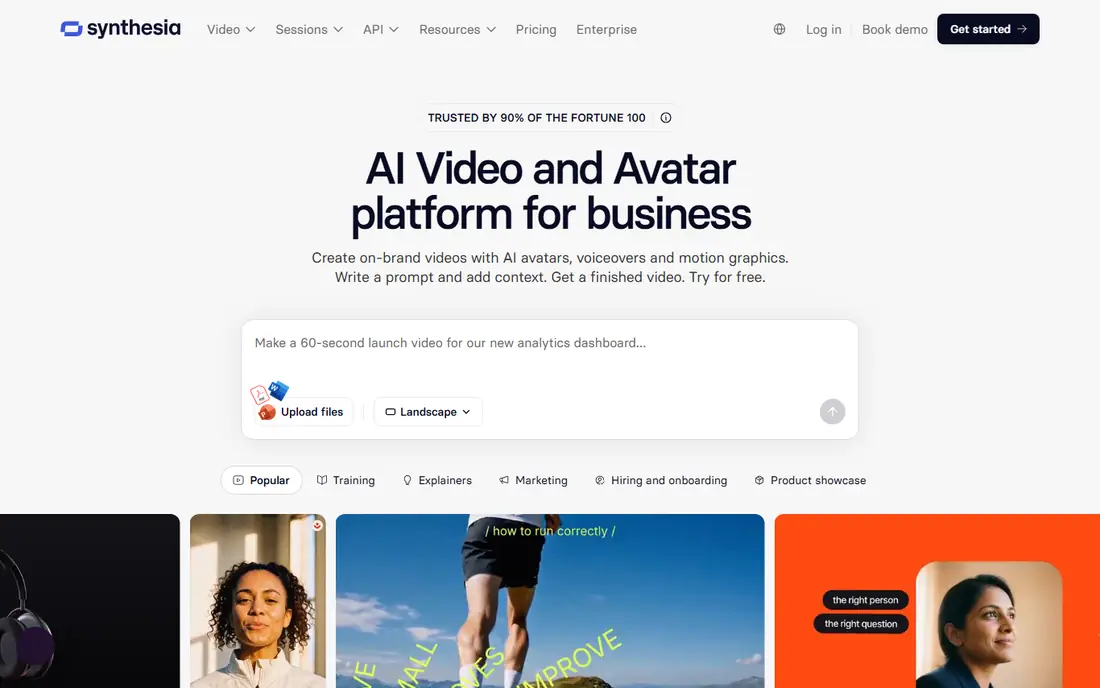
Synthesia is built for a clear job: turning a script into a presenter video without a camera, studio, or actor. You choose an avatar, paste a script, pick a voice and language, and generate a video that suits training, onboarding, product explainers, and internal updates. The workflow is fast enough that a team can update a training video by editing text, rather than reshooting it.
The style is a trade-off. Avatar presenters look polished and consistent, but they can feel formal next to a real person on camera, and they suit corporate and educational content better than casual social video. Plans start at $29 per month, with a limited free tier for testing. For teams that produce training content at scale, Synthesia saves the most time.
- Realistic AI avatars in many languages
- Easy script-to-video workflow
- Strong for training and internal communications
- Avatar videos can feel formal for social content
- Higher tiers needed for large video volumes

Pictory is the repurposing tool on this list. Paste a blog post, article, or script, and it builds a video from stock footage, captions, and voiceover, with scenes matched to the text. Faceless YouTube channels, marketers, and bloggers use it to turn written content into video without filming, and the editing tools let you swap clips, adjust text, and add branding.
There is no ongoing free plan, only a trial, so testing means committing to a paid plan sooner than with rivals. The stock-footage look can also feel generic if you accept every automatic clip choice without editing. Plans start at $29 per month. If your main need is turning text into publishable video quickly, Pictory is the most direct tool for that job.
- Turns scripts, articles, and blog posts into video fast
- Large stock footage library
- Automatic captions and voiceover
- No free plan, only a trial
- Stock-footage style can feel generic without careful editing
HeyGen overlaps with Synthesia on avatars, but leans more toward marketing and short-form content. Its avatars support voice cloning, so you can create a digital version of yourself for repeated presentations, and translation features help localize a video for other markets. The interface suits marketers who need a presenter video this week, not a production crew.
The free plan covers a few short videos per month with watermarks, and paid plans start at $29 per month, with credits limiting monthly output. Avatar quality varies by plan and input quality, so test with your own script before committing. For marketing teams that want a friendly avatar presenter without filming, HeyGen is a strong, fast option.
- Expressive avatars and voice cloning
- Fast marketing and short-form videos
- Translation and dubbing features
- Free plan is limited to short videos
- Credit limits shape how much you can produce monthly
InVideo combines prompt-based AI generation with a large template and stock library, which makes it flexible for social media, ads, and YouTube content. You can describe a video, pick a style, and get a draft with visuals, voiceover, and captions, then edit scenes, text, and timing in the browser. The range of AI models and stock media gives beginners many starting points.
Pricing and credits need a careful read, since costs vary by generation model, resolution, and video length, and unused credits usually do not roll over. AI drafts also need human editing to avoid generic pacing and mismatched clips. For creators who want one tool for many social formats and are willing to edit the draft, InVideo is a versatile choice.
- Prompt-based video generation plus templates
- Large stock library
- Strong for social and YouTube content
- Credit use varies by model and resolution
- AI output often needs manual editing
Lumen5 turns written content into short social videos with a simple, guided workflow. Paste a blog post or script, and the tool suggests scenes, stock footage, and text layouts, which you can adjust in a drag-and-drop editor. Content teams that need a steady stream of social clips from existing articles will find it faster than starting from a blank timeline.
The free plan is the limit to know. It caps exports at 480p and adds Lumen5 branding, which makes it unsuitable for professional publishing, and paid plans start at $19 per month for the Basic tier. The slideshow style also suits simple explainers better than cinematic storytelling. For quick, branded social videos from blog content, Lumen5 is a practical pick.
- Fast blog-to-video workflow
- Simple drag-and-drop editor
- Good for social and content marketing teams
- Free plan is limited to 480p with branding
- Stock-slideshow style suits simple videos best
Descript is different from the rest of this list because it starts with real footage, not generation. You edit video by deleting or moving words in the transcript, which makes cutting interviews, podcasts, and talking-head videos far faster than timeline scrubbing. Studio Sound cleans up audio, filler-word removal trims ums and pauses, and caption tools speed up publishing.
It is not the best tool for generating cinematic footage or avatar presenters, since those are side features rather than the core. Paid plans start at $16 per month billed annually for the Hobbyist tier, with a free plan offering limited media minutes and watermarked 720p exports. For creators who film themselves and want AI help editing, Descript is the strongest choice here.
- Edit video by editing the transcript
- Studio Sound cleanup and filler-word removal
- Strong for podcasts and interviews
- AI generation is not its main strength
- Long multi-scene projects can slow down
VEED is an all-in-one browser video editor with AI tools layered on top. You can edit footage, add subtitles, generate avatar clips, clone voices, and translate videos without installing software, which suits distributed teams and quick-turn content. Subtitle accuracy and the range of editing tools make it a good daily editor, not just an AI novelty.
Free exports carry a watermark and resolution limits, and paid plans vary in which AI features they include, so compare plans against the features you will actually use. VEED suits creators who want one browser tool for editing plus AI help, rather than a specialist generator. If your workflow starts with footage and ends with captioned social clips, VEED is a strong all-rounder.
- Full browser editor with AI avatars, voices, and translation
- Accurate subtitles
- No software install needed
- Free exports are watermarked and limited
- AI features are spread across plans, so check inclusions
How we picked these
We compared official pricing pages, feature lists, and public reviews, focusing on what each tool actually produces: generated footage, avatar presenters, stock-based edits, or edited real footage. We favored tools with a usable free plan or trial, clear pricing, and a workflow that matches a real content job, rather than tools that only demo well.
AI video pricing changes often and most tools now use credits, minutes, or both, so we note where limits shape value. We did not run hands-on generation tests for every model in this roundup; our findings rest on vendor documentation, pricing pages, and public reviews. Always test with your own script and footage before committing to a paid plan.
How to choose an AI video tool
Start with the video type, not the tool. If you need cinematic clips, test Runway. If you need a presenter without filming, compare Synthesia and HeyGen. If you need to turn blog posts into video, try Pictory or Lumen5. If you already film footage, Descript or VEED will help more than a generator.
Next, test the free plan with a real project, not a demo prompt. Check export quality, watermarks, voice quality, and how many credits or minutes your typical video uses. Then compare the cheapest paid plan that removes branding and gives commercial use. The right tool is the one whose free test produces a video you would actually publish, at a monthly cost your content volume justifies.