Best AI Website Design Tools With No Coding in 2026: 8 Tools Compared
By ToolNimba Editorial Team November 6, 2026 12 min read

- Top pick
 Wix
General business sites and stores
Starting price$17 per monthCheck out WixRead our review - Runner-up
 Framer
Design led marketing sites
Starting price$10 per monthCheck out FramerRead our review - Also great
 Durable
Fast small business sites
Starting price$12 per monthCheck out DurableRead our review
How we researched this
We compared official pricing and feature pages, app store listings, privacy policies and public user reviews. Prices change, so check the provider's site before you pay.
Key takeaways
- Wix is the broadest pick for business sites, stores and bookings, while Framer is the strongest pick for design led marketing pages.
- Durable and Hostinger are the fastest and cheapest routes to a simple business site, with hosting included.
- 10Web suits WordPress users who want ownership and plugins, while Dorik and Mixo suit simple sites and fast launches.
- Free plans work for a draft on a subdomain, but a custom domain and removal of builder branding usually need a paid plan.
Quick comparison
| Name | Best for | Starting price | Free plan | |
|---|---|---|---|---|
| Wix | General business sites and stores | $17 per month | Yes | Visit |
| Framer | Design led marketing sites | $10 per month | Yes | Visit |
| Durable | Fast small business sites | $12 per month | Yes | Visit |
 Hostinger | Budget all in one sites | $2 per month | Free trial | Visit |
 Squarespace | Polished portfolios and stores | See website | Free trial | Visit |
 10Web | WordPress sites with AI help | $10 per month | Free trial | Visit |
 Dorik | Simple template based sites | $15 per month | Yes | Visit |
 Mixo | Very fast small business launches | $9 per month | Yes | Visit |
The best AI website design tools with no coding
We compared official feature pages, pricing pages and public reviews for builders that generate a site from a prompt and let you edit it visually. Every tool below can publish a site without writing code, but they differ on design control, store features, speed and price, so the right pick depends on the job your site must do.
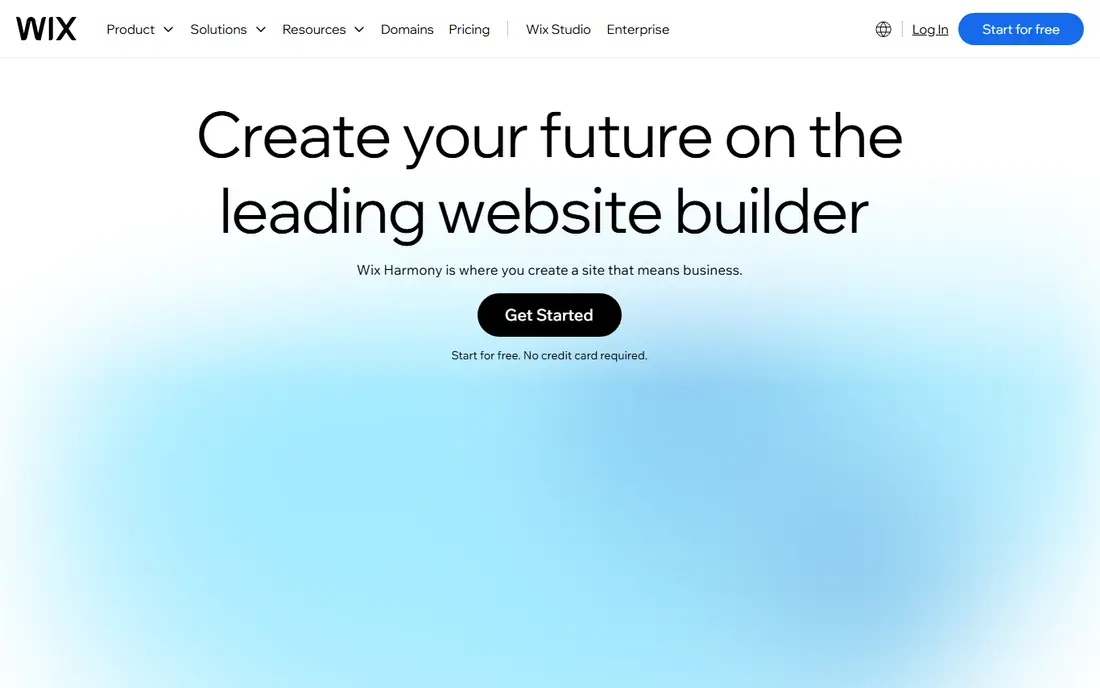
If general business sites that may grow into a store is the main job, Wix deserves a close look. Its AI tools draft structure and copy, and you can then edit every section visually, add a store, bookings or a blog, and connect a domain. That approach suits teams that repeat the same task each week and want fewer manual steps.
In day to day use, Wix works best for general business sites that may grow into a store. Broad ai generation with a full visual editor is the reason most buyers pick it over a generic editor or a manual process. The value shows up when you repeat the same job often, because saved settings and templates cut repeat work and keep output consistent.
The catch is the range of settings can feel busy for a one page site. That limit does not rule it out, but it does mean you should test it on a real job before you pay. Check the free plan or trial where one is offered, try a sample that matches your real work, and compare it with one rival before you commit.
- AI site generation plus full editor
- Store, booking and blog tools
- Large app market
- Entry paid plan needed for a custom domain
- Many options can feel busy at first

Framer stands out for design quality with a visual canvas. It generates editable pages with strong typography and layout, and its canvas gives designers more control than a fixed template. It also helps when one person handles design, copy and publishing, because less switching is needed.
In day to day use, Framer works best for portfolios and marketing pages where looks matter. Design quality with a visual canvas is the reason most buyers pick it over a generic editor or a manual process. The value shows up when you repeat the same job often, because saved settings and templates cut repeat work and keep output consistent.
The catch is ecommerce and complex booking need extra tools. That limit does not rule it out, but it does mean you should test it on a real job before you pay. Check the free plan or trial where one is offered, try a sample that matches your real work, and compare it with one rival before you commit.
- High quality AI drafts
- Strong visual design control
- Fast hosting
- No full store on basic plans
- Design control takes time to learn

Teams that want fast generation for service businesses without a long setup often land on Durable. It builds a business site in under a minute from a few answers, and it adds AI business tools for invoices, leads and social posts. The benefit is clearest on a tight deadline, when a usable first draft beats a blank page.
In day to day use, Durable works best for local service businesses that need a site fast. Fast generation for service businesses is the reason most buyers pick it over a generic editor or a manual process. The value shows up when you repeat the same job often, because saved settings and templates cut repeat work and keep output consistent.
The catch is a highly custom design will need another builder. That limit does not rule it out, but it does mean you should test it on a real job before you pay. Check the free plan or trial where one is offered, try a sample that matches your real work, and compare it with one rival before you commit.
- Very fast generation
- Business tools like invoicing and CRM
- Simple editing
- Design flexibility is narrower than Wix or Framer
- Advanced store features are limited
For first sites on a tight budget, Hostinger offers a practical mix of speed and control. Its AI builder creates a site from a prompt, includes hosting and a domain option, and keeps editing simple for beginners. For small teams, that kind of focus keeps costs down and keeps the work moving.
In day to day use, Hostinger works best for first sites on a tight budget. Low cost ai generation with hosting is the reason most buyers pick it over a generic editor or a manual process. The value shows up when you repeat the same job often, because saved settings and templates cut repeat work and keep output consistent.
The catch is renewal price and plan limits need a careful check. That limit does not rule it out, but it does mean you should test it on a real job before you pay. Check the free plan or trial where one is offered, try a sample that matches your real work, and compare it with one rival before you commit.
- Low entry price with hosting included
- AI generation and writing help
- Simple editor
- Introductory pricing can rise on renewal
- Fewer advanced design options
Squarespace is a good fit when creative portfolios and small stores matters more than having every extra feature. It offers AI assisted setup, refined templates and built in store, scheduling and email tools for creative businesses. It works well as a starting point, and you can refine the result by hand where it matters most.
In day to day use, Squarespace works best for creative portfolios and small stores. Polished templates with ai assisted setup is the reason most buyers pick it over a generic editor or a manual process. The value shows up when you repeat the same job often, because saved settings and templates cut repeat work and keep output consistent.
The catch is buyers who want a one prompt site may prefer a faster generator. That limit does not rule it out, but it does mean you should test it on a real job before you pay. Check the free plan or trial where one is offered, try a sample that matches your real work, and compare it with one rival before you commit.
- Polished templates
- Strong image handling
- Store and scheduling tools
- AI generation is less central than in Wix or Framer
- Pricing is higher than budget builders
Start with 10Web if WordPress users who want AI speed plus ownership is your priority and you want a result quickly. It generates and recreates WordPress sites with AI, and it keeps the WordPress plugin system and hosting in one account. That balance is useful when quality matters but you cannot wait days for each new version.
In day to day use, 10Web works best for WordPress users who want AI speed plus ownership. Ai building on wordpress with full ownership is the reason most buyers pick it over a generic editor or a manual process. The value shows up when you repeat the same job often, because saved settings and templates cut repeat work and keep output consistent.
The catch is pure beginners may prefer a closed builder with fewer settings. That limit does not rule it out, but it does mean you should test it on a real job before you pay. Check the free plan or trial where one is offered, try a sample that matches your real work, and compare it with one rival before you commit.
- AI recreation and generation for WordPress
- Plugin access
- Hosting included
- WordPress settings still need some learning
- Best value is for WordPress users
What sets Dorik apart is simple AI sites with clean templates, paired with a workflow that stays simple. It generates a site from a prompt and lets you edit with a simple drag and drop editor, with support for blogs and basic payments. It keeps the core job in one place, which makes training a new team member simpler.
In day to day use, Dorik works best for simple business and personal sites. Simple ai sites with clean templates is the reason most buyers pick it over a generic editor or a manual process. The value shows up when you repeat the same job often, because saved settings and templates cut repeat work and keep output consistent.
The catch is a large store or booking system needs a broader platform. That limit does not rule it out, but it does mean you should test it on a real job before you pay. Check the free plan or trial where one is offered, try a sample that matches your real work, and compare it with one rival before you commit.
- Simple AI generation
- Clean templates
- Custom domain support
- Smaller template and app range than Wix
- Store features are basic
When budget and speed both matter, Mixo is worth testing for small businesses that need to get online today. It builds a complete small business site from a short description, with contact forms, enquiry tracking and basic search settings. That simplicity is the point, and it is why many smaller teams prefer it to a larger suite.
In day to day use, Mixo works best for small businesses that need to get online today. Fast launch for small businesses is the reason most buyers pick it over a generic editor or a manual process. The value shows up when you repeat the same job often, because saved settings and templates cut repeat work and keep output consistent.
The catch is custom design and large stores are outside its focus. That limit does not rule it out, but it does mean you should test it on a real job before you pay. Check the free plan or trial where one is offered, try a sample that matches your real work, and compare it with one rival before you commit.
- Fast one sentence generation
- Contact and enquiry tools
- Simple dashboard
- Design options are limited
- Advanced features need higher plans
How we picked these
We compared official feature pages, pricing pages and public reviews for each builder, and we kept only builders that generate pages from a prompt or guided setup and allow visual editing without code. We checked custom domain support, hosting, store features, templates, mobile editing and what the free plan allows. We did not claim hands-on testing that did not happen. Prices below are starting prices from vendor pricing pages, and where a price could not be verified we marked it as See website.
How to choose an AI website builder with no coding
Decide what the site must do
A brochure site, a store and a booking site are different jobs. A simple builder is enough for services, contact details and photos, but a store needs products, payments, shipping and tax settings. Booking needs calendars, reminders and payments. List the three actions visitors must take, then check that the builder supports each one on the plan you can afford, not just on the top plan.
Test editing after generation
Generation is the easy part. The real test is editing a week later: change a price, add a service, fix a photo and check the mobile view. If that feels awkward, the tool will slow you down every month. Also check image quality, loading speed, form notifications and search settings before you publish, because those details affect enquiries more than a flashy first draft.
Check domain, hosting and exit options
Confirm whether hosting and a custom domain are included, what renewal prices look like, and whether you can export content if you leave. Some builders make export easy for text and images, while others lock the design to the platform. Keep your domain in your own account where possible, and keep copies of key pages and photos outside the builder.
Sources
Frequently asked questions
Can AI design a complete website without any coding?
Yes, for most business, portfolio and landing sites. The tools below generate structure, copy and images from a prompt, and you edit by clicking and typing. Code is only needed for custom apps, complex databases or unusual integrations, and those jobs suit a developer or a code generating tool instead.
Which AI website builder is best for beginners?
Wix is a safe beginner pick because it guides setup, offers many templates and covers stores and bookings in one place. Durable is simpler and faster if you only need a service site, while Framer suits beginners who care most about how the page looks. Try a free draft in two tools before you pay.
Are free AI website builders usable for a real business?
A free plan can publish a real site on a builder subdomain, but it usually shows builder branding and blocks a custom domain. That is fine for a draft or a hobby page, but a business site looks more credible on a paid plan with its own domain. Budget for at least the entry paid plan.
How long does it take to build a site with AI?
A simple site can be drafted in minutes and published the same day once you add real photos, prices and contact details. A store or a site with many pages takes longer, because product details, shipping and legal pages need care. Allow a day for a simple site and a week for a store.
Can I switch builders later?
You can usually export text and images, but the design and layout often do not transfer cleanly. That is why domain ownership and saved copies of your content matter. If you may switch soon, pick a builder with clear export options and keep your domain separate.