Best Analytics Software in 2026: 9 Tools Compared
By ToolNimba Editorial Team October 29, 2026 9 min read

- Top pick
 Google Analytics
Free website and app measurement
Starting priceFreeCheck out Google AnalyticsRead our review - Runner-up
 Mixpanel
Product funnels and retention
Starting priceSee websiteCheck out MixpanelRead our review - Also great
 Amplitude
Deep user behavior analysis
Starting priceSee websiteCheck out AmplitudeRead our review
How we researched this
We compared official pricing and feature pages, app store listings, privacy policies and public user reviews. Prices change, so check the provider's site before you pay.
Key takeaways
- Google Analytics remains the free starting point for most websites, while product teams often add Mixpanel or Amplitude for user-level funnels.
- Privacy-focused tools such as Matomo and Plausible suit sites that want clearer data control and simpler reports.
- Paid prices rise with events, pageviews, and seats, so check the limit that matches your traffic before you commit.
- The best choice depends on the question you ask most: where visitors come from, what users do inside a product, or how a business performs overall.
Quick comparison
| Name | Best for | Starting price | Free plan | |
|---|---|---|---|---|
| Google Analytics | Free website and app measurement | Free | Yes | Visit |
| Mixpanel | Product funnels and retention | See website | Yes | Visit |
| Amplitude | Deep user behavior analysis | See website | Yes | Visit |
 Adobe Analytics | Enterprise reporting and attribution | See website | No | Visit |
 Matomo | Privacy and full data ownership | See website | Yes | Visit |
 Plausible | Simple privacy-friendly website stats | $9 per month | Free trial | Visit |
 Heap | Automatic event capture | See website | Yes | Visit |
 PostHog | Product analytics plus session replay and flags | Free | Yes | Visit |
 Zoho Analytics | Business dashboards across many data sources | See website | Free trial | Visit |
The best analytics software
Analytics software turns visits, clicks, and purchases into answers you can act on. Some tools count traffic, others follow individual users through a product, and a few pull business data into dashboards. We compared official feature pages, pricing pages, and public documentation to find options for small sites, growing apps, and larger teams.
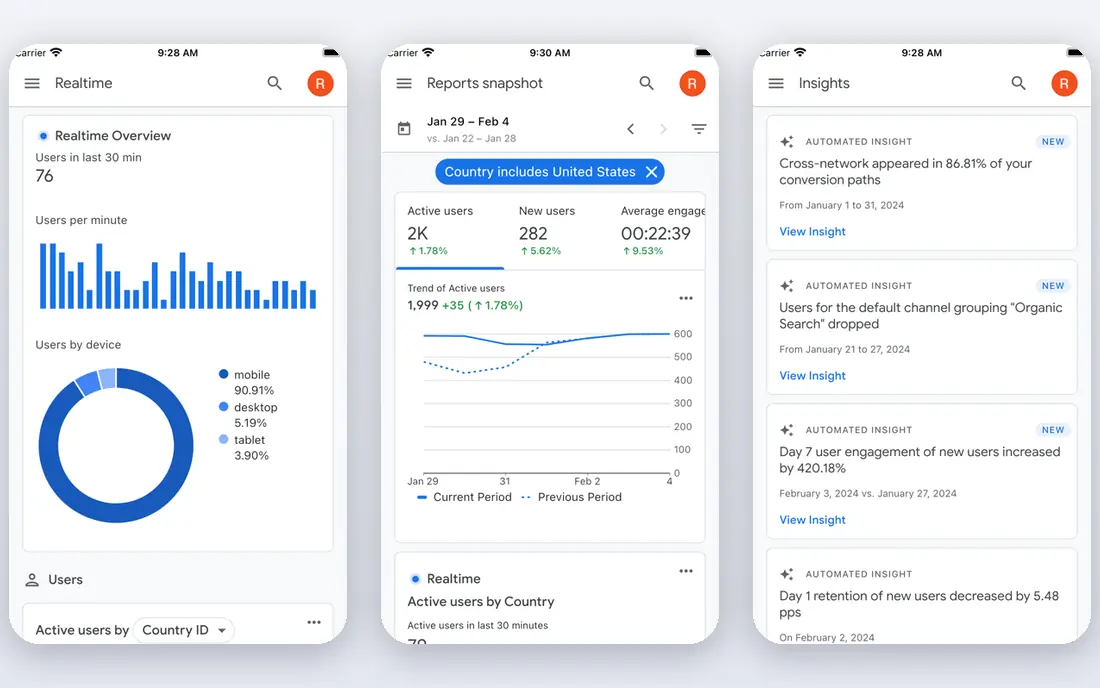
Google Analytics is the default choice for a reason. The standard version is free, it handles websites and apps, and it reports traffic sources, pages, conversions, and audience details in one place. For a small business or a blog, that covers most day-to-day questions without a monthly bill.
The trade-off is complexity. Event setup, consent settings, and custom reports take time to learn, and the interface can feel busy when you only want a quick answer. Larger sites may also need the paid 360 tier, which is priced by quote. Still, for most readers, we suggest starting here and adding a second tool only when a specific gap appears.
- Free standard version
- Strong Google Ads and Search Console links
- Wide range of reports and integrations
- Setup and reports can feel complex for beginners
- Privacy rules vary by region and setup
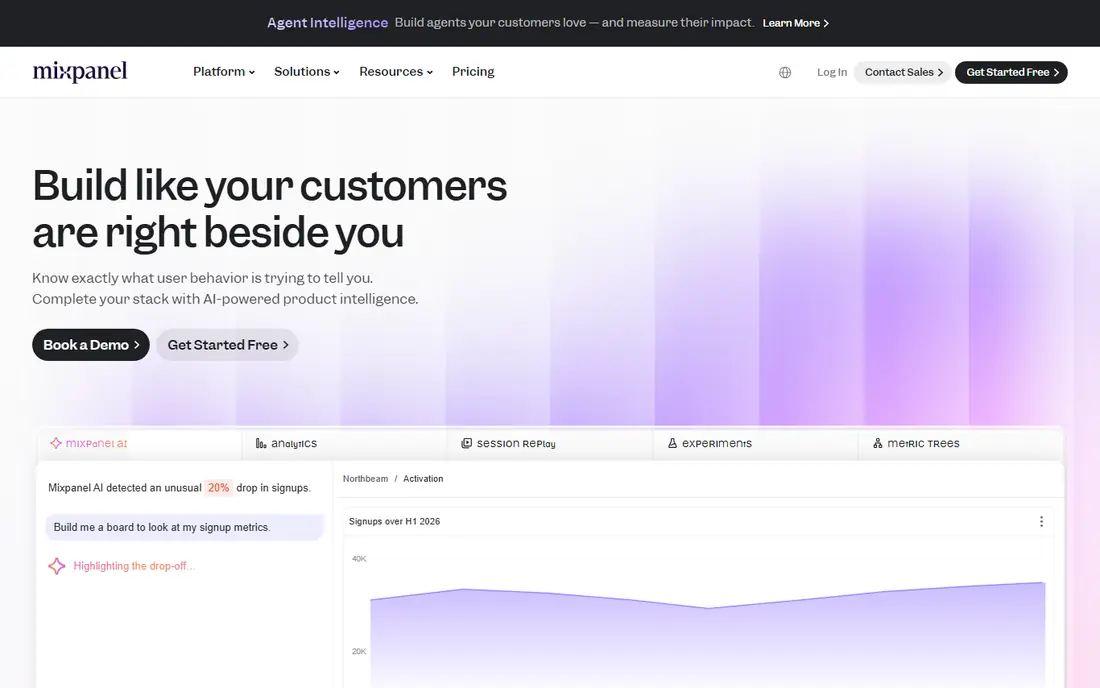
Mixpanel answers a different question from Google Analytics. Instead of asking where visitors came from, it asks what signed-in users did next, where they dropped off, and who came back. That makes it a strong fit for apps, software products, and subscription sites that care about activation and retention.
Setup requires planning your events, and costs can rise as usage grows, so track your monthly event count before you choose a paid plan. For product teams, though, the funnel and cohort views are easier to act on than a long list of pageviews. It pairs well with a basic web analytics tool rather than replacing it outright.
- Clear funnels, cohorts, and retention views
- Real-time reporting
- Generous free tier for smaller products
- Pricing scales with event volume
- Website traffic reporting is not its main strength
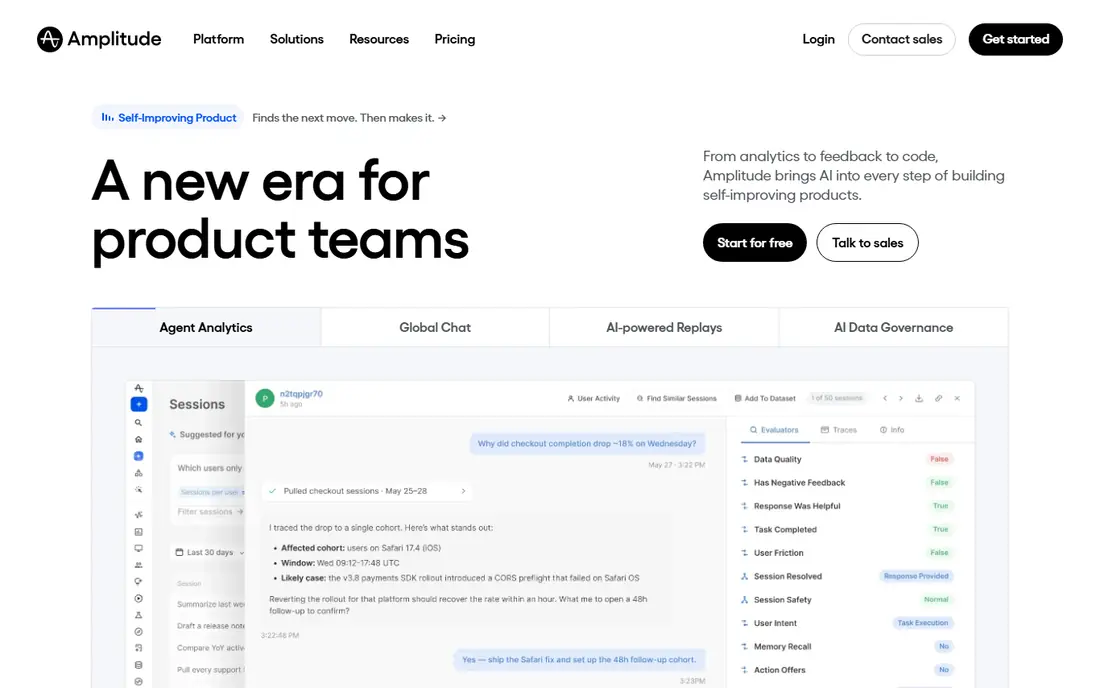
Amplitude is built for teams that want to study behavior in detail. You can follow paths through a product, compare groups of users, and test changes with experimentation tools. Larger product and data teams tend to get the most from that depth, especially when several teams share the same definitions.
The catch is price and learning time. Paid plans are sold with volume and feature limits that need a sales conversation at higher levels, and small teams may not use the full toolkit. If your main need is simple traffic reporting, this is more tool than you need. If retention and feature adoption drive your roadmap, it earns its place.
- Detailed journey, cohort, and experiment tools
- Strong data governance options
- Broad integrations
- Paid plans can be costly at scale
- Beginners may find the depth more than they need
Adobe Analytics suits large organizations with complex sites, many channels, and strict reporting needs. It offers custom variables, segmentation, and attribution models that go well past a standard dashboard. Teams already using Adobe products will also find the shared data and identity options useful.
This is not a casual pick. Pricing is by quote, implementation takes planning, and a small team can struggle to keep the setup clean. For a large brand that needs auditable, detailed reporting across many properties, that cost can make sense. For a small site, a free or low-cost tool will answer the same basic questions faster.
- Highly customizable reports and attribution
- Strong enterprise controls
- Deep Adobe ecosystem links
- Quote-based pricing
- Needs skilled staff to set up and maintain well
Matomo is the pick for teams that want to own their analytics data. You can host it yourself for free, or pay for a managed cloud version. Either way, you get familiar web reports, goals, funnels, and ecommerce tracking, plus optional heatmaps and session recordings.
The honest limit is maintenance. A self-hosted install needs updates, backups, and server attention, and the cloud version gets more expensive as hits grow. If privacy, data residency, or independence from large ad platforms matters to you, that trade is often worth it. If you want zero setup, a simpler hosted tool may suit you better.
- Self-hosted open-source option
- No data sampling in core reports
- Heatmaps and session tools available
- Self-hosting needs server care
- Cloud pricing rises with traffic
Plausible keeps web analytics simple on purpose. The dashboard shows visitors, sources, pages, goals, and devices without a maze of menus. It does not use cookies by default, and the script is light, which helps page speed and privacy conversations with visitors.
What you give up is depth. You will not get the same product funnels, session replay, or enterprise segmentation found in larger tools. That is fine for blogs, marketing sites, and small stores that want trustworthy traffic numbers. If you need to study signed-in user behavior in detail, pair it with a product analytics tool.
- Lightweight script
- No cookies by default
- Clear and fast reports
- No permanent free plan
- Fewer deep product analytics features than Mixpanel or Amplitude
Heap takes a different approach to setup. It captures interactions automatically, so you can define an event later and still look back at past behavior. That helps teams that are unsure which actions matter yet, or that keep changing what they track.
The downside is that pricing is less transparent than some rivals, and you should confirm volume limits before you rely on it at scale. Data cleaning also still matters, since automatic capture can collect noisy events. For product teams that want flexibility without a long tracking plan, Heap is a practical middle ground.
- Captures clicks and pageviews automatically
- Retroactive analysis without predefining every event
- Useful journey views
- Public pricing is limited
- Large volumes can become costly
PostHog bundles several product tools together. Alongside funnels and retention, you get session replay, feature flags, experiments, and surveys, which suits engineering-led teams that want fewer vendors. The free tier gives smaller products room to start without an immediate bill.
Breadth is also the risk. A team that only wants simple web stats may find the extra tools distracting, and self-hosting adds operational work. For a startup building a product and learning from real use, though, having analytics and testing in one place can save time and keep feedback close to the work.
- Analytics, replay, feature flags, and surveys in one product
- Free tier
- Self-hosting option
- Broad scope can feel complex
- Some features need technical setup
Zoho Analytics is business intelligence more than web tracking. It pulls data from spreadsheets, databases, and apps, then turns it into dashboards, charts, and scheduled reports. That makes it a good fit for a small business that wants sales, finance, and operations numbers in one view.
It is not the best tool for studying app funnels or page-level behavior, and new users may need time to build clean data models. If you already use Zoho apps, the value improves further, since the connections are ready made. For a team that asks business questions rather than traffic questions, this is the right kind of analytics.
- Connects spreadsheets, databases, and business apps
- Drag-and-drop dashboards
- Good value in the Zoho family
- Less focused on product funnels
- Interface can feel busy for first-time users
How we picked these
We compared official feature pages, pricing pages, and public documentation for tools that cover web traffic, product behavior, and business reporting. We favored tools that are widely used, still maintained, and clear about free tiers and limits. We did not claim hands-on testing, and we left out tools with unclear ownership or pricing that we could not verify from a vendor or reputable source.
What to check before you pay
Start with the question, not the dashboard. If you need traffic and conversions, a web tool is enough. If you need retention and feature use, choose a product tool. If you need company-wide reporting, look at business intelligence tools such as Zoho Analytics.
Check the metered limit
Most paid plans charge by events, pageviews, sessions, or seats. Estimate your current volume, then add room for growth. A low headline price can rise fast once you pass the first tier.
Check privacy and consent
Read the privacy policy and data processing terms before you install a script. Note where data is stored, how long it is kept, and whether you can delete it. For sites with visitors in Europe, consent and data residency deserve extra attention.
Test with real data
Use a free plan or trial with your own site or app for a few weeks. Check that key events fire, that reports match what you expect, and that your team can find answers without help. A tool that only one person understands will not last.
Sources
- https://analytics.google.com
- https://mixpanel.com
- https://amplitude.com
- https://business.adobe.com/products/analytics.html
- https://matomo.org
- https://plausible.io
- https://heap.io
- https://posthog.com
- https://zoho.com/analytics
- https://www.itechguides.com/best/website-analytics-software/
- https://searchengineland.com/guide/google-analytics-alternatives