Best Apartment Apps in 2026: 9 Apps Compared
By ToolNimba Editorial Team October 31, 2026 8 min read

- Top pick
 Apartment List
Personalized matching
Starting priceFreeCheck out Apartment ListRead our review - Runner-up
 Zillow Rentals
Broad listing types
Starting priceFreeCheck out Zillow RentalsRead our review - Also great
 Apartments.com
Large managed buildings
Starting priceFreeCheck out Apartments.comRead our review
How we researched this
We compared official pricing and feature pages, app store listings, privacy policies and public user reviews. Prices change, so check the provider's site before you pay.
Key takeaways
- The best apartment apps work as a set: use two or three together, since each platform lists different properties.
- Apartment List suits personalized matching, Zillow suits broad listing types, and Apartments.com suits large managed buildings.
- Set alerts for your exact budget and area, since good units in competitive markets move fast.
- Never pay a deposit before touring a property, and verify the listing and landlord before sending money or personal documents.
Quick comparison
| Name | Best for | Starting price | Free plan | |
|---|---|---|---|---|
| Apartment List | Personalized matching | Free | Yes | Visit |
| Zillow Rentals | Broad listing types | Free | Yes | Visit |
| Apartments.com | Large managed buildings | Free | Yes | Visit |
 Zumper | New-listing alerts | Free | Yes | Visit |
 HotPads | Map-based search | Free | Yes | Visit |
 Realtor.com Rentals | Agent-listed rentals | Free | Yes | Visit |
 Trulia | Neighborhood insights | Free | Yes | Visit |
 Rent.com | Managed complexes | Free | Yes | Visit |
 Facebook Marketplace | Private landlords | Free | Yes | Visit |
The best apartment apps
Apartment hunting is a matching problem as much as a search problem. Budget, commute, lease terms, and building quality all matter, and no single app covers every landlord. The apps below cover different listing sources, so using two or three together gives a fuller picture than relying on one feed.
Apartment List starts with a quiz about budget, commute, must-haves, and lifestyle, then builds a shortlist from those answers. That structure helps if you are moving to a new city and do not know neighborhoods yet. The shortlist approach also reduces endless scrolling, since you compare a smaller set of fits first.
The limit is coverage. In some markets, smaller landlords list elsewhere, so Apartment List works best alongside Zillow or a local source. Use it to build a shortlist, then verify each property with a tour and a lease review.
- Matching quiz narrows the search
- Budget and commute filters
- Personalized shortlist
- Coverage varies by market
- Some listings lead to leasing teams rather than direct booking
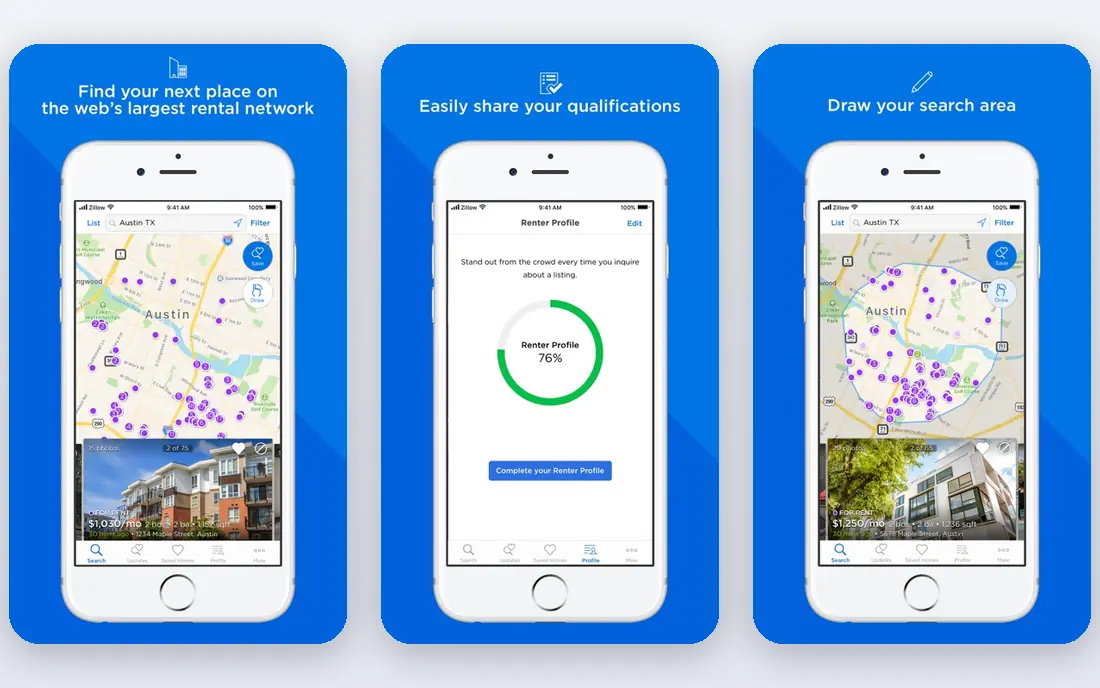
Zillow Rentals covers more listing types than most apartment-only apps, including single-family rentals and condos from private landlords. Map search, filters, and price trends help you compare areas and spot overpriced units. That breadth makes Zillow a good first stop for most renters.
Application fees can add up if you apply to many places, and Zillow offers a shared application option in some cases that can reduce repeat fees. Check the fee for each listing before applying, and tour before paying any deposit.
- Apartments, houses, condos, and townhouses in one place
- Strong map search
- Price history on many listings
- Application fees apply for some applications
- Listing quality varies
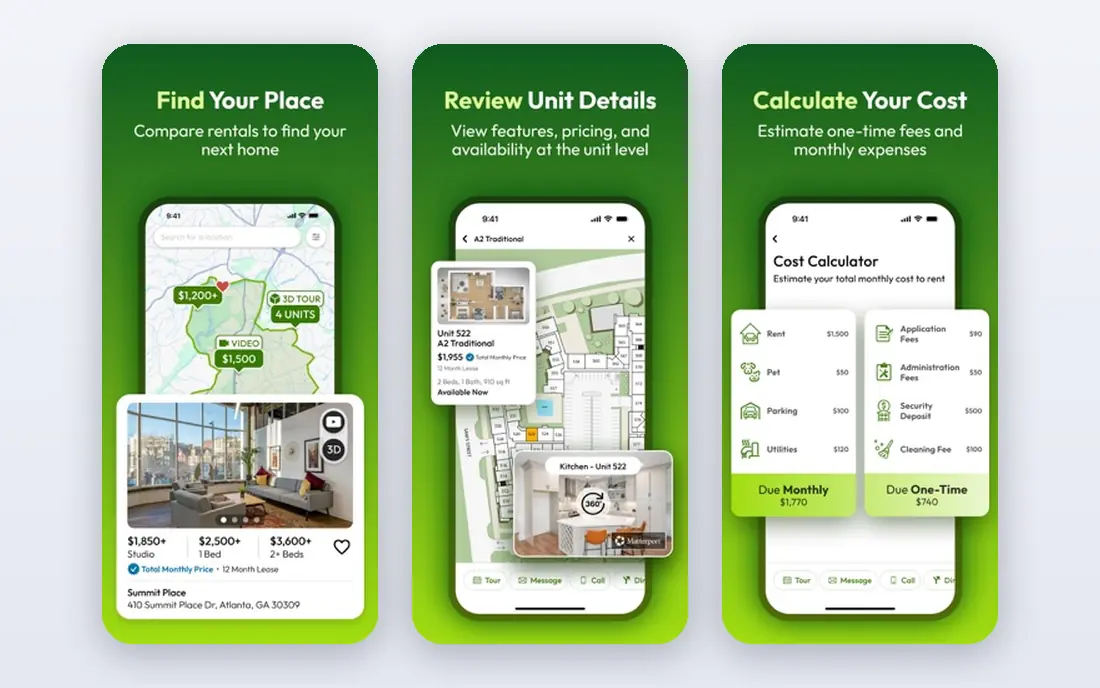
Apartments.com is strong for large, professionally managed buildings, where listings often include photos, floor plans, and virtual tours. Filters for price, beds, amenities, and pet policy help narrow a big city search quickly. If you want a managed building with on-site staff and standard leases, start here.
Smaller landlords and private rentals appear less often, so pair Apartments.com with HotPads or Facebook Marketplace for those listings. Scroll past sponsored placements to compare the full set of results for your filters.
- Large database from property managers
- Virtual tours on many listings
- Clean filters
- Paid ads appear near the top
- Smaller landlords less visible
Zumper earns its place for speed. Set an alert for your area and budget, and you get notified when a matching unit appears, which matters when good units go quickly. Instant tour requests on many listings also shorten the gap between finding a place and seeing it.
Coverage is stronger in some cities than others, so Zumper works best as an alert layer on top of a broader search. Keep alerts tight to your real budget and must-haves, or you will get notified for units you would never take.
- Fast alerts for new listings
- Instant tour booking on many listings
- Clean mobile app
- Coverage varies by city
- Some listings duplicate other platforms
HotPads is the map-first pick. Draw a boundary around the neighborhoods you want, or search along a commute route, and compare units by location rather than by list order. It often surfaces private landlords and smaller buildings that do not appear as prominently elsewhere.
Since HotPads is owned by Zillow, expect overlap with Zillow Rentals. The value is in the map view and the neighborhood focus, not in a completely separate inventory, so use it to refine location, not as your only source.
- Intuitive map search
- Good for private landlords
- Useful for specific neighborhoods
- Owned by Zillow, so listings overlap
- Fewer extra tools than larger apps
Realtor.com Rentals pulls from MLS data, which means many rentals are listed by real estate agents rather than only property managers. That source often gives clearer terms, better photos, and more detail on the property. It is a strong choice for houses, townhouses, and condos for rent.
For large apartment complexes, Apartments.com may list more units. Use Realtor.com alongside it to catch agent-listed homes that do not appear in apartment-only feeds.
- MLS-based listings from agents
- Often clearer terms and photos
- Useful for houses and condos
- Apartment complex coverage less deep than Apartments.com
- Availability varies by market
Trulia, also owned by Zillow, stands out for neighborhood context. School ratings, commute times, and local insights help if you are moving to an unfamiliar area and need more than price and photos. That context can prevent a common mistake: picking a cheap unit in a location that adds a long, costly commute.
Treat neighborhood scores as a starting point, not a final judgment. Visit the area at different times of day, check transit, and talk to current tenants when you can before signing.
- Neighborhood data on schools, crime, and commute
- Map search
- Listing alerts
- Listings overlap with Zillow
- Neighborhood data needs local checking
Rent.com focuses on apartment complexes and managed properties, with tools that help compare pricing for similar units. That focus helps when you are comparing several buildings in one area and want to see which offers better value for the same beds and amenities.
Private rentals and houses appear less often, so Rent.com works best as a complement to Zillow or HotPads. Use its comparison tools to shortlist buildings, then tour and read the lease carefully.
- Focus on apartment complexes
- Pricing transparency tools
- Comparison features
- Less coverage for private rentals
- Market coverage varies
Facebook Marketplace and local rental groups list many units that never reach the big platforms, especially from private landlords. That reach can surface lower-cost duplexes, rooms, and small buildings in tight markets. Direct messaging also lets you ask questions quickly.
Scam risk is higher here than on managed platforms, so verify every listing. Tour in person, check that the person showing the unit can prove ownership or management rights, and never wire money before a tour and a signed lease.
- Many private landlord listings
- Local groups add unlisted units
- Direct messaging
- Higher scam risk
- Listing quality varies
- No standard application flow
How we picked these
We compared official app pages, listing coverage, filters, alerts, tour tools, and public reviews for apartment apps. We favored apps with a working free browsing tier, a live listing inventory in 2026, and a clear way to contact landlords or book tours. We excluded apps with no rental inventory, broken listings, or only paid access to browse.
How to search without missing good units
Set your hard limits first: maximum rent, must-have beds and baths, commute ceiling, and deal-breakers such as no pets or no parking. Enter those limits in two or three apps, turn on alerts, and check new listings daily in competitive markets. Save favorites in one place, such as a simple spreadsheet, so you can compare rent, fees, deposit, lease length, and included utilities side by side.
Tour, verify, and read the lease
Tour every shortlisted unit, even if photos look good, and check water pressure, noise, light, storage, and phone signal. Ask about all fees, not just rent: application, admin, parking, pet, and amenity fees add up. Read the lease for renewal terms, early exit fees, maintenance responsibility, and guest or sublet rules before signing, and keep a copy of everything you sign.