Best App Builder in 2026: 9 Builders Compared
By ToolNimba Editorial Team October 31, 2026 10 min read

- Top pick
 Bubble
Complex web apps
Starting price$29 per monthCheck out BubbleRead our review - Runner-up
 FlutterFlow
Native mobile apps
Starting price$39 per monthCheck out FlutterFlowRead our review - Also great
 Glide
Spreadsheet-based apps
Starting price$25 per monthCheck out GlideRead our review
How we researched this
We compared official pricing and feature pages, app store listings, privacy policies and public user reviews. Prices change, so check the provider's site before you pay.
Key takeaways
- Bubble is our pick for most complex web apps, with visual workflows, a database, and a large plugin ecosystem.
- FlutterFlow suits native iOS and Android apps with Flutter code export, while Glide suits fast internal tools from spreadsheet data.
- Adalo and Thunkable suit beginners who want a simple mobile app, while AppSheet suits Google Workspace teams building ops apps.
- Check publishing costs and limits before you build: web, native store, user count, and data limits decide the real price.
Quick comparison
| Name | Best for | Starting price | Free plan | |
|---|---|---|---|---|
| Bubble | Complex web apps | $29 per month | Yes | Visit |
| FlutterFlow | Native mobile apps | $39 per month | Yes | Visit |
| Glide | Spreadsheet-based apps | $25 per month | Yes | Visit |
 Adalo | Beginner mobile apps | $36 per month | Yes | Visit |
 Google AppSheet | Google Workspace ops apps | $5 per user per month | Yes | Visit |
 Softr | Client portals | $49 per month | Yes | Visit |
 Thunkable | Beginner drag-and-drop apps | $19 per month | Yes | Visit |
 WeWeb | Visual front ends | $20 per seat per month | Yes | Visit |
 Draftbit | React Native apps | $29 per month | Yes | Visit |
The best app builders
An app builder should let you create a real app without writing all the code yourself, then publish it where users can reach it. The builders below cover no-code and low-code approaches for web apps, native mobile apps, and internal tools. We compared official pricing and product pages and recent builder comparisons, and we kept only builders that still publish working apps in October 2026.
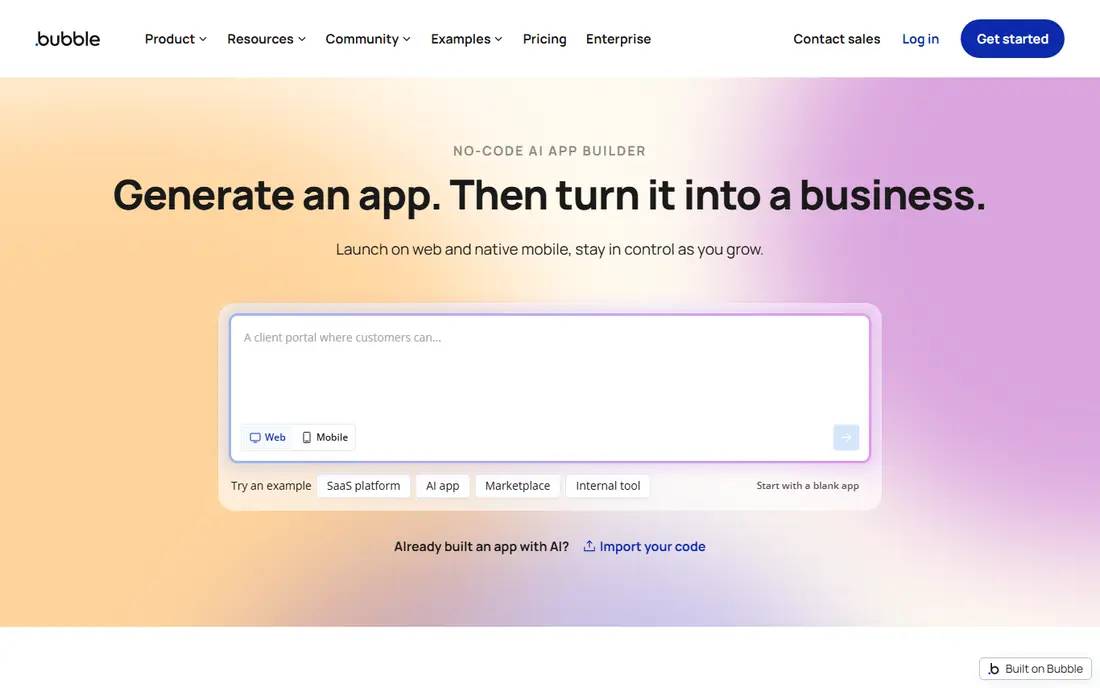
Bubble remains the most capable no-code builder for a full web product. Its visual workflow editor, built-in database, and plugin marketplace support marketplaces, SaaS products, directories, and booking apps with custom logic. A free development tier lets a team build and test before paying, and paid plans from $29 per month on annual billing add live publishing and higher capacity.
The main limits are lock-in and cost prediction. Bubble apps run on the Bubble platform with no standalone source export, and workload units can make costs harder to forecast for a busy app. Learning also takes time, since full control brings many settings. For a founder or small team building a complex web app without a developer, Bubble offers the deepest no-code option.
- Visual workflows and built-in database
- Large plugin marketplace
- Web and mobile app publishing
- No standalone source export
- Workload-based pricing can be hard to predict
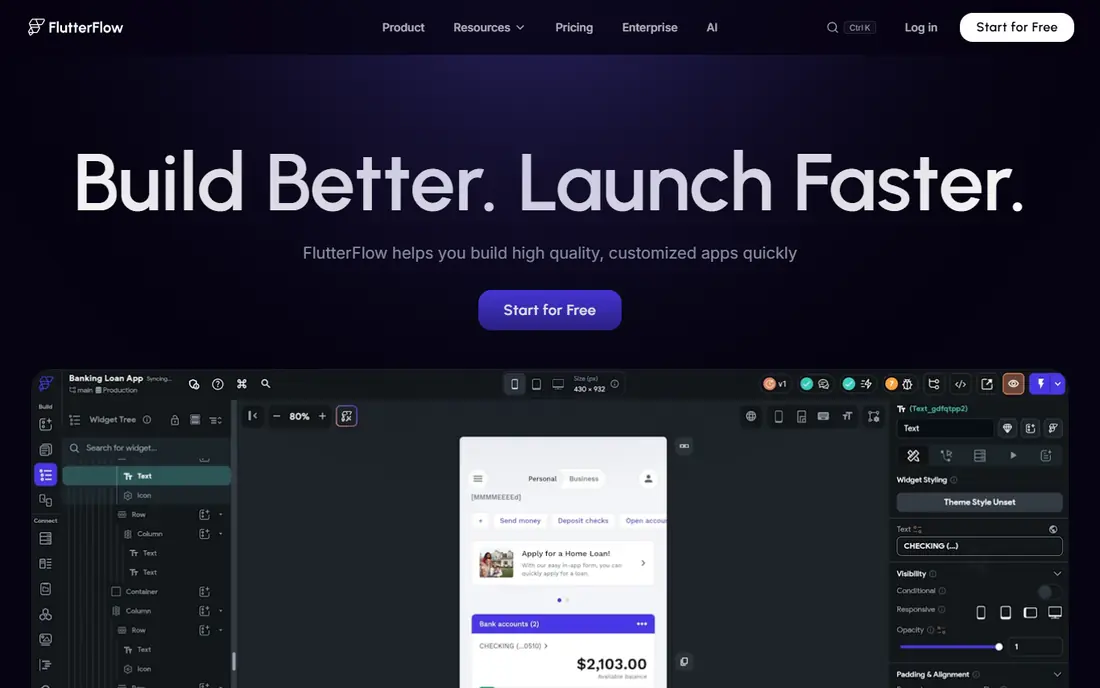
FlutterFlow suits teams that want real native mobile apps without writing all the Flutter code by hand. Its visual builder, templates, and components speed up design, and paid plans allow Flutter code download, which gives more ownership than many no-code tools. Firebase and Supabase support covers login, data, and storage for a complete app.
FlutterFlow is closer to development than a simple drag-and-drop builder, so beginners may find the learning curve steep. Backend services can also add cost beyond the builder plan. For a team that wants native performance, store publishing, and code ownership, FlutterFlow is the strongest mobile-first builder here.
- True native iOS and Android apps
- Flutter code download
- Firebase and Supabase support
- Steeper learning curve than Glide or Adalo
- Backend costs are separate in some plans
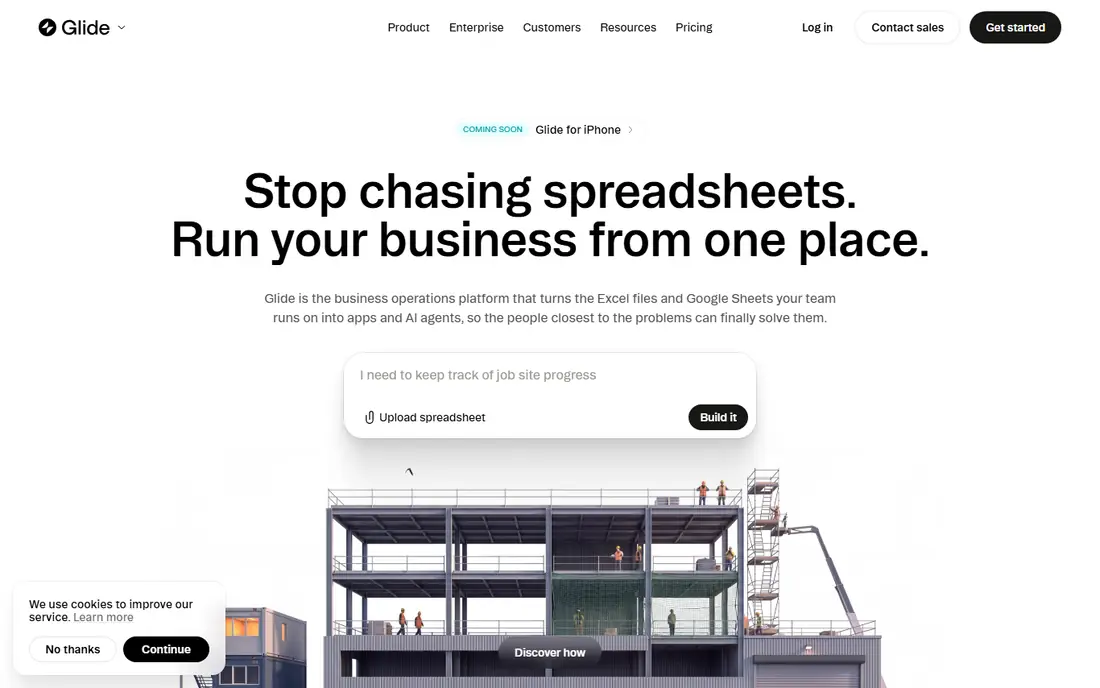
Glide is the fastest route from a spreadsheet to a usable app. Connect Google Sheets, Excel, Airtable, or other business data, pick a layout, and publish a web app that works well on a phone. That makes it ideal for internal tools, field checklists, directories, and simple customer portals where data already exists in a sheet.
Complex logic is the limit. Glide handles workflows and integrations, but it is not the best choice for a highly custom consumer app with complex rules. Paid plans from $25 per month add users, data, and features, while the free tier suits testing. For a small business that needs an internal app this week, Glide is hard to beat for speed.
- Fast apps from spreadsheets and business data
- Good for internal tools
- Mobile-friendly layouts
- Limited for complex logic
- No source export
- Paid plans needed for larger data
Adalo suits beginners who want a simple consumer-style mobile app without learning code. Its drag-and-drop canvas, component library, and built-in database make it easy to build screens, link data, and publish to web and app stores. A free tier with 500 records in recent comparisons lets a new builder test an idea before paying, with paid plans from $36 per month on annual billing.
Heavy data and complex logic can strain Adalo, and there is no source export, so a growing app may need to move to FlutterFlow or Bubble later. That trade is acceptable for a prototype, a simple booking app, or a small business app. For a first mobile app built by a non-developer, Adalo offers one of the gentlest starts.
- Beginner-friendly drag-and-drop canvas
- Built-in database
- Web and native publishing
- Performance can limit heavy apps
- No source export
- Store fees may apply
Google AppSheet suits teams already in Google Workspace that need ops apps for field work, inspections, inventory, and approvals. It builds apps from Sheets and other data sources, with forms, maps, and automation for daily work. Test apps are free, and the Starter plan is listed at $5 per user per month in recent comparisons, which keeps team costs low.
Design freedom is thinner than Bubble or Glide, and the app feel is practical rather than polished for consumers. AppSheet is best for internal and field apps, not for a public consumer brand app. For a Google Workspace team that needs a working ops app fast and cheap, it is a strong and often overlooked choice.
- Low per-user price
- Builds from Sheets and other data
- Strong for field and ops workflows
- Less design freedom than Glide or Bubble
- Google ecosystem fit matters most
Softr is the simplest way to turn Airtable or Google Sheets data into a client portal, directory, or internal tool. Its block-based builder, membership controls, and permissions suit agencies, schools, and small businesses that need a gated portal without building screens from scratch. A free tier covers one app for testing, with paid plans from $49 per month in recent comparisons.
Softr is not a full app builder for complex logic. It has no free-form drag-and-drop canvas, and custom workflows are thinner than Bubble. For a portal, a directory, or a client area on existing data, that simplicity is a benefit. For a custom consumer app, choose Bubble, FlutterFlow, or Adalo instead.
- Simple portals on Airtable and Google Sheets
- Membership and permissions
- Block-based building
- No drag-and-drop canvas
- Limited for complex app logic
Thunkable suits beginners, students, and small teams building a first mobile app. Its drag-and-drop blocks make logic visible without code, and it publishes to iOS and Android. A free tier lets a new builder learn the tool, with paid plans from $19 per month in recent comparisons for publishing and extra features.
Thunkable is not the best choice for a complex, high-traffic app, where FlutterFlow or Bubble offer more power. It also overlaps with Adalo for simple apps, so the choice often comes down to which interface feels easier. For learning, a school project, or a simple business app, Thunkable is a friendly and affordable start.
- Very beginner-friendly
- Drag-and-drop blocks
- Good for learning and simple apps
- Limited for complex or high-performance apps
- Advanced features need higher plans
WeWeb suits teams that want a polished visual front end without giving up code control. It offers a visual builder, workflows, and AI-assisted setup, with code export and self-hosting on higher tiers. That makes it a good fit for SaaS front ends, dashboards, and portals where the team already has a backend or wants to choose one.
The trade-off is that WeWeb is mainly a front end. You need a backend such as Supabase, Xano, or WeWeb Cloud, and hosting may add cost beyond the seat price. For a team with some technical skill that wants design freedom plus code ownership, WeWeb offers a strong middle path between pure no-code and full development.
- Visual front end with code export
- Works with external backends
- Self-hosting options
- You supply or choose a backend
- Hosting can add cost
Draftbit suits builders who want a custom mobile UI with React Native code they can own. Its visual builder focuses on screens and components, with code export for teams that want to take the app further with developers. A free tier lets a builder test the workflow, with paid plans from $29 per month on annual billing in recent comparisons.
Draftbit is more technical than Adalo or Thunkable, and backend setup needs planning, so pure beginners may prefer a simpler tool first. For a team that wants a polished mobile app, React Native output, and a path to custom development, Draftbit offers a useful balance of visual building and code ownership.
- React Native code export
- Visual UI building
- Good for custom mobile designs
- More technical than Adalo or Thunkable
- Backend setup needs planning
How we picked these
We compared official pricing and product pages and recent builder comparisons for no-code and low-code app builders that publish working apps in October 2026. We weighed ease of use, app type, data and backend options, publishing, code export, and price, and we mixed web, native mobile, and internal tool builders. We did not claim hands-on testing, and where pricing varied by billing period we used the annual or monthly figure from the most recent comparison and noted that you should confirm it before buying.
How to choose an app builder
Start with the app type. A web SaaS product points to Bubble or WeWeb, a native mobile app points to FlutterFlow, Adalo, Thunkable, or Draftbit, and an internal tool points to Glide, Softr, or AppSheet. Picking by app type first avoids learning a builder that cannot publish where your users are.
Data, users, and publishing
Check where your data lives, how many users you need, and whether you must publish to app stores. Spreadsheet data favors Glide, Softr, and AppSheet, while a custom database favors Bubble and FlutterFlow. App store publishing adds review time and fees, so a web app may be faster for a first launch. A contractor who needs a simple booking or job-tracking app, for example, can often build it faster in Glide or AppSheet than in a full consumer app builder.
Cost and ownership
Compare free limits, paid tiers, user pricing, and workload or data limits, not just the headline price. Code export matters if you may later hire developers: FlutterFlow, WeWeb, and Draftbit offer export paths, while Bubble, Glide, Adalo, and Softr keep apps on their platforms. Start free, build a small working version, and only pay when publishing or user limits require it.
Sources
- https://bubble.io
- https://flutterflow.io
- https://www.glideapps.com
- https://www.adalo.com
- https://about.appsheet.com
- https://www.softr.io
- https://thunkable.com
- https://www.weweb.io
- https://draftbit.com
- https://converge.ai/enter/blog/best-no-code-app-builder
- https://www.lowcode.agency/blog/no-code-web-app-builders