Best App for Business Expenses in 2026: 9 Apps Compared
By ToolNimba Editorial Team October 31, 2026 11 min read

- Top pick
 Expensify
Expense reports without new cards
Starting price$5 per user per monthCheck out ExpensifyRead our review - Runner-up
 Ramp
Free cards plus expense automation
Starting priceFreeCheck out RampRead our review - Also great
 Brex
Free spend management for startups
Starting priceFreeCheck out BrexRead our review
How we researched this
We compared official pricing and feature pages, app store listings, privacy policies and public user reviews. Prices change, so check the provider's site before you pay.
Key takeaways
- Free card-based tools like Ramp and Brex suit startups, while Expensify and Fyle suit firms that must keep existing cards.
- Travel-heavy firms gain most from Navan, while large firms with strict policies need SAP Concur.
- Check whether pricing is per user, per report or quote-based, since that changes the true cost as your team grows.
Quick comparison
| Name | Best for | Starting price | Free plan | |
|---|---|---|---|---|
| Expensify | Expense reports without new cards | $5 per user per month | Yes | Visit |
| Ramp | Free cards plus expense automation | Free | Yes | Visit |
| Brex | Free spend management for startups | Free | Yes | Visit |
 Zoho Expense | Budget expense tracking | See website | Yes | Visit |
 Navan | Travel plus expense in one app | See website | Yes | Visit |
 BILL Spend and Expense | Free spend controls with BILL cards | Free | Yes | Visit |
 SAP Concur | Enterprise travel and expense | See website | No | Visit |
 QuickBooks | Expenses inside accounting software | See website | Free trial | Visit |
 Fyle | Real-time expense tracking on existing cards | See website | Free trial | Visit |
The best apps for business expenses
We compared official pricing pages, feature pages, app store listings and public reviews to build this list of 9 options for best app for business expenses. The picks below cover well-known leaders and strong smaller options, so you can match a tool to your budget and your actual use, not just to a brand name.
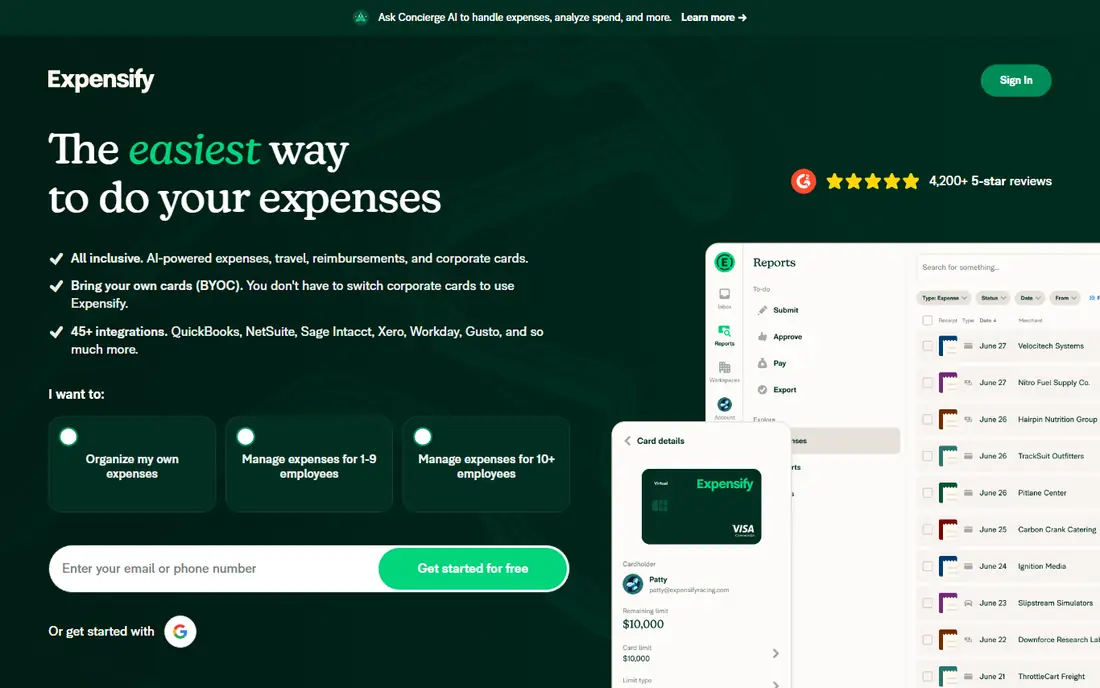
Expensify fits teams that want to keep their current cards, because it adds reporting and approvals without a card switch. That focus matters because the right choice depends on your daily use, not on a feature list alone. Before you commit, check coverage, pricing and limits for your own case, since those details decide whether a tool feels helpful or frustrating after the first week.
Card flexibility is the strength, since you do not need to replace a bank or card program to get cleaner expense reports. On pricing, the starting point listed above is $5 per user per month, with a free plan status of Yes. If that price does not fit, check the vendor pricing page for current tiers, since plans and limits change over time.
The downside is pricing detail, since plan names and limits change, so confirm the current plan before you sign up. If that trade-off feels acceptable, try the free tier or trial first with a real task, and keep an eye on total cost, not just the headline price.
- Works with existing cards
- Receipt scanning and approvals
- Good for small teams
- Pricing tiers can confuse
- Some features need a higher plan
- Support is mainly online

Ramp fits startups and growing firms that want cards and expenses in one free core platform. That focus matters because the right choice depends on your daily use, not on a feature list alone. Before you commit, check coverage, pricing and limits for your own case, since those details decide whether a tool feels helpful or frustrating after the first week.
Automation is the strength, since receipts, categorization and approvals can run with far less manual entry. On pricing, the starting point listed above is Free, with a free plan status of Yes. If that price does not fit, check the vendor pricing page for current tiers, since plans and limits change over time.
The catch is the card requirement, since the free tier works through Ramp cards, so it does not suit firms that must keep another card. If that trade-off feels acceptable, try the free tier or trial first with a real task, and keep an eye on total cost, not just the headline price.
- Free core tier with corporate cards
- Automatic receipt matching
- Spend controls
- Requires a Ramp card
- Some features need a paid plan
- Approval can depend on business details

Brex fits funded startups and mid-market firms that want cards, expenses and bill pay in one place. That focus matters because the right choice depends on your daily use, not on a feature list alone. Before you commit, check coverage, pricing and limits for your own case, since those details decide whether a tool feels helpful or frustrating after the first week.
The free essentials tier is the strength, since core spend controls do not require a monthly fee to start. On pricing, the starting point listed above is Free, with a free plan status of Yes. If that price does not fit, check the vendor pricing page for current tiers, since plans and limits change over time.
The limit is the card model, since firms that cannot switch cards will get less value, and premium tools add cost. If that trade-off feels acceptable, try the free tier or trial first with a real task, and keep an eye on total cost, not just the headline price.
- Free essentials tier
- Corporate cards with controls
- Global spend tools
- Requires a Brex card
- Premium features cost more
- Eligibility can vary by business type
Zoho Expense fits budget-conscious small teams, especially those already using Zoho Books for accounting. That focus matters because the right choice depends on your daily use, not on a feature list alone. Before you commit, check coverage, pricing and limits for your own case, since those details decide whether a tool feels helpful or frustrating after the first week.
Low cost is the strength, since a tiny team can start free and move to a modest paid plan as it grows. On pricing, the starting point listed above is See website, with a free plan status of Yes. If that price does not fit, check the vendor pricing page for current tiers, since plans and limits change over time.
The downside is polish, since the interface is functional rather than elegant, and some workflows take a few extra clicks. If that trade-off feels acceptable, try the free tier or trial first with a real task, and keep an eye on total cost, not just the headline price.
- Low-cost plans
- Free version for tiny teams
- Works well with Zoho Books
- Interface can feel busy
- Advanced approvals need higher plans
- Support is mainly online
Navan fits firms where travel is a large share of spend, because booking and expenses live in the same workflow. That focus matters because the right choice depends on your daily use, not on a feature list alone. Before you commit, check coverage, pricing and limits for your own case, since those details decide whether a tool feels helpful or frustrating after the first week.
Travel integration is the strength, since a booked trip can flow into expenses without re-entering details. On pricing, the starting point listed above is See website, with a free plan status of Yes. If that price does not fit, check the vendor pricing page for current tiers, since plans and limits change over time.
The catch is scope, since a team that rarely travels may pay for travel tools it does not use. If that trade-off feels acceptable, try the free tier or trial first with a real task, and keep an eye on total cost, not just the headline price.
- Combines travel booking with expenses
- First users free on some plans
- Clear trip and spend views
- Full expense pricing can be higher
- Travel focus may be more than a non-travel team needs
- Setup takes time
BILL Spend and Expense
Best for: Free spend controls with BILL cards
BILL Spend and Expense fits teams already using BILL, because spend controls sit next to bill pay. That focus matters because the right choice depends on your daily use, not on a feature list alone. Before you commit, check coverage, pricing and limits for your own case, since those details decide whether a tool feels helpful or frustrating after the first week.
Integration is the strength, since expenses and bills can be managed in one system, which cuts duplicate entry. On pricing, the starting point listed above is Free, with a free plan status of Yes. If that price does not fit, check the vendor pricing page for current tiers, since plans and limits change over time.
The limit is the card requirement, since the free tier depends on BILL cards, and firms with another card program gain less. If that trade-off feels acceptable, try the free tier or trial first with a real task, and keep an eye on total cost, not just the headline price.
- Free spend and expense tier
- Employee cards with budgets
- Ties into BILL bill pay
- Requires a BILL card for the free tier
- Accounting integrations vary
- Some features need paid BILL plans
SAP Concur fits large firms with complex travel and expense policies that need strict controls. That focus matters because the right choice depends on your daily use, not on a feature list alone. Before you commit, check coverage, pricing and limits for your own case, since those details decide whether a tool feels helpful or frustrating after the first week.
Policy depth is the strength, since multi-level approvals, audit trails and integrations suit a large, regulated firm. On pricing, the starting point listed above is See website, with a free plan status of No. If that price does not fit, check the vendor pricing page for current tiers, since plans and limits change over time.
The downside is weight, since setup and cost can overwhelm a small team that only needs simple receipt tracking. If that trade-off feels acceptable, try the free tier or trial first with a real task, and keep an eye on total cost, not just the headline price.
- Deep policy controls
- Strong for large firms
- Wide travel and accounting integrations
- Quote-based pricing can be high
- Setup is complex
- Small teams may find it heavy
QuickBooks fits small firms that want expenses inside their accounting, not in a separate reporting tool. That focus matters because the right choice depends on your daily use, not on a feature list alone. Before you commit, check coverage, pricing and limits for your own case, since those details decide whether a tool feels helpful or frustrating after the first week.
Accounting integration is the strength, since an expense can move from receipt to book to tax report without retyping. On pricing, the starting point listed above is See website, with a free plan status of Free trial. If that price does not fit, check the vendor pricing page for current tiers, since plans and limits change over time.
The catch is price scope, since you pay for accounting software, not just expenses, so a standalone tool may be cheaper for reporting alone. If that trade-off feels acceptable, try the free tier or trial first with a real task, and keep an eye on total cost, not just the headline price.
- Expenses flow into books and tax reports
- Receipt capture in the app
- Familiar to accountants
- Expense tools are part of a larger accounting price
- Payroll and advanced features cost more
- Learning curve for new users
Fyle fits firms that want live card feeds without switching cards, because expenses appear as they happen. That focus matters because the right choice depends on your daily use, not on a feature list alone. Before you commit, check coverage, pricing and limits for your own case, since those details decide whether a tool feels helpful or frustrating after the first week.
Real-time feeds are the strength, since managers can see spend and flag issues before month-end, not after. On pricing, the starting point listed above is See website, with a free plan status of Free trial. If that price does not fit, check the vendor pricing page for current tiers, since plans and limits change over time.
The limit is transparency, since pricing often requires a quote, so get a written price before you compare it to rivals. If that trade-off feels acceptable, try the free tier or trial first with a real task, and keep an eye on total cost, not just the headline price.
- Works with existing cards
- Real-time feeds
- Strong policy and approval tools
- Pricing is quote-based on many plans
- Smaller brand than rivals
- Some integrations need setup
How we picked these
We compared official feature pages, pricing pages, app store listings, privacy policies and public reviews for each product. We only listed products that exist and work today and truly fit the topic, and we used See website where a price could not be verified from the vendor page at the time of writing. We did not claim hands-on testing that did not happen, and we favored products with clear pricing, support and safety information where that mattered.
How to choose a business expense app
Start with your card situation. If you can switch cards, a free card-based tool may cover most needs. If you must keep existing cards, choose a reporting tool that works with them. Next, map approvals, categories and accounting integrations, since a tool that does not sync to your books creates extra work. Finally, test receipt scanning and mobile capture with real receipts, and get pricing in writing for your team size, including any platform fees.