Best Appointment Scheduling Software in 2026: 8 Tools Compared
By ToolNimba Editorial Team November 8, 2026 9 min read

- Top pick
 Calendly
Meetings and consultations
Starting price$10 per seat per monthCheck out CalendlyRead our review - Runner-up
 Acuity Scheduling
Paid service appointments
Starting price$16 per monthCheck out Acuity SchedulingRead our review - Also great
 Square Appointments
Square checkout users
Starting priceFreeCheck out Square AppointmentsRead our review
How we researched this
We compared official pricing and feature pages, app store listings, privacy policies and public user reviews. Prices change, so check the provider's site before you pay.
Key takeaways
- Calendly is the easiest pick for meetings and consultations, with a free plan that covers solo scheduling well.
- Acuity Scheduling suits service businesses that need intake forms, packages, and payments in one booking flow.
- Setmore and Zoho Bookings are the best budget options, with generous free plans for small teams.
- Square Appointments suits businesses already using Square for checkout and point of sale.
- Check calendar limits, reminder channels, and payment support before paying, since those vary most by plan.
Quick comparison
| Name | Best for | Starting price | Free plan | |
|---|---|---|---|---|
| Calendly | Meetings and consultations | $10 per seat per month | Yes | Visit |
| Acuity Scheduling | Paid service appointments | $16 per month | No | Visit |
| Square Appointments | Square checkout users | Free | Yes | Visit |
 Setmore | Budget small teams | Free | Yes | Visit |
 SimplyBook.me | Configurable service booking | $11.90 per month | Yes | Visit |
 Cal.com | Flexible open scheduling | $12 per month | Yes | Visit |
 Zoho Bookings | Zoho ecosystem users | Free | Yes | Visit |
 Doodle | Group scheduling and polls | $11 per month | Yes | Visit |
The best appointment scheduling software
Appointment scheduling software should remove the back-and-forth of finding a time, while handling reminders, payments, and intake without extra admin. The eight tools below cover solo consultants, service businesses, and teams, with different strengths on price, payments, and calendar support.
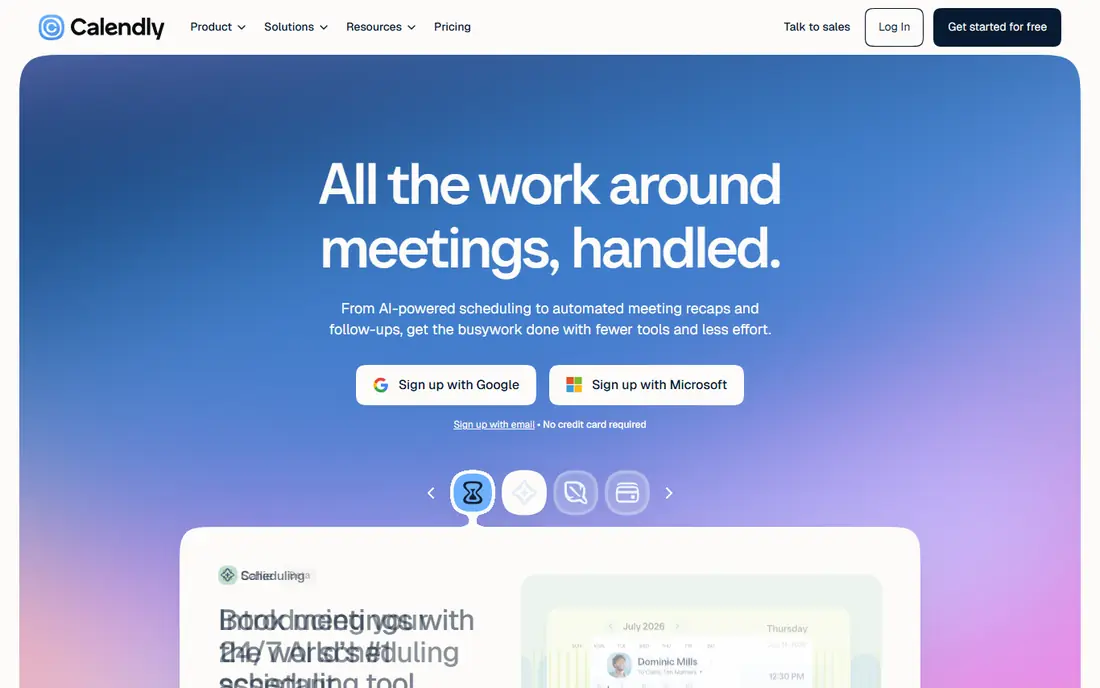
Calendly is the default for a reason: share a link, let the other person pick a time, and the meeting lands on both calendars without emails. Standard starts at $10 per seat per month billed annually, and it adds multiple event types, group scheduling, and payment collection through Stripe and PayPal. Integrations cover calendars, CRMs, and video tools, so booked meetings start with the right link attached.
The free plan is genuinely useful for solo users, though it allows only one event type and one calendar connection. Team features such as round-robin assignment need higher tiers. For consultants, coaches, and sales teams who live on meetings, Calendly's simplicity and reach make it the easiest recommendation here.
- Easiest booking links to share
- 150-plus integrations
- Automated reminders and routing forms
- Free plan allows only one event type
- Round-robin team scheduling needs higher plans

Acuity Scheduling, part of Squarespace, is built for service businesses that sell time. Starter costs $16 per month billed annually and includes unlimited appointment types, intake forms, and automated email reminders, with payments through Stripe, Square, and PayPal. Packages, memberships, and subscriptions sit on higher tiers, which suit studios, clinics, and salons with repeat clients.
The limits are calendar counts and price. Starter allows one calendar, Standard allows up to six, and Premium up to 36, so multi-staff businesses pay more as they grow. There is no free plan, only a 7-day trial. If booking is your business, not just a meeting tool, Acuity's depth justifies the cost.
- Intake forms, packages, and subscriptions
- Native payments
- Strong Squarespace integration
- No free plan, only a 7-day trial
- Calendars scale with higher tiers, so multi-staff costs rise

Square Appointments suits businesses already running on Square. The free tier charges no monthly subscription, with only payment processing fees, and bookings connect directly to Square checkout, customer records, and point of sale. That single system matters for salons, barbershops, and studios that take payment at booking or at the chair.
Paid tiers start with Plus at $49 per location per month, and Premium higher, which adds up for multi-location businesses. Processing fees apply separately. If you already use Square, Appointments is the lowest-friction choice. If you do not, a standalone scheduler such as Setmore or Acuity may fit better.
- Free tier with no monthly subscription
- Bookings tied to Square payments and point of sale
- Staff management
- Paid tiers scale per location
- Processing fees apply on top of subscriptions
Setmore is the budget pick for small teams getting started. Its free plan covers up to four users with unlimited appointments and email reminders, which is generous enough for a small salon, clinic, or studio to run real bookings without paying. The booking page is simple to set up, and customers can book without creating an account.
Pro, at $5 per user per month billed annually, adds two-way calendar sync, SMS reminders, and deposits, which most growing businesses eventually need. Note that monthly billing shows a higher per-user rate, so check the Setmore pricing page for the current figure. For teams on a tight budget, Setmore's free tier is the best place to start.
- Free plan covers up to four users
- Unlimited appointments
- Easy booking page
- Two-way calendar sync and deposits need Pro
- Pro pricing varies by billing period
SimplyBook.me suits service businesses that need booking to bend around their process. Providers, locations, services, custom features, and memberships are all configurable, so a clinic, school, or studio can shape booking to match how it actually works. The free plan covers 50 bookings with one provider, which is enough to test the fit properly.
Basic starts at $11.90 per month billed annually, with higher tiers for more bookings and features. The configurability that makes SimplyBook.me powerful can also feel overwhelming at setup, so budget an hour to choose features rather than enabling everything. For businesses with unusual booking rules, it is the most flexible option here.
- Highly configurable booking features and providers
- Memberships and packages
- Multi-location support
- Feature choices can feel overwhelming
- Booking volume limits matter on lower tiers
Cal.com is the flexible, open-source alternative to Calendly. Its free plan covers individual scheduling well, with custom booking pages, calendar connections, and integrations, while paid plans from $12 per month add team scheduling, routing, and advanced features. Because the core is open source, teams can self-host or customize the experience in ways closed tools do not allow.
Self-hosting is also the catch: it adds maintenance, updates, and security work that a hosted tool handles for you. Most teams should use the hosted plan and enjoy the flexibility without the server work. For developers, agencies, and privacy-conscious teams, Cal.com's openness is a genuine advantage over its rivals.
- Open source core with strong customization
- Team scheduling and routing
- Generous free plan
- Self-hosting adds maintenance
- Some advanced features need paid plans
Zoho Bookings suits businesses already using Zoho apps. The free plan covers one user and one workspace with a booking page, reminders, and calendar sync, which is enough for a solo consultant inside the Zoho world. Native integration with Zoho CRM means bookings land next to customer records without extra connectors.
Paid pricing varies, and some tiers are presented as contact-sales in certain regions, so confirm the current Zoho Bookings pricing page before budgeting for a team. Outside the Zoho ecosystem, Calendly or Setmore offer simpler standalone value. Inside it, Zoho Bookings keeps scheduling, CRM, and invoicing in one place.
- Free plan for one user and workspace
- Native Zoho CRM and app integrations
- Clean booking pages
- Paid pricing is sales-led in some regions
- Resource costs vary by setup
Doodle solves a different problem from the rest of this list: finding a time a group can agree on. Create a poll with time options, let participants vote, and Doodle finds the slot that works, which beats a long email thread for team meetings, interviews, and group sessions. Booking pages cover one-to-one meetings too, with a free tier for basic polls.
Pro starts around $11 per month and removes ads, adds branding, and expands poll features. Doodle lacks round-robin routing and the payment and intake depth of Acuity, so it suits internal and group scheduling more than paid client services. For teams tired of scheduling polls by email, Doodle is the simplest fix.
- Group polls find a time everyone can make
- Booking pages for one-to-one meetings
- Simple interface
- No round-robin team routing
- Payment and intake features are lighter than Acuity
How we picked these
We compared official pricing pages and recent independent comparisons, and kept only tools that offer real appointment booking today with calendar sync and reminders. We favored tools with free plans or trials, clear calendar and payment support, and distinct strengths for meetings, services, or groups, and we left out pure calendar apps with no booking pages. Prices change often, so confirm the current figure on each vendor site before you buy.
How to set up booking that clients actually use
Start with availability, not features. Set working hours, buffers between appointments, and a booking window that prevents same-day chaos, then add reminders by email and, where the plan allows, SMS, since no-shows fall sharply with a reminder. Keep the booking page short: service, time, name, and payment or intake only if the appointment truly needs them.
Then test the full flow as a customer. Book, reschedule, and cancel from a phone, and check that calendar invites, reminders, and payment confirmations all arrive correctly. A booking tool that works on desktop but breaks on mobile will lose clients, since most bookings now happen on phones. Fix the mobile flow first, then add advanced features such as packages or round-robin routing.
What to check before you pay
Confirm how many staff calendars, locations, and booking pages your plan includes, since those limits drive cost for growing teams. Check whether SMS reminders, deposits, and intake forms are included or gated to higher tiers, and whether payments run through Stripe, Square, PayPal, or all three. Finally, confirm cancellation and rescheduling rules, since clients judge a booking tool by how easy it is to change a booking, not just make one.
Sources
Frequently asked questions
What is the best appointment scheduling software for small businesses?
Calendly suits meeting-heavy businesses, Acuity suits paid service businesses, and Setmore suits the tightest budgets with its free plan for up to four users. Pick by whether you sell meetings, services, or group sessions.
Is there free appointment scheduling software?
Yes. Calendly, Setmore, SimplyBook.me, Cal.com, Zoho Bookings, Square Appointments, and Doodle all offer free plans or tiers. Free plans limit event types, users, bookings, or calendars, so check those limits against your volume.
How do I reduce no-shows?
Send automated email and SMS reminders, require a deposit or card for high-value appointments, and make rescheduling easy from the reminder itself. A clear cancellation policy, stated at booking, also helps clients reschedule instead of simply not showing up.
Can clients pay when they book?
Yes, on most tools here. Calendly, Acuity, Square Appointments, and SimplyBook.me all support payment at booking through Stripe, Square, or PayPal, though payment features sometimes need a paid plan. Check your plan before promising deposits to clients.
What is the difference between Calendly and Acuity?
Calendly is built for meetings and consultations with simple booking links, while Acuity is built for service businesses with intake forms, packages, and subscriptions. Choose Calendly for meetings, Acuity for paid services with repeat clients.
Do I need scheduling software if I already use Google or Microsoft calendars?
Built-in booking pages cover basic one-to-one scheduling, but dedicated tools add intake forms, payments, reminders, team routing, and branded pages. If booking is core to your business, a dedicated tool earns its price quickly.