Best Apps for Sleep Tracking in 2026: 9 Apps Compared
By ToolNimba Editorial Team October 29, 2026 12 min read

- Top pick
 Sleep Cycle
Phone-only tracking with a smart alarm
Starting price$39.99 per yearCheck out Sleep CycleRead our review - Runner-up
 Pillow
Apple Watch owners who want detail
Starting priceSee websiteCheck out PillowRead our review - Also great
 ShutEye
Falling asleep faster
Starting priceSee websiteCheck out ShutEyeRead our review
How we researched this
We compared official pricing and feature pages, app store listings, privacy policies and public user reviews. Prices change, so check the provider's site before you pay.
Key takeaways
- Sleep Cycle is our pick for most people without a wearable, since it tracks from a phone on the nightstand and offers a smart alarm.
- If you already own an Apple Watch, Pillow and the built-in Apple Health sleep features give you strong tracking with no extra monthly cost.
- Phone-only tracking is useful for patterns and routines, but it is less precise than a watch or ring that measures heart rate through the night.
- Sleep apps are not medical devices and do not diagnose sleep disorders. Talk with a clinician about loud snoring, long-term insomnia, or daytime sleepiness that does not improve.
- Paid plans mainly add trends, snore recording, and coaching, so start with a free plan and pay only if you actually open those reports.
Quick comparison
| Name | Best for | Starting price | Free plan | |
|---|---|---|---|---|
| Sleep Cycle | Phone-only tracking with a smart alarm | $39.99 per year | Yes | Visit |
| Pillow | Apple Watch owners who want detail | See website | Yes | Visit |
| ShutEye | Falling asleep faster | See website | Free trial | Visit |
 SleepScore | Contactless sonar tracking | $9.99 per month | Yes | Visit |
 Sleep as Android | Android users who want control | See website | Yes | Visit |
 Fitbit | Sleep stages plus daily health data | $9.99 per month | Yes | Visit |
 Samsung Health | Galaxy owners who want free tracking | Free | Yes | Visit |
 Apple Health | iPhone and Apple Watch owners | Free | Yes | Visit |
 AutoSleep | Apple Watch data without a subscription | See website | No | Visit |
The best apps for sleep tracking
We compared official feature pages, app store listings, pricing pages, and public reviews to find sleep trackers that fit different phones, budgets, and comfort levels. The list below mixes free phone apps with watch companions, so you can start where you are and upgrade only if the data proves useful.
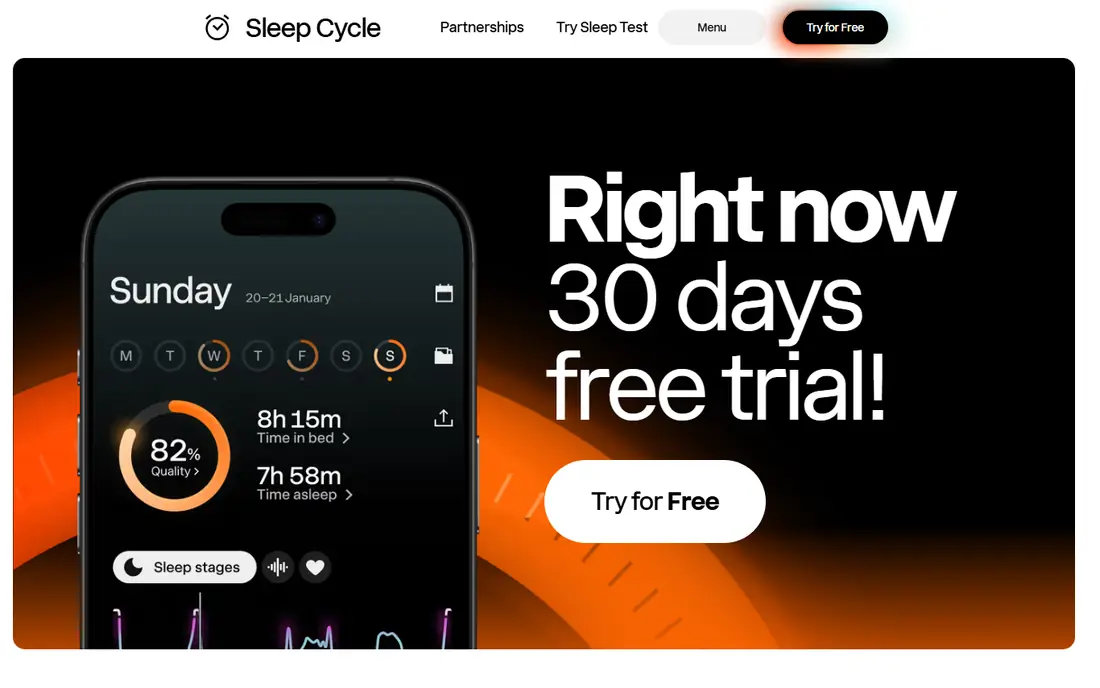
Sleep Cycle remains the best-known way to track sleep without buying hardware. You place your phone on the nightstand, and it uses sound and motion analysis to estimate sleep phases, then wakes you inside a window you choose. That design suits people who dislike wearing a watch in bed, and the free version covers core tracking, basic stats, and the smart alarm. Premium adds long-term trends, snore recording, and online backup. The yearly price is reasonable next to monthly subscriptions. If you sleep alone and keep a regular schedule, the patterns here are clear enough to guide small changes, such as an earlier bedtime or less late caffeine. Just remember that sound-based staging is an estimate, not a clinical measurement.
- Works without a wearable
- Smart alarm aims for a lighter sleep phase
- Snore and sleep-talk recording on Premium
- A partner in the same bed can affect sound-based tracking
- The phone needs power through the night
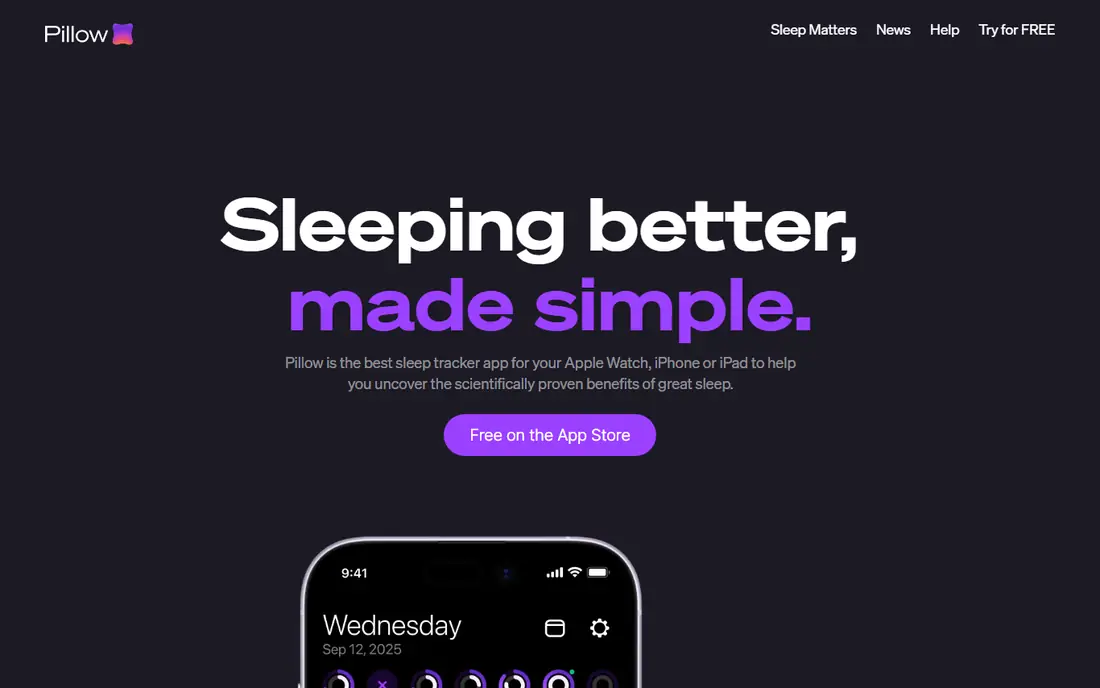
Pillow is built for the Apple ecosystem, and that focus shows in its charts. With an Apple Watch, it pulls heart rate and motion data into stage breakdowns, sleep quality scores, and trends that are easy to read in the morning. The app also offers a smart alarm, sleep aid sounds, and audio recording for snoring or talking in your sleep. For iPhone owners who already wear a watch, Pillow presents the same night in more detail than the basic Health app. The catch is platform lock-in. Android users should skip it, and watch-free iPhone users will get a thinner version of the experience. Try the free tier first and check whether you actually review the detailed charts before paying.
- Deep Apple Health integration
- Detailed sleep stage charts
- Smart alarm and audio recording options
- IPhone and Apple Watch only
- The fullest reports sit behind a paid plan
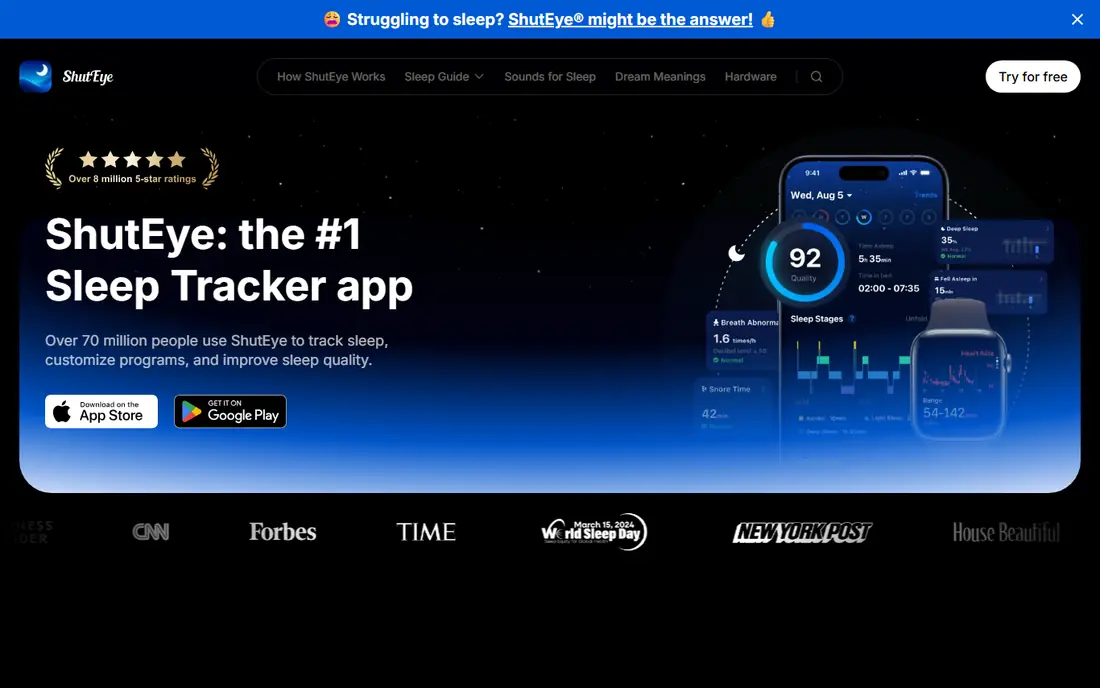
ShutEye takes a different angle from most apps on this list. Its main job is helping you fall asleep, with calming sounds, sleep stories, and breathing tools, and tracking sits alongside that content. That makes it a good fit if your main problem is a busy mind at bedtime rather than a need for detailed stage charts. The tracker itself records sleep duration, snore sounds, and sleep cycles, and the smart alarm rounds out the morning routine. We liked the breadth of the sound library, which covers white noise, nature sounds, and music, and the interface is simple to use when you are tired. The honest catch is value. If you only want tracking, a free or cheaper tracker will do the same job, so ShutEye earns its price mainly when you use the relaxation library most nights.
- Large library of sleep sounds and stories
- Snore and sleep-talk recording
- Smart alarm included
- Tracking is secondary to relaxation content
- Full access requires a subscription after the trial
SleepScore uses sonar from your phone speaker to sense breathing and body movement, a method developed with ResMed, a company known for sleep equipment. You set the phone on your nightstand at about chest height, and the app builds a nightly score from sleep duration, timing, and quality signals. That contactless approach appeals to people who will not wear anything to bed. The score is simple to follow, and the app pairs it with personal advice on light, temperature, and schedule. Placement is the weak point. A thick blanket, a book blocking the speaker, or a phone placed too far away can weaken the reading, and the phone needs power all night. If you follow the setup steps and sleep in a fairly quiet room, SleepScore gives a useful nightly picture without new hardware.
- No wearable needed
- Sonar-based breathing and movement sensing
- Clear 0 to 100 sleep score
- Phone placement matters for accuracy
- The phone must stay plugged in overnight
Android users get the most flexible sleep tracker in this roundup with Sleep as Android. It supports sonar, accelerometer, and wearable tracking, offers gentle alarms with captcha options for heavy sleepers, and connects with smart lights and other automation tools. Sleep graphs, snore recording, and sleep debt views give serious self-trackers plenty to study. That depth is also the trade-off. The settings menus are long, and a new user can spend a while tuning alarms, tracking sensitivity, and integrations before the app feels settled. Once it is set up, though, it is one of the few apps that lets you shape almost every part of the routine. If you like control and you use Android, this is the app to try before a subscription tracker.
- Deep customization for alarms, tracking, and automation
- Works with many wearables
- One-time license option
- Android only
- The many settings can feel crowded at first
Fitbit turns sleep into one part of a wider health picture. With a Fitbit device or Pixel Watch, the app reports sleep stages, a nightly sleep score, and trends over weeks, then connects those nights to steps, heart rate, and daytime activity. That context helps you see, for example, whether late workouts or long screen sessions line up with restless nights. The free app covers core tracking and the sleep score, while Premium adds deeper trends and more detailed breakdowns. The device requirement is the real cost here, since phone-only tracking is not the point of Fitbit. For people who already wear a Fitbit for steps or workouts, the sleep features are a strong bonus. For phone-only users, Sleep Cycle or SleepScore will be cheaper and simpler.
- Sleep stages, sleep score, and long-term trends
- Ties sleep to activity, heart rate, and readiness
- Broad device range
- Best detail needs a Fitbit or Pixel Watch device
- Some insights require Fitbit Premium
Samsung Health is the quiet bargain in this list for Galaxy owners. With a Galaxy Watch, it records sleep stages, sleep time, and consistency, then offers coaching tips based on your patterns, all without a monthly fee for core tracking. It also gathers steps, workouts, heart rate, and stress in one place, so sleep does not live in a separate app. The limit is ecosystem fit. Without a Galaxy Watch, phone-based tracking is thinner, and iPhone users get little from it. If you already carry a Samsung phone and wear a Galaxy Watch, start here and learn your baseline over a few weeks before paying for another app.
- Free sleep stages and coaching on Galaxy devices
- No subscription for core tracking
- Broad health hub
- Best features need a Galaxy Watch
- Limited value outside the Samsung ecosystem
Apple Health is the default most iPhone owners overlook, and for many people it is enough. With an Apple Watch, it records sleep duration and stages, tracks consistency against a sleep schedule, and adds a sleep score on newer models. Wind Down and Sleep Focus help you set a bedtime routine, and the data stays tied to your Apple account with on-device privacy controls. The trade-off is depth. Apple Health gives a clean overview rather than snore analysis or detailed coaching, and phone-only users get schedule tracking rather than stage data. Pair it with Pillow or AutoSleep only if you want richer charts.
- Free with iPhone
- Sleep stages and sleep score on supported Apple Watch models
- Strong privacy controls on device
- Requires an Apple Watch for stage detail
- Fewer coaching features than dedicated sleep apps
AutoSleep appeals to Apple Watch owners who dislike subscriptions. Once set up, it tracks sleep automatically, so there is no button to press at bedtime and no forgotten nights because you skipped a sleep mode. Morning views cover sleep time, quality, heart rate, and a readiness-style rating, plus a sleep bank that shows whether you are catching up or falling behind over days. The app rewards people who like numbers. Its rings and charts are dense, and the first week can feel like a lot of information. The payoff is a single purchase instead of a monthly fee, and data that updates from the watch you already wear. If you want automatic tracking and you plan to keep your watch for years, AutoSleep is a sensible one-time buy.
- Automatic tracking with no need to start a sleep mode
- Readiness and sleep bank views
- One-time purchase model
- Apple Watch required
- Interface packs a large amount of data into small screens
How we picked these
We compared official feature pages, pricing pages, and app store listings for each app, then checked public reviews for common complaints about accuracy, battery use, and paywalls. We favored apps that are widely available in the United States on iOS or Android, that track at least duration and one quality signal, and that state their pricing or free plan clearly. We left out apps that required rare hardware or hid their core tracking behind an unclear payment step. Where a price varies by store or billing period, we list the starting monthly or yearly figure from the vendor or store listing and note when you should check the live page before buying.
What to check before you pay
Start with the hardware you already own
A phone-only app is the cheapest first step, and a watch you already wear is the next best thing. Buy a ring or a new watch for sleep only after a free app has shown you that you will actually read the reports. Many people track for two weeks, learn their bedtime pattern, and then need habit changes more than new charts.
Match the app to your real problem
Falling asleep, staying asleep, and waking up groggy are different problems. ShutEye and sound libraries help at bedtime, smart alarms help with groggy mornings, and stage charts help when you want to study restless nights. Pick the app whose main strength matches the problem you notice most, not the app with the longest feature list.
Read the privacy settings before the first night
Sleep data is health data. Check what the app stores in the cloud, whether audio recordings leave your phone, and how to delete history. Prefer apps that let you keep recordings on device or delete them easily, and turn off any sharing you do not need.
Treat scores as trends, not diagnoses
A nightly score moves with bedtime, alcohol, late meals, illness, and stress, and single nights will vary. Look at weekly averages and note what changed on good and bad nights. Sleep apps are not medical devices and do not diagnose sleep disorders. If snoring is loud and regular, if you stop breathing during sleep, or if poor sleep lasts for weeks, talk with a clinician instead of relying on an app score.
Sources
- https://www.sleepcycle.com
- https://www.pillow.app
- https://shuteye.ai
- https://www.sleepscore.com
- https://sleep.urbandroid.org
- https://www.fitbit.com
- https://www.samsung.com/us/apps/samsung-health/
- https://www.apple.com/ios/health/
- https://www.tantsissa.com/autosleep/
- https://rankite.com/blog/best-sleep-tracker-app-without-watch
- https://getcurex.com/glp1-blog/top-apps-to-track-sleep-tracking