Best Apps for Study Management in 2026: 8 Apps Compared
By ToolNimba Editorial Team October 29, 2026 8 min read

- Top pick
 MyStudyLife
Academic classes and exams
Starting priceFreeCheck out MyStudyLifeRead our review - Runner-up
 Todoist
Assignment task lists
Starting price$5 per monthCheck out TodoistRead our review - Also great
 TickTick
Tasks plus focus timer
Starting price$35.99 per yearCheck out TickTickRead our review
How we researched this
We compared official pricing and feature pages, app store listings, privacy policies and public user reviews. Prices change, so check the provider's site before you pay.
Key takeaways
- MyStudyLife is the best app for study management for students who want classes, homework, and exams in one academic planner.
- Todoist and TickTick are the best general picks for assignments and daily tasks, with TickTick adding a focus timer.
- Notion suits students who want notes, coursework, and deadlines in one flexible workspace, but it takes more setup.
- Google Calendar and Microsoft To Do are strong free starting points, especially if you already use Google or Microsoft accounts.
- The best system is the one you check daily, so pick one main planner and use other apps only for focus or notes.
Quick comparison
| Name | Best for | Starting price | Free plan | |
|---|---|---|---|---|
| MyStudyLife | Academic classes and exams | Free | Yes | Visit |
| Todoist | Assignment task lists | $5 per month | Yes | Visit |
| TickTick | Tasks plus focus timer | $35.99 per year | Yes | Visit |
 Notion | Notes and coursework workspace | Free | Yes | Visit |
 Google Calendar | Class timetables and time blocks | Free | Yes | Visit |
 Microsoft To Do | Simple Outlook checklists | Free | Yes | Visit |
 Forest | Focused study sessions | See website | Yes | Visit |
 Structured | Visual daily planning | $29.99 per year | Yes | Visit |
The best apps for study management
Study management is not one job. It covers class timetables, assignment deadlines, daily plans, focus time, and notes. The apps below cover those jobs, so you can pick one main planner and add a focus or notes app only if you need it.
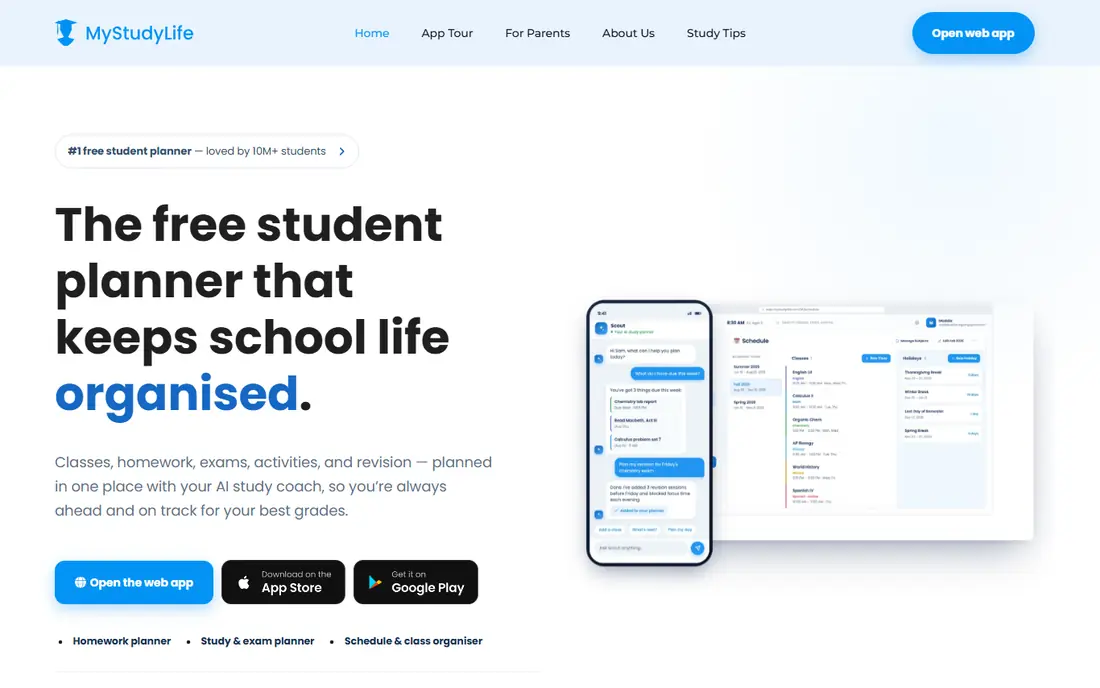
MyStudyLife is the only app here built from the ground up for school life. You enter your class timetable once, add homework and exams with due dates, and the app shows what is due and what is overdue. That academic structure saves students from forcing a general task app to act like a school planner.
It is less flexible for non-school projects, such as jobs or personal goals, than a general task manager. Some features sit behind a paid plan. If school planning is your main need, MyStudyLife is still the most direct pick.
- Built for classes, homework, and exams
- Reminders for unfinished work
- Syncs across devices
- Free tier limits some tasks
- Less suited to general life projects than Todoist
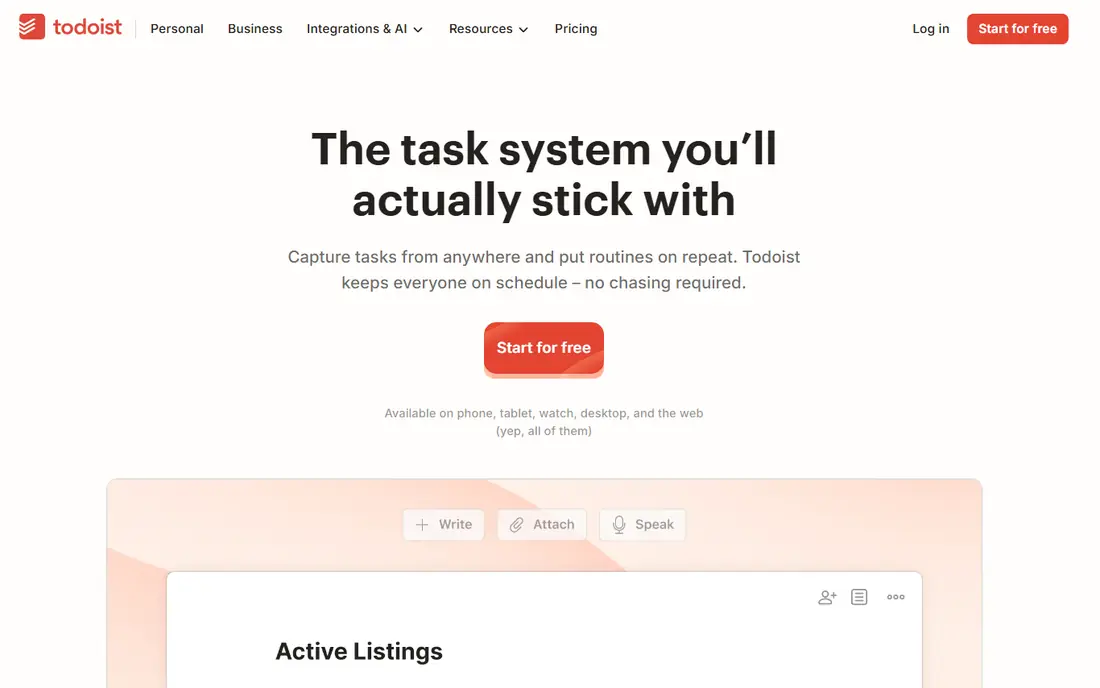
Todoist suits students who think in lists. You can capture an assignment in seconds, set a due date and priority, and filter by course or project. Recurring tasks handle weekly readings, and calendar views show the week ahead. That speed matters when deadlines arrive from several classes at once.
Todoist does not include a class timetable by default, so you must build course projects yourself. That setup takes a little time, but it also means the system fits your exact courses. Students who want a simple, reliable list will prefer Todoist to a heavier workspace.
- Fast task entry
- Recurring tasks and priorities
- Filters and calendar views
- Needs a setup that matches your courses
- No built-in class timetable
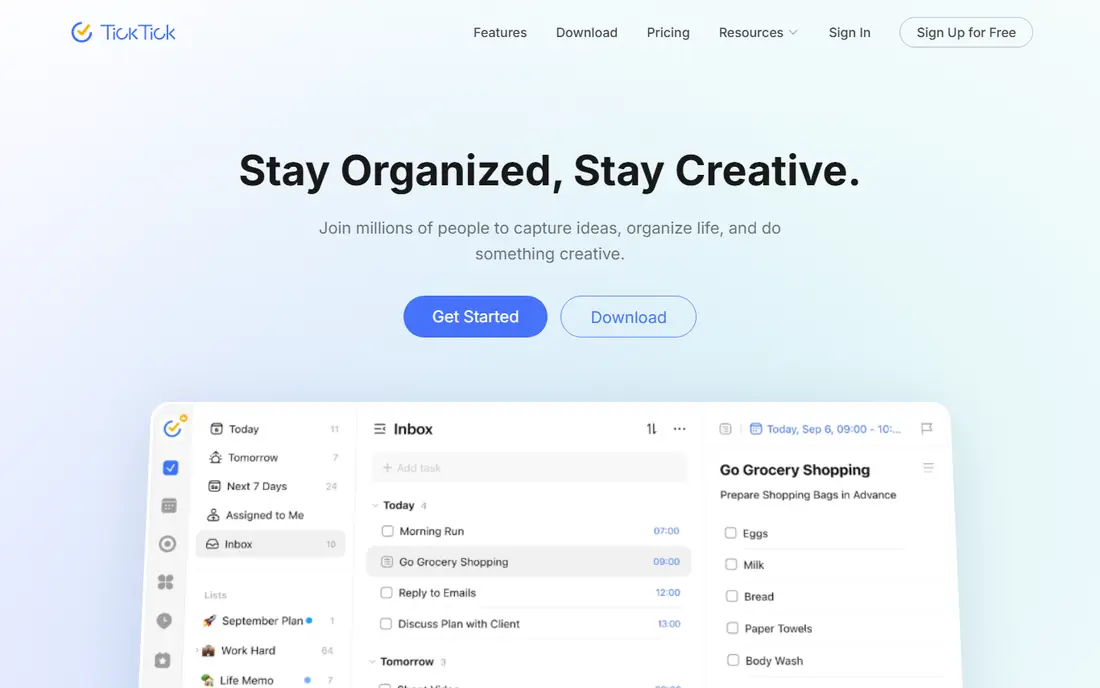
TickTick combines the parts of study management that usually need two apps. Tasks and calendar views handle deadlines, habits track daily study routines, and a built-in focus timer helps protect study blocks. That all-in-one mix suits students who want one app for planning and focus.
The breadth can also distract. If you only need a list, TickTick offers more than you will use, and setup takes longer than Todoist. For students who like habits and timed focus sessions, the extra features earn their place.
- Tasks, calendar, habits, and focus timer in one app
- Good reminders
- Simple stats on focus time
- Many features can mean more setup
- Premium features need the paid plan
Notion is best for students who want notes and deadlines in the same place. You can keep lecture notes, link them to assignments, and build a dashboard for each course. Templates for student planners make the start easier, and an education plan is available for eligible students.
The risk is overbuilding. A Notion workspace can become a project of its own, with databases and layouts that eat study time. Start with one simple page per course and one task database, and add complexity only when a real need appears.
- Flexible notes, databases, and calendars
- Free education plan for eligible students
- Many templates
- Easy to overbuild instead of studying
- Setup takes more time than a simple planner
Google Calendar is the simplest way to make your week visible. Enter classes as recurring events, block study time around them, and add exams as dated events with reminders. It syncs with most phones and school systems, and it costs nothing.
It is not an assignment tracker. A calendar shows when work is due, but it does not manage subtasks, priorities, or progress as well as Todoist or MyStudyLife. Use Google Calendar for time, and pair it with a task app for the work itself.
- Free and widely supported
- Recurring class events
- Easy time blocking for study sessions
- Not a full assignment manager by itself
- Needs a task app for detailed work
Microsoft To Do suits students whose school runs on Microsoft 365. Lists sync with Outlook, shared lists help group projects, and the interface stays simple. If you already check Outlook daily, adding To Do keeps school tasks in a place you already visit.
Planning views are basic compared with Todoist or TickTick, and there is no class timetable. Students who need calendar views, habits, or focus timers should pair To Do with Google Calendar or a focus app. For simple checklists, it is enough.
- Free and simple
- Works well with Outlook and Microsoft 365
- Shared lists for group work
- Fewer planning views than Todoist or TickTick
- No academic timetable features
Forest tackles a different problem from the planners above: staying off your phone during study. You plant a virtual tree when you start a focus session, and leaving the app early can harm the tree. That small game mechanic helps many students protect a study block.
Forest does not plan your week or track assignments, so it works best alongside MyStudyLife, Todoist, or Google Calendar. Paid features and pricing also vary by app store. Use it for focus, not as your only study system.
- Gamified focus timer that discourages phone use
- Simple and motivating
- Browser extensions available
- A timer does not replace planning
- Paid features vary by platform and store
Structured makes a single day easy to see. Tasks appear on a timeline, so you can spot gaps, move study blocks, and carry unfinished work forward. That visual day view suits students who plan each morning and want a clear order for the day.
It is less suited to semester planning than MyStudyLife or Notion, because it centers on the day, not the term. The free tier covers basics, while full features need the paid plan. Pair Structured with a course planner for long deadlines, and use it to run each day.
- Visual timeline for the day
- Easy rescheduling of unfinished tasks
- Clean interface
- Focused on daily plans, not semester planning
- Paid plan needed for full features
How we picked these
We compared official pricing pages, feature pages, and public documentation for apps that help students manage classes, assignments, focus, and daily plans in October 2026. We kept only apps that exist and work today, with a real free tier or free starting point, and we favored a mix of academic planners, task managers, calendars, and focus tools. We did not claim hands-on testing. Prices change often, so check the vendor or app store page before you pay.
How to build a study system that lasts
Pick one main planner and stick with it for at least two weeks. That planner should hold your classes, assignments, and exams in one place. Adding a second planner for the same deadlines only creates confusion and double entry.
Next, add at most one helper app. If focus is your problem, add Forest or the TickTick timer. If notes are your problem, add Notion or a simple notes app. If time blocking is your problem, add Google Calendar. One helper is enough to start.
Finally, review once a week. Spend ten minutes checking next week deadlines, moving unfinished tasks, and blocking study time for the hardest work. A weekly review keeps the system honest, and it takes less time than rebuilding a new system every month.
Sources
- https://www.mystudylife.com
- https://todoist.com
- https://ticktick.com
- https://www.notion.so
- https://calendar.google.com
- https://to-do.microsoft.com
- https://www.forestapp.cc
- https://structured.app
- https://selfmanager.ai/articles/best-planner-apps-students
- https://seeromega.com/best-time-management-apps-for-university-students/
- https://editorialge.com/best-apps-for-managing-university-deadlines/