Best Backup Software in 2026: 9 Tools Compared
By ToolNimba Editorial Team October 29, 2026 11 min read

- Top pick
 Backblaze
Simple unlimited cloud backup for one PC
Starting price$99 per yearCheck out BackblazeRead our review - Runner-up
 IDrive
Many devices on one pooled plan
Starting priceSee websiteCheck out IDriveRead our review - Also great
 Acronis Cyber Protect Home Office
Full imaging plus security
Starting price$49.99 per yearCheck out Acronis Cyber Protect Home OfficeRead our review
How we researched this
We compared official pricing and feature pages, app store listings, privacy policies and public user reviews. Prices change, so check the provider's site before you pay.
Key takeaways
- Backblaze is the simplest cloud backup for one computer, while IDrive suits households with many devices on one pooled plan.
- Acronis adds security and full disk imaging, but it costs more and does more than a simple file backup needs.
- Local tools like Macrium Reflect and EaseUS Todo Backup give you control and fast restores, but you must keep the backup drive safe yourself.
- The best backup is the one that runs automatically, so test a restore before you trust any tool with important files.
Quick comparison
| Name | Best for | Starting price | Free plan | |
|---|---|---|---|---|
| Backblaze | Simple unlimited cloud backup for one PC | $99 per year | Free trial | Visit |
| IDrive | Many devices on one pooled plan | See website | Yes | Visit |
| Acronis Cyber Protect Home Office | Full imaging plus security | $49.99 per year | Free trial | Visit |
 Carbonite | Set-and-forget cloud backup | $6.33 per month | Free trial | Visit |
 CrashPlan | Small business endpoint backup | $2.99 per month per user | Free trial | Visit |
 EaseUS Todo Backup | Local disk imaging for Windows | See website | Yes | Visit |
 Macrium Reflect | Reliable local imaging | See website | Free trial | Visit |
 Veeam | Business-grade backup and recovery | See website | Free trial | Visit |
 Arq Backup | Backup to your own cloud storage | $49 one-time | Free trial | Visit |
The best backup software
Backup software protects you from the day a hard drive fails, a laptop is stolen, or ransomware locks your files. Cloud tools copy files off site automatically, while local tools copy to an external drive you control. Many people use both: cloud for off-site safety, and local for a fast restore.
Backblaze is the easiest cloud backup for a single computer. Install it, let it scan your files, and it backs up continuously in the background, with unlimited storage for that machine. You do not need to pick folders or manage storage limits, which is why many people who have put off backing up finally stick with it. Restores can be done by download, and a shipped hard drive option is available for large restores.
The price is $99 per year per computer in recent listings, and each extra computer needs its own licence. External drives are included only if they stay connected regularly, so a drive you plug in once a month may not be fully covered. For one main PC or Mac that holds your photos and documents, Backblaze is our pick for simplicity.
- Unlimited storage for one computer
- Automatic and continuous
- Simple restore by download or shipped drive
- One computer per licence
- External drives must stay connected
- No pooled multi-device plan
IDrive suits a household or a small office with several computers, phones and tablets. Instead of paying per computer, you buy a pooled storage amount, such as 5 TB, and back up unlimited devices into that pool. That model is cheaper than per-device pricing once you have three or more machines, and it includes disk image backup, file versioning and sync features in the same account.
Pricing changes with promotions, with first-year discounts that do not reflect the renewal rate, so we list the starting price as See website and recommend checking the renewal price before you buy. A 10 GB free plan lets you test the app with a small set of files. The interface is busier than Backblaze, and first uploads can take days on a slow connection. For many devices on one bill, IDrive is the better value.
- One pooled storage plan for many devices
- 10 GB free plan
- Disk image and version history
- First-year discounts make renewal price harder to judge
- Interface is busier than Backblaze
- Upload speed varies
Acronis Cyber Protect Home Office
Best for: Full imaging plus security
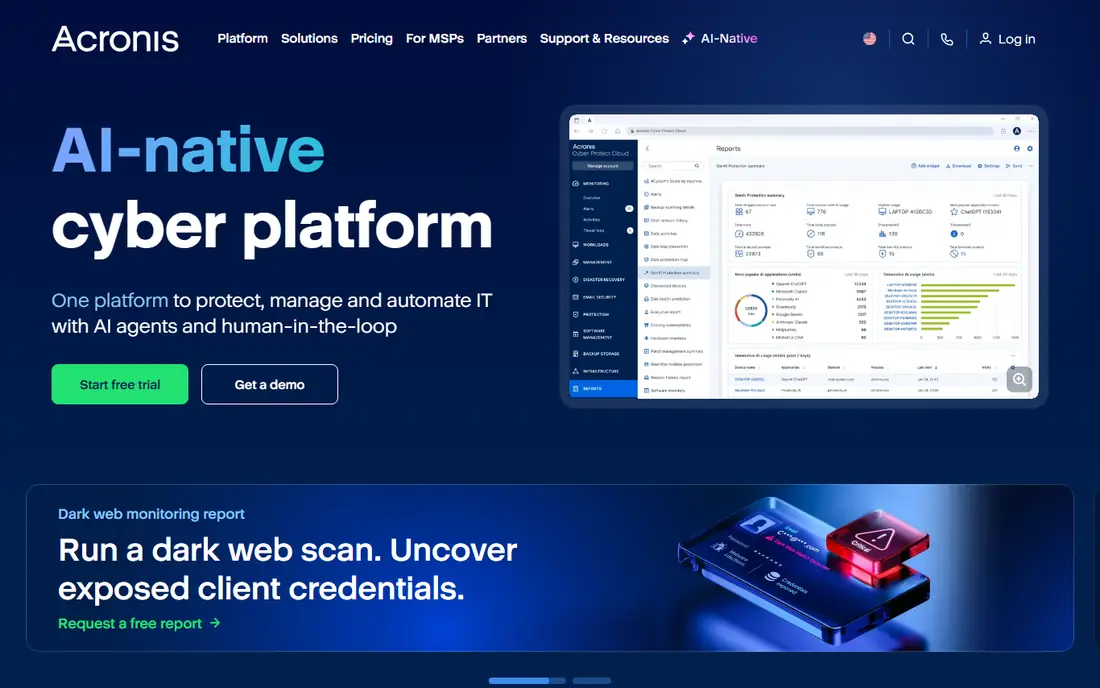
Acronis, formerly known as True Image, does more than copy files. It creates a full image of your whole drive, including the operating system and apps, so you can restore a dead computer to a working state, not just recover documents. It also adds antivirus, ransomware protection and vulnerability checks, which suits users who want backup and security in one agent.
Entry pricing is listed from $49.99 per year for the basic home plan, with higher tiers adding more cloud storage and security features. That breadth brings complexity, and if you already pay for antivirus, some features will overlap. For a user who wants a complete system image plus security, and who is comfortable with more settings, Acronis is the most complete home option here.
- Full disk imaging and cloning
- Built-in antivirus and ransomware protection
- Cloud and local backup in one tool
- More complex than a file-only backup
- Higher tiers cost more
- Security features overlap with existing antivirus
Carbonite has long aimed at users who want backup to just happen. Once installed, it backs up files automatically to the cloud, with version history and a courier recovery service that ships your files on a drive when a download would take too long. That set-and-forget approach suits people who do not want to think about storage, schedules or folders.
Pricing is listed from $6.33 per month on some plans, with different tiers for basic, plus and prime features, and per-computer billing. There is no permanent free plan, only a trial, so test it with your real file set before paying. Carbonite is less flexible for multi-device households than IDrive, but for a single computer owner who wants a quiet, automatic backup, it remains a dependable choice.
- Automatic cloud backup
- Simple setup
- Courier recovery option for large restores
- No free plan
- Pricing varies by plan and computer count
- Advanced features need higher tiers
CrashPlan is now aimed mainly at small businesses, and that focus shows in its admin tools. An owner can manage backups across team computers, set retention policies, and restore files for a user who has lost a laptop, all from one console. Storage per user is unlimited, which removes the need to guess how much data each employee will back up.
Entry pricing is listed from $2.99 per month per user in recent comparisons, with higher tiers for more admin and security features. Home users may find the business setup more formal than Backblaze or IDrive, and there is no free plan. For a small team that needs managed endpoint backup without enterprise complexity, CrashPlan is a practical fit.
- Unlimited storage per user
- Admin controls for teams
- Continuous backup with version history
- Business focus makes it less simple for home users
- Per-user pricing adds up
- No free plan
EaseUS Todo Backup is a local backup tool for Windows users who want to image a drive, clone it to a new SSD, or schedule regular file backups to an external drive. The free version covers basic disk and file backup, while paid versions add scheduling, incremental backup, WinPE boot media and more. Cloning is a particular strength when you upgrade to a larger drive and want to move everything without reinstalling Windows.
Pricing varies by edition and licence type, so we list it as See website. Mac users should look elsewhere, and cloud backup is not the main reason to buy EaseUS. For a Windows user who wants a local image they control, and a fast restore without waiting for a cloud download, it is a solid and affordable option.
- Disk, partition and file backup
- Cloning and scheduling
- Free version for basic use
- Windows-focused
- Free version has limits
- Cloud backup is not its strength
Macrium Reflect is a favourite among technicians for local imaging, because its disk images are reliable and its rescue media can restore a computer that will not boot. You can image a whole drive, schedule incremental backups, clone to a new drive, and mount an image to recover a single file without restoring everything. That control makes it ideal for a user who keeps a backup drive at home and wants a fast, local recovery.
The interface assumes some technical comfort, and pricing varies by home, workstation and server editions, so check the edition that fits your use. There is no built-in cloud storage in the same way as Backblaze, so pair Macrium with an external drive stored safely, and ideally with a cloud copy for off-site safety. For local imaging quality, Macrium is hard to beat.
- Trusted disk imaging and cloning
- Bootable rescue media
- Fast incremental images
- Technical interface for beginners
- Pricing varies by edition
- Cloud backup needs a separate plan
Veeam is best known in business IT for backing up virtual machines, servers and cloud workloads, with fast recovery and ransomware-resistant options. For smaller use, Veeam Agent provides free backup for Windows and Linux machines, covering whole computers, volumes or files to local or network storage. That free Agent is a useful entry point for a technical user who wants business-grade imaging without a business budget.
The full Veeam platform is a different product, with pricing quoted for business use, so we list it as See website. Setup and recovery assume more knowledge than Backblaze or Carbonite, and home users may find it too formal. For a small business, a home lab, or a technical user managing several machines, Veeam Agent and the wider platform offer a level of recovery control few home tools match.
- Strong recovery for virtual and physical machines
- Free Agent for basic use
- Trusted in business IT
- Overkill for a single home PC
- Setup needs IT knowledge
- Full platform pricing is quoted
Arq takes a different model: you buy the software once, and you bring your own cloud storage, such as Amazon S3, Google Cloud, Backblaze B2 or a local drive. That means your backup cost is the software licence plus whatever your storage provider charges, and your data is encrypted with a key you control before it leaves your computer. For privacy-minded users who do not want a vendor holding both the software and the storage, that separation is appealing.
Arq 7 is listed at $49 for a one-time licence in recent comparisons, with storage billed separately by your provider. Setup requires choosing and configuring a storage destination, which is more work than Backblaze. If you are comfortable with cloud storage and want control over where your encrypted backups live, Arq is a flexible and cost-effective long-term choice.
- Uses your own S3, Google Cloud or other storage
- Encrypted backups you control
- One-time licence
- You pay for storage separately
- Setup needs cloud knowledge
- No bundled storage included
How we picked these
We compared official feature pages, pricing pages and public reviews, rather than claiming hands-on trials we did not run. We looked for tools that are still sold and supported in 2026, that truly back up files or whole drives, and that offer automatic scheduling and version history. We included cloud, local and hybrid tools, and free options, so readers can choose by device count, technical comfort and whether they want off-site protection.
The 3-2-1 rule, in plain terms
A simple rule used by backup professionals is 3-2-1: keep three copies of important files, on two different types of storage, with one copy off site. In practice, that can mean your computer, plus an external drive with Macrium or EaseUS, plus a cloud backup from Backblaze or IDrive. Test a restore at least once, by recovering a folder to a different location and opening the files, because a backup you have never restored is only a hope, not a plan. Also keep your backup drive disconnected when not in use if ransomware is a concern, since a connected drive can be encrypted along with your main files.