Best Construction Estimating Software in 2026: 9 Tools Compared
By ToolNimba Editorial Team October 29, 2026 8 min read

- Top pick
 ProEst
Commercial preconstruction
Starting price$5,000 per yearCheck out ProEstRead our review - Runner-up
 Clear Estimates
Solo residential contractors
Starting price$59 per monthCheck out Clear EstimatesRead our review - Also great
 Buildertrend
Home builders, all-in-one
Starting priceSee websiteCheck out BuildertrendRead our review
How we researched this
We compared official pricing and feature pages, app store listings, privacy policies and public user reviews. Prices change, so check the provider's site before you pay.
Key takeaways
- ProEst suits commercial preconstruction teams with deep cost databases and RSMeans integration, starting around 5,000 dollars per year.
- STACK is the best free starting point for takeoffs, with a premium plan at 299 dollars per user per month.
- Clear Estimates suits solo residential contractors with preloaded cost data by ZIP code from 59 dollars per month.
- Buildertrend and JobTread combine estimating with project management, which suits builders who want one platform.
- PlanSwift remains the fastest desktop takeoff tool, while Sage Estimating serves large commercial firms already in the Sage ecosystem.
Quick comparison
| Name | Best for | Starting price | Free plan | |
|---|---|---|---|---|
| ProEst | Commercial preconstruction | $5,000 per year | No | Visit |
| Clear Estimates | Solo residential contractors | $59 per month | Free trial | Visit |
| Buildertrend | Home builders, all-in-one | See website | No | Visit |
 JobTread | Residential and light commercial | $199 per month | Free trial | Visit |
 STACK | Cloud takeoffs | Free | Yes | Visit |
 PlanSwift | Desktop takeoff speed | $1,749 per year | Free trial | Visit |
 Sage Estimating | Large commercial firms | See website | No | Visit |
 Buildxact | Small builders and remodelers | $199 per month | Free trial | Visit |
 Houzz Pro | Design-build remodelers | $399 per month | Yes | Visit |
The best construction estimating software
Construction estimating software turns drawings into quantities, quantities into costs, and costs into professional proposals. We compared official feature pages, pricing pages and public documentation to build this list, covering commercial, residential and specialty contractors.
ProEst, now sold inside Autodesk preconstruction bundles, combines estimating, digital takeoffs, cost databases, CRM and bid management in a cloud platform. Quantities from takeoffs flow straight into estimates, and assemblies standardize repeatable line items across projects.
Pricing starts at about 5,000 dollars per year for unlimited users, with onboarding and implementation fees possible on top. The depth suits commercial estimators and preconstruction teams, while small firms may find it more than they need. For complex commercial work, ProEst is the strongest pick.
- Deep cost databases with RSMeans integration
- Digital takeoff inside estimates
- CRM and bid management
- High starting price
- Steeper learning curve
- Onboarding can add cost
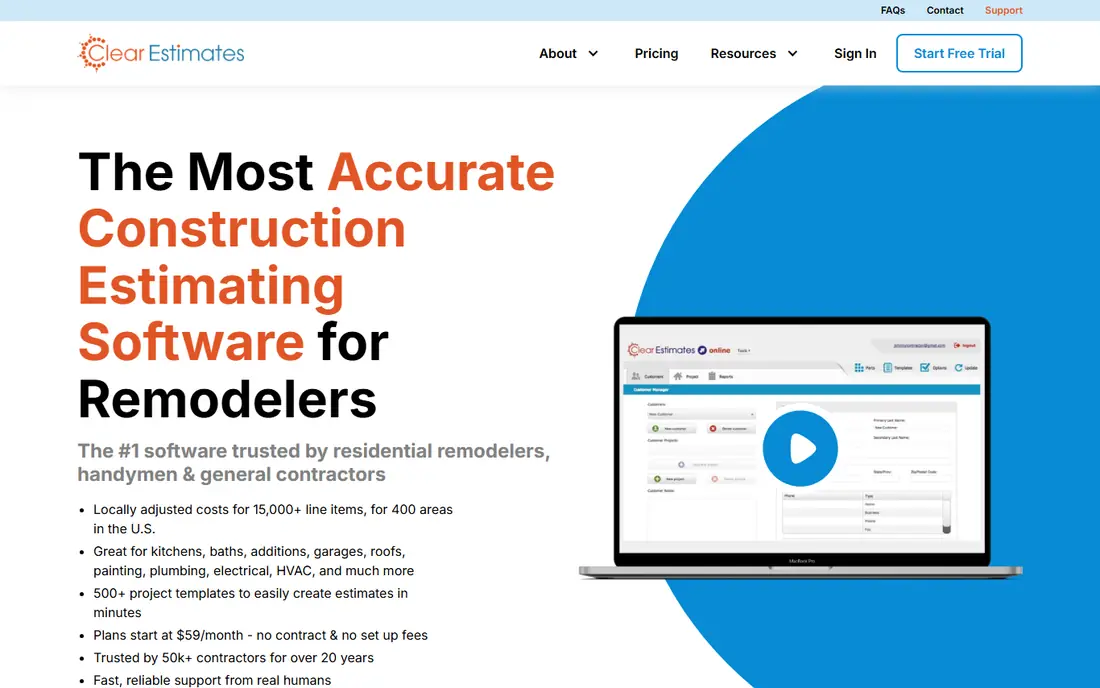
Clear Estimates gives small remodelers and residential contractors preloaded material and labor costs by ZIP code, so quotes come together fast without building a cost database from scratch. A Pro tier adds AI plan upload for faster takeoffs.
Pricing starts at 59 dollars per month on annual billing, with a free trial. The residential focus is both strength and limit: commercial contractors need deeper tools. For solo remodelers who want quick, professional quotes, Clear Estimates is an easy recommendation.
- Preloaded cost data by ZIP code
- Fast residential quotes
- Simple interface
- Residential focus
- No accounting sync
- Less suited to commercial work
Buildertrend is the best known platform for home builders, combining estimating with scheduling, client selections, change orders, payments and communication in one system. Clients approve selections online, which cuts back-and-forth and keeps projects moving.
Pricing is quote only, with last published plans starting around 449 dollars per month on annual billing. The breadth suits builders who want one platform for the whole job, while contractors who only need estimating may find it costly. For client-facing residential builders, Buildertrend is a top pick.
- Estimating plus project management, selections and client portal
- Strong QuickBooks integration
- Quote only pricing
- Big feature set with a big price tag
JobTread combines estimating, takeoff, budgeting, scheduling and job costing for residential and light commercial contractors. Estimates convert into budgets that track costs through the job, so overruns show up early rather than at closeout.
Pricing starts at 199 dollars per month, with a free trial. The balance of estimating and project management suits growing firms moving off spreadsheets. Large commercial contractors will want deeper tools, but for residential and light commercial work JobTread is strong.
- Solid estimating plus project management
- Budget tracking
- Good for growing firms
- Monthly price adds up
- Less commercial depth than ProEst or Sage
STACK is a cloud takeoff and estimating tool that lets subcontractors and estimators measure plans, count items and build estimates from a browser. The free plan covers basic takeoffs, while Premium costs 299 dollars per user per month on annual billing.
Cloud access suits teams that work from offices, trailers and home alike. The premium price is steep per user, so small firms should test the free tier first. For plan-based takeoffs without desktop software, STACK is the best cloud pick.
- Free plan for basic takeoffs
- Cloud access from anywhere
- Fast plan markup and measurement
- Premium costs 299 dollars per user per month
- Limited accounting sync
PlanSwift is a desktop takeoff tool known for speed: point-and-click measurement, drag-and-drop assemblies and support for PDFs, DWGs and images let estimators move from drawing to estimate quickly. Training resources help small firms ramp up without much hand-holding.
Pricing starts at 1,749 dollars per year for a single license, with a free trial. Windows only, and cloud features lag newer rivals, so remote teams may prefer STACK. For estimators who want the fastest desktop takeoff, PlanSwift remains the standard.
- Very fast point-and-click takeoff
- Drag-and-drop interface
- Strong training resources
- Windows only
- Desktop software limits remote collaboration
Sage Estimating serves mid-size and large commercial firms with a deep cost database, detailed assemblies and integration with Sage accounting and project tools. Third-party estimates put pricing around 300 dollars per user per month, but official pricing is quote based.
The depth suits large operations already running Sage software, while smaller firms will find it heavy and costly. For enterprise commercial estimating inside the Sage ecosystem, it is the natural choice.
- Decades of cost database refinement
- Deep commercial features
- Sage ecosystem integration
- Quote only pricing
- On-premise roots
- Steep learning curve
Buildxact gives small builders and remodelers estimating, takeoffs, scheduling and job management in a clean, approachable interface, with supplier pricing that keeps material costs current. It suits teams moving off spreadsheets who want one simple system.
Pricing starts at 199 dollars per month, with a free trial. Commercial depth trails ProEst and Sage, but residential builders will find the workflow easier. For small teams that value simplicity, Buildxact is a strong pick.
- Clean interface
- Supplier pricing
- Estimating plus job management
- Less commercial depth
- Monthly cost for small firms
Houzz Pro combines estimating with leads, CRM, proposals, invoicing and client communication for design-build remodelers, inside the Houzz marketplace where many homeowners already search. A free plan covers basics, while paid plans start at 399 dollars per month.
The marketplace connection suits remodelers who win work through Houzz, and the design-build workflow covers selections and client approvals. The paid price is high for estimating alone, so value depends on using the wider toolkit. For Houzz-based remodelers, it is a natural fit.
- Estimating plus leads, CRM and client tools
- Design-build workflow
- Free basic plan
- Paid plans start high
- QuickBooks sync on higher tiers
How we picked these
We compared official feature pages, pricing pages and public documentation for each tool, and favored products that are actively sold and supported in October 2026. We mixed commercial, residential and specialty tools so the list covers general contractors, remodelers and subcontractors. Prices come from vendor pricing pages checked in October 2026, and where pricing is quote based we say so plainly rather than guessing.
How to choose construction estimating software
Start with your project type. Commercial work points to ProEst or Sage, residential work points to Buildertrend, JobTread or Buildxact, and fast quotes point to Clear Estimates. Next, check takeoff needs: cloud teams suit STACK, desktop speed suits PlanSwift, and AI plan upload suits Clear Estimates Pro.
Test with a real project
Run a recent completed project through any trial and compare the estimate to your actual costs. That test reveals database accuracy, takeoff speed and proposal quality better than any demo, and it shows whether your team will actually use the tool.
Build your estimate from assemblies, not line items. Grouping work into assemblies like a framed wall or a bathroom rough-in makes estimates faster and easier to compare across jobs, and it surfaces missing scope earlier. Keep a template for your most common job types, update prices quarterly, and review past jobs against actual costs twice a year. That feedback loop turns estimating software from a calculator into a pricing advantage.