Best Construction Management Software in 2026: 8 Tools Compared
By ToolNimba Editorial Team October 29, 2026 10 min read

- Top pick
 Procore
Large commercial general contractors
Starting priceSee websiteCheck out ProcoreRead our review - Runner-up
 Autodesk Construction Cloud
Design-build teams already using Autodesk
Starting priceSee websiteCheck out Autodesk Construction CloudRead our review - Also great
 Buildertrend
Residential builders and remodelers
Starting priceSee websiteCheck out BuildertrendRead our review
How we researched this
We compared official pricing and feature pages, app store listings, privacy policies and public user reviews. Prices change, so check the provider's site before you pay.
Key takeaways
- Procore and Autodesk Construction Cloud lead for large commercial work, but both use quote-based pricing, so budget planning needs a sales conversation first.
- Buildertrend, Houzz Pro, and JobTread are the most practical all-in-one choices for residential builders and remodelers.
- Fieldwire is the cheapest way to get drawings, tasks, and punch lists onto phones in the field, with a free basic plan for small teams.
- Contractor Foreman packs a wide feature set into a low monthly price, which makes it worth a close look for smaller contractors.
Quick comparison
| Name | Best for | Starting price | Free plan | |
|---|---|---|---|---|
| Procore | Large commercial general contractors | See website | No | Visit |
| Autodesk Construction Cloud | Design-build teams already using Autodesk | See website | No | Visit |
| Buildertrend | Residential builders and remodelers | See website | Free trial | Visit |
 Fieldwire | Field teams needing plans and tasks on mobile | $39 per user per month | Yes | Visit |
 Houzz Pro | Residential pros who want leads plus management | $99 per month | Free trial | Visit |
 JobTread | Builders focused on job costing and budgets | $159 per month | Free trial | Visit |
 Contractor Foreman | Budget-conscious contractors wanting many features | $49 per month | Free trial | Visit |
 Buildern | Growing builders with office and field crews | $225 per month | Free trial | Visit |
The best construction management software
We compared official feature pages, pricing pages, and public reviews to find tools that handle real project work, from drawings and RFIs to budgets and client updates.

Procore is the default choice for many mid-size and large general contractors, and the scope explains why. Project management, document control, RFIs, submittals, drawings, daily logs, safety, and financial tools all sit in one system. Teams can invite subcontractors and owners without paying per seat, which helps on large jobs with many parties.
The price model is the main hurdle. Procore charges based on annual construction volume, not per user, and it does not publish a simple price list. Smaller firms may find the total cost hard to justify, and the rollout needs planning. For a firm running several large commercial projects at once, that breadth is often worth it.
- Broad project, financial, and safety tools in one platform
- Unlimited users on plans
- Strong integrations
- Quote-based pricing based on construction volume
- Setup and training take real time
Autodesk Construction Cloud
Best for: Design-build teams already using Autodesk
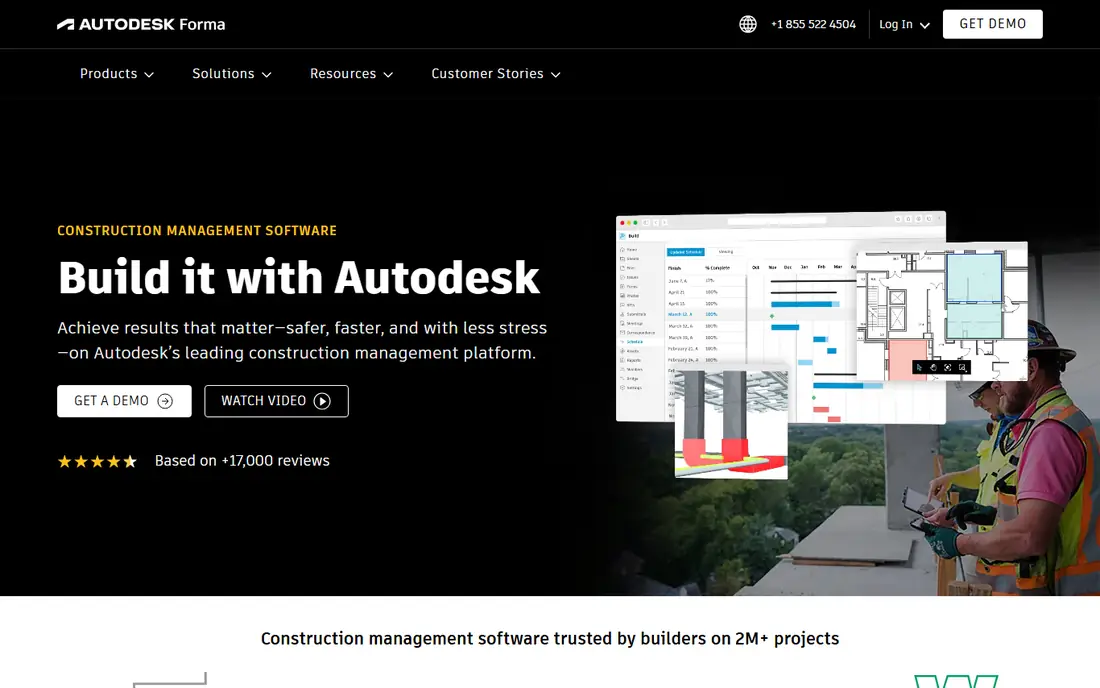
Autodesk Construction Cloud suits firms that already live in AutoCAD, Revit, or BIM 360 workflows. Drawings, models, RFIs, and field issues connect to the same project record, which cuts down on version confusion. The Build module adds scheduling, cost, and field management for teams that need more than document storage.
New users should expect a learning curve, and pricing is not published as a simple monthly rate. Firms that do not use Autodesk design tools may get less value here than from a simpler residential tool. For design-build and BIM-heavy work, the integration is the reason to choose it.
- Strong document and BIM coordination
- Build, Docs, and Takeoff work together
- Wide partner ecosystem
- Quote-based pricing
- Steep learning curve for new teams
Buildertrend has become a standard pick for home builders and remodelers because it covers the whole residential job. Scheduling, selections, change orders, documents, payments, and a client portal sit together, so a homeowner can see progress without a string of emails. That client-facing side is a real strength for smaller firms.
Pricing is the frustration. Buildertrend no longer publishes a simple price list, and third-party guides give a wide range, so get a written quote before you commit. It is also not built for large commercial projects with complex BIM needs. For residential work, though, the all-in-one design saves time every week.
- Scheduling, budgets, change orders, and client portal in one place
- Easy for homeowners to follow
- Strong residential focus
- Published pricing was removed from its site in 2026
- Less suited to large commercial work
Fieldwire does one job very well: it puts current drawings, tasks, photos, and checklists on every phone on site. Crews can mark up plans, track punch items, and close tasks without returning to the trailer. The free basic plan covers small teams, which makes it easy to test on a real job before paying.
It is not a full business system. There is no estimating, no deep job costing, and no client CRM, so many firms pair it with accounting or a residential platform. If your main pain is field communication and drawing control, Fieldwire is the lowest-cost, lowest-friction way to fix it.
- Free basic plan for up to five users and three projects
- Fast mobile plans and punch lists
- Simple to learn
- No estimating or full financial management
- Paid plan needed for larger teams
Houzz Pro is different from most tools here because it starts with visibility. A remodeler or designer gets a profile on Houzz, lead tools, and project management in the same subscription. Estimates, invoices, scheduling, and client communication sit alongside that marketing side, which suits firms that need work as much as they need organization.
The project tools are solid for residential jobs but less deep than a dedicated builder platform for complex scheduling and costing. Lead flow also depends on your local market. For a small residential firm that wants one subscription to cover marketing and management, Houzz Pro is a practical pick.
- Leads and marketing from the Houzz network
- Estimates, invoicing, and scheduling included
- Client-facing tools
- Management depth is lighter than Buildertrend for complex builds
- Lead quality varies by market
JobTread appeals to builders who care most about margin. Budgets, committed costs, change orders, and invoices link to each job, so you can see whether a project is on track before it finishes. Estimating, scheduling, and client tools round out the platform, which keeps the whole job in one place.
Setting up costing properly takes effort, and the interface is less familiar than the big names. That effort pays off for firms that have lost money on jobs they thought were profitable. If job costing is your weak spot, JobTread deserves a trial ahead of a prettier but shallower tool.
- Clear job costing, budgets, and change orders
- Estimating and CRM included
- Unlimited users on some plans
- Less brand recognition than Buildertrend
- Learning curve for full costing setup
Contractor Foreman
Best for: Budget-conscious contractors wanting many features
Contractor Foreman packs an unusually wide feature list into a $49 per month starting price. CRM, estimates, scheduling, daily logs, invoices, and client portal tools all come in the same system, which makes it a strong value pick for small contractors. The trial period gives time to test it on a live job.
The trade-off is polish. The interface covers a lot, and new users may need time to find their way around. Public reviews also mention mixed support experiences. For a small firm that needs many tools but cannot pay Buildertrend-level prices, the value here is hard to ignore.
- Low starting price
- Wide set including CRM, scheduling, and invoicing
- 30-day trial reported
- Interface can feel busy
- Support quality varies in public reviews
Buildern targets builders who are growing past spreadsheets and need office and field teams on the same system. Scheduling, estimates, budgets, change orders, and a client portal cover the core job, and free seats for field workers keep costs down as crews grow. The starter plan includes two paid seats, which suits a small office team.
At $225 per month, it costs more than Contractor Foreman, and its integration list is smaller than Procore or Autodesk. For a residential builder adding crews and projects, the field-seat model and the all-in-one design make that price easier to justify.
- Free field-worker seats on some plans
- Scheduling, budgets, and client portal included
- Built for growth
- Higher starting price than budget tools
- Smaller partner ecosystem
How we picked these
We compared official feature pages, pricing pages, and public reviews, and we favored tools that are still sold and supported in 2026 and that truly fit construction work. We included both commercial and residential tools, since a general contractor and a remodeler need different systems. Where a vendor does not publish pricing, we wrote See website rather than repeating a third-party guess as fact.
We did not claim hands-on testing that did not happen. Our method was document comparison: feature lists, pricing terms, plan limits, and reviewer feedback, checked against vendor sites where possible.
How to choose the right tool for your firm
Start with your project type, then your team size, then your budget. A tool built for commercial work will frustrate a remodeler, and a residential tool will fall short on a large commercial job.
Match the tool to the job
Commercial general contractors should shortlist Procore and Autodesk Construction Cloud, and test them on a real project with drawings, RFIs, and subcontractors. Residential builders should shortlist Buildertrend, JobTread, Houzz Pro, and Buildern, and weigh client portal quality and job costing. Field-only teams can start with Fieldwire and add a business system later.
Count the total cost, not just the headline
Check whether pricing is per user, per project, or based on construction volume, and ask about implementation, training, and payment processing fees. A low monthly price can rise fast if every field worker needs a paid seat, while a volume-based price can rise as your revenue grows. Get a written quote for your team size and project count before signing.
Test on a real job before you commit
Run a trial on one active project, not on demo data. Invite the field crew, the office, and at least one subcontractor, and see how drawings, tasks, and change orders actually move. If the crew will not use the mobile app on site, the best office features will not help. Pick the tool your team will use every day, not the one with the longest feature list.
Sources
- https://www.deadfront.ai/blog/best-construction-management-software
- https://rankite.com/blog/best-construction-software
- https://planyard.com/blog/best-construction-management-software
- https://www.itqlick.com/procore/pricing
- https://www.procore.com
- https://construction.autodesk.com
- https://buildertrend.com
- https://www.fieldwire.com
- https://www.houzz.com/pro
- https://www.jobtread.com
- https://www.contractorforeman.com
- https://www.buildern.com