Best Construction Project Management Software in 2026: 10 Tools Compared
By ToolNimba Editorial Team October 31, 2026 10 min read

- Top pick
 Procore
Large commercial contractors
Starting priceSee websiteCheck out ProcoreRead our review - Runner-up
 Buildertrend
Home builders and remodelers
Starting price$499 per monthCheck out BuildertrendRead our review - Also great
 Autodesk Forma Build
Design and BIM teams
Starting price$100 per user per monthCheck out Autodesk Forma BuildRead our review
How we researched this
We compared official pricing and feature pages, app store listings, privacy policies and public user reviews. Prices change, so check the provider's site before you pay.
Key takeaways
- Procore suits large commercial general contractors, while Buildertrend and Houzz Pro suit home builders and remodelers.
- Fieldwire is the best free starting point for field coordination, with a free plan for up to five users in recent listings.
- Contractor Foreman and JobTread offer the clearest published prices for small contractors, starting at $49 and $199 per month respectively.
- Pricing models differ sharply: Procore charges by annual construction volume, while Autodesk and Fieldwire charge per user.
- Test the mobile app on a real job site before you buy, because field adoption decides whether office plans stay current.
Quick comparison
| Name | Best for | Starting price | Free plan | |
|---|---|---|---|---|
| Procore | Large commercial contractors | See website | No | Visit |
| Buildertrend | Home builders and remodelers | $499 per month | No | Visit |
| Autodesk Forma Build | Design and BIM teams | $100 per user per month | Free trial | Visit |
 Fieldwire | Field coordination | $39 per user per month | Yes | Visit |
 Contractor Foreman | Affordable all-in-one | $49 per month | Free trial | Visit |
 JobTread | Estimating and job costing | $199 per month | Free trial | Visit |
 Houzz Pro | Remodelers and design-build | $199 per month | Yes | Visit |
 monday work management | Custom construction workflows | $9 per user per month | Yes | Visit |
 ConstructionOnline | Scheduling and client portals | See website | Free trial | Visit |
 Smartsheet | Flexible schedules and sheets | See website | Free trial | Visit |
The best construction project management software
Construction software must handle drawings, RFIs, submittals, schedules, budgets, change orders, and field reports, not just tasks. The tools below cover commercial, residential, and field-first work. We compared official pricing pages and recent independent comparisons, and we favored tools that are live today and that truly serve construction teams.

Procore is the default choice for large commercial general contractors. It covers project management, quality and safety, financials, and field productivity in one platform, with drawings, RFIs, submittals, and daily logs linked to the project record. Its pricing is based on annual construction volume, with unlimited users, which suits large firms with many collaborators.
That model is also why small contractors often pass. There is no published entry price, no free plan, and setup takes time. If you run large commercial projects with many subcontractors, Procore is the most complete option here. If you run a handful of residential jobs, a cheaper tool will fit better.
- Most complete commercial platform
- Strong RFIs, submittals, and financial tools
- Unlimited users on its model
- Pricing is by quote and volume-based
- No free plan or trial in recent listings
- Can be heavy for small firms
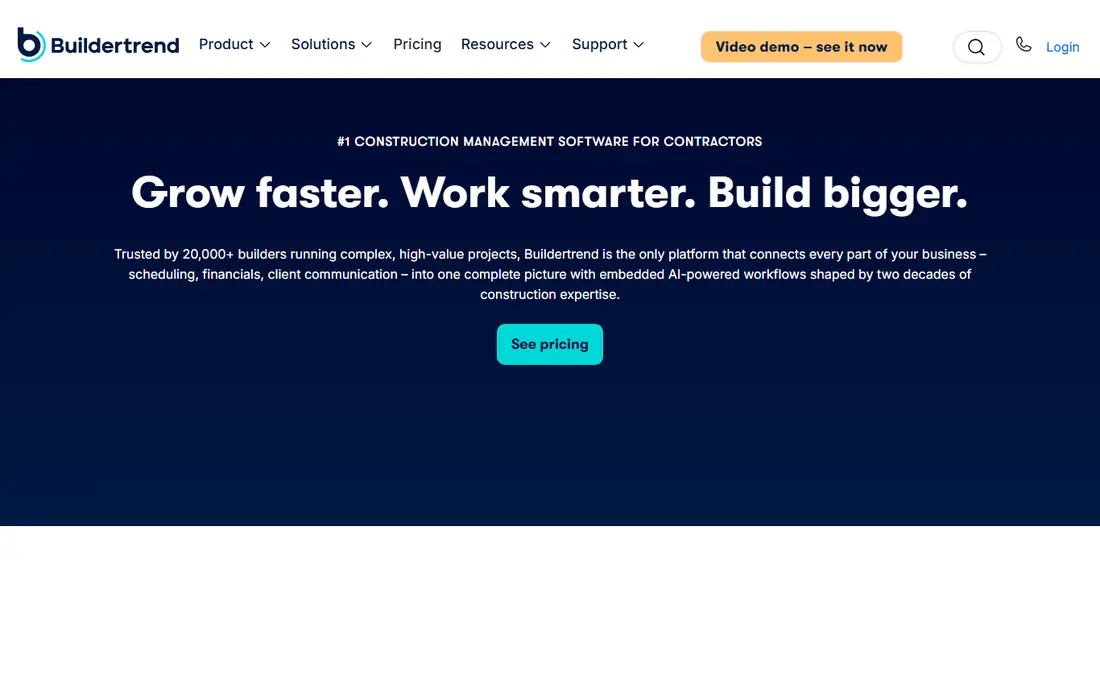
Buildertrend is the residential standard for home builders and remodelers. It combines scheduling, budgeting, change orders, client communication, selections, and payments, with a client portal that keeps homeowners informed without constant calls. Recent listings put entry pricing from $499 per month with unlimited users.
The price is the main barrier for a one-person remodeler, and some plans are quoted rather than published. For a builder running several homes at once, the client portal and selection tools save enough admin time to justify it. Smaller residential firms should compare JobTread and Contractor Foreman first.
- Built for residential builders
- Client portal, selections, and change orders
- Scheduling and budgeting in one place
- Entry price is high for very small firms
- Pricing is often quoted
- Learning curve for full setup
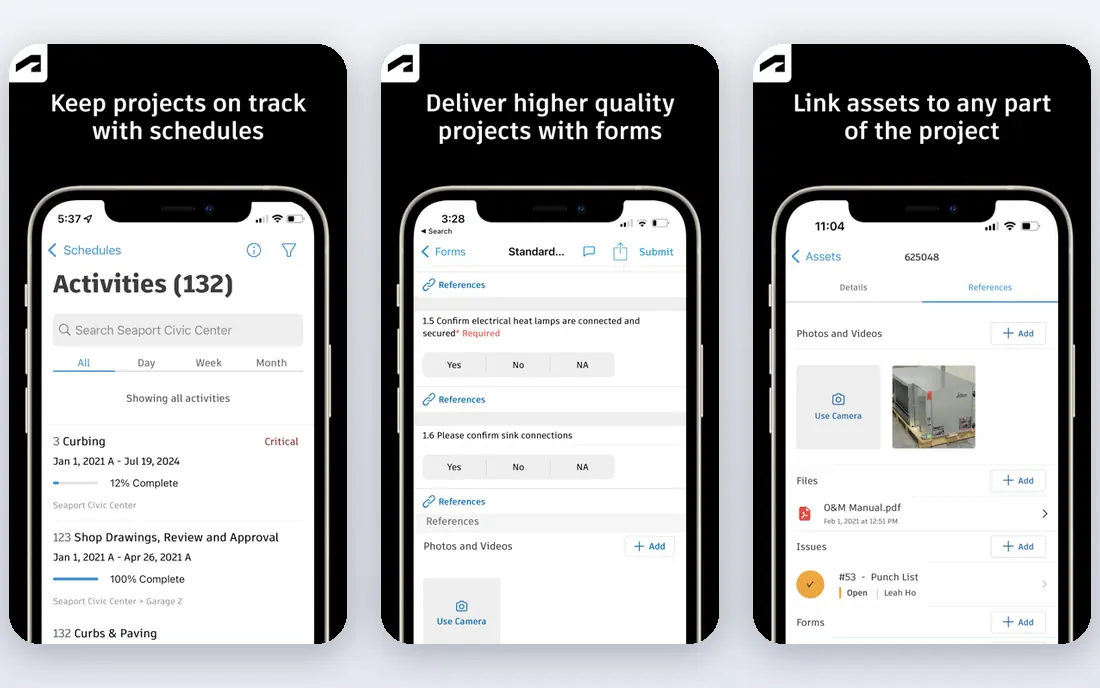
Autodesk Forma Build, part of Autodesk Construction Cloud, suits design-build teams and firms already using Autodesk design tools. It excels at drawings, models, RFIs, and document control, and it syncs with scheduling tools such as Primavera P6 and Microsoft Project. Recent listings put Essentials at $100 per user per month and Build at $175 per user per month.
Field features are less complete than Procore or Fieldwire for some teams, with manual daily log entry rather than native GPS time tracking in recent comparisons. If BIM and design coordination are central to your work, Autodesk is a strong fit. If field labor tracking is central, compare Fieldwire or Contractor Foreman too.
- Strong document, model, and RFI tools
- Good BIM and design integration
- Large enterprise support
- Per-user price adds up
- Field time tracking is weaker than some rivals
- Needs Autodesk familiarity
Fieldwire is the best field-first tool in this list. Crews can view the latest drawings, track tasks, take photos, and file reports from a phone, even with limited signal. The free plan covers up to five users in recent listings, and Pro is listed at $39 per user per month when billed annually.
It is not a full accounting or estimating platform. Job costing is absent, and budget tools sit on higher Business plans. Use Fieldwire when the main job is keeping the field and the office on the same drawings and tasks, and pair it with accounting software for finances.
- Free plan for small teams
- Fast plan viewing and task tracking
- Good mobile app for the field
- No full job costing
- Budget and change orders need higher plans
- Less suited to full back-office work
Contractor Foreman offers the most features for the money for small contractors. The entry plan is listed at $49 per month when billed annually, and it includes scheduling, estimates, invoices, job costing, daily logs, and client portals. That breadth makes it a strong single-tool choice for a small general contractor or specialty contractor.
The interface is more functional than polished, and larger firms may miss Procore depth on RFIs and financial controls. For a contractor who wants one affordable system without a sales quote for every feature, Contractor Foreman is hard to beat.
- Many features for the price
- Published $49 entry plan
- Scheduling, estimating, and job costing included
- Interface feels less polished than Procore
- Support and onboarding vary by plan
JobTread suits residential builders who want estimating, budgeting, and job costing tightly linked. All features are included on one plan, which avoids the tier guessing found elsewhere, and adding users is cheap at $20 per user in recent listings. The base plan is listed at $199 per month, or $159 per month billed annually, with one user included.
Commercial general contractors with complex RFI and submittal workflows may find Procore or Autodesk deeper. For a residential builder who wants to know, on every job, whether the estimate still holds, JobTread is a clear and well-priced choice.
- All features on one plan
- Strong estimating to job costing link
- Easy to add users
- Entry price includes only one user
- Residential focus, less commercial depth than Procore
Houzz Pro combines project management with design and marketing tools that remodelers actually use. You can manage leads, proposals, selections, change orders, and client communication, while also presenting your work on Houzz. The Pro plan is listed at $199 per month in recent listings, with a free plan for basic use.
The trade is depth. A large commercial contractor will need Procore, and a builder focused only on estimating may prefer JobTread. For a design-build remodeler who wins work through Houzz and wants selections and client updates in one place, Houzz Pro fits well.
- Design, selections, and marketing in one tool
- Client portal
- Good for remodelers who win work on Houzz
- Pro plan price is high for a solo remodeler
- Construction depth is less than Buildertrend for some workflows
monday work management is a flexible work platform that many construction teams adapt for schedules, punch lists, and client tracking. Boards, timelines, and automations are easy to build, and the Basic plan is listed at $9 per user per month. A free plan covers up to two seats for basic use.
It is not a construction platform by itself. You must build or buy templates for RFIs, submittals, drawings, and budgets, and it will not replace Procore financials. For a team that wants a custom workflow and already uses monday for other work, it is a flexible and affordable option.
- Very flexible boards and automations
- Easy to customize
- Free plan for basic use
- Not construction-specific out of the box
- Needs setup for RFIs, drawings, and costing
ConstructionOnline is a long-running construction platform with strong scheduling and client communication tools. It covers estimates, schedules, selections, change orders, and client portals, with a focus on keeping homeowners and subcontractors informed. Pricing is quoted rather than published, so you need a demo for a firm figure.
The interface is more traditional than Buildertrend or Houzz Pro, which some users like and others find dated. For a residential builder who values scheduling depth and client portals over a modern look, ConstructionOnline is worth a demo.
- Strong scheduling, including Gantt and calendar views
- Client and team portals
- Estimating tools
- Pricing is quoted
- Interface feels dated to some users
- Smaller ecosystem than Procore
Smartsheet suits construction teams that think in spreadsheets and schedules. You can build project plans, Gantt charts, resource views, and forms, and share them with office and field teams. It integrates with many tools, and a free trial lets you test a real project plan.
Like monday, Smartsheet needs construction templates to handle drawings, RFIs, and field reports well. It is a good choice for a team that already uses Smartsheet elsewhere, or that wants a flexible planning tool rather than a full construction suite.
- Familiar spreadsheet-style interface
- Strong Gantt and resource views
- Wide integrations
- Not construction-specific
- Needs templates for RFIs and field work
- Pricing varies by plan
How we picked these
We compared official pricing pages and recent independent comparisons, and we favored tools that are live today and that truly serve construction work, whether commercial, residential, or field-first. We included quoted and published-price options, and we did not claim hands-on testing.
What to check before you buy
Run a pilot on one live project, with field staff using the mobile app daily. Check drawing version control, RFI turnaround, and how change orders flow to the budget, because those are the workflows that break when a tool does not fit. Check accounting integration, since QuickBooks and Xero links vary by tool.
Pricing models that change the total
Procore charges by volume with unlimited users, while Autodesk and Fieldwire charge per user. A firm with many collaborators may save with Procore, while a small firm with few users may save with a per-user or flat plan. Count all users, including subcontractors who need access, before you compare.
Field adoption matters most
The best office features fail if crews do not use the app on site. Choose a mobile app that works offline or with weak signal, that opens drawings fast, and that lets a foreman file a report in under a minute. Train one crew first, then roll out.
Sources
- https://www.procore.com
- https://buildertrend.com
- https://www.autodesk.com/products/autodesk-construction-cloud
- https://www.fieldwire.com
- https://www.contractorforeman.com
- https://www.jobtread.com
- https://www.houzz.com/pro
- https://monday.com
- https://www.constructiononline.com
- https://www.smartsheet.com
- https://planyard.com/blog/best-construction-management-software
- https://project-management.com/top-construction-project-management-software/