Best Day Planner Apps in 2026: 8 Apps Compared
By ToolNimba Editorial Team October 31, 2026 9 min read

- Top pick
 Todoist
Fast task capture
Starting priceFreeCheck out TodoistRead our review - Runner-up
 TickTick
Tasks, habits, and calendar in one app
Starting priceFreeCheck out TickTickRead our review - Also great
 Sunsama
Guided daily planning ritual
Starting price$17 per monthCheck out SunsamaRead our review
How we researched this
We compared official pricing and feature pages, app store listings, privacy policies and public user reviews. Prices change, so check the provider's site before you pay.
Key takeaways
- Todoist and TickTick are the best low-cost starting points, with free tiers that cover tasks, reminders, and basic planning.
- Sunsama suits people who want a guided morning ritual, while Motion suits people who want AI to schedule tasks for them.
- Google Calendar is free and universal for scheduling, but it is weak as a task manager on its own.
- Time blocking works best when tasks and calendar live in one view, which is why Sunsama, Motion, and TickTick score well here.
- The best app for planning your day is the one you open each morning, so favor a short daily ritual over a complex system.
Quick comparison
| Name | Best for | Starting price | Free plan | |
|---|---|---|---|---|
| Todoist | Fast task capture | Free | Yes | Visit |
| TickTick | Tasks, habits, and calendar in one app | Free | Yes | Visit |
| Sunsama | Guided daily planning ritual | $17 per month | Free trial | Visit |
 Motion | AI auto-scheduling | $19 per seat per month | Free trial | Visit |
 Any.do | Simple daily focus | Free | Yes | Visit |
 Notion | Custom planning systems | Free | Yes | Visit |
 Google Calendar | Free shared scheduling | Free | Yes | Visit |
 Structured | Visual daily timeline | Free | Yes | Visit |
The best day planner apps
We compared official pricing pages, feature pages, and public reviews for each app below. The list covers simple task lists, guided planners, and AI schedulers, so you can match the tool to how you actually plan.
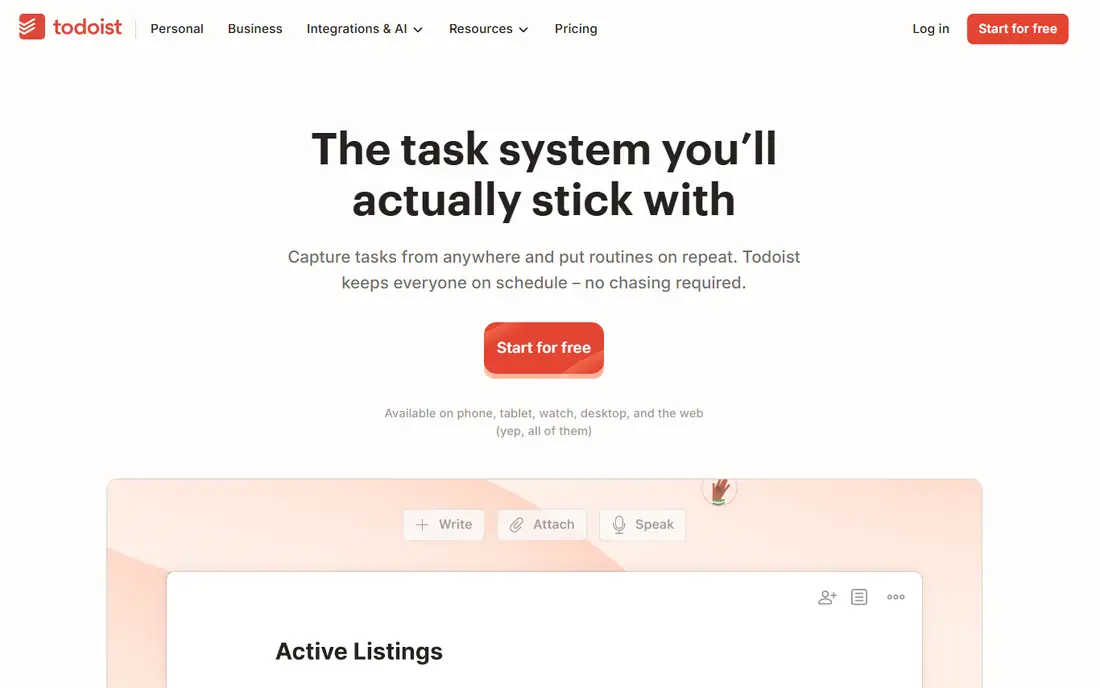
Todoist is our pick for most people who want a fast, reliable day planner without a learning curve. Type a task like a sentence with a date and time, and Todoist parses it into a scheduled task. Projects, labels, filters, and priorities keep a busy day organized without turning planning into a project of its own.
The limit is time blocking. Todoist lists tasks well but does not place them on a calendar timeline by itself, so you need a calendar integration or a separate planner for that view. If your day runs on lists and due times, Todoist is enough. If you plan by hours, pair it with Google Calendar or pick Sunsama instead.
- Natural-language input for dates and repeats
- Works on every major platform
- Generous free tier
- No native time blocking
- Task dependencies need workarounds
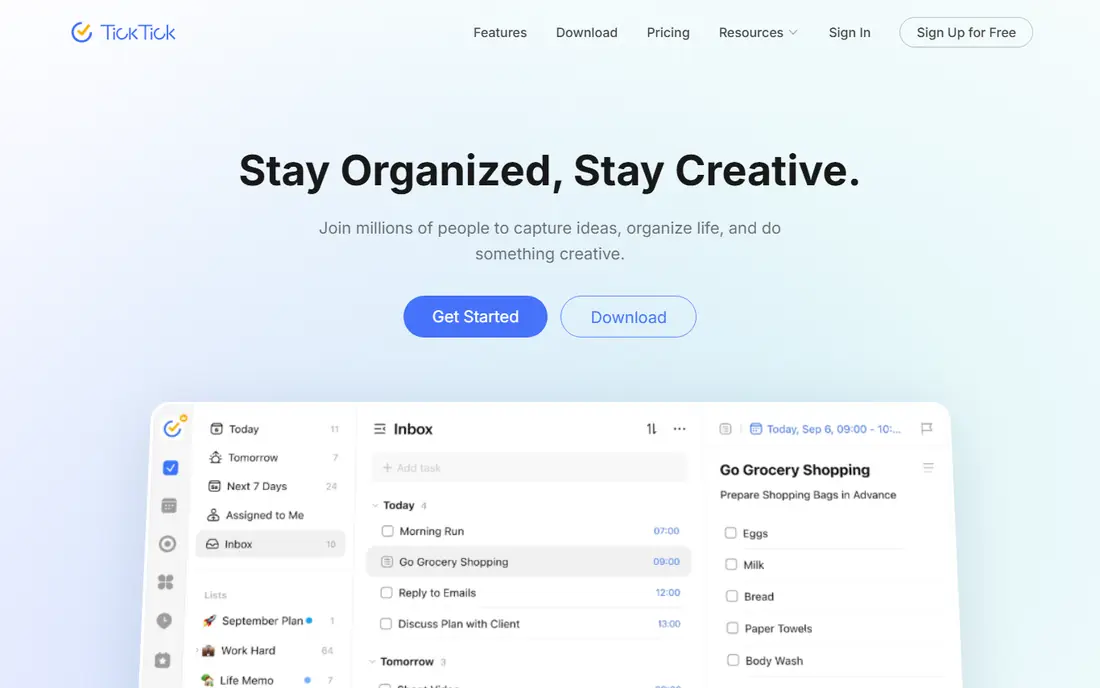
TickTick is the best value all-in-one planner here. Tasks, calendar, habits, and a Pomodoro timer live in one app, so a daily plan can include work tasks, a habit streak, and a focus session without switching tools. The calendar view also helps you see how tasks fit around meetings.
The trade-off is depth for teams. TickTick is tuned for personal use, and its sharing and permission features are lighter than Notion or dedicated team tools. For a solo planner, that is fine. For a team plan, a team tool will fit better.
- Calendar view, habits, and Pomodoro timer in one app
- Free tier covers core planning
- Syncs across devices
- Less polished for team use
- Some limits on free lists and tasks
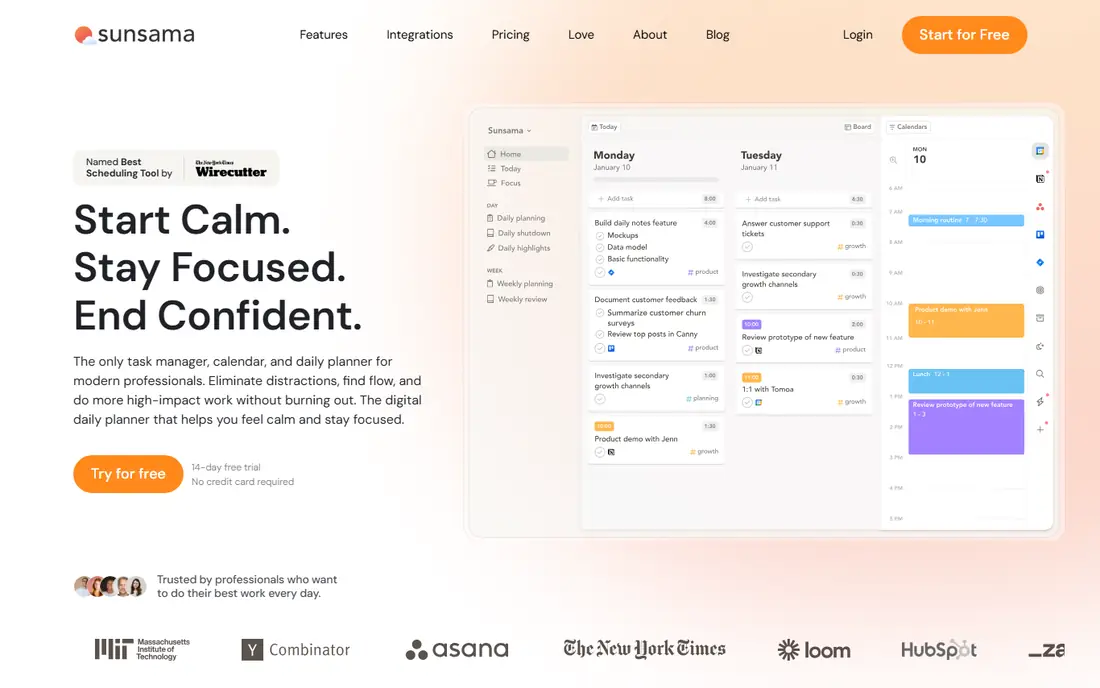
Sunsama is for people who want planning to feel like a ritual, not a chore. Each morning, it guides you to pick tasks from your tools, estimate time, and drag them onto your calendar. At day end, a shutdown step reviews what got done and carries the rest forward. That structure helps people who start the day with a long list and no clear order.
The price is the catch. At $17 per month billed annually, with no free tier, Sunsama costs more than Todoist or TickTick. Time blocking is also manual, so it will not auto-schedule your day like Motion. If a calm daily ritual is what keeps you on track, the cost is justified by use.
- Guided morning planning and end-of-day shutdown
- Drag tasks onto a calendar timeline
- Calm, focused design
- No free tier, only a trial
- Time blocking is manual, with no AI auto-scheduling
Motion suits people whose calendars change constantly and who want software to rebuild the plan. Give it tasks, deadlines, and priorities, and it places work into open calendar slots, then re-plans when a meeting moves. That automation saves the daily reshuffling that eats time in Sunsama or Todoist.
The catch is price and control. At $19 per seat per month, Motion is a serious subscription for a solo user, and some planners dislike letting an algorithm choose task order. If your day is meeting-heavy and changes often, Motion earns its price. If your day is stable, a manual planner costs less and feels calmer.
- AI schedules tasks around meetings and deadlines
- Calendar, tasks, and projects in one view
- Auto re-plans when plans change
- No free tier, only a trial
- Price is high for solo users
- Setup takes care for complex projects
Any.do is for people who want a simple plan each morning without learning a system. Its My Day prompt asks you to pick today's tasks, and reminders keep them visible. Capture from voice assistants and messaging apps also helps, since you can add a task without opening the app.
The limit is power. Any.do has fewer filters, views, and automation options than Todoist or TickTick, and some features sit behind a paid plan. If simplicity keeps you consistent, that is a strength. If you need complex projects, pick a deeper tool.
- Daily My Day prompt for focus
- Simple lists and reminders
- Capture from voice and messaging apps
- Fewer power features than Todoist or TickTick
- Some features need a paid plan
Notion is the best pick if you want to build your own planner rather than accept someone else's. Databases can become checklists, Kanban boards, or calendar views with one switch, and templates cover daily plans, habit trackers, and project dashboards. The free tier is generous for personal use.
The catch is setup time. Building a good system takes hours, and native reminders are weaker than in Todoist or TickTick. Notion suits system builders who enjoy customizing. If you want a planner that works in five minutes, start with Todoist or TickTick instead.
- Build any planner with databases, boards, and calendar views
- Free tier covers personal use
- Huge template library
- Setup effort is high
- Native reminders are weaker than dedicated planners
Google Calendar is the free baseline every planner should know. It handles events, shared calendars, and appointment booking well, and it syncs with almost every other tool here. For scheduling meetings and blocking time, it is hard to beat at zero cost.
As a day planner alone, it falls short. Tasks are basic, there is no guided morning ritual, and a day full of events can hide the tasks that matter. Use Google Calendar as the calendar layer under Todoist, TickTick, or Sunsama, rather than as your only planning tool.
- Free with a Google account
- Color-coded calendars and shared scheduling
- Appointment booking built in
- Task management is basic
- No guided daily planning ritual
Structured is for visual planners who think in hours, not lists. Its timeline shows the whole day as blocks, so gaps, overlaps, and free time are obvious at a glance. Creating a plan is fast, and the design stays calm even on a busy day.
The limit is project depth. Structured plans days well but manages long projects and team work less well than Todoist or Notion. If your main problem is seeing how today fits together, Structured is a strong free pick. If you manage weeks of work, pair it with a task tool.
- Timeline view shows the day hour by hour
- Simple and visual
- Works on iOS, Mac, and Android
- Weaker for long-term projects
- Some Pro features need payment
How we picked these
We compared official pricing pages, feature pages, and app store listings, plus public reviews, for each app. We required a current product in 2026 that supports daily planning on phone or web, and we favored tools with distinct strengths, from fast capture to guided rituals to AI scheduling. We left out paper planners and tools that only manage projects without a daily view.
How to choose a day planner app
Start by naming how you plan. If you plan by lists, Todoist or TickTick will feel natural. If you plan by hours, Sunsama, Structured, or Motion will fit better. If you build systems, Notion is the pick. Matching the tool to your mental model matters more than the feature count.
Next, test the morning ritual for a week. Open the app each morning, pick today's tasks, and place them on the day. If you skip the ritual after three days, the tool is too complex or too slow for you. A planner you open daily beats a powerful planner you avoid.
Finally, check calendar sync before you pay. Confirm the app connects to Google Calendar or Outlook, handles time zones, and shows tasks and events together. A planner that cannot see your meetings will double-book you, no matter how good its task list is.