Best Digital Art Software in 2026: 9 Tools Compared
By ToolNimba Editorial Team October 29, 2026 8 min read

- Top pick
 Adobe Photoshop
All-round painting and editing
Starting price$22.99 per monthCheck out Adobe PhotoshopRead our review - Runner-up
 Procreate
iPad painting and illustration
Starting price$12.99 one-timeCheck out ProcreateRead our review - Also great
 Clip Studio Paint
Comics, manga and illustration
Starting price$49.99 one-timeCheck out Clip Studio PaintRead our review
How we researched this
We compared official pricing and feature pages, app store listings, privacy policies and public user reviews. Prices change, so check the provider's site before you pay.
Key takeaways
- Photoshop remains the most capable all-rounder, but its subscription adds up and beginners may prefer a focused painting app.
- Procreate at 12.99 dollars one-time is the best value in digital art, though it works on iPad only.
- Krita and Affinity are genuinely free professional tools, not stripped demos, and cover most painting and design work.
- Comic and manga artists should start with Clip Studio Paint or MediBang Paint, which were built around panels and inking.
- Traditional media painters who want watercolor and oil behavior should try Rebelle or Corel Painter before settling on a general tool.
Quick comparison
| Name | Best for | Starting price | Free plan | |
|---|---|---|---|---|
| Adobe Photoshop | All-round painting and editing | $22.99 per month | Free trial | Visit |
| Procreate | iPad painting and illustration | $12.99 one-time | No | Visit |
| Clip Studio Paint | Comics, manga and illustration | $49.99 one-time | Free trial | Visit |
 Krita | Free digital painting | Free | Yes | Visit |
 Affinity | Free pro-grade design | Free | Yes | Visit |
 Corel Painter | Traditional media simulation | $429 one-time | Free trial | Visit |
 Rebelle | Watercolor and oil simulation | $89.99 one-time | Free trial | Visit |
 MediBang Paint | Free comics and manga | Free | Yes | Visit |
 Adobe Fresco | Touch based painting | Free | Yes | Visit |
The best digital art software
Digital art software now ranges from free professional tools to subscription giants, and the right pick depends on your device, your style and your budget. We compared official feature pages, pricing pages and public documentation to build this list, covering painting, illustration, comics and design.
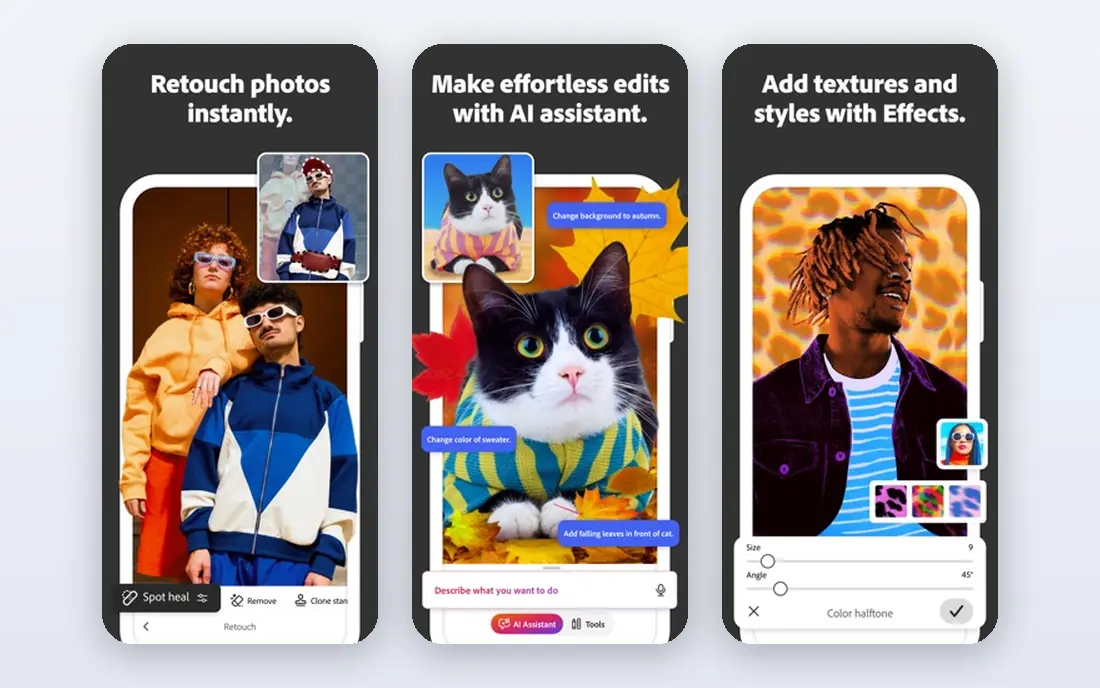
Photoshop does the most of any tool here: digital painting, illustration, photo editing and compositing in one program, with thousands of brushes and the deepest tooling available. The single-app plan costs 22.99 dollars per month on annual billing, and files open everywhere since most tutorials and studios assume Photoshop.
The subscription model means you never stop paying, and the sheer number of tools can overwhelm a beginner. Painters sometimes prefer a dedicated painting app for natural media feel. For professionals who need one deep tool for everything, Photoshop is still the standard.
- Deepest toolset for painting, editing and compositing
- Industry standard files
- Huge brush and plugin ecosystem
- Subscription only
- Overwhelming for beginners
- Photo-first design

Procreate is the best digital art app for iPad, full stop. For a 12.99 dollar one-time purchase you get a fast, deeply capable painting and illustration app with hundreds of brushes, a high layer count and an automatic time-lapse recording of every piece. There is no subscription and no upsell.
The limitation is obvious: it works on iPad only, so Windows, Mac and Android users need another tool. Serious animators will also outgrow the basic timeline and may add Procreate Dreams, sold separately. For anyone with an iPad and an Apple Pencil, Procreate is the best value in this list.
- One-time purchase with free updates
- Fast brush engine
- Automatic time-lapse of every piece
- IPad only
- Basic animation tools
- No desktop version
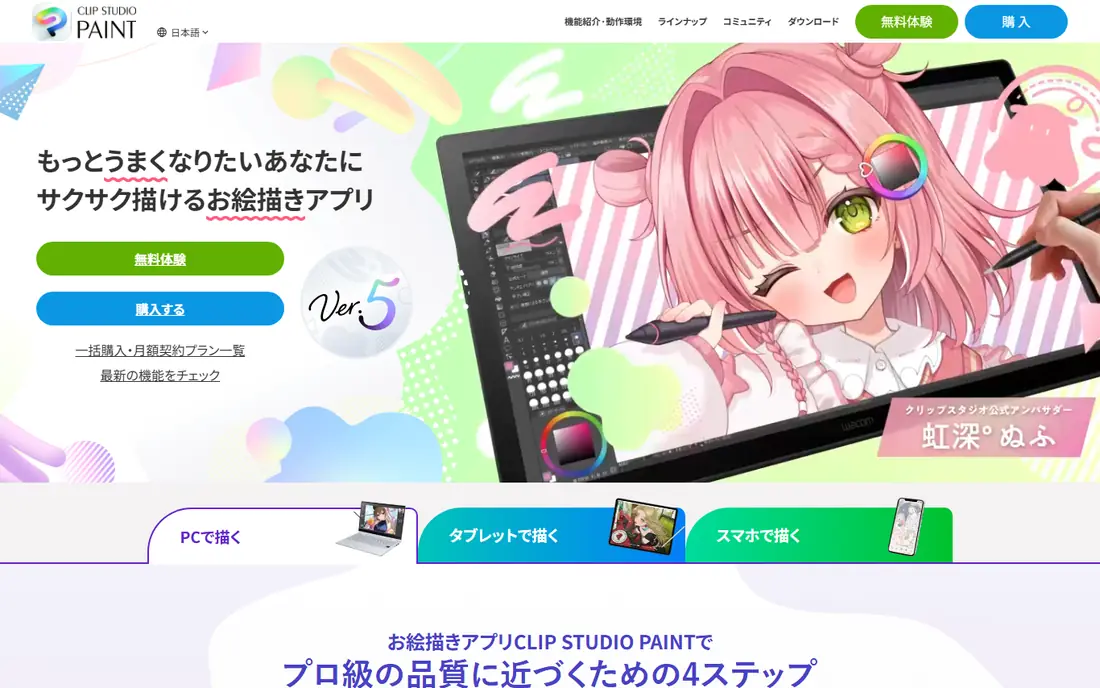
Clip Studio Paint is the standard for comic and manga artists, with panel layout, perspective rulers, screen tones, word balloons and inking tools built in. It also handles illustration and animation well, and runs on Windows, Mac, iPad, Android and Chromebook.
Desktop Pro is available as a one-time purchase from 49.99 dollars, while other plans use subscriptions, so check the current options on the vendor site before buying. The interface packs many tools, which takes learning, but comic artists will find nothing else matches its workflow.
- Built for comics with panels, tones and inking
- Animation tools
- Cross-platform
- Pricing model has changed often
- Interface can feel dense
Krita is a free, open source painting program for Windows, Mac and Linux that rivals commercial tools for illustration, concept art and comics. It offers powerful brush engines, layer management, animation tools and CMYK color support for print work.
The interface is less polished than Photoshop or Procreate, and tutorials are fewer, but the capability is real. For artists on a budget, students and hobbyists, Krita covers most professional workflows at zero cost.
- Completely free and open source
- Strong brush engines
- Animation and CMYK support
- Less polished than paid rivals
- Smaller tutorial ecosystem
Affinity, from Canva, became free in October 2025, giving artists professional vector design, photo editing and page layout tools at no cost. It runs on Windows, Mac and iPad, handles large files smoothly, and opens common formats including PSD and AI.
The ecosystem is younger than Adobe, so plugins and tutorials are fewer, and some niche features are still catching up. For illustrators and designers who want pro-grade tools without a subscription, Affinity is now a serious alternative to the Adobe suite.
- Free since October 2025
- Professional vector and raster tools
- Fast performance
- Newer ecosystem than Adobe
- Some advanced features still catching up
Corel Painter simulates oils, watercolors, pastels and other traditional media more convincingly than any other tool here, with hundreds of brushes that behave like real paint. It costs 429 dollars as a one-time purchase, with a free trial available.
The price and learning curve put it out of reach for casual users, and the interface shows its age. Artists who paint in a traditional style and want digital convenience will find the brush realism worth it, while others get better value from Krita or Procreate.
- Most realistic traditional media brushes
- Huge brush library
- One-time purchase
- Expensive
- Interface feels dated
- Steep learning curve
Rebelle focuses on realistic watercolor, acrylic and oil painting, with wet media physics that let paint drip, blend and granulate like the real thing. The standard edition starts at 89.99 dollars one-time, with a Pro edition at a higher price and a free trial.
The toolset is narrower than Photoshop or Krita, since it centers on painting rather than editing or design. For watercolor and oil painters, the realism is unmatched at this price, and it pairs well with a general tool for finishing work.
- Realistic wet media physics
- Watercolor granulation and dripping
- One-time purchase
- Narrower toolset than general painters
- Smaller community
MediBang Paint is a free comic and illustration app for Windows, Mac, iPad and Android, with panel tools, screen tones, cloud saving and team collaboration. It suits beginners and manga artists who want a free, cross-platform tool.
Advanced painting features trail Krita and Clip Studio Paint, and the interface is simpler, which some artists will see as a plus. For free comic creation across devices, MediBang is the easiest starting point.
- Free on desktop and mobile
- Comic panel and tone tools
- Cloud saving and collaboration
- Fewer advanced painting features
- Interface less refined than Clip Studio
Adobe Fresco is a touch-first painting app for iPad and Windows, with live brushes that mimic watercolor and oil behavior and pixel brushes for illustration. The basic version is free, while premium features cost 9.99 dollars per month, and files move easily into Photoshop.
Fresco suits tablet painters who want Adobe compatibility without the full Photoshop learning curve. Desktop painters may find it limited next to Photoshop or Krita. As a free entry to Adobe painting tools, it is a good trial.
- Free basic version
- Live brushes for watercolor and oil
- Works with Photoshop files
- Full features need a subscription
- Touch-first design limits desktop use
How we picked these
We compared official feature pages, pricing pages and public documentation for each tool, and favored products that are actively sold and supported in October 2026. We mixed paid leaders, one-time purchases and free tools so the list covers professionals, students and hobbyists. Prices come from vendor pricing pages checked in 2026, and where a vendor changed its model during the year we used the current published figure.
How to choose digital art software
Start with your device. iPad artists should try Procreate first, while desktop artists should weigh Krita, Affinity and Photoshop. Next, match the tool to your style: comics point to Clip Studio Paint or MediBang, traditional media points to Rebelle or Corel Painter, and vector design points to Affinity or Illustrator.
Mind the five year cost
Subscriptions add up: Photoshop at 22.99 dollars per month costs far more over five years than a one-time purchase like Procreate or Rebelle. Free tools like Krita and Affinity remove the cost question entirely, which matters for students and hobbyists.
Try before you buy
Most paid tools offer trials. Use one to paint a complete piece, not just doodle, and check brush feel, layer limits and file export. Brush feel matters more than feature lists for daily work.