Best ERP Software for Small Business in 2026: 9 Systems Compared
By ToolNimba Editorial Team November 6, 2026 9 min read

- Top pick
 Odoo
Modular ERP on a budget
Starting priceFreeCheck out OdooRead our review - Runner-up
 Oracle NetSuite
Growing multi-entity firms
Starting priceSee websiteCheck out Oracle NetSuiteRead our review - Also great
 Microsoft Dynamics 365 Business Central
Microsoft 365 shops
Starting price$80 per user per monthCheck out Microsoft Dynamics 365 Business CentralRead our review
How we researched this
We compared official pricing and feature pages, app store listings, privacy policies and public user reviews. Prices change, so check the provider's site before you pay.
Key takeaways
- Only a few ERP vendors publish prices; most quote by scope, so ask for a full first-year total.
- Open source options cut licence costs but need technical skill or a hosted plan.
- Microsoft and SAP options suit firms already tied to those ecosystems.
- Budget for implementation and training, not just the monthly licence.
Quick comparison
| Name | Best for | Starting price | Free plan | |
|---|---|---|---|---|
| Odoo | Modular ERP on a budget | Free | Yes | Visit |
| Oracle NetSuite | Growing multi-entity firms | See website | No | Visit |
| Microsoft Dynamics 365 Business Central | Microsoft 365 shops | $80 per user per month | Free trial | Visit |
 SAP Business One | SAP discipline for small firms | See website | No | Visit |
 Acumatica | Distribution and manufacturing | See website | No | Visit |
 ERPNext | Open source ERP for technical teams | Free | Yes | Visit |
 Sage Intacct | Finance-heavy firms | See website | No | Visit |
 QuickBooks Enterprise | Accounting-led small firms | See website | No | Visit |
 Katana | Small manufacturers | See website | Free trial | Visit |
The best ERP software for small business
We compared official pricing pages, feature pages, and app store listings to build this list of ERP software for small business. Prices change, so check the vendor page before you buy, and use the free plan or trial where one is offered to confirm fit.
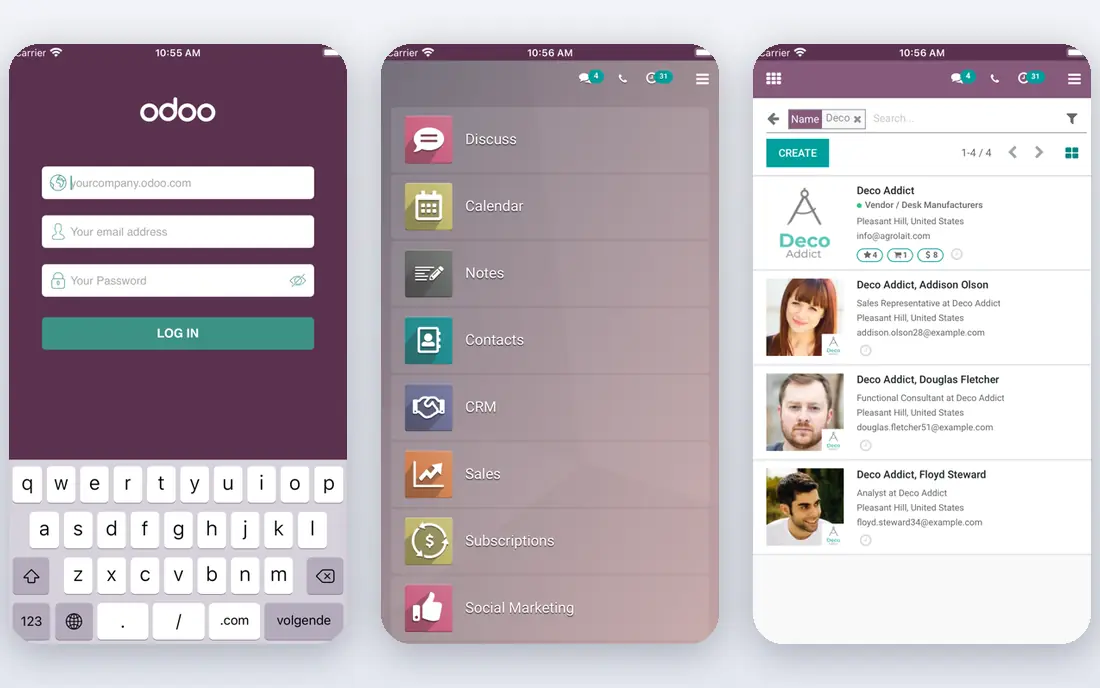
For teams that want a clear starting point, Odoo stands out because small firms that want to start small and add modules.
It lets a small firm start with one app and add sales, inventory, accounting, and more as it grows. The free Community edition suits teams with technical help, while paid plans add hosting and support.
Before you commit, check Odoo against the tools you already use, confirm the plan limits for your team size, and use the trial period to test the exact workflow you will rely on most. A short pilot with real data, real users, and a clear success measure will tell you more than a feature list, and it makes it easier to compare this option fairly with the others on this list.
- Modular apps
- Free Community edition
- One app free on some plans
- Paid plans vary by country
- Implementation help may be needed
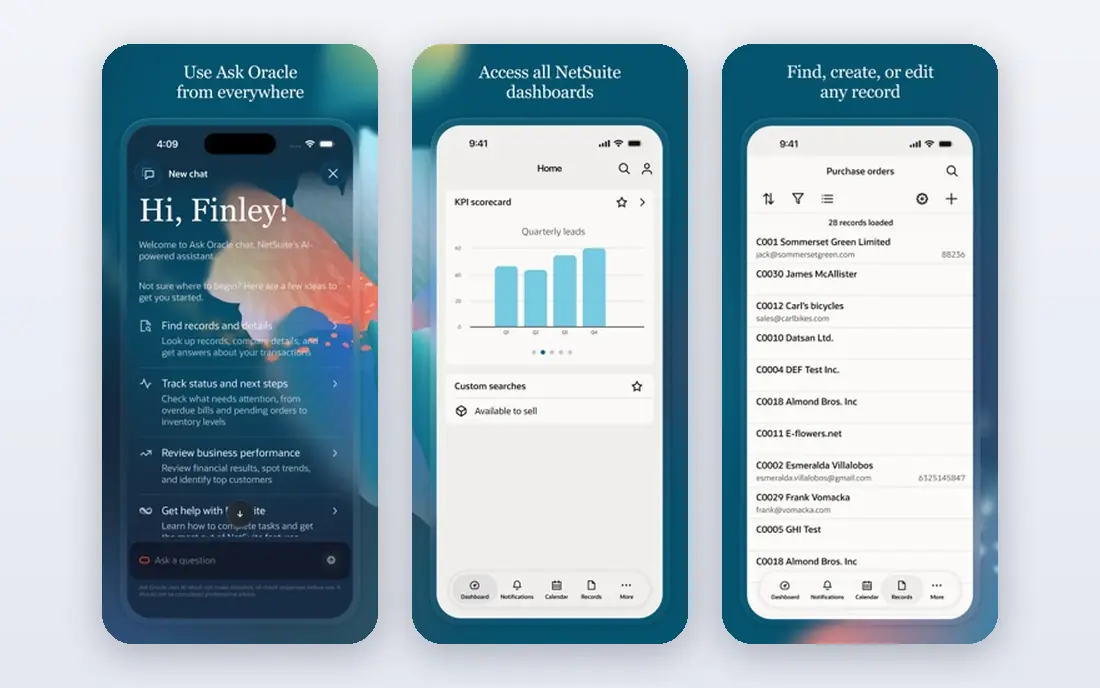
If your main concern is fast-growing firms with complex finances, Oracle NetSuite deserves a close look.
It suits firms that have outgrown basic accounting and need one system for finance, inventory, and orders. The cost and implementation time mean it fits growth-stage firms better than very small startups.
Before you commit, check Oracle NetSuite against the tools you already use, confirm the plan limits for your team size, and use the trial period to test the exact workflow you will rely on most. A short pilot with real data, real users, and a clear success measure will tell you more than a feature list, and it makes it easier to compare this option fairly with the others on this list.
- Deep financials
- Multi-entity support
- Cloud only, no servers to run
- Quote-based pricing
- Implementation takes months
Microsoft Dynamics 365 Business Central
Best for: Microsoft 365 shops
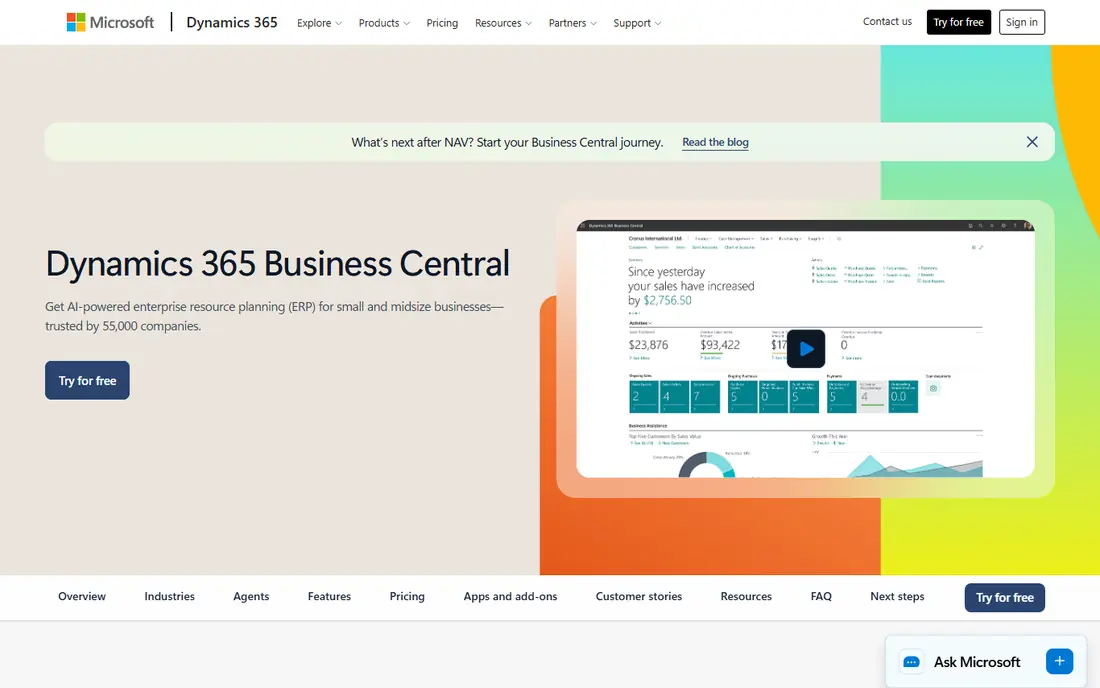
Microsoft Dynamics 365 Business Central earns its place here through firms already using Microsoft 365, and it suits a specific kind of buyer.
It fits teams already on Microsoft 365, since Outlook, Excel, and Teams sit close to the ERP. Essentials covers core finance and inventory, while Premium adds manufacturing and service management.
Before you commit, check Microsoft Dynamics 365 Business Central against the tools you already use, confirm the plan limits for your team size, and use the trial period to test the exact workflow you will rely on most. A short pilot with real data, real users, and a clear success measure will tell you more than a feature list, and it makes it easier to compare this option fairly with the others on this list.
- Strong Microsoft integration
- Essentials and Premium tiers
- Finance and inventory
- Partner setup often needed
- Premium costs more
Buyers who prioritise small manufacturers and distributors will find SAP Business One a strong match.
It gives smaller firms SAP-style control over finance and stock without moving to a large enterprise system. Work through a partner, and budget for implementation as well as licences.
Before you commit, check SAP Business One against the tools you already use, confirm the plan limits for your team size, and use the trial period to test the exact workflow you will rely on most. A short pilot with real data, real users, and a clear success measure will tell you more than a feature list, and it makes it easier to compare this option fairly with the others on this list.
- Finance, sales, purchasing, and inventory in one system
- Partner network
- Partner-quoted pricing
- Implementation can be long
We include Acumatica for readers who need distributors who dislike per-user pricing without extra complexity.
It appeals to firms with many occasional users, since pricing is based on resources used rather than headcount. Manufacturing and distribution features are its core strength.
Before you commit, check Acumatica against the tools you already use, confirm the plan limits for your team size, and use the trial period to test the exact workflow you will rely on most. A short pilot with real data, real users, and a clear success measure will tell you more than a feature list, and it makes it easier to compare this option fairly with the others on this list.
- Consumption-based pricing, not per user
- Strong distribution and manufacturing
- Quote-based
- Partner implementation needed
Among the options here, ERPNext is the one to check first for technical startups on a tight budget.
It gives a full ERP for the cost of hosting, if your team can install and maintain it. Hosted plans remove that burden, at a monthly cost that is still low compared with enterprise ERP.
Before you commit, check ERPNext against the tools you already use, confirm the plan limits for your team size, and use the trial period to test the exact workflow you will rely on most. A short pilot with real data, real users, and a clear success measure will tell you more than a feature list, and it makes it easier to compare this option fairly with the others on this list.
- Free to self-host
- Full modules included
- Hosted option available
- Self-hosting needs technical skill
- Interface is functional, not polished
For a buyer focused on finance-led firms and nonprofits, Sage Intacct offers a practical route forward.
It suits firms where finance is the main problem, especially multi-entity groups and nonprofits. If you need deep manufacturing, pair it with other tools or choose a broader ERP.
Before you commit, check Sage Intacct against the tools you already use, confirm the plan limits for your team size, and use the trial period to test the exact workflow you will rely on most. A short pilot with real data, real users, and a clear success measure will tell you more than a feature list, and it makes it easier to compare this option fairly with the others on this list.
- Strong multi-entity financials
- Revenue recognition
- Good reporting
- Quote-based
- Operations outside finance are thinner
QuickBooks Enterprise is best understood as a tool for firms staying inside QuickBooks, rather than a general fix for everything.
It works for firms that want stronger inventory and reporting than QuickBooks Online, without leaving the QuickBooks world. Check user limits and hosting costs before you commit.
Before you commit, check QuickBooks Enterprise against the tools you already use, confirm the plan limits for your team size, and use the trial period to test the exact workflow you will rely on most. A short pilot with real data, real users, and a clear success measure will tell you more than a feature list, and it makes it easier to compare this option fairly with the others on this list.
- Familiar QuickBooks workflow
- Annual subscription by edition and users
- Desktop-first
- Cloud hosting is an add-on
- Not a full ERP for all firms
When small makers and manufacturers matters most, Katana is a sensible name to put on a shortlist.
It suits small manufacturers who need production planning and stock control more than a full finance suite. It pairs well with accounting software, rather than replacing it in every case.
Before you commit, check Katana against the tools you already use, confirm the plan limits for your team size, and use the trial period to test the exact workflow you will rely on most. A short pilot with real data, real users, and a clear success measure will tell you more than a feature list, and it makes it easier to compare this option fairly with the others on this list.
- Manufacturing and inventory focus
- Visual production planning
- Shopify and accounting links
- Narrower than full ERP
- Pricing rises with users and features
How we picked these
We compared official product and pricing pages for nine ERP systems aimed at small firms. We noted where prices are published and where vendors quote, and we checked module coverage for finance, inventory, manufacturing, and services. We did not implement any system ourselves, and we based module claims on vendor pages.
What to budget beyond the licence fee
The licence is often the smallest cost in year one. Add implementation, data migration, training, and any partner fees, and ask each vendor for a total first-year figure in writing. Start with the modules you will use in the first three months, not the full suite. Run a trial with real orders, stock, and invoices, and involve the staff who will use it daily. A system your team avoids is worse than a simpler system they actually use.
Sources
- https://www.odoo.com
- https://www.netsuite.com
- https://dynamics.microsoft.com/en-us/business-central/overview/
- https://www.sap.com/products/erp/business-one.html
- https://www.acumatica.com
- https://erpnext.com
- https://www.sage.com/en-us/sage-business-cloud/intacct/
- https://quickbooks.intuit.com/enterprise/
- https://katanamrp.com
Frequently asked questions
What is ERP software?
ERP software joins finance, inventory, orders, purchasing, and related work in one system. For a small firm, it replaces separate spreadsheets and apps that no longer stay in sync.
When does a small business need ERP?
When stock, orders, or multi-entity accounts outgrow basic accounting software, or when manual work causes frequent errors. If one accounting app still covers your work, you may not need ERP yet.
Why do some ERP vendors hide prices?
Many quote by modules, users, and implementation scope, so a single list price would mislead. Ask for a written quote that includes implementation and first-year support.
Is open source ERP a good idea?
Odoo Community and ERPNext can save licence costs, but they need technical skill for setup and updates. Hosted plans cost more and remove much of that burden.
How long does ERP implementation take?
Simple setups can take weeks, while larger implementations take months. Data cleanup, training, and testing usually take longer than installing the software itself.