Best Event Registration Software in 2026: 9 Platforms Compared
By ToolNimba Editorial Team November 7, 2026 11 min read

- Top pick
 Eventbrite
Public ticketed events
Starting priceFreeCheck out EventbriteRead our review - Runner-up
 Cvent
Large conferences and corporate events
Starting priceSee websiteCheck out CventRead our review - Also great
 Whova
Conferences with an attendee app
Starting priceSee websiteCheck out WhovaRead our review
How we researched this
We compared official pricing and feature pages, app store listings, privacy policies and public user reviews. Prices change, so check the provider's site before you pay.
Key takeaways
- Eventbrite suits public events best, while Cvent and Bizzabo suit larger conferences with bigger teams.
- Per-ticket fees matter more than monthly prices for paid events, so model your total at your real attendee count.
- RegFox and Ticket Tailor offer the lowest-cost routes for smaller organisers.
- Private events should shortlist RSVPify and Splash, not public ticketing platforms.
Quick comparison
| Name | Best for | Starting price | Free plan | |
|---|---|---|---|---|
| Eventbrite | Public ticketed events | Free | Yes | Visit |
| Cvent | Large conferences and corporate events | See website | No | Visit |
| Whova | Conferences with an attendee app | See website | No | Visit |
 RegFox | Conferences, camps, and classes | $0.99 plus 1% per paid registrant | No | Visit |
 Ticket Tailor | Small and community events | Free | Yes | Visit |
 Bizzabo | Hybrid and in-person conferences | See website | No | Visit |
 Splash | Branded corporate events | See website | No | Visit |
 RSVPify | Invitations and RSVPs | See website | Free trial | Visit |
 Eventzilla | Business and professional events | See website | Yes | Visit |
The best event registration software
We compared registration platforms for conferences, public events, and private gatherings, with a focus on real fees and who each platform suits best.
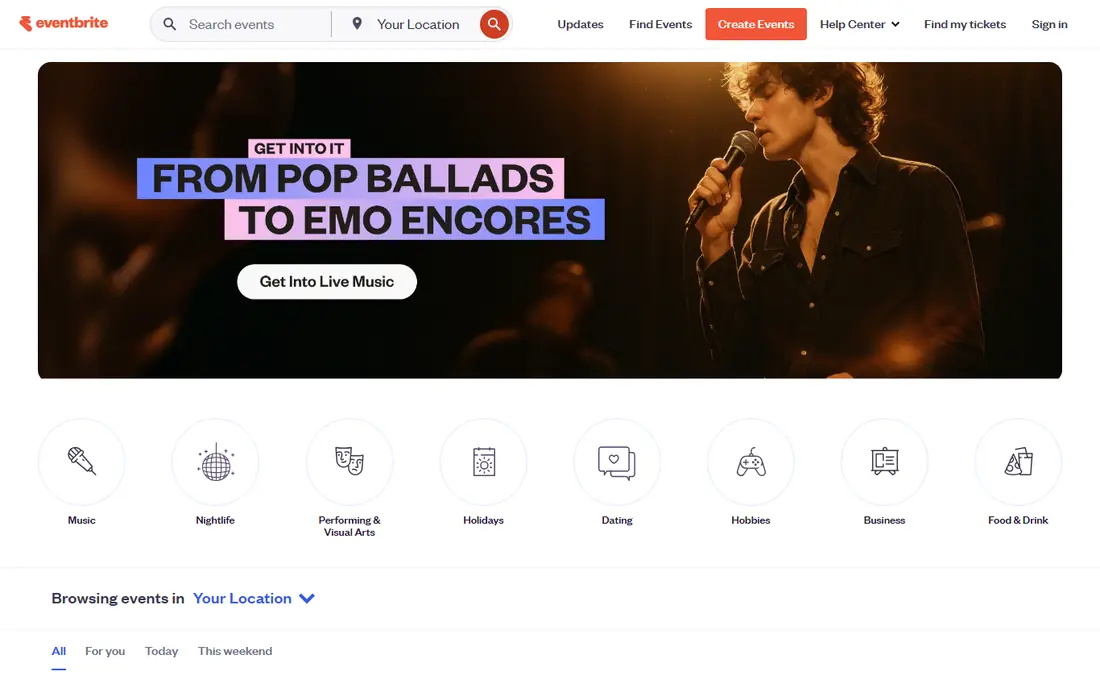
For public events that need an audience, Eventbrite is the obvious first look because people already search for events there. Eventbrite covers the basics you would expect for this kind of tool, and its pricing page and feature pages set out what is included at each level. We compared those pages with app store listings and public help pages before including it here, and we kept it on the list only because it clearly fits this topic today.
The catch is cost on paid tickets, since fees add up on larger events and premium features sit behind paid plans. Before you commit, check the current pricing page and the limits on the plan you are considering, because caps on users, events, or volume change the real cost. If you can, run a short trial with a real example from your own work, and look closely at how exports, support, and cancellation work.
- Large public audience for discovery
- Simple event pages
- Free publishing for free events
- Per-ticket fees on paid events
- Branding limits on free plans

For a large conference with many sessions and stakeholders, Cvent brings registration, venue tools, and reporting under one roof. Cvent covers the basics you would expect for this kind of tool, and its pricing page and feature pages set out what is included at each level. We compared those pages with app store listings and public help pages before including it here, and we kept it on the list only because it clearly fits this topic today.
The catch is scale and price, since this is built for organisations with a dedicated events team and a larger budget. Before you commit, check the current pricing page and the limits on the plan you are considering, because caps on users, events, or volume change the real cost. If you can, run a short trial with a real example from your own work, and look closely at how exports, support, and cancellation work.
- Full registration and event management suite
- Strong reporting
- Tools for large teams
- Quote-based pricing
- Setup can be heavy for small events

For conferences where attendees need an agenda, networking, and updates in one app, Whova covers more than registration alone. Whova covers the basics you would expect for this kind of tool, and its pricing page and feature pages set out what is included at each level. We compared those pages with app store listings and public help pages before including it here, and we kept it on the list only because it clearly fits this topic today.
The catch is that you should request a clear quote for your attendee count before you judge value. Before you commit, check the current pricing page and the limits on the plan you are considering, because caps on users, events, or volume change the real cost. If you can, run a short trial with a real example from your own work, and look closely at how exports, support, and cancellation work.
- Registration plus a conference app
- Networking tools
- Agenda and exhibitor features
- Pricing is not published as a simple flat rate
- Smaller events may pay for more than they need
For organisers who want predictable per-person costs without a monthly subscription, RegFox is a strong value choice. RegFox covers the basics you would expect for this kind of tool, and its pricing page and feature pages set out what is included at each level. We compared those pages with app store listings and public help pages before including it here, and we kept it on the list only because it clearly fits this topic today.
The catch is the lack of a free tier, so you pay from the first paid registration. Before you commit, check the current pricing page and the limits on the plan you are considering, because caps on users, events, or volume change the real cost. If you can, run a short trial with a real example from your own work, and look closely at how exports, support, and cancellation work.
- Low per-registrant fee with a cap
- Flexible forms
- Good for repeat events
- No free plan
- Design options are more limited than some rivals
For a small community event, Ticket Tailor keeps setup simple and keeps costs down. Ticket Tailor covers the basics you would expect for this kind of tool, and its pricing page and feature pages set out what is included at each level. We compared those pages with app store listings and public help pages before including it here, and we kept it on the list only because it clearly fits this topic today.
The catch is that larger events may want deeper reporting or an attendee app that this platform does not centre on. Before you commit, check the current pricing page and the limits on the plan you are considering, because caps on users, events, or volume change the real cost. If you can, run a short trial with a real example from your own work, and look closely at how exports, support, and cancellation work.
- Free for free events
- Simple checkout
- No per-ticket fee on some plans
- Fewer built-in marketing tools than larger platforms
- Limited app features
For a branded conference with virtual and in-person parts, Bizzabo ties registration to the wider event experience. Bizzabo covers the basics you would expect for this kind of tool, and its pricing page and feature pages set out what is included at each level. We compared those pages with app store listings and public help pages before including it here, and we kept it on the list only because it clearly fits this topic today.
The catch is price and complexity, so get a quote tied to your event size and format. Before you commit, check the current pricing page and the limits on the plan you are considering, because caps on users, events, or volume change the real cost. If you can, run a short trial with a real example from your own work, and look closely at how exports, support, and cancellation work.
- Registration, event website, and engagement tools in one platform
- Good for branded events
- Quote-based pricing
- May be more than a simple event needs
For corporate events where the page itself must look polished, Splash puts design and guest management first. Splash covers the basics you would expect for this kind of tool, and its pricing page and feature pages set out what is included at each level. We compared those pages with app store listings and public help pages before including it here, and we kept it on the list only because it clearly fits this topic today.
The catch is that public ticketing is not its main strength, so ticketed festivals should look elsewhere. Before you commit, check the current pricing page and the limits on the plan you are considering, because caps on users, events, or volume change the real cost. If you can, run a short trial with a real example from your own work, and look closely at how exports, support, and cancellation work.
- Strong branded event pages
- Guest list tools
- Reporting for marketing teams
- Quote-based pricing
- Less suited to public ticket sales
For weddings, galas, and private gatherings, RSVPify focuses on invitations and replies rather than ticket sales. RSVPify covers the basics you would expect for this kind of tool, and its pricing page and feature pages set out what is included at each level. We compared those pages with app store listings and public help pages before including it here, and we kept it on the list only because it clearly fits this topic today.
The catch is that paid ticket handling is limited, so it suits free or invitation-only events best. Before you commit, check the current pricing page and the limits on the plan you are considering, because caps on users, events, or volume change the real cost. If you can, run a short trial with a real example from your own work, and look closely at how exports, support, and cancellation work.
- Simple RSVP forms
- Guest list management
- Seating and invitation tools
- Paid plans needed for larger guest lists
- Fewer ticketing features
For a professional seminar or workshop, Eventzilla offers a low-cost way to collect registrations online. Eventzilla covers the basics you would expect for this kind of tool, and its pricing page and feature pages set out what is included at each level. We compared those pages with app store listings and public help pages before including it here, and we kept it on the list only because it clearly fits this topic today.
The catch is that advanced features sit on higher tiers, so check what your plan includes before launch. Before you commit, check the current pricing page and the limits on the plan you are considering, because caps on users, events, or volume change the real cost. If you can, run a short trial with a real example from your own work, and look closely at how exports, support, and cancellation work.
- Free plan for basic events
- Custom registration forms
- Discount codes
- Feature limits on lower tiers
- Support varies by plan
How we picked these
We compared official feature pages, pricing pages, and app store listings, and we kept only products that exist today and clearly fit the topic. We checked starting prices and free tiers where the vendor publishes them, and we used See website where a price was not published or depended on a quote. We did not claim hands-on testing, and we weighed who each product suits, one clear strength, and one honest weakness for every entry.
What to check before you pick a registration platform
Start with the job, not the feature list. Write down the one task you need to finish each week, the number of people or items involved, and the budget you can hold for a year. That short list rules out most options faster than any comparison chart, and it stops you paying for capacity you will not use.
Next, check the limits that hide behind the headline price. Look for caps on users, seats, shipments, events, or pageviews, and for fees that apply per item or per transaction. A low monthly price can become expensive once volume grows, while a higher flat price can be cheaper for a busy team. Read the cancellation terms too, so you know what happens to your data if you leave.
Finally, test the parts you will touch every day. The setup flow, the mobile app, the export options, and the support response matter more than a long list of extra tools. Pick the option that your team will actually use, even if a rival looks stronger on paper, because an unused tool helps no one.
Also confirm payment timing, refund handling, and who pays the processing fee. Those details affect your cash flow and your attendees, and they differ a lot between platforms.
Sources
Frequently asked questions
What is the best event registration platform?
It depends on your event type. Eventbrite suits public ticketed events, Cvent suits large conferences, and RSVPify suits invitation-only gatherings. Match the platform to your audience before you compare prices.
What is the best conference registration software?
Cvent, Whova, and Bizzabo are strong for conferences because they combine registration with agendas, apps, and reporting. Smaller conferences may find RegFox or Eventzilla enough at a lower cost.
What is the best event registration app for small events?
Ticket Tailor and Eventzilla work well for small events because they offer free or low-cost starts and simple setup. You avoid paying for enterprise tools you will not use.
Do free events cost anything on these platforms?
Publishing a free event is often free, though some platforms charge for premium features or add-ons. Always check the plan page for limits on free events before you publish.
What are the best event registration tools for paid tickets?
RegFox, Eventbrite, and Ticket Tailor are common choices for paid tickets, but their fee models differ. Compare the per-ticket fee plus processing at your ticket price and attendee count.