Best Family Tracking App Free in 2026: 8 Apps Compared
By ToolNimba Editorial Team October 29, 2026 9 min read

- Top pick
 Life360
All-round family safety
Starting priceFreeCheck out Life360Read our review - Runner-up
 Apple Find My
Apple households
Starting priceFreeCheck out Apple Find MyRead our review - Also great
 Google Maps
Cross-platform sharing
Starting priceFreeCheck out Google MapsRead our review
How we researched this
We compared official pricing and feature pages, app store listings, privacy policies and public user reviews. Prices change, so check the provider's site before you pay.
Key takeaways
- Life360 is our pick for most families, because its free plan already covers real-time location sharing, two place alerts and two days of history.
- Apple Find My and Google Maps are the best free options if your family already uses one platform, and neither needs a new subscription.
- Glympse is the best choice for temporary sharing, because it stops sharing automatically when the timer ends.
- Location sharing is a trust issue as much as a safety tool, so agree as a family on when sharing is on and who can see it.
- Paid plans mostly add longer history, driving reports and emergency help, not better basic location sharing.
Quick comparison
| Name | Best for | Starting price | Free plan | |
|---|---|---|---|---|
| Life360 | All-round family safety | Free | Yes | Visit |
| Apple Find My | Apple households | Free | Yes | Visit |
| Google Maps | Cross-platform sharing | Free | Yes | Visit |
 Glympse | Temporary sharing | Free | Yes | Visit |
 GeoZilla | Simple family location | Free | Yes | Visit |
 FamiSafe | Location plus parental controls | See website | Free trial | Visit |
 iSharing | Simple cross-platform tracking | Free | Yes | Visit |
 Bark | Location alerts plus monitoring | See website | Free trial | Visit |
The best family tracking apps
We compared official feature pages, pricing pages, app store listings and privacy policies for eight family location apps. We favoured apps with clear privacy controls, because a family tracker holds sensitive data about where children and adults spend their time.

Life360 is the best-known family tracker, and its free plan is genuinely useful. It covers real-time location sharing for your Circle, two place alerts for places such as home and school, two days of location history, and a family driving summary. That is enough for most families to answer the everyday question of who is where.
Paid plans start with Silver and run through Gold and Platinum, adding longer history, unlimited place alerts, crash detection with emergency dispatch, roadside help and identity features in the higher tiers. The honest catch is not price but privacy. Constant tracking can strain trust with older children, so set the rules together, review the app privacy settings, and check what data sharing options are switched on.
- Free real-time sharing and place alerts
- Crash detection features
- Works on iPhone and Android
- Paid tiers are needed for longer history and dispatch
- Location tracking can feel intrusive for teens

Find My is the quiet winner for families who all use Apple devices. It is built into the system, so there is nothing new to install, and location sharing sits inside Family Sharing with controls for who sees what. Apple states that location data in Find My is protected with end-to-end encryption, which is a stronger privacy story than many rivals offer.
The limit is the ecosystem. If one family member uses Android, Find My will not cover them in the same way, and it lacks Life360 driving reports and roadside features. For an all-Apple household that wants simple, private sharing, it is hard to beat, and it costs nothing extra.
- Built into iPhone, iPad and Mac
- No extra app needed
- End-to-end encryption for location
- Only works well inside the Apple ecosystem
- Fewer driving and safety extras than Life360
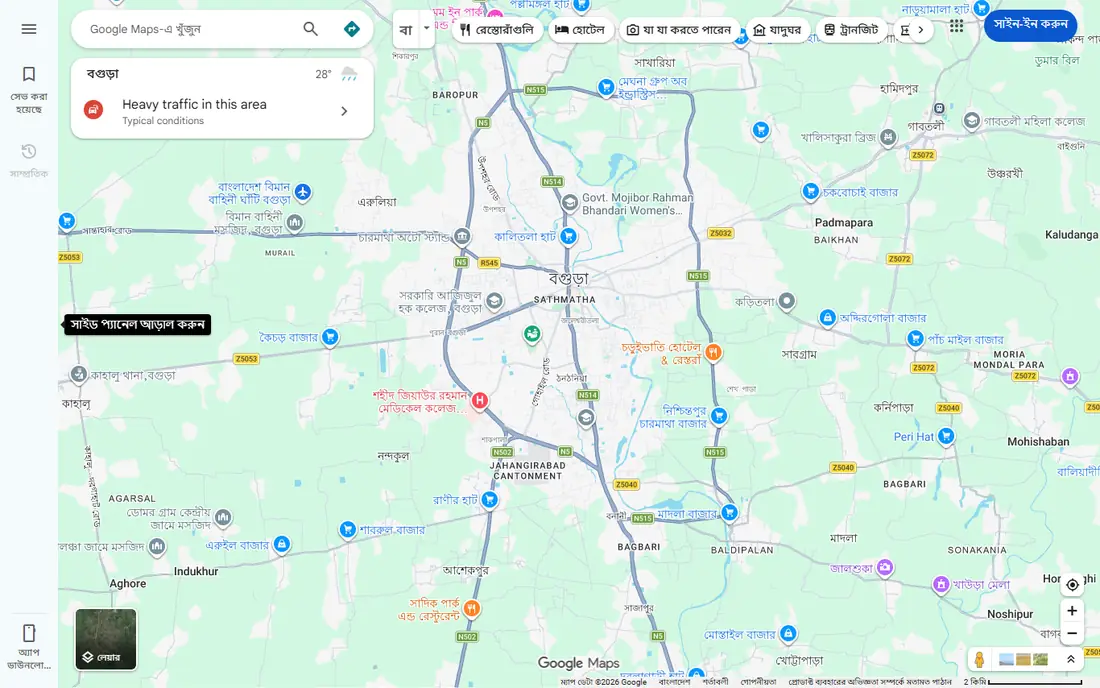
Google Maps is already on most phones, and its location sharing feature is often overlooked. You can share your live location with chosen contacts for a set time or until you switch it off, and the same app gives directions and arrival estimates. That makes it a practical free family locator without a new account or subscription.
The catch is that it is a map first and a safety app second. There are no driving reports, SOS dispatch or place alerts in the Life360 sense, and sharing can stay on longer than intended if you forget to stop it. Use time-limited sharing for trips and meetups, and check the sharing settings regularly.
- Works on iPhone and Android
- Familiar maps and directions
- Sharing can be time-limited
- No family safety extras such as crash detection
- Easy to leave sharing on by accident
Glympse takes a different approach to the privacy problem. Instead of always-on tracking, you share your location for a set period, and sharing stops on its own when the timer ends. Friends and family can view it in a browser without installing an app, which makes it ideal for a school run, a road trip or a late arrival.
That design is also its limit. Glympse is not the tool for parents who want a permanent family map or driving reports, and it offers fewer safety extras than Life360. For families who want tracking only when it is needed, that restraint is a feature, not a flaw.
- Sharing ends automatically
- No account needed to view
- Good for trips and meetups
- Not designed for always-on family tracking
- Fewer safety features than rivals
GeoZilla keeps family tracking simple. It shows family members on a map, sends alerts when someone arrives or leaves a place, and runs on both major phone platforms. For families who found Life360 too busy, GeoZilla is a calmer alternative with the core features intact.
The trade-off is scale and depth. It has a smaller community and fewer safety extras than the market leader, and some features sit behind a paid plan, so check the current pricing in the app store before you commit. If simple, everyday location sharing is the goal, GeoZilla does that job well.
- Simple family map and alerts
- Works on iPhone and Android
- Low learning curve
- Smaller user base than Life360
- Some features need a paid plan
FamiSafe is a parental control app that includes location tracking, rather than a pure tracker. Alongside the family map, it offers geofencing alerts, screen time controls and web filtering, which suits parents of younger children who want one app for several jobs. It runs on iPhone, Android and other devices.
The honest catch is that it is a paid product after a trial, so families who only need location sharing can do better for free. It also raises the consent question more sharply than a simple tracker, because it can monitor more than location. Use it for younger children, explain what it does, and revisit the controls as children grow older.
- Location tracking plus screen time and web controls
- Geofencing alerts
- Works across platforms
- No ongoing free plan
- Location tracking needs a conversation about consent with older children
iSharing is a straightforward tracker for families split across iPhone and Android. It shows real-time locations, sends arrival and departure alerts, and includes messaging features that suit quick check-ins. Setup is simple, which matters when grandparents or younger children are joining the group.
The app does not match Life360 on driving safety, crash detection or roadside help, and some features require a paid upgrade. Treat iSharing as a free, cross-platform family map first. For that job, it is reliable and easy to live with.
- Real-time location and alerts on iPhone and Android
- Simple setup
- Walkie-talkie style messaging
- Fewer safety services than Life360
- Some features need a paid plan
Bark is best known for monitoring children's online activity, and its location alerts are part of a wider safety package. Parents get a dashboard for alerts about concerning messages and content, plus location check-ins, which suits families worried about online safety as well as physical safety.
The limit is focus. If you only want a live family map, Bark is more tool than you need, and it costs money after a trial. It also monitors more than location, so families should agree on boundaries before installing it. For parents who want monitoring and location alerts in one place, it is a strong, privacy-conscious option with clear parental controls.
- Location alerts alongside online monitoring
- Parental dashboard
- Works across devices
- Main strength is monitoring, not live tracking
- Paid plans only after a trial
How we picked these
We compared official feature pages, pricing pages, app store listings and privacy policies, and we kept only apps that are live and widely available in the US. We favoured products with clear privacy practices, time-limited sharing options and controls for who can see a location. We did not claim hands-on testing that did not happen, and prices reflect the vendor pages we checked in October 2026, so confirm the current price in the app before you pay.
How to choose a family tracker without harming trust
Start with the job you actually need. A free map from Life360, Find My or Google Maps covers most everyday check-ins, and paying only makes sense if you want longer history, driving reports or emergency dispatch. Agree the rules before you install anything, especially with teenagers, and give older children a say in when sharing is on.
Privacy settings to check first
Open the privacy settings in whichever app you choose, and check who can see each person, how long history is kept, and whether location data is used for advertising or shared with third parties. Prefer apps that offer time-limited sharing, per-person controls and a clear way to pause sharing. Review those settings every few months, because app updates can change defaults.