Best Flight App in 2026: 9 Apps Compared
By ToolNimba Editorial Team October 31, 2026 12 min read

- Top pick
 Skyscanner
Comparing flight prices across airlines
Starting priceFreeCheck out SkyscannerRead our review - Runner-up
 Kayak
Flight, hotel and car comparison
Starting priceFreeCheck out KayakRead our review - Also great
 Hopper
Price predictions and fare alerts
Starting priceFreeCheck out HopperRead our review
How we researched this
We compared official pricing and feature pages, app store listings, privacy policies and public user reviews. Prices change, so check the provider's site before you pay.
Key takeaways
- Google Flights is the fastest starting search for most travelers, while Hopper adds price predictions for flexible trips.
- Comparison apps show prices but do not control booking terms, so the seller or airline still decides changes and refunds.
- Bundles can save money, but a change to one part of a package can affect the rest, so read cancellation terms first.
Quick comparison
| Name | Best for | Starting price | Free plan | |
|---|---|---|---|---|
| Skyscanner | Comparing flight prices across airlines | Free | Yes | Visit |
| Kayak | Flight, hotel and car comparison | Free | Yes | Visit |
| Hopper | Price predictions and fare alerts | Free | Yes | Visit |
 Google Flights | Fast flight search and tracking | Free | Yes | Visit |
 Expedia | Flights plus hotels in one booking | Free | Yes | Visit |
 CheapOair | Discount and international fares | Free | Yes | Visit |
 Kiwi.com | Creative routes and virtual connections | Free | Yes | Visit |
 Momondo | Comparing many booking sites | Free | Yes | Visit |
 Priceline | Flights, hotels and package deals | Free | Yes | Visit |
The best flight apps
We compared official pricing pages, feature pages, app store listings and public reviews to build this list of 9 options for best flight app. The picks below cover well-known leaders and strong smaller options, so you can match a tool to your budget and your actual use, not just to a brand name.
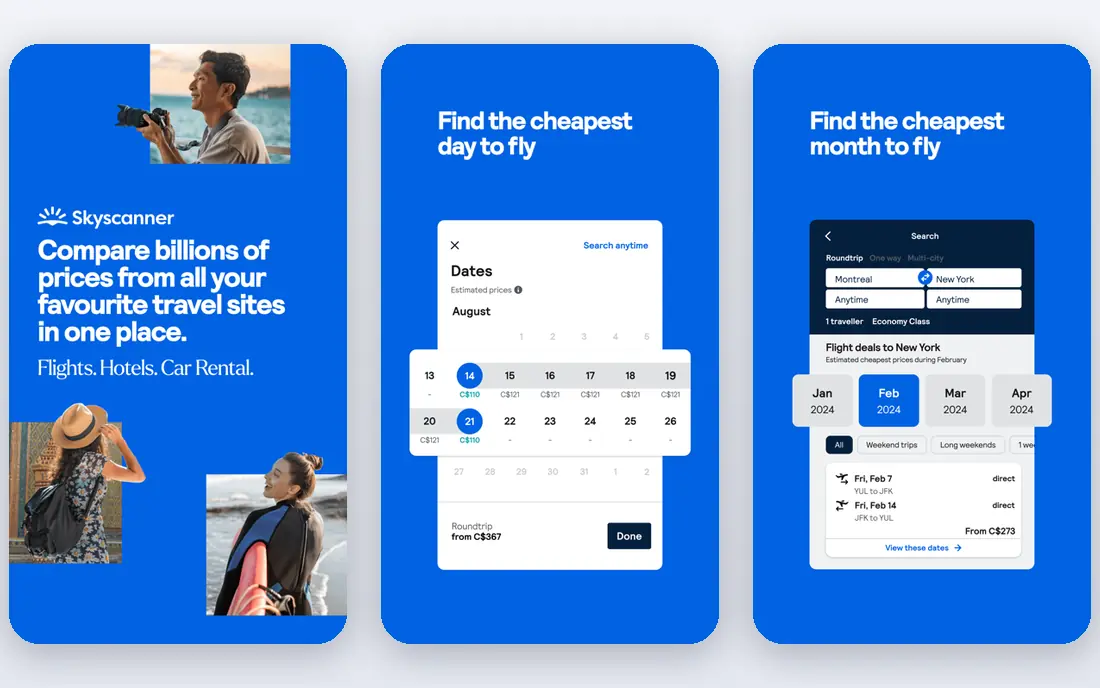
Skyscanner works best as a starting search, because it shows a wide price range before you commit to one airline or seller. That focus matters because the right choice depends on your daily use, not on a feature list alone. Before you commit, check coverage, pricing and limits for your own case, since those details decide whether a tool feels helpful or frustrating after the first week.
The flexible calendar view is a real help, since shifting a trip by a day or two can change the fare in a visible way. On pricing, the starting point listed above is Free, with a free plan status of Yes. If that price does not fit, check the vendor pricing page for current tiers, since plans and limits change over time.
The catch is the handoff, since booking through a third party can make changes harder, so read the fare terms before you pay. If that trade-off feels acceptable, try the free tier or trial first with a real task, and keep an eye on total cost, not just the headline price.
- Searches many airlines and booking sites at once
- Flexible date views help find cheaper days
- Price alerts are useful
- It does not sell every ticket itself, so you may book through a partner
- Final fees can differ at checkout
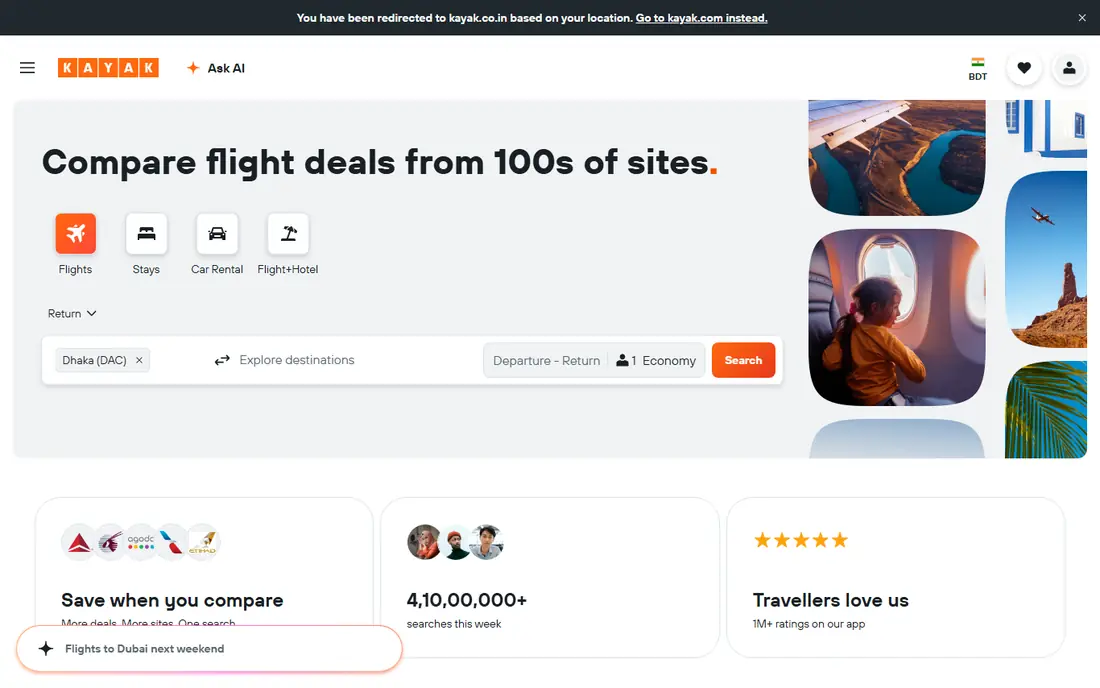
Kayak suits travelers who want one search for a whole trip, rather than checking flights, hotels and cars in separate places. That focus matters because the right choice depends on your daily use, not on a feature list alone. Before you commit, check coverage, pricing and limits for your own case, since those details decide whether a tool feels helpful or frustrating after the first week.
Its strength is breadth, because a single search can compare many sellers and show what is included in each fare. On pricing, the starting point listed above is Free, with a free plan status of Yes. If that price does not fit, check the vendor pricing page for current tiers, since plans and limits change over time.
The weakness is that the cheapest result is not always the simplest to change, so check baggage and change rules on the seller page. If that trade-off feels acceptable, try the free tier or trial first with a real task, and keep an eye on total cost, not just the headline price.
- Broad comparison across flights, hotels and cars
- Price forecasts and alerts
- Flexible search tools
- Booking may go through a partner site
- Forecast tools are guides, not guarantees
- Fees vary by seller
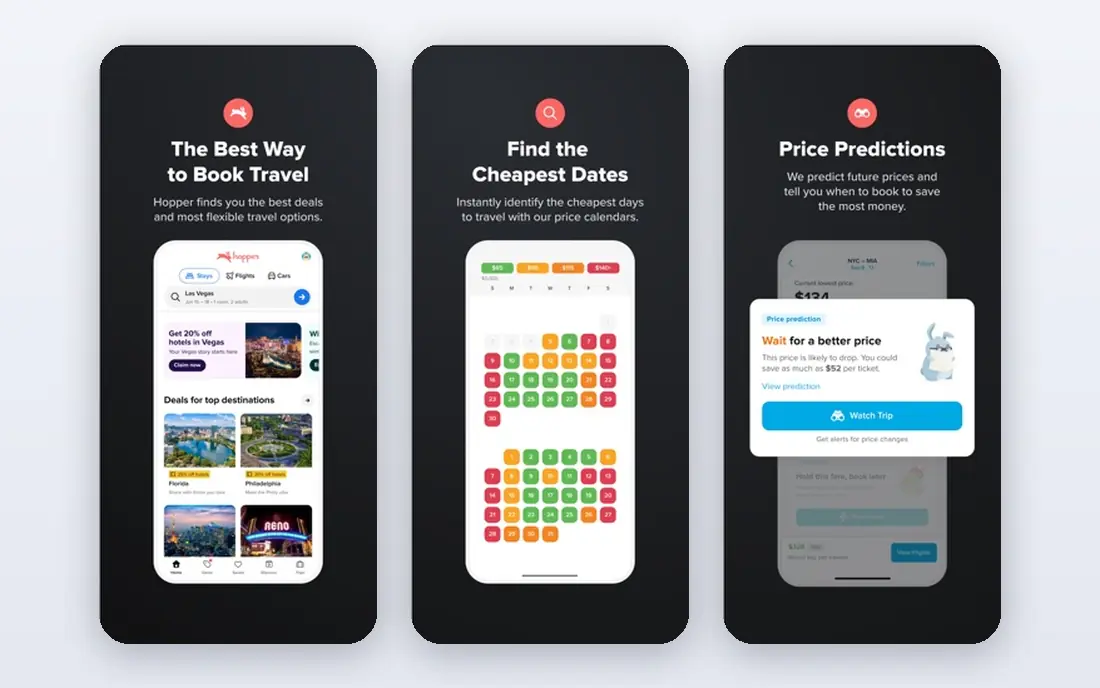
Hopper fits travelers with flexible dates who are happy to wait for a better fare and want a clear signal on timing. That focus matters because the right choice depends on your daily use, not on a feature list alone. Before you commit, check coverage, pricing and limits for your own case, since those details decide whether a tool feels helpful or frustrating after the first week.
The prediction view helps, because it turns a vague guess about when to book into a dated, color-coded hint. On pricing, the starting point listed above is Free, with a free plan status of Yes. If that price does not fit, check the vendor pricing page for current tiers, since plans and limits change over time.
The limit is certainty, since a prediction can be wrong, and a fare can rise while you wait for a drop that never comes. If that trade-off feels acceptable, try the free tier or trial first with a real task, and keep an eye on total cost, not just the headline price.
- Color-coded price predictions
- Alerts when fares move
- Flexible date and airport options
- Predictions are estimates, not promises
- Some features push add-ons
- Booking terms depend on the airline
Google Flights is our pick for most people starting a search, because it is fast, clear and easy to share with travel partners. That focus matters because the right choice depends on your daily use, not on a feature list alone. Before you commit, check coverage, pricing and limits for your own case, since those details decide whether a tool feels helpful or frustrating after the first week.
The calendar and map tools stand out, since you can see cheaper dates and nearby airports without running search after search. On pricing, the starting point listed above is Free, with a free plan status of Yes. If that price does not fit, check the vendor pricing page for current tiers, since plans and limits change over time.
The catch is that it shows prices, not a full booking service, so the airline terms still decide refunds, bags and changes. If that trade-off feels acceptable, try the free tier or trial first with a real task, and keep an eye on total cost, not just the headline price.
- Very fast search
- Clear calendar and map views
- Price tracking by email
- It is a search tool, not a seller, so you book with the airline or a partner
- Some low-cost carriers are limited
Expedia fits travelers booking a whole trip at once, especially when a flight plus hotel bundle beats buying each part alone. That focus matters because the right choice depends on your daily use, not on a feature list alone. Before you commit, check coverage, pricing and limits for your own case, since those details decide whether a tool feels helpful or frustrating after the first week.
Bundling is the strength, because the combined price sometimes undercuts separate bookings, and one itinerary keeps things together. On pricing, the starting point listed above is Free, with a free plan status of Yes. If that price does not fit, check the vendor pricing page for current tiers, since plans and limits change over time.
The downside is complexity, since a change to one part of a bundle can affect the rest, so read the cancellation terms first. If that trade-off feels acceptable, try the free tier or trial first with a real task, and keep an eye on total cost, not just the headline price.
- Bundles can save on a trip
- One account for flights, hotels and cars
- Rewards on eligible bookings
- Bundled prices can hide individual costs
- Change rules vary
- Customer service waits can be long at peak times
CheapOair suits bargain hunters, especially on international routes where a small fare gap matters on a long trip. That focus matters because the right choice depends on your daily use, not on a feature list alone. Before you commit, check coverage, pricing and limits for your own case, since those details decide whether a tool feels helpful or frustrating after the first week.
Its strength is fare hunting, since it can surface options that a single airline site may not highlight. On pricing, the starting point listed above is Free, with a free plan status of Yes. If that price does not fit, check the vendor pricing page for current tiers, since plans and limits change over time.
The catch is the fine print, because the lowest fare can carry strict change rules, so compare the total, not just the headline price. If that trade-off feels acceptable, try the free tier or trial first with a real task, and keep an eye on total cost, not just the headline price.
- Often surfaces lower fares, including international routes
- Phone support is available
- Flexible search options
- Service fees may apply
- Some fares are restrictive
- Refund and change rules need careful reading
Kiwi.com fits adventurous travelers who will trade a simple itinerary for a lower price or a route others miss. That focus matters because the right choice depends on your daily use, not on a feature list alone. Before you commit, check coverage, pricing and limits for your own case, since those details decide whether a tool feels helpful or frustrating after the first week.
The route engine is the draw, because it can join flights that a standard search would not pair together. On pricing, the starting point listed above is Free, with a free plan status of Yes. If that price does not fit, check the vendor pricing page for current tiers, since plans and limits change over time.
The risk is connection protection, since separate tickets do not always cover a missed connection, so leave generous time between legs. If that trade-off feels acceptable, try the free tier or trial first with a real task, and keep an eye on total cost, not just the headline price.
- Finds unusual route combinations
- Virtual interlining can link separate tickets
- Good for flexible travelers
- Separate tickets can mean no protection if a leg is missed
- Bags may need rechecking
- Fees can apply
Momondo works as a comparison check after you have a shortlist, because it can reveal a cheaper seller for the same flight. That focus matters because the right choice depends on your daily use, not on a feature list alone. Before you commit, check coverage, pricing and limits for your own case, since those details decide whether a tool feels helpful or frustrating after the first week.
Its strength is comparison depth, since it pulls in sellers that larger sites sometimes miss. On pricing, the starting point listed above is Free, with a free plan status of Yes. If that price does not fit, check the vendor pricing page for current tiers, since plans and limits change over time.
The limit is that Momondo does not control the booking, so any change or refund still goes through the seller you chose. If that trade-off feels acceptable, try the free tier or trial first with a real task, and keep an eye on total cost, not just the headline price.
- Compares a wide set of booking sites
- Clear fare breakdowns
- Useful for spotting price gaps
- It redirects to sellers for booking
- Customer service sits with the seller
- Prices can change fast
Priceline fits travelers who like a deal and will accept less detail up front in exchange for a lower package price. That focus matters because the right choice depends on your daily use, not on a feature list alone. Before you commit, check coverage, pricing and limits for your own case, since those details decide whether a tool feels helpful or frustrating after the first week.
Package pricing is the appeal, because a flight plus hotel deal can beat separate prices, especially for a short break. On pricing, the starting point listed above is Free, with a free plan status of Yes. If that price does not fit, check the vendor pricing page for current tiers, since plans and limits change over time.
The trade-off is control, since express deals hide the exact hotel or flight time until after you book, which does not suit every traveler. If that trade-off feels acceptable, try the free tier or trial first with a real task, and keep an eye on total cost, not just the headline price.
- Package deals and express deals can cut trip costs
- Broad hotel and flight inventory
- Rewards on some bookings
- Express deal details are hidden until booking
- Change rules vary
- Package savings are not guaranteed
How we picked these
We compared official feature pages, pricing pages, app store listings, privacy policies and public reviews for each product. We only listed products that exist and work today and truly fit the topic, and we used See website where a price could not be verified from the vendor page at the time of writing. We did not claim hands-on testing that did not happen, and we favored products with clear pricing, support and safety information where that mattered.
How to choose a flight app
Start with search, then booking. Use a fast comparison tool to find dates, airports and fare ranges, then check the same flight on the airline site. Compare the total price, including bags and seat fees, not just the base fare. For flexible trips, set price alerts and watch a few dates. For a full trip, compare a bundle price against separate flight and hotel prices. Finally, save the booking confirmation and the airline record locator, since that is what you need if plans change.