Best Flight Booking App in 2026: 9 Apps Compared
By ToolNimba Editorial Team October 31, 2026 12 min read

- Top pick
 Google Flights
Free price tracking
Starting priceFreeCheck out Google FlightsRead our review - Runner-up
 Skyscanner
Flexible and budget airlines
Starting priceFreeCheck out SkyscannerRead our review - Also great
 KAYAK
Complex itineraries
Starting priceFreeCheck out KAYAKRead our review
How we researched this
We compared official pricing and feature pages, app store listings, privacy policies and public user reviews. Prices change, so check the provider's site before you pay.
Key takeaways
- Google Flights is the best free starting point for most trips, with price tracking, flexible-date grids, and an Explore map for cheap destinations.
- Skyscanner is best for flexible travellers and budget airlines, with whole-month views and an Everywhere search for open-ended trips.
- Hopper is best for buy-now-or-wait advice, with colour-coded calendars and push alerts, though predictions are forecasts, not guarantees.
- KAYAK is best for complex itineraries, with Hacker Fares that mix airlines, plus hotel and car tracking in the same app.
- Going suits US travellers who want curated mistake fares and deal alerts, with a free tier and paid plans from $49 per year.
Quick comparison
| Name | Best for | Starting price | Free plan | |
|---|---|---|---|---|
| Google Flights | Free price tracking | Free | Yes | Visit |
| Skyscanner | Flexible and budget airlines | Free | Yes | Visit |
| KAYAK | Complex itineraries | Free | Yes | Visit |
 Hopper | Buy or wait predictions | Free | Yes | Visit |
 Kiwi.com | Multi-airline route combos | Free | Yes | Visit |
 Expedia | Flight plus hotel bundles | Free | Yes | Visit |
 Trip.com | Asia routes and support | Free | Yes | Visit |
 Going | Curated deal alerts | Free | Yes | Visit |
 Momondo | Comparing many providers | Free | Yes | Visit |
The best flight booking apps
The best flight app depends on whether you want to search, track, predict, or book, because no single app does all four equally well. The apps below are all currently available and cover a distinct job, from free search and alerts to curated deals and bundled bookings.

Google Flights is the best research tool for most travellers, even though it is a web service rather than a standalone app. The Track Prices toggle sends email alerts when a fare changes, the date grid shows cheaper days around your dates, and the Explore map shows the cheapest destinations from your home airport. That combination helps flexible travellers find savings that a fixed-date search would miss, without paying for a subscription.
The limits are modest. Alerts arrive by email, not push notification, and the price guarantee feature is US only in some listings. Google Flights also links you to airlines and booking sites rather than booking every fare itself, which is actually an advantage for changes and refunds, because a direct airline booking is usually easier to manage. Start every trip search here, then cross-check with Skyscanner before you buy.
- Price tracking and history
- Flexible-date grid
- Explore map
- No booking fees for search
- Not a standalone app
- Alerts are email only
- Price guarantee is US only in some listings
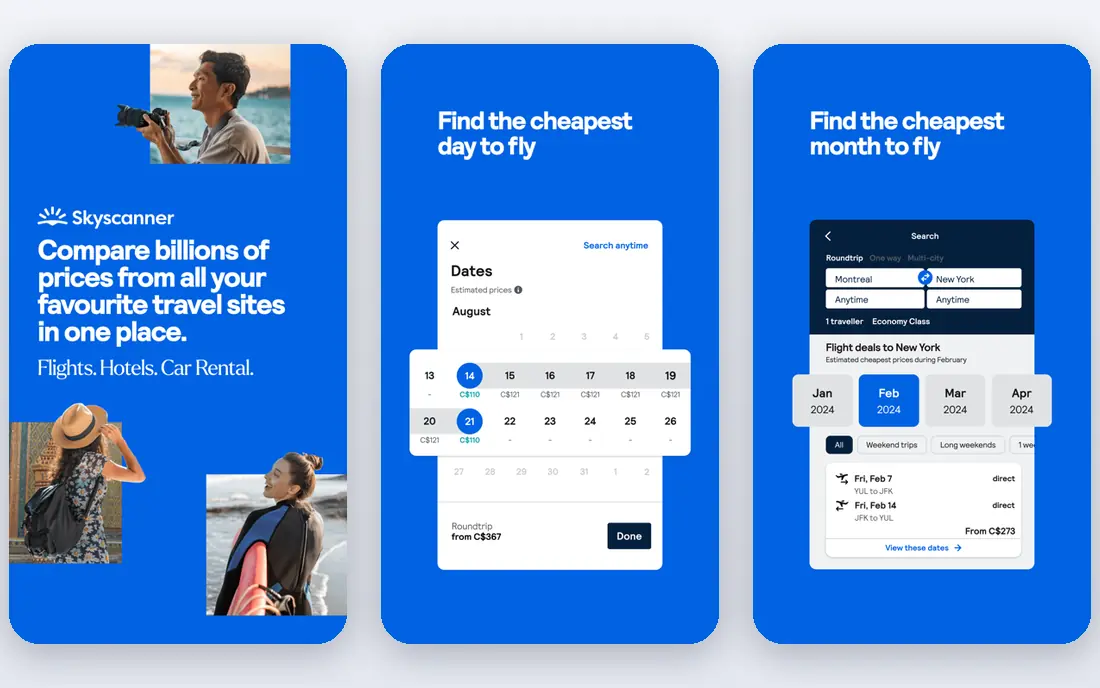
Skyscanner is the best cross-check for Google Flights, because it covers many airlines and online travel agencies, including budget carriers that some search engines miss. The whole-month view shows the cheapest days in a month, the Everywhere search finds the cheapest destination from your airport when you have no fixed plan, and price alerts by email and push keep you informed without daily searching. It is free to use, with revenue from booking partners rather than a subscription.
Skyscanner does not offer the same buy-or-wait forecasting as Hopper or KAYAK, so it is better for finding the current cheapest fare than for timing a purchase. It also books through airlines or agents, so check the final seller, baggage fees, and change terms before you pay. For flexible, international, and budget travel, Skyscanner is the most useful second search after Google Flights.
- Global coverage in 180 countries in recent listings
- Whole-month view
- Everywhere search
- Price alerts
- No fare prediction depth
- Booking is through airlines or agents, not Skyscanner itself
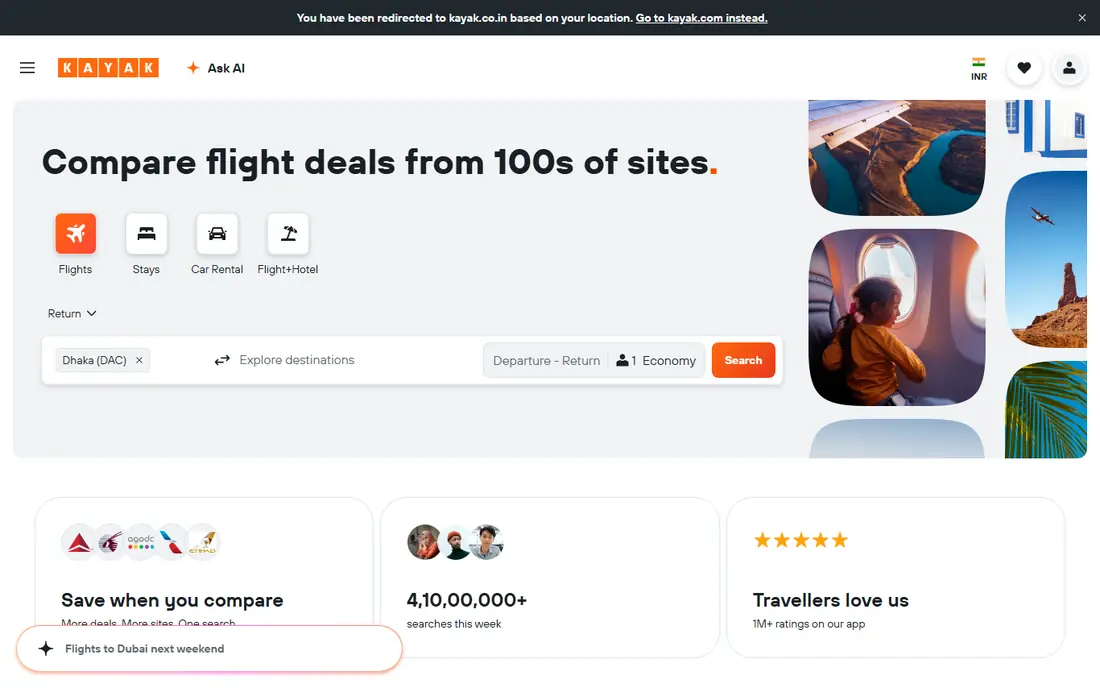
KAYAK suits travellers with complex trips, such as multi-city routes, mixed airlines, or a trip that also needs a hotel and a car. Its price forecast gives buy-or-wait guidance, its alerts cover flights, hotels, and cars, and its Hacker Fares combine two one-way tickets from different airlines to lower the total price. That flexibility can save money on routes where a single return ticket is expensive.
Hacker Fares come with a warning: because they are separate tickets, a missed connection on one ticket may not be protected by the other airline, and baggage and change rules differ per ticket. Read those rules before booking a Hacker Fare, and compare it with a single-ticket fare that offers protection. For a simple return flight, Google Flights or Skyscanner may be simpler, but for a complex trip, KAYAK earns its place.
- Price forecast and buy-or-wait advice
- Hacker Fares
- Hotel and car tracking
- Unlimited alerts in some listings
- Hacker Fares mean separate tickets with separate rules
- Interface has many options for new users
Hopper is the best app when your main question is whether to book now or wait. Its colour-coded calendar shows predicted price levels by date, push alerts tell you when a watched route drops, and a fare freeze option lets you hold a price while you decide. The app itself is free, with optional paid add-ons such as flexibility plans and price freeze fees, which you should check at checkout.
The honest catch is that predictions are probabilistic. A fuel price change, a schedule cut, or a sudden demand spike can move a fare away from the forecast, and booking through Hopper rather than directly with the airline adds a layer if you need changes or refunds. Use Hopper for the forecast and the alert, then book directly with the airline when the price is right, unless Hopper offers a clearly better total with acceptable terms.
- Colour-coded price calendars
- Push alerts
- Fare freeze option
- Clear buy-or-wait advice
- Predictions are forecasts, not promises
- Booking in-app adds a middleman
- Paid add-ons can add up
Kiwi.com finds routes that other search engines miss by combining low-cost carriers and separate tickets into one itinerary. Its Nomad tool helps multi-city travellers plan a route across several destinations, and its virtual interlining can create a journey that no single airline sells. For travellers who want the lowest possible fare on an unusual route, Kiwi.com is often the only tool that surfaces it.
Self-transfer routes carry real risk. If your first flight is delayed, the second airline may treat you as a no-show, because the tickets are separate, and Kiwi.com cover for missed connections varies by fare type. Read the connection protection terms, allow long layovers, and carry only hand luggage where possible on self-transfer routes. Kiwi.com is best for experienced travellers who understand that risk and want the cheapest combo.
- Finds unusual multi-airline combos
- Nomad multi-city tool
- Free alerts
- Self-transfer routes carry missed-connection risk
- Booking in-app adds a middleman
Expedia earns its place when you book a flight and a hotel together, rather than for a flight alone. Bundles can save money compared with booking each part separately, and Expedia customer support and rewards programme add value for travellers who book packages regularly. The app also tracks prices and offers price drop protection on select flights in some listings, for a fee.
For a flight-only booking, Google Flights, Skyscanner, or KAYAK will usually find a lower fare, and booking directly with the airline will usually give better change terms. Expedia is best when the bundle saving is clear, the hotel is one you actually want, and you have checked the cancellation terms for both parts. Compare the bundle total with the separate totals before you commit.
- Bundled flight and hotel savings
- Customer support
- Rewards programme
- Flight-only prices are rarely the cheapest
- Bundle terms need checking
Trip.com suits travellers flying in Asia, or booking routes where Asian carriers and regional agencies offer better fares. Target price alerts let you set the price you will pay, and 24-hour support in many markets helps when plans change across time zones. The app also covers hotels and trains in some markets, which helps for a multi-part Asia trip.
Trip.com is less central for US domestic travel, where Google Flights, KAYAK, and Hopper cover most needs. As with any online travel agency, check whether you are booking directly with the airline or through Trip.com, and read baggage, change, and refund terms before paying. Use Trip.com as a strong second search for Asia routes, and as a support-backed booking option when that matters.
- Strong Asia coverage
- Target price alerts
- 24-hour support in many markets
- Less useful for US domestic routes
- Booking terms vary by fare and seller
Going, formerly Scotts Cheap Flights, is different from search engines: it sends curated deal alerts for your home airports, including mistake fares that can be far cheaper than normal prices. The free Limited tier covers basic alerts, while paid plans cost $49 per year for Premium and $199 per year for Elite in recent listings, with more destinations and faster alerts on paid tiers. That curation saves time, because you do not need to search daily for deals you did not know existed.
Going mainly covers US departures, so international travellers based elsewhere should check coverage before subscribing. Deals also sell out fast, so you need to act quickly when an alert arrives, and you should still book directly with the airline where possible. Going suits US travellers who are flexible on destination and want deals to find them, rather than searching route by route.
- Curated mistake fares and deals
- Alerts for your home airports
- Free tier available
- US departures only in recent listings
- Paid plans needed for full deal access
Momondo is a useful third cross-check, because it compares fares from many airlines and online travel agencies, often surfacing a cheaper agency fare that other search engines miss. Its calendar matrix shows prices across dates, and its alerts keep you informed on watched routes. It is free to use, and it links to airlines and agencies for booking rather than booking itself in most cases.
Momondo is owned by the same group as KAYAK, so its results often overlap with KAYAK, and it does not add a distinct prediction or deal service. Its value is as a final price check before you buy, especially for international routes where agency fares vary. Check the final seller and total price, including baggage and booking fees, before you pay, because the cheapest headline fare is not always the cheapest total.
- Compares many airlines and agencies
- Calendar matrix
- Free alerts
- Owned by same group as KAYAK, so results overlap
- Booking through third parties needs care
How we picked these
We compared official app pages, feature pages, and app store listings for each app, plus public comparisons that list alert types, prediction features, and paid plan prices in 2026. We kept only apps that are currently available, offer flight search or deal alerts, and provide a distinct reason to use them, from free tracking to curated deals. Where an app books through a third party, we noted that, because booking terms affect changes and refunds.
How to book cheaper flights without getting caught out
Start with two search engines, not one. Run Google Flights and Skyscanner side by side for the same dates and airports, then check KAYAK for complex trips and Hopper for timing advice. That cross-check catches budget carriers, agency fares, and date savings that a single search can miss, and it takes only a few extra minutes.
Compare the total, not just the headline fare
Check baggage fees, seat selection fees, booking fees, and change terms before you pay, because a low headline fare can become expensive at checkout. Book directly with the airline when the price is close, because direct bookings usually give faster help during delays, easier refunds, and full frequent-flyer credit. Use an online travel agency only when the saving is clear and you trust its cancellation terms.
Set alerts and be flexible where you can
Set price alerts for your route, search a whole month where possible, and consider nearby airports and flexible dates, because those changes often save more than any app feature. For deal alerts, act quickly when a mistake fare arrives, but still check dates, baggage, and total price before you buy. Flexibility on destination, through Google Flights Explore or Skyscanner Everywhere, is the single biggest lever for cheap flights.